Tag: Banking Security

  • Digital Banking Pros and Cons: 7 Powerful Benefits & Risks

    Digital Banking Pros and Cons: 7 Powerful Benefits & Risks

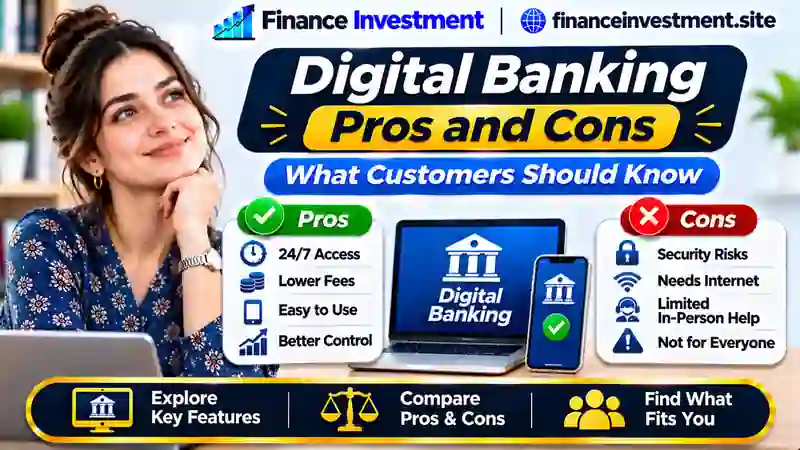
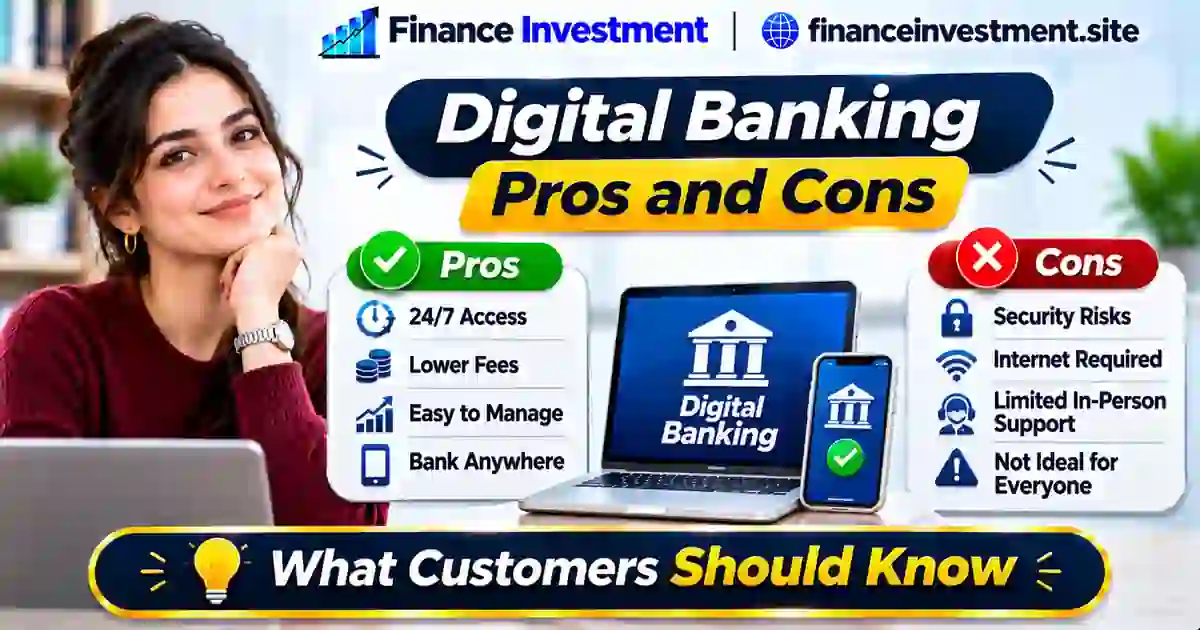
    Digital Banking Pros and Cons: What Customers Should Know

    WRITTEN BY
    Subhash Rukade
    Founder, FinanceInvestment

    Published
    Last Updated
    Reading Time
    About 12 min


    Digital Banking Pros and ConsIs Digital Banking Worth It for Everyday Customers?

    Paying bills from your kitchen table is convenient. Trying to make an urgent transfer when your banking app is unavailable is another story. Both experiences illustrate the digital banking pros and cons that matter to everyday customers.

    Digital services can save time, simplify household finances and reduce trips to a bank branch. But before relying on them, consider how you handle cash, resolve account problems and protect your money.

    New to banking digitally? Our complete guide to digital and online banking explains the services available to U.S. customers.

    What You’ll Learn

    • Seven practical benefits and seven potential drawbacks.
    • How digital banking compares with branch-based banking.
    • Which fees, limitations and security risks to consider.
    • Whether digital banking suits your financial needs.

    Digital Banking Pros and Cons: Quick Answer

    Digital banking offers convenient account access, easier money management and potential cost savings. Its drawbacks include technology dependence, fraud exposure and possible limitations on cash services or in-person assistance. The right choice depends on your financial habits and your institution’s services.

    Key Takeaways

    • Manage everyday finances without visiting a branch.
    • Some online banks offer lower fees and competitive savings rates.
    • Account alerts can help identify suspicious activity.
    • Technical outages may temporarily interrupt account access.
    • Cash deposits and personal assistance may be limited.
    • Deposit insurance protects eligible deposits against insured institution failure, not banking fraud.

    Bottom Line: Use digital banking for convenience, but maintain a reliable backup for urgent payments and essential banking needs.

    Digital Banking at a Glance

    These quick facts put the digital banking pros and cons into perspective, from everyday convenience to account costs and deposit protection.

    24/7
    Typical account access, subject to outages
    $250,000
    Standard federal deposit insurance coverage*
    $0
    Monthly maintenance fee on some accounts

    Quick Facts and Best Uses

    Digital banking essentials for U.S. customers
    FeatureWhat to Expect
    Best ForRoutine payments, savings and account monitoring
    Access MethodsBanking apps and websites
    Potential SavingsLower account fees and fewer branch visits
    Main LimitationsTechnology dependence and varying cash services

    *Standard coverage is $250,000 per depositor, per FDIC-insured bank, per ownership category. Federally insured credit unions provide comparable NCUA coverage. Fees and services vary by institution.

    Complete Beginner Guide: Is Digital Banking Right for You?Digital Banking Pros and Cons for U.S. Banking Customers

    You don’t have to leave your current bank to start banking digitally. Before comparing new accounts, find out whether your existing institution already offers the services you need.

    1. Review Your Monthly Banking Habits

    Review a month’s transactions. If most involve direct deposits, card purchases and electronic payments, digital banking may fit comfortably into your routine.

    2. Check Cash Access and Customer Support

    Find out where you can deposit cash, withdraw money and speak with a representative. Check service hours, ATM charges and withdrawal limits before opening an account.

    3. Consider Banking Through a Credit Union

    Many credit unions combine digital services with ATM networks or branch access. Our guide to credit union mobile banking explains the features members may find useful.

    If you’re considering membership, compare digital credit unions based on eligibility, account terms and available services.

    4. Try the Services Before Switching Accounts

    Verify deposit insurance and test essential features before moving significant funds. Evaluate the digital banking pros and cons firsthand. If you switch institutions, keep your old account funded until outstanding payments clear and recurring deposits and bills have moved successfully.

    How Digital Banking Works in Everyday Life

    From payday to the end of the month, digital banking can help you manage income, expenses and savings without arranging your schedule around branch hours.

    Receiving Income and Depositing Checks

    Paychecks and retirement benefits can arrive through direct deposit. For eligible paper checks, mobile check deposit offers another convenient option. Check the funds availability date before spending newly deposited money.

    Handling Monthly Household Bills

    Use available bill-pay services to schedule expenses such as electricity, insurance and internet bills. Allow enough processing time and maintain sufficient funds to cover upcoming payments.

    Putting Savings on a Schedule

    Automatic transfers can help you build savings gradually. Choose an amount your budget can support, and adjust the schedule when household expenses or income change.

    Spotting Unusual Account Activity

    Available transaction alerts can bring unexpected purchases to your attention. Reviewing statements regularly remains important because alerts may not capture every problem. Report unfamiliar transactions promptly through your institution’s official support channels.

    Digital Banking Pros and Cons: 7 Benefits and 7 Drawbacks

    Digital banking can make everyday money management easier, but not every feature benefits every customer. Here are the advantages and disadvantages worth considering before choosing how to bank.

    ✓ 7 Major Benefits of Digital Banking

    1. Convenient Account Access

    Review balances, manage accounts and submit payment requests without planning around branch hours, provided digital services are available.

    2. Potential Fee and Interest Benefits

    Some online-only banks offer lower account fees or higher savings yields than certain traditional banks. Compare actual fees and annual percentage yields (APYs).

    3. Better Spending Awareness

    Transaction histories and available budgeting tools can reveal forgotten subscriptions, recurring expenses and changes in household spending.

    4. Convenient Mobile Check Deposits

    Supported mobile deposit services allow eligible customers to deposit qualifying paper checks without visiting a branch.

    5. Easier Savings Automation

    Scheduled transfers can help you build an emergency fund or save toward other financial goals without remembering every contribution.

    6. Useful Account Security Controls

    Available card locks, transaction alerts and authentication controls can help customers monitor and protect their accounts.

    7. Easier Access to Financial Records

    Electronic statements and downloadable transaction records can simplify household budgeting, financial recordkeeping and tax preparation.

    ✗ 7 Potential Drawbacks of Digital Banking

    1. Dependence on Technology

    System outages, internet disruptions and device problems can temporarily interrupt access to digital banking services.

    2. Digital Fraud and Security Risks

    Phishing, fake banking apps and stolen login credentials create security risks. Even strong authentication cannot prevent every scam.

    3. Cash Deposit Limitations

    Some online-only banks don’t accept cash deposits directly. Others use partner networks that may charge fees or offer limited locations.

    4. Limited In-Person Assistance

    Customers of branchless institutions may need to resolve complicated account problems through phone, chat or other remote support channels.

    5. Accessibility Barriers

    Unfamiliar interfaces, small screens or inadequate assistive technology support can make certain digital banking platforms difficult to use.

    6. Financial Privacy Concerns

    Linking external budgeting or payment apps may involve sharing financial data. Review permissions and privacy practices before connecting accounts.

    7. Transaction Limits and Processing Delays

    Digital transfer limits, check deposit holds and processing schedules can delay access to funds. Submitting a transaction online doesn’t guarantee immediate completion.

    Digital Banking vs. Traditional Banking: How Do They Compare?

    Traditional banks and credit unions often provide digital services too. The following comparison highlights the practical differences between digital-first institutions and those offering physical branch access.

    Digital-first vs. branch-based banking: Key differences
    FeatureDigital-First BankingBranch-Based Banking
    Account AccessPrimarily apps and websitesBranches and often digital services
    Account FeesSome accounts offer lower feesVary by account and institution
    Savings RatesCompetitive APYs at some online banksDepend on the savings product
    Cash DepositsMay require partner locationsGenerally available at eligible branches
    Customer SupportPrimarily phone, chat or online supportIn-person and remote assistance
    Service AvailabilitySubject to system availabilityBranch hours and digital availability
    Deposit InsuranceDepends on institution and account eligibilityDepends on institution and account eligibility
    Best ForCustomers comfortable with remote bankingCustomers who value in-person services

    When comparing digital banking pros and cons, remember that fees, rates and services depend on the institution. Verify deposit insurance before opening an account.

    Hidden Costs, Security Risks & Expert Tips

    A banking app may be free to download, but the account behind it isn’t necessarily free to use. Review the fee schedule and security features before making it your primary banking option.

    Banking Fees Worth Checking

    • Monthly maintenance and overdraft fees.
    • Out-of-network ATM withdrawal charges.
    • Cash deposit and expedited transfer fees.
    • Foreign transaction and wire transfer charges.

    Understand Security and Insurance Risks

    Criminals may use fake alerts or stolen credentials to access accounts. Federal deposit insurance protects eligible deposits against insured institution failure, not ordinary fraud losses. Learn more about FDIC insurance coverage for banking apps before depositing money through a financial technology platform.

    Report unauthorized electronic transfers promptly. The CFPB’s Regulation E consumer liability rules explain protections and reporting requirements for qualifying unauthorized transfers.

    💡 Expert Tip: Build a Banking Backup Plan

    Enable multifactor authentication, use unique passwords and activate transaction alerts where available. Keep an alternative payment method accessible for emergencies. Before linking external financial apps, review their data permissions and remove connections you no longer need.

    Common Digital Banking Mistakes to Avoid

    Small banking decisions can create unnecessary expenses or leave you without convenient access to money. Watch out for these common mistakes:

    • Choosing an account solely for its APY: Consider fees, withdrawal options and service quality too.
    • Ignoring pending transactions: Account for outstanding payments before spending.
    • Following unexpected banking links: Open your institution’s official app or website instead.
    • Overlooking account recovery options: Keep your registered contact information current.
    • Relying on one payment method: Maintain an accessible alternative for unexpected service interruptions.

    Real-Life Example: Balancing Convenience With Financial Access

    Consider Robert and Linda, a hypothetical retired couple in Ohio. They keep $15,000 in an insured online savings account and $3,000 in checking at a federally insured local credit union.

    When their online bank’s app becomes temporarily unavailable, they can still use their separately accessible checking funds for groceries and prescriptions. Their arrangement illustrates how digital convenience and local banking services can complement each other.

    Who Should Choose Digital Banking?

    Digital banking may be a good fit if your everyday financial needs can be handled comfortably through apps or websites.

    • Working professionals: Manage payments around busy schedules.
    • Families: Monitor household expenses and organize recurring bills.
    • Students: Track limited budgets and everyday spending.
    • Retirees: Manage routine transactions remotely while maintaining accessible support.
    • Savings-focused customers: Compare account fees, interest rates and withdrawal options online.

    When a Hybrid Banking Approach Makes Sense

    Customers who regularly handle cash, prefer face-to-face assistance or lack reliable internet access may benefit from combining digital services with local branch access.

    Frequently Asked Questions About Digital Banking Pros and Cons

    1. What are the main pros and cons of digital banking?

    Digital banking offers convenient account access, automated payments and easier money management. Potential drawbacks include technology dependence, fraud risks and limited branch access at online-only institutions.

    2. Is digital banking safe in the USA?

    Digital banking can be safe when customers use legitimate financial institutions, secure devices and strong authentication. However, no banking platform is completely immune to fraud.

    3. Is digital banking cheaper than traditional banking?

    Some online-only banks offer lower fees, but digital access alone doesn’t guarantee savings. Compare maintenance charges, ATM fees and other account terms.

    4. Can I deposit cash with an online-only bank?

    Some online-only banks accept cash through supported ATMs or retail partners. Others don’t accept cash deposits. Check available locations, fees and deposit limits.

    5. Are digital banking accounts federally insured?

    Eligible deposits at FDIC-insured banks and eligible shares at federally insured credit unions receive coverage within applicable limits. Fintech apps themselves are not FDIC-insured banks.

    6. Is digital banking suitable for seniors?

    Digital banking may suit seniors who are comfortable with technology and have accessible customer support. Maintaining branch access can provide additional flexibility.

    7. What happens if my banking app stops working?

    Try your institution’s official website or contact customer support. Alternative banking channels may remain available, depending on the cause and extent of the outage.

    8. Can digital banking replace branch-based banking completely?

    Digital banking can meet many everyday financial needs. Customers who frequently handle cash or require personal assistance may benefit from combining digital services with branch access.


    Final Verdict: Is Digital Banking Worth It?

    Understanding digital banking pros and cons helps you choose services that fit your financial routine. Convenient access and useful money management tools can make everyday banking easier, but reliable support, reasonable fees and secure access deserve equal attention.

    You don’t have to give up branch banking to enjoy digital convenience. Choose a combination that works for your household, and explore our complete guide to digital and online banking to better understand your options.

    Have a Money Question? Keep Exploring.

    Make your next banking decision with greater confidence. Explore practical guides that help you manage everyday finances and understand how your deposits are protected.

    Explore Digital & Online Banking

    Understand FDIC Insurance for Banking Apps

    📩 Get in Touch With FinanceInvestment

    Independent financial education for everyday decisions.

    Financial Disclaimer: This article is for educational purposes only and does not constitute personalized financial advice. Banking fees, rates, services and insurance eligibility may vary. Verify current account terms directly with your financial institution before making decisions.
  • Mobile Banking vs Online Banking: 7 Essential Tips for Better Banking

    Mobile Banking vs Online Banking: 7 Essential Tips for Better Banking

    Mobile Banking vs. Online Banking: What’s the Difference?

    WRITTEN BY
    Subhash Rukade
    Founder, FinanceInvestment

    Published On

    Last Updated

    Reading Time
    About 12 min


    Mobile Banking vs Online BankingMobile App or Banking Website: Which Fits Your Needs?

    Your phone may be the easiest way to deposit a paper check if your bank offers mobile deposits. But when you’re reviewing several months of statements, a laptop might be more comfortable. Understanding mobile banking vs. online banking helps you choose the right tool for each task.

    Mobile banking is part of online banking. In this guide, we’ll compare dedicated banking apps with banking websites accessed through an internet browser.

    Our complete guide to digital and online banking explains the broader services available. Here, the focus is on everyday convenience, security and practical differences.

    What You’ll Learn

    • Seven key differences between banking apps and websites.
    • Which features suit different banking tasks.
    • Security risks associated with each method.
    • When using both makes more sense.

    Mobile Banking vs. Online Banking: Quick Answer

    THE KEY DIFFERENCE

    Mobile banking typically uses a financial institution’s smartphone or tablet app. Online banking includes both app-based and browser-based access. In everyday comparisons, online banking often refers specifically to using a banking website through an internet browser.

    6 Key Takeaways

    • Banking apps offer convenient access while traveling or running errands.
    • Browser banking can make detailed account reviews easier.
    • Both methods can access the same eligible bank account.
    • Mobile apps may support check deposits and biometric login.
    • Available features and security controls vary by institution.
    • Neither access method changes your deposit insurance coverage.

    Bottom Line: Use a banking app for quick everyday tasks and a banking website when a larger screen or additional account tools are helpful.

    Mobile Banking vs. Online Banking at a Glance

    Both methods connect you to your financial institution. The differences lie mainly in convenience, device capabilities and available features.

    24/7
    Typical account access, subject to maintenance and outages.
    2 Methods
    Dedicated banking apps and browser-based access.
    1 Account
    Use both methods with the same eligible account.

    Quick Summary: Which Method Fits Each Task?

    Scroll horizontally if needed to view the full table.

    A quick comparison of app-based and browser-based banking.
    FeatureMobile BankingBrowser Banking
    Best ForQuick everyday tasksDetailed financial reviews
    AccessSmartphone or tablet appBrowser on a compatible device
    Useful FeaturesMobile deposits and push alerts, when offeredStatement downloads and transaction searches
    Access FeesTypically no separate access feeTypically no separate access fee

    Note: Features may overlap. Account fees, transaction charges and processing times depend on your institution and the service used.

    Mobile Banking vs. Online Banking: A Complete Beginner’s Guide Mobile Banking vs Online Banking features and security comparison

    Getting started with digital banking doesn’t usually require opening another account. Many U.S. banks and credit unions offer both mobile apps and browser-based access to existing eligible accounts.

    1. Set Up Your Mobile Banking App

    Visit your financial institution’s official website to locate its recommended app. Download it from the official app store, verify the publisher, and follow the enrollment or sign-in instructions.

    Depending on your account, you may find card controls, transaction alerts and mobile check deposit. Check the eligibility requirements before using unfamiliar features.

    2. Access Banking Through a Web Browser

    Open your institution’s official website using an updated browser on a compatible phone, tablet or computer. A larger screen can make downloading statements, reviewing expenses and managing scheduled payments easier.

    3. Use Both Methods With Your Existing Account

    You might check a restaurant charge through your phone and review your household budget later on a laptop. Both methods can connect to the same account, although login requirements and available features may differ.

    4. Explore Your Credit Union’s Digital Services

    Credit union members can often access similar digital tools. Our guide to how credit union mobile banking works explains the features, requirements and limitations members should understand.

    5. Customize Your Banking Experience

    Enable multifactor authentication when available, activate useful account alerts and locate customer support. Explore both platforms before making important payments or deposits.

    How Do Mobile Banking and Online Banking Work?

    Behind the screen, banking apps and websites communicate with your financial institution’s systems through encrypted connections. Both retrieve account information and submit transaction requests, but the way you interact with each platform differs.

    How Mobile Banking Works

    1. Authenticate: Open the official banking app and sign in using supported credentials, biometrics or additional security verification.
    2. Access account information: The app retrieves available balances, recent transactions and supported account services.
    3. Submit a request: Transfer money, manage card settings or capture check images for an eligible mobile deposit.
    4. Review the status: Check the confirmation and any processing details. Sign out when finished.

    How Browser-Based Online Banking Works

    1. Connect securely: Visit your institution’s official website and complete the required authentication.
    2. Navigate the dashboard: Access supported accounts, statements, transaction histories and payment tools.
    3. Authorize transactions: Enter the required details, review your instructions and submit the request.
    4. Check confirmation: Review the transaction status, save relevant records and securely sign out.

    How Account Information Stays Connected

    Both platforms generally access the same underlying account records. However, pending transactions, deposit holds and update delays may affect displayed balances. A confirmation does not necessarily mean a payment has settled or deposited funds are available.

    Many digital credit unions follow a similar approach, allowing members to manage eligible accounts through supported apps and websites.

    Mobile Banking vs. Online Banking: Benefits and Drawbacks

    A banking app fits naturally into a busy routine, while a website can make detailed financial management more comfortable. Both have advantages and limitations depending on your needs.

    Mobile Banking: Pros and Cons

    ✓ Benefits

    • Convenient account access while away from home.
    • Camera-based check deposits, where supported.
    • Push notifications for timely account updates.
    • Biometric login and card controls, when available.

    ✗ Drawbacks

    • Smaller screens can make detailed reviews difficult.
    • Lost or stolen devices may create security concerns.
    • Requires a compatible device and regular app updates.
    • Some account management tools may be unavailable.

    Browser-Based Online Banking: Pros and Cons

    ✓ Benefits

    • Easier document review on larger screens.
    • Convenient statement downloads and financial recordkeeping.
    • No dedicated banking app installation required.
    • Access through various compatible devices.

    ✗ Drawbacks

    • Certain app-specific features may be unavailable.
    • Fraudulent websites can imitate legitimate banking pages.
    • Shared computers may expose sensitive account information.
    • Some websites are less convenient on smaller screens.

    Neither method is automatically safer or better. Your institution’s technology, device security and personal banking habits influence the overall experience.

    Mobile Banking vs. Online Banking: 7 Key Differences

    Choosing between a banking app and a website becomes easier when you compare the tools, device requirements and everyday tasks associated with each method.

    Scroll horizontally if needed to view the full comparison.

    Seven practical differences between banking apps and browser-based banking.
    Comparison FactorMobile Banking AppBrowser-Based Online Banking
    1. Access MethodInstalled app on a compatible smartphone or tablet.Website through a compatible internet browser.
    2. Check DepositsCamera-based deposits, when supported.May require an app or another deposit method.
    3. AuthenticationMay integrate device biometrics for convenient sign-in.May support passwords, passkeys or biometric authentication.
    4. Account AlertsApp-based push notifications, where available.Dashboard alerts and supported notification settings.
    5. Document ManagementConvenient statement access on mobile devices.Comfortable document review on larger screens.
    6. Advanced ServicesMay include app-specific account management tools.May provide additional settings or reporting tools.
    7. AccessibilityDevice-based accessibility tools, depending on app design.Browser zoom, keyboard navigation and supported assistive tools.

    Note: Features and authentication options may overlap. Neither method inherently offers lower fees, faster transactions or stronger security. Check your financial institution’s available services.

    Mobile Banking vs. Online Banking: Costs, Security Risks and Expert Tips

    What Does Each Banking Method Cost?

    Most U.S. financial institutions provide digital account access without a separate access fee. However, monthly maintenance fees, wire transfer charges, expedited payment fees and mobile data costs may still apply.

    Security Risks You Should Understand

    • Mobile banking: Fake apps, stolen devices, malicious software and fraudulent text messages.
    • Browser banking: Phishing websites, compromised browsers and unsafe shared computers.
    • Both methods: Weak passwords, stolen credentials and social engineering scams.

    Understanding whether banking apps are covered by FDIC insurance is particularly important when using third-party financial platforms.

    Does Deposit Insurance Protect Against Digital Fraud?

    FDIC and NCUA insurance protect eligible deposits against insured institution failure, generally up to $250,000 per depositor or member, per insured institution, per ownership category.

    Deposit insurance does not reimburse hacking losses. Separate consumer protection rules may apply to qualifying unauthorized transactions. Learn more about FDIC insurance and bank account hacking.

    💡 Expert Tip: Secure Both Access Methods

    • Enable multifactor authentication and transaction alerts.
    • Keep banking apps, browsers and operating systems updated.
    • Avoid banking through unexpected links or shared computers.
    • Never share passwords or one-time verification codes.
    • Report suspicious transactions or a lost banking device promptly.

    Common Mistakes to Avoid When Using Mobile and Online Banking

    Using both banking methods becomes easier when you understand their limitations and avoid these everyday mistakes.

    5 Common Mistakes

    • Expecting identical features on both platforms.
    • Resubmitting payments without checking their status.
    • Depositing the same paper check more than once.
    • Confusing pending deposits with available funds.
    • Assuming biometric authentication prevents every type of fraud.

    Practical Example: Using Both Banking Methods

    Imagine Emily, a hypothetical customer in Colorado, has an available checking balance of $1,800. She deposits a $650 paper check using her bank’s mobile app.

    Later, she checks her account through a laptop. Assuming the entire deposit remains on hold and no other transactions occur, her available balance is still $1,800, not $2,450.

    Lesson: Changing banking platforms does not release held funds. Check your available balance and the bank’s deposit availability notice before spending.

    Who Should Choose Mobile or Online Banking?

    Choose Mobile Banking If You:

    • Frequently manage money away from home.
    • Prefer quick balance checks and account alerts.
    • Regularly use supported mobile check deposit features.

    Choose Browser Banking If You:

    • Prefer reviewing finances on a larger screen.
    • Frequently organize statements and financial records.
    • Prefer banking without installing a dedicated app.

    Families, professionals and retirees can combine both methods based on their routines, accessibility needs and available banking features.

    If you’re considering a new bank, learn how to verify FDIC insurance before depositing money.

    Frequently Asked Questions About Mobile Banking vs. Online Banking

    1. What is the difference between mobile banking and online banking?

    Mobile banking typically uses a dedicated app, while browser-based online banking uses a website. Mobile banking is itself a form of online banking.

    2. Is mobile banking safer than online banking?

    Neither method is inherently safer. Security depends on your institution’s safeguards, device protection, authentication methods and personal banking habits.

    3. Can I use mobile banking and online banking together?

    Yes. If your institution supports both methods, you can generally manage the same eligible account through its app and website.

    4. Can I use online banking without downloading an app?

    Yes, if your institution offers browser-based banking. Some services or authentication steps may still require its mobile app.

    5. Does mobile banking cost more than online banking?

    Usually, neither has a separate access fee. Account charges, transaction fees and internet or mobile data costs may still apply.

    6. Can I deposit checks through mobile banking?

    Yes, when your institution supports mobile check deposits. Eligibility requirements, deposit limits and funds availability rules may apply.

    7. What happens to mobile banking if I lose my phone?

    Contact your financial institution promptly, remotely lock the device if possible, and follow instructions to secure your account and revoke device access.

    8. Which is better: mobile banking or online banking?

    Mobile apps suit quick everyday tasks, while browser banking can simplify detailed financial reviews. Using both may offer greater flexibility.


    Final Verdict: Mobile Banking vs. Online Banking

    The choice between mobile banking and browser-based online banking doesn’t have to be permanent. A mobile app can simplify everyday money management, while a banking website may offer a more comfortable experience for reviewing financial records.

    Use the method that fits each task, prioritize security and explore the features your institution provides. Our complete guide to digital and online banking can help you build a banking routine that suits your financial needs.

    Have a Money Question? Keep Exploring.

    A good banking routine should make your life easier, not more complicated. Keep exploring practical ways to manage your accounts, use digital banking features and protect your financial information.

    Continue Your Research

    Disclaimer: This article is for educational and informational purposes only and does not constitute personalized financial advice. Banking features, fees, limits and security policies vary by institution. Always review your financial institution’s current terms before making decisions.

  • How Does Online Banking Work? 7 Powerful Steps for Beginners

    How Does Online Banking Work? 7 Powerful Steps for Beginners

    How Does Online Banking Work? A Complete Beginner’s Guide for 2026

    WRITTEN BY
    Subhash Rukade
    Founder, FinanceInvestment

    PUBLISHED

    LAST UPDATED

    READING TIME
    About 12 min


    How Does Online Banking WorkWhat Happens When You Bank Online?

    You sit down after dinner, check your checking account and schedule next week’s electricity bill. It takes only a few minutes. But how does online banking work behind the screen? And why can a scheduled payment take several days to reach its destination?

    Our complete guide to digital and online banking introduces the services available to you. Here, we’ll look at what happens when you sign in, move money and pay bills, so you know what to expect before making your next transaction.

    What You’ll Learn

    • How to get started with online banking.
    • How banks process payments and transfers.
    • Why some transactions take longer than others.
    • How to bank safely and avoid unnecessary fees.

    How Does Online Banking Work? Quick Answer

    QUICK ANSWER

    Online banking connects your computer or mobile device to your financial institution’s banking systems. After verifying your identity, the bank lets you view balances, pay bills and request transfers. It processes transactions through the appropriate payment systems and updates your account records.

    6 Key Takeaways

    • Access your accounts through a bank’s website or mobile app.
    • Identity verification helps protect account access.
    • Available balances may differ from current balances.
    • Transfer speeds depend on the payment method.
    • Traditional banks and credit unions also offer online services.
    • Deposit insurance depends on the institution and account eligibility.

    Bottom Line: Online banking makes managing money convenient, but submitting a transaction does not always mean the payment is complete.

    Online Banking at a Glance

    Here’s what you can expect when managing your bank account online in the United States.

    ACCOUNT ACCESS
    24/7

    Typically available around the clock, except during outages or maintenance.

    STANDARD FDIC LIMIT
    $250,000

    For eligible deposits, per depositor, per insured bank, per ownership category.

    PAYMENT SPEED
    Varies

    Some payments arrive within seconds; others take several business days.

    Quick Banking Summary

    Essential online banking features
    FeatureWhat to Expect
    Best ForEveryday money management
    Getting StartedEligible account and online enrollment
    Common ServicesBill payments, transfers and statements
    FeesDepend on account terms and services

    Quick Take: Being able to access your account at midnight doesn’t mean every payment will be processed immediately.

    Getting Started With Online Banking: A Complete Beginner’s GuideHow Does Online Banking Work

    Already have a checking or savings account? You may be able to manage it online without opening another account. Start by checking whether your financial institution offers digital access for your account type.

    1. Choose a Banking Institution That Fits Your Needs

    If you’re opening a new account, compare traditional banks, online-only banks and credit unions. Review monthly fees, minimum balance requirements, deposit insurance, ATM access and customer support.

    2. Register for Online Banking

    Visit your institution’s official website or download its official mobile app. Enrollment requirements vary, but the process generally includes:

    • Entering your account details and required personal information.
    • Creating login credentials with a strong, unique password.
    • Completing the institution’s identity verification process.
    • Setting up multifactor authentication when available.

    3. Get Familiar With Your Banking Dashboard

    Locate your available balance, transaction history, statements and payment tools. Enable account alerts and review transfer limits before moving money.

    4. Explore Online Banking Through Credit Unions

    Credit union members can often manage their finances remotely, although available features differ by institution. Learn how credit union mobile banking works to explore everyday services such as mobile deposits and bill payments.

    Considering a new membership? Our guide to digital credit unions explains membership eligibility, account requirements and digital services.

    5. Make Your First Online Transaction

    Start with a small transfer between your own eligible accounts. Review the amount, destination, applicable fees and expected delivery time before confirming. Check your transaction history afterward to see whether the transfer has been completed.

    How Does Online Banking Work? 7-Step Transaction Process

    Sending money through your banking app may take less than a minute. Behind the screen, however, several banking systems work together to verify, process and record your transaction.

    Step 1: Secure Account Login

    You sign in through your bank’s website or mobile app. The institution authenticates your credentials and may require an additional verification code, fingerprint or facial recognition.

    Step 2: Access Your Account Information

    The banking system retrieves your account records, including balances and transaction history. Check your available balance because pending payments or deposit holds may affect how much you can spend.

    Step 3: Submit a Payment or Transfer Request

    Select the recipient, funding account, payment amount and delivery date when applicable. Review the details carefully before authorizing the transaction.

    Step 4: Bank Verification and Authorization

    Your institution checks applicable account restrictions, available funds, transfer limits and potential fraud indicators. Additional verification may be required before processing.

    Step 5: Payment Processing

    The next stage depends on the type of transaction you selected.

    • Internal transfers: Funds move between accounts within the same institution.
    • ACH transfers: Payment instructions travel through the Automated Clearing House network.
    • Instant payments and wires: Separate payment systems process eligible transactions.
    • Online bill pay: Your bank may send an electronic payment or mail a paper check.

    For a closer look at payment methods, explore our comparison of bank-to-bank transfers and payment apps.

    Step 6: Settlement and Funds Availability

    For transfers between institutions, settlement occurs according to the payment system’s rules. The receiving institution makes funds available based on applicable requirements and processing schedules.

    Step 7: Transaction Confirmation and Account Updates

    Your transaction history reflects the payment’s status. Keep the confirmation number and check whether the transaction is pending or completed. A submission confirmation alone does not prove that the recipient has received the money.

    Benefits & Drawbacks of Online Banking

    From paying household bills to monitoring retirement savings, online banking makes everyday money management easier. Still, some tasks are less convenient when technology or account restrictions get in the way.

    Benefits of Online Banking

    • Convenient access: Manage accounts outside regular branch hours.
    • Automated payments: Schedule recurring bills and savings transfers.
    • Mobile deposits: Deposit eligible checks through supported banking apps.
    • Paperless records: Access electronic statements and payment history.
    • Account alerts: Spot potentially unauthorized activity sooner.

    Drawbacks of Online Banking

    • Technology dependency: Internet problems or system outages can interrupt access.
    • Fraud risks: Scammers may target login credentials and verification codes.
    • Transaction limitations: Transfer limits, processing delays and deposit holds may apply.
    • Learning curve: Some customers may need help navigating digital services.
    • Limited online services: Complex banking tasks may require additional assistance.

    Online-Only Banks vs. Traditional Bank Online Services

    You don’t have to give up branch banking to manage your money online. Both banking models offer digital services, but their account costs, savings rates and cash-handling options can differ considerably.

    Side-by-Side Banking Comparison

    Key differences between online-only and traditional banks in the United States
    FeatureOnline-Only BanksTraditional Banks
    Banking AccessPrimarily through websites and appsDigital services and physical branches
    Savings APYOften competitive, but not guaranteedVaries by bank and savings product
    Monthly FeesMany accounts have no monthly maintenance feeFree and fee-based accounts available
    Cash DepositsMay require participating ATMs or retail partnersGenerally available at branches and eligible ATMs
    ATM AccessPartner networks or fee reimbursements may be availableBank-owned or partner ATM networks
    Customer SupportPrimarily remote assistanceRemote and branch-based assistance
    Deposit InsuranceFDIC coverage for eligible deposits at insured banksSame FDIC coverage rules apply
    Best ForDigital-first customers and rate-conscious saversCustomers who frequently use branch services

    Note: Rates, fees and services vary by institution. Nonbank fintech apps are not themselves FDIC-insured banks.

    Online Banking Costs, Security Risks & Expert Tips

    A banking app may be free to download, but that doesn’t mean every account or transaction is free. Understanding potential charges and security protections can help you avoid expensive surprises.

    Online Banking Costs to Watch For

    • Account fees: Monthly maintenance and applicable overdraft charges.
    • Transfer fees: Wire transfers and certain expedited payments.
    • ATM fees: Charges for using out-of-network machines.

    Security Risks and Deposit Protection

    Phishing messages, fake banking websites and stolen passwords can expose your account to fraud. Before depositing money through an unfamiliar app, understand whether banking apps qualify for FDIC coverage.

    FDIC insurance protects eligible bank deposits against insured bank failure. Federally insured credit unions provide comparable NCUA share insurance. Our FDIC and NCUA insurance guide explains coverage limits and eligibility.

    Consumer Protection Under Regulation E

    Federal Regulation E limits consumer liability for qualifying unauthorized electronic fund transfers. Reporting deadlines and transaction circumstances matter. Payments you personally authorize after being deceived may receive different treatment.

    Deposit insurance does not reimburse hacking losses. Learn more about FDIC insurance and bank account hacking.

    Expert Tip: Protect Your Online Banking Account

    • Use unique passwords and multifactor authentication.
    • Enable transaction alerts and keep banking apps updated.
    • Never share passwords or verification codes with callers.
    • Report suspicious transactions immediately using your institution’s official contact details.

    Common Online Banking Mistakes to Avoid

    Small oversights can lead to missed payments, unnecessary fees or financial losses. Here are five mistakes worth avoiding.

    • Overlooking scheduled payments: Spending funds reserved for bills that haven’t been deducted.
    • Entering incorrect recipient details: Mistaken transfers can be difficult to recover.
    • Paying bills too late: Ignoring estimated delivery dates and processing cutoffs.
    • Clicking unexpected banking links: Open your bank’s official app or website instead.
    • Ignoring account activity: Delaying the discovery and reporting of unauthorized transactions.

    A Practical Example: Budgeting for Scheduled Payments

    HYPOTHETICAL CUSTOMER EXAMPLE

    Michael, a homeowner in Arizona, has an available checking balance of $2,400. He schedules a $1,200 mortgage payment and a $180 utility payment. Neither payment has reduced his available balance yet.

    Remaining funds after both scheduled payments

    $1,020

    $2,400 − $1,200 − $180 = $1,020

    Assuming no other transactions occur, Michael has $1,020 left after covering both bills. Planning ahead helps him avoid spending money already committed to upcoming payments.

    Who Should Use Online Banking?

    Online banking suits people who want greater flexibility in managing their everyday finances without relying entirely on branch visits.

    • Working professionals: Manage payments outside regular banking hours.
    • Families: Track household spending and recurring expenses.
    • Students: Monitor balances and develop budgeting habits.
    • Retirees: Review Social Security and pension deposits remotely.
    • New banking customers: Learn how to verify FDIC insurance for banks or check NCUA coverage for credit unions.

    If you regularly deposit cash or prefer in-person assistance, choose an institution offering both online services and convenient branch access.

    Frequently Asked Questions About Online Banking

    1. How does online banking work?

    Online banking connects you to your financial institution through a website or app, allowing you to access accounts, request transactions and monitor payment activity.

    2. Is online banking safe?

    Online banking can be safe when you use official banking platforms, strong passwords and multifactor authentication. However, no banking system is completely risk-free.

    3. Do I need a new account to use online banking?

    Not necessarily. You can usually enroll using an existing eligible account if your bank or credit union offers online services.

    4. Are online banking transfers instant?

    Not always. Transfer times depend on the payment method, institution, processing deadlines and applicable security checks.

    5. Is online banking free?

    Many institutions provide online access without additional charges, but account maintenance fees, wire transfer fees and other service charges may apply.

    6. Are online bank accounts FDIC insured?

    Eligible deposits at FDIC-insured banks receive the same deposit insurance protection whether accounts are managed online or through physical branches.

    7. Do credit unions offer online banking?

    Yes. Many credit unions offer online account access, mobile deposits, transfers and bill payments. Available features vary by institution.

    8. Can I use online banking without a smartphone?

    Yes, if your institution supports browser-based banking and you can complete its authentication requirements using another supported method.


    Final Verdict: Is Online Banking Worth Using?

    Understanding how online banking works gives you greater control over everyday financial decisions. From checking balances to paying household bills, digital access can simplify tasks that once required a branch visit.

    Start with an insured financial institution, learn its payment rules and build secure banking habits. You don’t need to abandon traditional banking to enjoy these conveniences.

    For a broader understanding of modern banking services, explore our complete guide to digital and online banking.

    Have a Money Question? Keep Exploring.

    Getting comfortable with online banking takes practice. Explore these guides to manage everyday transactions, understand your banking options and make more informed financial decisions.

    Have a general banking question or a topic you’d like us to cover? Share your suggestions with FinanceInvestment.


    Get in Touch With FinanceInvestment

    Please do not email account numbers, passwords, Social Security numbers or verification codes.

    Disclaimer: This article is for educational purposes only and does not constitute personalized financial or legal advice. Banking fees, features and policies may vary by institution and change over time.

  • Digital Banking vs. Electronic Banking: 8 Essential Insights

    Digital Banking vs. Electronic Banking: 8 Essential Insights

    Digital Banking vs. Electronic Banking: What’s the Difference?

    WRITTEN BY
    Subhash Rukade
    Founder, FinanceInvestment

    Published
    Last Updated
    Reading Time
    About 12 min


    Digital Banking vs. Electronic BankingTwo Banking Terms You Probably Use Every Day

    Ever withdrawn cash from an ATM, paid for groceries with a debit card or checked your balance on your phone? These familiar activities help explain digital banking vs. electronic banking and why the two terms often overlap.

    You don’t need separate accounts to use these services. The distinction is mainly about how banking technology delivers services and handles transactions. Our complete guide to digital and online banking covers the broader banking landscape. Here, we’ll focus on what makes these two terms different and where they overlap.

    What You’ll Learn

    • The difference between digital and electronic banking.
    • How ATMs, debit cards and banking apps fit together.
    • The benefits, costs and security risks of each.
    • Which banking services suit your daily needs.

    Digital Banking vs. Electronic Banking: Quick Answer

    QUICK ANSWER

    Electronic banking covers banking services delivered through electronic systems, including ATMs and electronic payments. Digital banking often refers to managing money through apps, websites and other digital tools. There is no universal dividing line between the two, and many banking activities fall into both categories.

    6 Key Takeaways

    • ATMs, debit card payments and direct deposits are electronic banking examples.
    • Mobile apps and online account management are common digital banking services.
    • Some electronic transactions require no personal internet connection.
    • Digital tools can help you track spending without moving money.
    • Banks and credit unions can provide both types of services.
    • Fees and consumer protections vary by service and transaction type.

    Bottom Line: Rather than choosing between the two, focus on which banking features help you pay bills, access cash and manage your money safely.

    Digital Banking vs. Electronic Banking at a Glance

    Checking your balance and receiving your paycheck involve different banking functions, even when they use the same account.

    ACCOUNT ACCESS
    Typically 24/7

    App and website access, subject to outages and maintenance.

    STANDARD FDIC LIMIT
    $250,000

    Per depositor, per insured bank, per ownership category for eligible deposits.

    TRANSACTION SPEED
    Varies

    Depends on the payment method and provider.

    Quick Banking Summary

    Common uses and features
    Banking FeatureQuick Facts
    Digital BankingApps, websites and account management tools.
    Electronic BankingATMs, debit cards and electronic transfers.
    Best ForManaging accounts and completing everyday transactions.
    FeesDepend on account terms and services used.

    Quick Take: Deposit protection depends on where and how your money is held, not whether you use an app or an ATM.

    Understanding Digital Banking and Electronic Banking: A Beginner’s GuideDigital Banking vs. Electronic Banking

    One way to understand digital banking vs. electronic banking is to look at what you do with your account and how your bank carries out those instructions.

    What Is Electronic Banking?

    Electronic banking, sometimes called e-banking, allows customers to access banking services through electronic systems. It existed long before smartphones became part of everyday life.

    For example, your employer can send your salary through the Automated Clearing House (ACH) network. You receive the money without visiting a branch or opening a banking app.

    What Is Digital Banking?

    Digital banking brings account services into apps, websites and other digital channels. Depending on your provider, you can open accounts, review statements, set savings goals or temporarily lock a misplaced debit card.

    These activities show that digital banking involves more than transferring money.

    Where the Two Concepts Overlap

    When you send an ACH payment through your bank’s app, you are using a digital banking service to initiate an electronic fund transfer. Both descriptions apply to the same activity.

    However, not every digital banking activity involves an electronic fund transfer as defined under CFPB’s Regulation E.

    How Banks and Credit Unions Fit In

    Both institutions can offer digital and electronic services. Eligible deposits at FDIC-insured banks and eligible shares at federally insured credit unions receive protection within applicable limits. Our FDIC and NCUA insurance guide explains these protections in more detail.

    Beginner Insight: Think of your banking app as one way to manage your account. Electronic payment systems help carry out many of the transactions you request.

    How Digital and Electronic Banking Work

    The difference between digital banking and electronic banking becomes clearer when you follow what happens during an everyday banking activity.

    STEP 1

    Access a Service

    Use a banking app, website, ATM or payment terminal.

    STEP 2

    Process the Request

    Banking systems perform applicable security checks and process your instructions.

    STEP 3

    Receive a Response

    View account information, receive cash or check your transaction status.

    Digital Banking vs. Electronic Banking: Everyday Examples

    1. Withdrawing Cash From an ATM

    An ATM uses electronic systems to request authorization for your withdrawal. Once approved, it can dispense cash without requiring you to use a banking app.

    2. Paying With a Debit Card

    When you buy groceries, the payment network helps route the transaction for authorization. The purchase may appear as pending before final settlement.

    3. Moving Money Through a Banking App

    Suppose you transfer $200 from checking to a savings account at another bank. Your app provides digital access, while an ACH network may process the electronic transfer. See our guide to transferring money between bank accounts.

    4. Tracking Household Expenses

    Reviewing monthly spending in your banking app is a digital service that does not initiate a new payment.

    How Credit Union Banking Fits In

    Credit union members may also access mobile deposits, bill payments, transfers and account alerts. Features vary by institution. Learn more about how credit union mobile banking works.

    Remember: A payment confirmation does not necessarily mean the funds have settled or are available to the recipient.

    Benefits and Drawbacks of Digital and Electronic Banking

    When comparing digital banking vs. electronic banking, remember that many advantages and limitations apply to both. Here is what matters most in everyday life.

    ✓ Benefits (Pros)

    • Convenience: Handle routine banking without visiting a branch.
    • Flexible access: Use available services outside branch hours.
    • Easier payments: Receive direct deposits and pay bills electronically.
    • Money management: Track balances and spending through digital tools.
    • Automation: Schedule recurring payments and savings transfers.

    ✗ Drawbacks (Cons)

    • Security risks: Scams, phishing and unauthorized transactions.
    • Service disruptions: Technical outages may interrupt access.
    • Possible fees: Certain ATM withdrawals and transfers may cost extra.
    • Processing delays: Not every payment settles immediately.
    • Accessibility challenges: Some customers may struggle with unfamiliar technology.

    Practical Takeaway: Choose banking features that fit your routine, and check their fees, security controls and customer support before relying on them.

    Digital Banking vs. Electronic Banking: 8 Key Comparison Points

    These terms often overlap rather than describe separate banking systems. The following comparison highlights their typical uses, shared features and practical distinctions.

    On smaller screens, scroll horizontally to view the complete table.

    Digital and electronic banking features compared
    FeatureDigital BankingElectronic Banking
    Primary FocusDigital banking experiences and servicesBanking through electronic systems
    Common ChannelsApps, websites and digital platformsATMs, card terminals, apps and websites
    Typical UsesBudgeting, account opening and paymentsWithdrawals, direct deposits and transfers
    Personal Internet AccessUsually needed for app and website servicesNot necessary for every service
    Money MovementMay involve financial or nonfinancial activitiesIncludes transactions and account inquiries
    Security ControlsPasswords, biometrics and other authentication methodsPINs, authentication and transaction controls
    FeesBoth depend on account terms and the specific services used.
    Deposit ProtectionBoth depend on the insured institution, deposit eligibility and applicable insurance limits.

    Key Difference: Digital banking often emphasizes how customers manage their finances through digital tools. Electronic banking covers electronically delivered services, including many of those same tools.

    Costs, Security Risks and Expert Tips for Safer Banking

    When evaluating digital banking vs. electronic banking, look beyond convenience. Account charges, fraud protections and access to your savings deserve equal attention.

    Banking Costs Worth Checking

    • Monthly account maintenance and overdraft fees.
    • Out-of-network ATM withdrawal charges.
    • Expedited transfers and international payment fees.

    Review your institution’s fee schedule before using unfamiliar services.

    Security Risks and Fraud Prevention

    Fake banking websites, stolen debit cards and account takeover attempts can expose your money. Use unique passwords, enable multifactor authentication and review transaction alerts. Our guide to SIM swap scams explains additional risks involving verification codes.

    Understanding Regulation E Protection

    Regulation E provides protections for covered consumer electronic fund transfers, including unauthorized debit card and ATM transactions. Report suspicious activity promptly. Liability depends on the circumstances and reporting deadlines. Payments you personally authorize under deception may receive different treatment. Review the CFPB’s consumer liability rules.

    FDIC and NCUA Deposit Protection

    FDIC insurance and NCUA share insurance protect eligible balances against insured institution failure within applicable limits. They do not insure against ordinary fraud.

    Before using a fintech service, understand how banking app insurance works and what FDIC insurance excludes.

    Expert Tip: Build Safer Banking Habits

    Never share verification codes with unsolicited callers. Verify unexpected payment requests independently, and contact your financial institution immediately if you notice an unauthorized transaction.

    Common Digital and Electronic Banking Mistakes to Avoid

    A few simple banking habits can help you avoid unnecessary fees, payment delays and security problems.

    5 Common Banking Mistakes

    1. Opening unnecessary accounts: Use existing accounts when they support the services you need.
    2. Assuming payments are instant: Check processing times before important deadlines.
    3. Ignoring fees: Review ATM and transfer charges before proceeding.
    4. Ignoring transaction alerts: Review unexpected activity and report unauthorized transactions promptly.
    5. Trusting unfamiliar banking apps: Verify the provider and applicable deposit insurance coverage.

    Real-Life Example: One Banking Relationship, Multiple Services

    Hypothetical scenario: Sarah, an Ohio resident, receives a $3,500 monthly paycheck in her checking account through ACH direct deposit.

    • She pays $120 for groceries with her debit card.
    • She withdraws $80 from an ATM.
    • She transfers $400 to savings at the same bank using its app.
    • She reviews her spending without initiating another transaction.

    Sarah combines electronic payments with digital money management through her existing banking relationship.

    Lesson: Understanding digital banking vs. electronic banking helps you choose useful features rather than unnecessary accounts.

    Which Banking Services Should You Use?

    The right combination of digital and electronic banking services depends on your financial habits, comfort with technology and everyday needs.

    For Beginners

    Start with balance checks, debit cards and transaction alerts.

    For Families

    Use budgeting tools, scheduled bill payments and savings transfers.

    For Seniors and Retirees

    Prioritize accessible banking tools, reliable customer support and fraud alerts.

    For Everyday Customers

    Combine direct deposits, ATM access and mobile account management.

    Before opening a new online bank account, learn how to verify FDIC insurance. For credit unions, confirm applicable share insurance separately.

    Frequently Asked Questions About Digital and Electronic Banking

    What is the difference between digital banking and electronic banking?

    Digital banking often emphasizes account management through digital tools. Electronic banking covers electronically delivered banking services. Their features frequently overlap.

    Is mobile banking considered electronic banking?

    Yes. Mobile banking is both a form of electronic banking and a common digital banking service.

    What are examples of electronic banking?

    Examples include ATM withdrawals, debit card payments, ACH transfers, direct deposits and electronic bill payments.

    Does electronic banking require an internet connection?

    Not always. ATM withdrawals and direct deposits do not require customers to have their own internet connection.

    Is digital banking safer than electronic banking?

    Neither is inherently safer. Security depends on the specific service, financial institution, authentication controls and customer habits.

    Are digital banking deposits FDIC insured?

    Eligible deposits at FDIC-insured banks receive standard coverage of $250,000 per depositor, per insured bank, per ownership category. Nonbank fintech companies are not themselves FDIC-insured. Pass-through coverage depends on meeting applicable requirements.

    Do credit unions offer digital and electronic banking?

    Yes. Many credit unions offer mobile apps, online banking, debit cards, ATM access and electronic transfers. Features vary by institution.

    Can I use digital and electronic banking with the same account?

    Yes. A single checking account can support both, depending on the services your financial institution provides.


    Final Verdict: Digital Banking vs. Electronic Banking

    Digital and electronic banking overlap in everyday life. You can receive your paycheck electronically, withdraw cash from an ATM and manage your savings through a banking app without choosing between the two concepts.

    Focus on affordable services, convenient access and reliable customer support. Explore our complete guide to digital and online banking to understand your options.

    Final Takeaway: Choose banking features that simplify your financial life, verify deposit protection and practice safe banking habits.

    Have a Money Question? Keep Exploring.

    Managing your money becomes easier when you understand the tools available to you. Keep learning with these practical banking guides.

    Have a general banking question or a topic suggestion? We’d love to hear from you.

    📩 Get in Touch With FinanceInvestment

    For your privacy, never email passwords, account numbers or verification codes.

    Financial Disclaimer: This article is for educational and informational purposes only and does not constitute personalized financial or legal advice. Banking fees, service terms and deposit insurance eligibility may vary. Confirm applicable details before making financial decisions.