Tag: Banking Security

  • How to Endorse a Check for Mobile Deposit: 7 Easy Steps

    How to Endorse a Check for Mobile Deposit: 7 Easy Steps

    How to Endorse a Check for Mobile Deposit Correctly: 7 Easy Steps

    Written by
    Subhash Rukade
    Founder, FinanceInvestment

    Published

    Last Updated

    Reading Time

    10 min read

    How to Endorse a Check for Mobile DepositA Few Words on the Back of Your Check Can Make a Difference

    Learning how to endorse a check for mobile deposit takes only a few minutes, but it can help you avoid unnecessary delays. Unlike a traditional check deposit, depositing through your phone may require more than just your signature.

    Perhaps you’ve received a tax refund, a birthday check or a payment from a customer. Before reaching for a pen, check your bank or credit union’s instructions. The required endorsement wording can vary by institution.

    If you’re unfamiliar with banking apps, our guide to digital and online banking explains the essentials.

    What You’ll Learn

    • Where to sign and what to write.
    • Seven steps for endorsing checks correctly.
    • When a restrictive endorsement is required.
    • How to handle joint and business checks.
    • What to do if you make an endorsement mistake.

    Quick Answer: How to Endorse a Check for Mobile Deposit

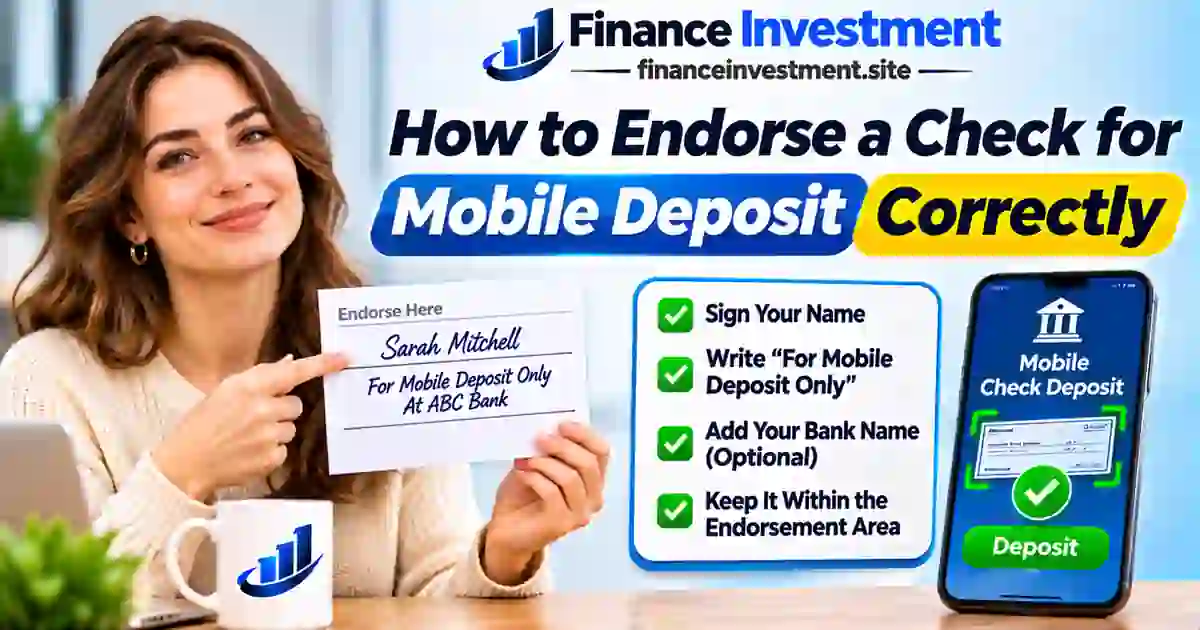
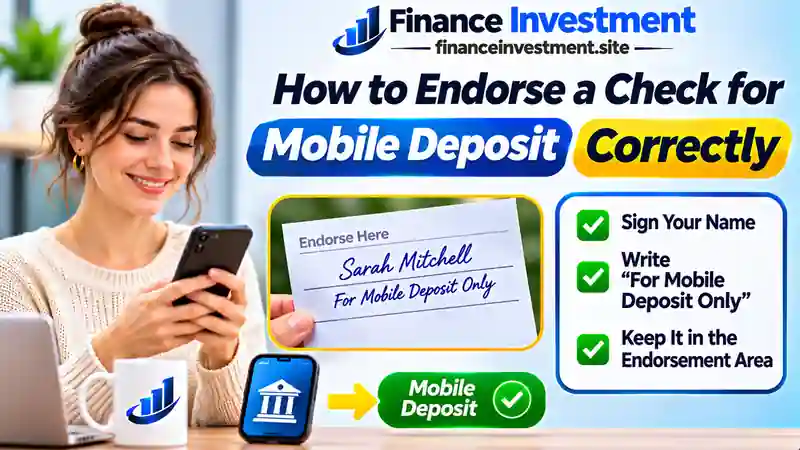
    Sign your name in the designated endorsement area on the back of the check. If your bank or credit union requires a restrictive endorsement, add its exact wording beneath your signature or as directed.

    SAMPLE MOBILE DEPOSIT ENDORSEMENT
    Emily Johnson
    For Mobile Deposit Only at [Bank Name]
    Example of a signature and restrictive endorsement.

    This example is illustrative. Use your actual signature and follow your institution’s required wording.

    6 Key Takeaways

    • Check your banking app’s endorsement instructions first.
    • Keep your signature within the designated area.
    • Use blue or black ink, as directed.
    • Confirm signature requirements for joint checks.
    • Wait until you’re ready to deposit before endorsing.
    • Retain the original check for the required period.

    Bottom Line: Follow your own bank’s endorsement instructions rather than assuming the same wording works everywhere.

    Mobile Check Endorsement at a Glance

    A check endorsement authorizes the handling of a check. For mobile deposits, additional wording may restrict the check to a particular deposit method or financial institution.

    QUICK FACT
    Endorsement Area
    Located on the back of the check.
    BEST FOR
    Mobile Banking Users
    Customers depositing eligible paper checks.
    KEY NUMBER
    2 Common Elements
    Payee signature and restrictive wording, when required.

    Mobile Deposit Endorsement Requirements

    Scroll horizontally on smaller screens if needed.

    Quick reference for mobile check endorsements
    RequirementWhat You Should Know
    SignatureFollow the applicable payee signature requirements.
    Restrictive WordingUse the exact wording specified by your institution.
    Bank NameInclude your bank or credit union’s name if required.
    Mobile Deposit CheckboxCheck the box if instructed. Additional wording may still be necessary.
    Check EligibilityConfirm that your check type and account qualify for mobile deposit.

    For a closer look at depositing checks and managing money from your phone, explore these essential mobile banking app features.

    Understanding Check Endorsements: A Beginner’s GuideHow to Endorse a Check for Mobile Deposit

    The person or business named on a check is called the payee. An endorsement generally involves the payee signing the back of the check to authorize its transfer or collection. Additional instructions can limit how the check may be used.

    Blank vs. Restrictive Endorsements

    Blank Endorsement

    You sign your name without adding instructions. A check endorsed this way may be easier for someone else to misuse if it is lost or stolen.

    Restrictive Endorsement

    You sign the check and add instructions limiting its use. Wording such as For Mobile Deposit Only can help restrict the deposit method, although it does not eliminate fraud risks.

    Where Is the Endorsement Area on a Check?

    Look for the signature lines or “Endorse Here” instructions near one end of the back of your check. Keep your writing inside the designated area and above any marked boundary reserved for financial institution processing.

    Using a credit union instead of a bank? Our guide to how credit union mobile banking works explains the services available through these institutions.

    Good to Know: Even a correctly endorsed check must meet your financial institution’s mobile deposit eligibility rules.

    7 Easy Steps to Endorse a Check for Mobile Deposit Correctly

    Have your paper check, a pen and your banking app ready. Here’s how to prepare your check without overlooking the small details that matter.

    Step 1: Read Your Bank’s Mobile Deposit Instructions

    Sign in to your official banking app. Check the endorsement instructions, eligible check types and available deposit limits before writing on the check.

    Step 2: Check the Payee Name

    Make sure the check is payable to an eligible recipient for the destination account. Ask your institution for guidance if a name is misspelled or multiple payees are listed.

    Step 3: Find the Endorsement Area

    Turn the check over and locate the designated endorsement space. Leave enough room for your signature and any additional instructions without writing in the bank processing area.

    Step 4: Sign the Back of the Check

    Sign using the ink color and signature format your institution requires. For checks payable to multiple people, obtain all required signatures before proceeding.

    Step 5: Add the Required Restrictive Endorsement

    Write the required mobile deposit wording or use an approved preprinted checkbox, depending on your institution’s instructions.

    Bank-Specific Mobile Deposit Endorsement Examples

    Wells Fargo
    For Mobile Deposit at Wells Fargo Only

    Sign using dark blue or black ink. Wells Fargo also accepts its specified preprinted mobile deposit checkbox instead of handwritten restrictive wording when available. See the official mobile deposit instructions.

    Navy Federal Credit Union
    For Mobile Deposit Only at NFCU

    Navy Federal requires every listed payee to sign. Members should follow its official mobile check deposit requirements.

    These examples apply to the named institutions. Your own bank or credit union may require different wording.

    Step 6: Review and Photograph Your Check

    Make sure the endorsement is readable. Capture both sides through the banking app, using good lighting and keeping all four corners visible.

    Step 7: Submit the Deposit and Keep Your Check

    Review the amount and destination account. Submit the deposit, save the confirmation and monitor its status. Follow your institution’s instructions for marking, storing and eventually destroying the original check.

    If you haven’t activated your banking app, our guide on how to set up mobile banking can help you get started.

    Important: Wrote the wrong bank name or didn’t receive a deposit confirmation? Contact your institution before altering the endorsement or attempting another deposit.

    Benefits and Drawbacks of Restrictive Check Endorsements

    A restrictive endorsement provides an extra safeguard when depositing checks by phone. The trade-off is less flexibility if you later need to use another deposit method.

    Benefits

    • Helps discourage unauthorized check use.
    • Clearly identifies the intended deposit method.
    • Can help reduce duplicate deposit risks.
    • Satisfies applicable mobile endorsement requirements.
    • May prevent avoidable endorsement-related delays.

    Drawbacks

    • May restrict branch or ATM deposit options.
    • Incorrect wording can cause rejection.
    • Switching banks may require additional assistance.
    • Does not establish check authenticity.
    • Cannot guarantee deposit approval.

    These trade-offs are worth considering alongside the broader benefits and limitations of digital banking.

    Check Endorsement Types Compared: Which One Should You Use?

    Blank, restrictive and special endorsements serve different purposes. Mobile-specific and bank-specific instructions are variations of restrictive endorsements designed for particular deposit requirements.

    Scroll horizontally on smaller screens to view all three columns.

    Check endorsement methods and mobile deposit suitability
    Endorsement MethodWhat You Write or DoMobile Deposit Suitability
    Blank EndorsementPayee signature only.May not meet mobile deposit requirements.
    General RestrictiveSignature plus “For Deposit Only.”Additional wording may be required.
    Mobile-Specific RestrictiveSignature plus “For Mobile Deposit Only.”Suitable if your institution accepts this wording.
    Bank-Specific RestrictiveSignature and required wording naming the institution.Use when your institution requires its name.
    Preprinted Mobile Deposit CheckboxSign and mark the designated checkbox as instructed.Accepted only under applicable institution rules.
    Special Endorsement“Pay to the order of [Recipient Name]” and the original payee’s signature.Many institutions exclude third-party checks from mobile deposits.

    Practical Tip: If you are unsure which endorsement to use, check your banking app before signing. Never assume a third-party check or preprinted checkbox will automatically qualify for mobile deposit.

    Mobile Check Endorsement: Costs, Risks and Expert Tips

    Are There Any Mobile Check Deposit Fees?

    Signing a check does not itself incur a fee. Many banks and credit unions offer standard mobile deposits at no additional charge. However, optional expedited funds availability services may cost extra. Check your account’s fee schedule for applicable charges and conditions.

    Risks of an Incorrect Endorsement

    An incomplete signature or incorrect restrictive wording can interrupt deposit processing. If you make an endorsement mistake, contact your financial institution before erasing, crossing out or replacing any instructions.

    For further guidance on different endorsement methods, read Chase’s official check endorsement guide.

    Protect Yourself From Duplicate Deposits

    Do not redeposit a pending or accepted check. If a submission fails, confirm that the original deposit was unsuccessful and obtain your institution’s approval before trying again.

    Warning: A Correct Endorsement Cannot Prevent Fake Check Fraud

    Money appearing in your available balance does not prove a check is genuine or has been paid. Never send money back to someone who overpays you by check. Contact your bank immediately if you suspect fraud.

    Expert Tip: Store Your Deposited Check Safely

    Keep the original check in a secure place for your institution’s specified retention period. Follow its instructions for marking and securely destroying deposited checks. Save your confirmation separately for future reference.

    5 Common Mobile Check Endorsement Mistakes to Avoid

    Small endorsement errors can turn a simple mobile deposit into an unnecessary banking problem. Here are five mistakes worth avoiding.

    1. Signing too early: Endorse the check only when you are ready to deposit it.
    2. Using incomplete wording: Include every endorsement detail your institution requires.
    3. Missing a required signature: Confirm the endorsement rules for checks payable to multiple people.
    4. Writing outside the designated area: Leave the bank processing space clear.
    5. Confusing submission with acceptance: Review your deposit status and funds availability separately.

    Practical Example: Depositing a $450 Reimbursement Check

    Hypothetical example for illustration

    Sarah receives a $450 reimbursement check from her employer. She initially plans to sign her name and deposit it through her credit union’s mobile app.

    After reviewing the instructions, she discovers that the endorsement must also include her credit union’s name. She adds the required wording before photographing and submitting the check.

    Sarah saves her confirmation and monitors the deposit status instead of assuming the money is immediately available.

    Financial Lesson

    Taking a moment to check endorsement instructions can help prevent avoidable delays. Plan your spending around confirmed funds availability, not simply the amount you submitted for deposit.

    Who Can Benefit From Proper Mobile Check Endorsements?

    Mobile check deposits are convenient for different account holders, but endorsement requirements depend on the check, account type and financial institution.

    Individual Account Holders

    Deposit eligible checks payable to you using your signature and any required restrictive wording.

    Joint Account Holders

    Check whether the payees are joined by “and” or “or,” and confirm signature and receiving account requirements.

    Small Business Owners

    Use authorized business endorsements and an eligible business account for checks payable to your company.

    Seniors and Banking Beginners

    Follow endorsement instructions in your official banking app and contact your institution if you need assistance.

    Eligibility Reminder: A correct endorsement does not guarantee acceptance. Confirm account eligibility, permitted check types and deposit limits before submitting.

    Frequently Asked Questions About Mobile Check Endorsements

    How do I endorse a check for mobile deposit?

    Sign within the designated endorsement area on the back of the check. Add any restrictive wording or other endorsement details required by your financial institution.

    Do I have to write “For Mobile Deposit Only” on a check?

    Many banks and credit unions require this phrase or similar wording. Some also require their institution’s name. Always follow the exact instructions provided in your banking app.

    Where do I sign a check for mobile deposit?

    Sign in the designated endorsement area on the back of the check, keeping your signature and required wording within the marked boundaries.

    Can I deposit a check using only my signature?

    Yes, if your institution permits signature-only mobile endorsements. Otherwise, missing restrictive wording or other required details may result in rejection.

    How do I endorse a joint check for mobile deposit?

    Checks payable to two people using “and” generally require both signatures. With “or,” either payee may generally endorse. Confirm your institution’s additional signature and account requirements.

    What happens if I endorse a check incorrectly?

    An incorrect endorsement may delay processing or cause rejection. Contact your institution before altering the endorsement or attempting to deposit the check again.

    Can I use the mobile deposit checkbox instead of writing restrictive wording?

    Yes, if your institution accepts the preprinted checkbox as an alternative to handwritten restrictive wording. The checkbox does not replace any required signature or additional endorsement details.

    Can I cash a check after endorsing it for mobile deposit?

    A restrictive endorsement may prevent cashing or depositing the check through another method. Ask your institution before switching methods. Never cash or redeposit a check that has already been successfully deposited.

    Final Verdict: Endorse Your Check Correctly Before Depositing

    Learning how to endorse a check for mobile deposit is a simple but valuable banking skill. Following your bank or credit union’s exact instructions can help prevent avoidable rejection and processing delays.

    Our Recommendation: Verify the payee details, sign in the designated area and follow all required endorsement instructions. Confirm successful deposit processing and retain the original check for the required period before securely destroying it as directed.

    For more practical ways to manage your money safely and confidently, explore our complete digital and online banking guide.

    Continue building your banking knowledge with these practical guides and official resources covering mobile deposits, check endorsements and digital banking services.

    Official Bank and Credit Union Resources

    These resources provide useful guidance, but endorsement and deposit requirements may vary by institution. Follow your own bank or credit union’s instructions.

    Have a Money Question? Keep Exploring.

    From depositing checks to managing everyday transactions, build your banking confidence with practical guides from FinanceInvestment.

    Get in Touch With FinanceInvestment

    Please do not share account numbers, passwords or check images by email.

    Financial Disclaimer: This article is for educational purposes only and does not constitute personalized financial or legal advice. Verify current check endorsement, eligibility and deposit requirements with your bank or credit union.

  • How to Set Up Paperless Bank Statements: 7 Easy Steps

    How to Set Up Paperless Bank Statements: 7 Easy Steps

    How to Set Up Paperless Bank Statements: 7 Easy Steps for 2026

    Subhash Rukade
    Founder, FinanceInvestment
    PUBLISHED
    UPDATED
    READING TIME
    10 min read

    How to Set Up Paperless Bank StatementsMonthly bank statements can quickly turn into a pile of paperwork. Switching to electronic delivery gives you a simpler way to review transactions, track expenses and organize important financial records.

    Learning how to set up paperless bank statements is straightforward. Most U.S. banks and credit unions allow eligible customers to enroll through online banking or their mobile apps without visiting a branch.

    However, going paperless involves more than changing a delivery setting. You also need to understand electronic consent, statement availability and safe document storage.

    Whether you’re managing your first checking account or organizing household finances, this guide will help you make the switch confidently.

    What You’ll Learn

    • What paperless bank statements are and how they work.
    • Seven easy steps to activate electronic delivery.
    • How to download, organize and protect your statements.
    • Potential fee savings and security risks.
    • How to avoid missing important banking notices.
    • When traditional paper statements may be a better choice.

    Quick Answer: How Do You Set Up Paperless Bank Statements?

    The Bottom Line: Sign in to your bank’s official website or mobile app, locate statement delivery preferences, select eligible accounts, choose electronic delivery, confirm your contact information and accept the required electronic disclosures. Save your settings and verify enrollment.

    Key Takeaways

    • Electronic statements provide an official record of account activity.
    • Enrollment is typically free and takes a few minutes.
    • Some banks waive paper statement fees after enrollment.
    • Statement availability and delivery preferences vary by institution.
    • Download important records before online access expires.
    • Review statements regularly and report suspicious transactions promptly.

    Paperless Bank Statements at a Glance

    QUICK FACTS

    Official account statements delivered electronically through your bank’s digital platform.

    BEST FOR

    Customers seeking convenient access, less paperwork and easier recordkeeping.

    KEY NUMBERS

    7 setup steps. Typically $0 enrollment fee. Review every statement cycle.

    Paperless Banking: Essential Facts
    FeatureDetails
    Enrollment methodOnline banking or supported mobile app
    Typical enrollment costFree
    Document formatUsually downloadable PDF
    NotificationsEmail or app alerts, where supported
    Eligible accountsChecking, savings and other supported accounts
    Online retentionVaries by bank and account type
    Return to paper deliverySubject to account terms and applicable fees

    Note: Enrollment requirements, fees and statement availability differ between financial institutions.

    What Are Paperless Bank Statements?How to Set Up Paperless Bank Statements

    Paperless bank statements, commonly called electronic statements or eStatements, are digital records of your account activity during a defined statement period. Instead of receiving printed documents by mail, you access them electronically.

    Most banks notify enrolled customers when a new statement becomes available in their secure online banking portal.

    What Information Does an Electronic Statement Include?

    • Beginning and ending account balances.
    • Deposits, withdrawals and electronic transfers.
    • Debit card purchases and ATM transactions.
    • Applicable account fees and interest earned.
    • Statement dates and account identification details.
    • Important notices or error-reporting instructions, where applicable.

    Bank Statements vs. Online Transaction History

    Online transaction history displays account activity as transactions are processed. A bank statement summarizes activity for a specific period and provides a more formal record for budgeting, bookkeeping or financial verification.

    For example, a lender may request complete monthly statements rather than screenshots of individual transactions.

    What Do You Need Before Enrolling?

    • An eligible bank or credit union account.
    • Active online banking credentials.
    • A current email address and supported device.
    • The ability to open and save electronic documents.

    New digital banking users can start with our guide on how to set up mobile banking for the first time.

    Good to Know: Electronic statement enrollment does not necessarily change delivery preferences for tax forms, legal notices or other account communications. Review each document category separately.

    How to Set Up Paperless Bank Statements in 7 Easy Steps

    Ready to stop receiving printed statements? Follow these seven steps. Menu names and verification requirements may differ depending on your bank.

    Step 1: Sign In to Your Bank Account

    Open your bank’s official website or mobile app and sign in using your existing credentials. Complete any required identity verification.

    If you have not registered for online banking, activate digital access first. Avoid signing in through unexpected email or text message links.

    Step 2: Locate Statement Delivery Preferences

    Navigate to your profile, account settings or document center. Look for options such as:

    • Statements and Documents
    • Paperless Settings
    • Delivery Preferences
    • Electronic Communications

    If the option is unavailable in your mobile app, try the bank’s website.

    Step 3: Select Eligible Bank Accounts

    Choose the checking, savings, money market or other supported accounts you want to enroll. Review joint accounts separately because delivery preferences may affect other account holders.

    Step 4: Choose Paperless Statement Delivery

    Select electronic delivery instead of postal mail. Check whether your selection covers periodic statements only or includes additional account notices and documents.

    Step 5: Confirm Your Contact Information

    Verify your registered email address and update outdated contact details. Complete any verification process required by your bank.

    Enable statement notifications if available, but never rely exclusively on email reminders to review your accounts.

    Step 6: Review and Accept Electronic Consent

    Read the electronic delivery agreement before accepting it. Check which documents are covered, device requirements, how to withdraw consent and whether requesting paper copies involves fees.

    Your bank may require you to demonstrate that you can access electronic documents, such as opening a sample PDF.

    Step 7: Save Your Settings and Confirm Enrollment

    Submit your preferences and check for confirmation. Verify that each selected account shows electronic delivery as active.

    Depending on your bank’s processing schedule, you may receive another paper statement before the change takes effect.

    Paperless Enrollment Roadmap

    Sign In → Find Settings → Select Accounts → Choose Paperless → Verify Contact Details → Accept Consent → Confirm

    How Electronic Statement Delivery Works After Enrollment

    At the end of your statement cycle, the bank prepares your account statement and makes it available electronically. Depending on your preferences, you may receive an email or app notification.

    How to Download Your Bank Statement

    Open Statements or Documents, select your account and statement period, then download the available PDF. Save it securely using a recognizable filename, such as Checking-2026-11.pdf.

    Explore other useful digital tools in our guide to essential mobile banking app features.

    Benefits and Drawbacks of Paperless Bank Statements

    Electronic delivery can simplify everyday banking, but it also introduces new responsibilities for document security and recordkeeping.

    Benefits (Pros)

    • Convenient access: Retrieve available statements without waiting for postal delivery.
    • Less paperwork: Reduce physical clutter and filing requirements.
    • Potential savings: Avoid paper statement fees where applicable.
    • Easier organization: Sort downloaded documents by account and year.
    • Reduced mail exposure: Fewer sensitive financial documents arrive by post.
    • Lower paper consumption: Reduce the need for printed statements.

    Drawbacks (Cons)

    • Internet dependence: Retrieving new statements requires digital access.
    • Missed notifications: Important notices may go unnoticed.
    • Cybersecurity risks: Phishing and account compromise remain possible.
    • Limited online retention: Historical statements may become unavailable.
    • Accessibility concerns: Digital documents may not suit every customer.
    • Account closure: Online access may end after closing an account.

    Paperless statements work best when you combine convenient digital access with regular account reviews and secure document backups.

    Paperless vs. Paper Bank Statements: What’s the Difference?

    Both formats provide a record of banking activity. The main differences involve delivery, accessibility, costs and how you protect your financial information.

    Paperless vs. Traditional Bank Statements: 8 Key Differences
    FeaturePaperless StatementsPaper Statements
    DeliveryElectronic banking platformPostal mail
    CostTypically freeMay involve fees
    AccessOnline or downloaded PDFPhysical document
    StorageSecure digital foldersPhysical filing system
    Security risksPhishing and unauthorized digital accessMail theft and physical loss
    Historical accessSubject to bank retention policiesAs long as copies are retained
    Internet requirementRequired to retrieve new online statementsNot required
    Best forRegular digital banking usersCustomers preferring printed records
    Bottom Line: Neither format is automatically safer. Your security habits, access requirements and ability to maintain reliable records matter more than the delivery method itself.

    Paperless Bank Statement Costs, Security Risks and Expert Tips

    Does Going Paperless Cost Money?

    Electronic statement enrollment is generally free. However, some financial institutions charge for mailed statements, duplicate historical copies or special document requests.

    Check your account’s fee schedule before enrolling. Switching to electronic delivery does not automatically eliminate monthly maintenance fees or other banking charges.

    How to Keep Electronic Statements Secure

    • Use unique passwords for your banking and email accounts.
    • Enable multifactor authentication wherever supported.
    • Access statements directly through official banking platforms.
    • Avoid saving financial documents on shared computers.
    • Store downloaded statements in encrypted or access-controlled folders.
    • Keep your banking app and device software updated.
    • Never share login verification codes with callers or message senders.

    Learn how criminals can target verification codes in our guide to SIM swap scams and bank account security.

    Understand the 60-Day Error Reporting Rule

    Under Regulation E, consumers generally need to notify their financial institution of a covered electronic fund transfer error within 60 days after the bank sends the first periodic statement showing the problem.

    Report suspicious activity immediately rather than waiting for this deadline. Shorter reporting periods can affect liability when an access device, such as a debit card, is lost or stolen.

    Read the official CFPB Regulation E error-resolution requirements for additional information.

    How Long Should You Keep Bank Statements?

    There is no single retention period suitable for every financial record. Keep documents needed for tax reporting, major purchases, loan applications and unresolved disputes for the relevant period.

    Download important statements before closing an account or reaching your bank’s online retention limit.

    Expert Tip: Create a Monthly Statement Routine

    Set aside a few minutes each month to review transactions, download statements you need and maintain a secure backup. Protect both your bank account and the email account used for banking notifications.

    Common Mistakes to Avoid When Going Paperless

    6 Mistakes That Can Create Banking Problems

    1. Using outdated contact information: An inactive email address can cause you to miss important notifications.
    2. Ignoring statement reviews: Unrecognized transactions and unexpected fees may go unnoticed.
    3. Assuming every account is enrolled: Confirm delivery preferences for each eligible account.
    4. Failing to download important documents: Online statement archives are not permanent storage.
    5. Trusting unexpected statement emails: Fraudulent messages may contain malicious links or attachments.
    6. Closing accounts without saving records: Access to historical statements may become restricted.

    Practical Example: Reducing Household Banking Costs

    Suppose Emily has a checking account and a savings account. Her bank charges a hypothetical $3 monthly paper statement fee on each account.

    She enrolls both accounts in electronic delivery and confirms that her bank waives the statement fees.

    Potential Annual Fee Savings
    $72
    $3 × 2 accounts × 12 months

    Emily also creates separate digital folders for both accounts and reviews new statements each month.

    Illustrative example only. Actual savings depend on your financial institution’s fee structure and account terms.

    For additional security guidance, explore our complete bank security and fraud prevention guide.

    Who Should Choose Paperless Bank Statements?

    The right statement delivery method depends on how you manage your finances, access technology and maintain important documents.

    Paperless Statements May Be Ideal For

    • Students: Access financial records while moving between residences.
    • Working professionals: Review statements without waiting for postal delivery.
    • Families: Organize household banking records in secure digital folders.
    • Frequent travelers: Retrieve documents while away from home.
    • Retirees: Conveniently monitor retirement income and recurring expenses when comfortable with digital banking.
    • Small business owners: Maintain electronic records for bookkeeping and financial reporting.

    When Paper Statements May Be a Better Choice

    Traditional statements may suit customers with unreliable internet access, limited digital banking experience or accessibility requirements that make electronic documents difficult to use.

    Practical Recommendation: Consider electronic delivery for accounts you regularly manage online. Retain paper delivery where available if it helps you monitor your finances more effectively.

    Frequently Asked Questions About Paperless Bank Statements

    1. How do I set up paperless bank statements?

    Sign in to your bank’s website or mobile app, open statement delivery preferences, select eligible accounts, choose electronic delivery, confirm your contact information, accept the required disclosures and save your settings.

    2. Are paperless bank statements free?

    Most banks offer electronic statements without a separate enrollment fee. Charges may apply to mailed statements, historical copies or special document requests, depending on your account terms.

    3. Are electronic bank statements safe?

    Electronic statements can be accessed securely through official banking platforms. Strong passwords, multifactor authentication, trusted devices and secure document storage help reduce unauthorized access risks.

    4. Can I print a paperless bank statement?

    Yes. Most financial institutions provide downloadable PDF statements that customers can print whenever physical copies are needed.

    5. Can I switch back to paper bank statements?

    You can generally withdraw electronic delivery consent through your bank’s settings or customer service. Paper delivery availability, applicable fees and other consequences depend on your account agreement.

    6. How long are electronic bank statements available online?

    Online statement retention periods vary by financial institution and account type. Check your bank’s policy and download important records before they become unavailable.

    7. What if I stop receiving paperless statement notifications?

    Sign in directly to your bank’s official platform, check your statement archive and verify your registered email address and notification preferences. Contact customer support if statements are missing.

    8. Are paperless bank statements accepted for loan applications?

    Many lenders accept official electronic bank statements. However, lenders may require complete PDF statements, specific date ranges or additional account verification.

    Final Verdict: Is Going Paperless Worth It?

    Switching to electronic statements can make everyday banking more convenient, reduce paperwork and potentially lower account-related expenses.

    Once you understand how to set up paperless bank statements, the most important step is developing a reliable routine for reviewing transactions and preserving financial records.

    Our Verdict: Choose paperless statements if you can reliably access your bank’s digital platform, protect your account credentials and maintain secure document backups. Keep traditional statements if they better support your financial needs.

    The best banking routine is one that helps you stay organized, informed and in control of your money.

    Have a Money Question? Keep Exploring.

    Take the next step toward simpler, safer banking with practical financial guides that help you manage your money confidently.

    Continue Your Research

    Explore Digital Banking
    |
    Protect Your Bank Accounts

    📩 Get in Touch With FinanceInvestment

    Disclaimer: This article is for educational and informational purposes only and does not constitute personalized financial, legal or tax advice. Electronic delivery options, statement fees, retention policies and enrollment requirements vary by financial institution. Verify current terms directly with your bank or credit union.
  • What Is an Online-Only Bank? 7 Powerful Benefits & Tips

    What Is an Online-Only Bank? 7 Powerful Benefits & Tips

    What Is an Online-Only Bank and How Does It Work?

    WRITTEN BY
    Subhash Rukade
    Founder, FinanceInvestment

    Published
    Last Updated
    Reading Time
    About 12 min

    What Is an Online-Only BankWhat Is an Online-Only Bank?

    What is an online-only bank, and why would you trust one with your paycheck or savings? If you’re accustomed to visiting a neighborhood branch, opening an account with a bank that has no retail branches may feel unfamiliar.

    Unlike traditional banks that offer online services alongside physical branches, online-only banks serve customers remotely. Some offer attractive savings rates and lower fees, but depositing cash or getting personal assistance may require extra planning.

    Before moving your money, it helps to understand how these banks operate. Our complete guide to digital and online banking introduces the different banking options available to U.S. customers.

    What You’ll Learn

    • How to open, fund and manage an online bank account.
    • What to expect from fees, savings rates and cash access.
    • How to verify FDIC insurance before depositing money.
    • Whether branchless banking suits your everyday financial needs.

    What Is an Online-Only Bank? Quick Answer

    An online-only bank provides banking services without traditional retail branches. Customers manage deposits, payments and transfers remotely. Eligible deposits at FDIC-insured online banks receive the same standard coverage as those at insured traditional banks: $250,000 per depositor, per insured bank, per ownership category.

    6 Key Takeaways

    • Accounts can typically be opened and managed remotely.
    • Some online banks offer competitive savings rates and lower fees.
    • Supported ATM networks provide access to cash.
    • Cash deposit methods and fees vary by bank.
    • Customer support is primarily available through remote channels.
    • Fintech apps aren’t necessarily chartered banks.

    Bottom Line: Before choosing an online-only bank, verify its deposit insurance and check whether its cash services, fees and customer support meet your needs.

    Online-Only Banking at a Glance

    Here’s what to expect when choosing an online-only bank for everyday spending, emergency savings or other financial goals.

    $250,000

    Standard FDIC coverage for eligible deposits per depositor, per insured bank, per ownership category.

    24/7

    Typical digital account access, subject to outages and scheduled maintenance.

    0

    Traditional retail branches for in-person banking.

    Best For: Regular savers, digitally comfortable households and customers who rarely need in-person banking.

    Quick Summary Table

    Scroll horizontally if needed to view the full table.

    Essential Features of Online-Only Banks
    FeatureWhat to Expect
    Account typesChecking, savings, CDs or money market accounts, depending on the bank.
    Monthly feesSome accounts have no monthly maintenance fees.
    Annual percentage yield (APY)Savings rates vary by bank and account.
    Cash accessATM withdrawals; cash deposit options vary.
    Customer supportPhone, chat or secure messaging; hours vary.

    Quick Take: Compare insurance coverage, fees and everyday account features rather than choosing a bank solely for its savings rate.

    Online-Only Banks: A Complete Beginner’s Guide What Is an Online-Only Bank

    You don’t need a physical branch to have a conventional bank account. Online-only banks provide familiar financial products through digital platforms, although their account selection and services differ by institution.

    Types of Accounts You Can Open

    • Checking accounts: Designed for receiving paychecks, making purchases and paying bills.
    • High-yield savings accounts: Help customers earn competitive interest on savings, typically at variable rates.
    • Certificates of deposit (CDs): Generally offer a fixed interest rate for a specified term, with possible early withdrawal penalties.
    • Money market accounts: Interest-bearing deposit accounts that may include check-writing or debit card access.

    What Banking Services Are Available?

    Depending on the bank, customers can use direct deposit, electronic transfers, mobile check deposits, bill payments and transaction alerts. Some institutions also provide credit cards, personal loans or mortgages.

    Understanding Bank Charters and Deposit Insurance

    An online-only bank may operate under a state or federal banking charter. A charter authorizes banking activities, while FDIC insurance provides separate protection for eligible deposits against insured bank failure.

    Nonbank fintech companies may offer accounts through partner banks. Pass-through FDIC insurance may apply when funds are deposited at an insured bank and applicable requirements are satisfied.

    Beginner Note: FDIC insurance does not protect against the failure of a nonbank fintech company. Identify the actual bank holding your money before opening an account.

    How Do Online-Only Banks Work?

    From receiving your first paycheck to paying household bills, online-only banking follows five basic steps.

    Step 1: Open an Account Online

    Apply through the bank’s official website or app. You’ll typically provide your legal name, address, date of birth and Social Security number or another accepted identification number. The bank may request additional documents to verify your identity.

    Step 2: Fund Your Account

    Make an opening deposit if required. Once your account is active, you may receive payroll direct deposits, ACH transfers or mobile check deposits. Some banks accept cash through participating retailers or eligible ATMs. Fees and deposit holds may apply.

    Step 3: Make Payments and Transfers

    Use your checking account for debit card purchases, bill payments and electronic transfers. Processing times vary. Our guide to how online banking works explains what happens after you authorize a transaction.

    Step 4: Withdraw Money When Needed

    Access cash through supported ATMs if your account includes withdrawal privileges, or transfer funds to a linked bank account. Review withdrawal limits, ATM fees and reimbursement policies.

    Step 5: Manage Your Money Securely

    Check available balances, review transactions and download statements. Enable account alerts and multifactor authentication when available.

    Practical Tip: Test a small deposit and withdrawal before switching your direct deposit or transferring your emergency savings.

    Benefits and Drawbacks of Online-Only Banks

    Choosing an online-only bank involves more than comparing interest rates. Consider how its advantages and limitations could affect your everyday financial routine.

    ✓ 5 Benefits of Online-Only Banks

    1. Competitive Savings Rates

    Reduced branch expenses may help online banks offer higher savings yields than certain traditional banks.

    2. Potentially Lower Account Costs

    Some accounts have no monthly maintenance fees or minimum balance requirements, although other charges may apply.

    3. Flexible Banking Access

    Manage routine banking tasks around your schedule rather than planning trips during branch hours.

    4. Useful Money Management Tools

    Available budgeting features, automated savings transfers and spending alerts can simplify household finances.

    5. Comparable Deposit Protection

    Eligible deposits at FDIC-insured online banks receive the same insurance protection as those at insured traditional banks, within applicable limits.

    ✗ 5 Drawbacks of Online-Only Banks

    1. No Face-to-Face Branch Assistance

    Resolving complex account problems may be more challenging for customers who prefer personal assistance.

    2. Restricted Cash Deposit Options

    Some online banks don’t accept cash deposits. Others rely on partner networks with possible fees and limits.

    3. Dependence on Technology

    Device problems, internet disruptions or system outages can temporarily restrict digital account access.

    4. Fewer Specialized Banking Services

    Services such as safe deposit boxes and cashier’s checks may be unavailable or less convenient.

    5. Online Security Challenges

    Phishing and account takeover risks affect both online-only and traditional banks. Secure digital habits remain essential.

    For a broader perspective, explore our guide to digital banking pros and cons before changing your banking arrangements.

    Practical Takeaway: Combining an online savings account with local checking may help balance interest earnings, cash access and personal assistance.

    Online-Only Banks vs. Traditional Banks vs. Neobanks

    A similar mobile banking experience doesn’t necessarily mean the same banking structure. Compare these differences before deciding where to keep your money.

    Scroll horizontally if needed to compare all three banking models.

    Key Differences Between Three U.S. Banking Models
    FeatureOnline-Only BanksTraditional BanksNeobanks
    Bank charterChartered bankChartered bankOwn charter or partner-bank model
    Retail branchesNoneTypically availableGenerally none
    FDIC insuranceDirect coverage at insured banksDirect coverage at insured banksDirect or conditional pass-through coverage
    Savings APYMay offer competitive ratesVaries by accountVaries by provider
    Cash depositsLimited or unavailableUsually availableProvider-dependent
    Customer supportRemote channelsBranches and remote channelsPrimarily digital channels
    Best suited forBranchless banking and savingsCash services and personal assistanceApp-focused financial tools

    Important: Banking models can overlap. FDIC insurance applies only to eligible deposits at insured banks, subject to applicable coverage limits and requirements. Nonbank fintech companies are not themselves FDIC-insured.

    Quick Take: Choose based on deposit protection, reliable money access and everyday banking needs rather than branding alone.

    Online-Only Banking: Costs, Risks and Expert Tips

    A competitive savings rate means little if unexpected fees reduce your earnings or accessing your money becomes difficult. Review these details before opening an account.

    Banking Fees to Watch For

    Even accounts without monthly maintenance fees may have other costs:

    • Out-of-network ATM fees.
    • Cash deposit charges through participating retailers.
    • Overdraft, wire transfer or expedited transfer fees.
    • Early withdrawal penalties on applicable CDs.

    Review the fee schedule and any minimum balance requirements for earning the advertised APY.

    How to Verify FDIC Insurance

    Use the official FDIC BankFind Suite to confirm the bank’s legal name, current insurance status and certificate number. Follow our guide to verifying a bank with FDIC BankFind for detailed instructions.

    Deposits held under different brands of the same insured bank are combined within the same ownership category for insurance purposes. BankFind verifies institutions, not individual account coverage or website legitimacy.

    Security and Financial Risks

    • Phishing: Avoid unsolicited banking links and requests for verification codes.
    • Account takeover: Enable multifactor authentication and promptly report suspicious transactions.
    • Service interruptions: Maintain another way to access emergency money.
    • Fintech risks: Confirm the deposit-holding bank and applicable pass-through insurance requirements.

    Expert Tip: Verify Before You Transfer

    Independently verify the bank’s identity before sending money. FDIC insurance covers eligible deposits against insured bank failure, not fraud losses. Separate consumer protection laws may apply to unauthorized electronic transactions.

    Common Mistakes to Avoid With Online-Only Banks

    A little preparation can prevent unnecessary expenses and payment disruptions when switching to an online-only bank.

    5 Common Banking Mistakes

    • Chasing the highest APY: Overlooking promotional conditions, balance requirements and fees.
    • Trusting banking app branding: Failing to verify the actual deposit-holding institution.
    • Ignoring cash access: Overlooking ATM limits and cash deposit restrictions.
    • Closing an old account prematurely: Not allowing pending payments and deposits to clear.
    • Expecting instant transfers: Confusing an account balance with funds available for immediate withdrawal.

    Practical Example: Combining Online and Local Banking

    Imagine an Ohio family with $15,000 in cash reserves. They keep $3,000 in local checking for immediate expenses and deposit $12,000 into an FDIC-insured online savings account.

    At an illustrative 4% APY, the $12,000 could earn approximately $480 in one year, assuming an unchanged APY, no withdrawals and no fees.

    Lesson: Combining accounts can balance immediate cash access with interest earnings. This hypothetical example uses a variable savings rate and excludes taxes.

    Who Should Choose an Online-Only Bank?

    An online-only bank makes sense when its services match your financial routine, savings goals and preferred way of accessing money.

    Who May Benefit Most?

    • Beginners: Those seeking easy-to-use accounts with reliable customer support.
    • Busy families: Households managing bills and savings remotely.
    • Retirees: Individuals comfortable with digital banking and available withdrawal options.
    • Regular savers: Customers looking for competitive savings yields.
    • Investors: Those keeping short-term cash separate from market investments.

    Who Might Prefer a Traditional Bank?

    • Customers who frequently deposit cash.
    • People who rely on face-to-face banking assistance.
    • Individuals with unreliable internet access or specialized branch-service needs.

    The Smart Approach: Choose an account that fits your daily life rather than changing your banking habits simply to earn a higher interest rate.

    Frequently Asked Questions About Online-Only Banks

    What is an online-only bank?

    An online-only bank operates without traditional retail branches. Customers manage their accounts through websites, mobile apps and remote customer service channels.

    Are online-only banks safe?

    Eligible deposits at FDIC-insured online banks receive the same protection against bank failure as those at insured traditional banks. Account security remains important.

    How much FDIC insurance do online banks provide?

    The standard FDIC insurance limit is $250,000 per depositor, per insured bank, per ownership category. Only eligible deposits qualify for coverage.

    Can I deposit cash into an online-only bank?

    Some online banks accept cash through participating retailers or supported ATMs. Others do not accept cash directly. Fees and limits vary.

    How do I withdraw money from an online-only bank?

    Depending on your account, you can use supported ATMs or transfer money to a linked bank account. Withdrawal limits and processing times may apply.

    Do online-only banks offer higher interest rates?

    Online banks may offer competitive savings rates because of lower operating costs. However, APYs vary by institution, account type and market conditions.

    Is an online-only bank the same as a neobank?

    Not necessarily. Neobanks may be chartered digital banks or nonbank fintech companies working with partner banks. The two categories can overlap.

    How do I open an online bank account?

    Apply through the bank’s official website or app, provide the required personal information, complete identity verification and fund the account if required.


    Final Verdict: Is an Online-Only Bank Right for You?

    An online-only bank can be a practical choice for managing everyday finances and growing cash savings. Competitive interest rates, potentially lower fees and convenient digital services make these banks appealing, especially if you rarely visit a branch.

    Before switching, verify the bank’s FDIC insurance status, understand your deposit coverage and check how easily you can access your money. If branch services remain important, keeping a traditional account may be worthwhile.

    Our complete guide to digital and online banking can help you choose a banking arrangement that fits your financial priorities.

    Have a Money Question? Keep Exploring.

    Find banking options that fit your everyday needs with practical guides from FinanceInvestment.

    Explore Digital and Online Banking Explained and Digital Banking Pros and Cons.


    Get in Touch With FinanceInvestment

    Financial Disclaimer: This article is for educational purposes only, not personalized financial advice. Banking rates, fees and terms may change. Verify current account details before making financial decisions.