Tag: Bank Transfers

  • How to Send Money to Someone Using Your Bank Account

    How to Send Money to Someone Using Your Bank Account


    How to Send Money to Someone Using Your Bank Account: 7 Easy Steps

    Subhash Rukade
    Founder, FinanceInvestment
    Published:
    Last Updated:
    Reading Time: 10 minutes
    Banking Guides
    Money Transfer Tips


    How to Send Money to Someone Using Your Bank Account

    How to Send Money to Someone Using Your Bank Account

    Learning how to send money to someone using your bank account can save time and make everyday payments more convenient. You might need to help a family member, pay your share of the rent, or send money to someone living in another state. Fortunately, U.S. banks offer several ways to transfer funds without using cash or writing a paper check.

    The challenge is choosing the right method. An ACH transfer may work well when the payment is not urgent, while a wire transfer can be useful when funds need to arrive faster. Some banks also offer other payment options, depending on your account and the recipient’s eligibility. Each method has different fees, processing times, and requirements.

    In this guide, you’ll learn how to prepare the recipient’s information, complete a transfer, and check that the payment reaches the right destination. If you want to understand the wider range of payment options first, explore our Bank Transfers and Payments: Complete Guide.

    What You’ll Learn

    • What details you need before sending money.
    • How to complete a bank transfer in seven steps.
    • When ACH, wire transfers, or other bank payment methods make sense.
    • How to check transfer fees, limits, and delivery times.
    • How to reduce mistakes and protect your money from payment scams.

    Quick Answer: How Do You Send Money Using Your Bank Account?

    You can send money to someone using your bank account through online banking, your bank’s mobile app, or a branch. First, choose an available payment method, such as an ACH transfer or wire transfer. Depending on the method, you’ll need the recipient’s name, bank account number, routing number, or other required details. Enter the amount, review the fees and delivery estimate, verify the recipient, and confirm the payment. Keep the transaction receipt so you can track the transfer if needed.

    Key Takeaways

    • Online banking and mobile apps make it convenient to send money without visiting a branch.
    • ACH transfers are commonly used for routine electronic bank payments.
    • Wire transfers may be useful when a payment is time-sensitive, but fees can apply.
    • Recipient details and transfer requirements vary by payment method.
    • Your bank may set daily or per-transaction sending limits.
    • Check the recipient’s information carefully before authorizing the transfer.
    • Save the confirmation number or receipt until the money reaches its destination.

    Bottom Line: A bank transfer can be simple when you match the payment method to your needs. Before sending money, confirm the recipient’s details and check the transfer cost, processing time, and applicable limits.

    Sending Money From Your Bank Account: At a Glance

    Not every bank transfer works the same way. Your best option depends on how quickly the recipient needs the money, the amount you’re sending, and which payment services both banks support.

    Routine payments
    ACH Transfer
    Time-sensitive payments
    Wire Transfer
    Eligible quick payments
    Instant Payment

    Key Numbers to Know

    • U.S. bank routing numbers generally contain 9 digits.
    • Same Day ACH can settle eligible payments within the same banking day.
    • Many domestic wire transfers are processed on the same business day when submitted before the bank’s cutoff.
    • Sending limits and fees depend on your bank and transfer method.

    Bank Transfer Methods: Quick Comparison

    MethodCommon UseTypical Timing
    ACHRoutine bank paymentsSame day to multiple banking days, depending on processing
    WireLarge or time-sensitive paymentsOften same business day domestically
    Instant PaymentEligible quick paymentsUsually within seconds when supported

    Actual delivery depends on bank participation, processing schedules, cutoff times, weekends, holidays, and recipient eligibility. Check your bank’s current transfer terms before sending money.

    A Beginner’s Guide to Sending Money From Your Bank AccountHow to Send Money to Someone Using Your Bank Account

    Before sending your first bank transfer, understand how different payment methods work and what information your bank may require. Most U.S. financial institutions offer online or mobile banking options, although available services, fees, and transfer limits vary.

    Understand the Three Main Transfer Options

    ACH transfers: The Automated Clearing House (ACH) network moves electronic payments between participating U.S. bank and credit union accounts. It’s commonly used for recurring payments, bill payments, and routine transfers. Standard and Same Day ACH processing options are available, but actual delivery depends on submission time, bank processing, and applicable holds. Read our guide to how ACH transfers work.

    Wire transfers: Banks use wire networks to send funds domestically or internationally. They’re useful for certain large or time-sensitive payments, but fees may apply. Once processed, a wire can be difficult to recover if the details are incorrect or the payment is fraudulent. Learn more about what a wire transfer is.

    Instant payments: Participating banks may offer services such as FedNow or other instant payment networks. Eligible transfers can reach recipients within seconds, around the clock, but both financial institutions must support the relevant service.

    Information You May Need

    • Recipient’s full name and bank name.
    • Account number and routing number, when required.
    • Additional recipient or bank details for certain wire transfers.
    • Transfer amount and any information requested by your bank.

    Beginner Tip: Get payment instructions directly from the intended recipient through a trusted channel. If someone unexpectedly sends updated banking details, verify the change using a phone number you already know. Never rely solely on an email or message requesting a different account.

    How to Send Money to Someone Using Your Bank Account in 7 Easy Steps

    Ready to make a payment? Once you know which transfer method suits your needs, follow these seven steps to send money through your bank safely.

    Step 1: Choose Your Transfer Method

    Select ACH, wire transfer, or an available instant payment service based on the payment amount and urgency.

    Step 2: Get the Recipient’s Details

    Collect the correct recipient name and required banking information. Requirements vary by transfer method.

    Step 3: Sign In to Your Bank Account

    Open your bank’s official website or mobile app using a trusted device and secure connection.

    Step 4: Add or Select the Recipient

    Enter the requested details or select an existing verified recipient. Complete any required verification.

    Step 5: Enter the Payment Amount

    Choose your sending account, enter the amount, and provide any requested payment information.

    Step 6: Review Before Sending

    Check the recipient, account details, transfer fees, sending limits, and estimated delivery date.

    Step 7: Confirm and Track Your Payment

    Authorize the transfer, complete security checks, and save the confirmation number. Check your transaction history for status updates.

    Important Warning: Do not approve a payment if the recipient’s details look unfamiliar or have changed unexpectedly. Once processed, an authorized transfer may be difficult to reverse.

    Benefits and Drawbacks of Sending Money From Your Bank Account

    Sending money directly from your bank account offers convenience and several payment options. However, transfer speed, costs, limits, and security considerations vary depending on your bank and the method you choose.

    Pros: Key Benefits

    • Convenient: Send payments through online banking or a mobile app without visiting a branch.
    • Multiple options: Choose from ACH, wire transfers, and supported instant payment services.
    • Useful for different payment needs: Select a method based on the amount, urgency, and recipient’s bank.
    • Payment records: Review transaction history and keep confirmation details for reference.

    Cons: Possible Drawbacks

    • Possible fees: Wire transfers and certain other payment services may involve charges.
    • Processing delays: ACH transfers may take multiple business days, depending on processing schedules.
    • Transfer limits: Banks may restrict how much you can send per transaction or per day.
    • Fraud and payment errors: Incorrect recipient details or scam instructions can result in difficult-to-recover losses.

    What this means: Bank transfers can be a practical choice when you want to pay directly from your account. Before sending money, compare the available methods and check their fees, limits, delivery estimates, and applicable protections.

    ACH vs. Wire Transfer vs. Instant Payments: What’s the Difference?

    U.S. banks offer several ways to move money between accounts. Each method has different processing times, costs, and availability. Comparing these features can help you choose the right option for your payment.

    FeatureACH TransferWire TransferInstant Payment
    SpeedSame day or one to two banking days, depending on processingOften same business day if sent before the bank’s cutoffUsually seconds when supported
    CostOften free or low-costFees commonly applyDepends on the bank or service
    Best forRoutine and recurring paymentsLarge or time-sensitive paymentsEligible payments requiring quick delivery
    AvailabilityWidely available through U.S. banksOffered by many financial institutionsParticipating institutions only

    Which Transfer Method Should You Choose?

    • Choose ACH: For routine payments when the recipient does not need the money immediately.
    • Choose a wire transfer: For large or urgent payments when the recipient’s bank details are verified and the fees are acceptable.
    • Choose instant payments: When both financial institutions support the service and the transaction is eligible.

    Remember: These are general processing expectations, not guaranteed delivery times. Check your bank’s current fees, transfer limits, cutoff times, and recipient eligibility before sending money.

    Bank Transfer Costs, Risks and Expert Tips

    Before sending money, check more than the payment amount. Transfer fees, processing delays, and incorrect payment details can affect your transaction and may create unexpected costs.

    Understand the Possible Transfer Costs

    • ACH fees: Many banks offer standard ACH transfers free of charge, but certain services or account types may have fees.
    • Wire transfer fees: Domestic and international wires may have different charges. Check your bank’s current fee schedule.
    • International costs: Currency conversion rates and intermediary bank charges may affect the amount received.

    Risks You Should Not Ignore

    • Incorrect recipient details can delay or misdirect a payment.
    • Scammers may use fake invoices or changed banking instructions to redirect your money.
    • Completed wire transfers can be difficult to recover, especially after fraudulent payments.

    Expert Tips for Safer Transfers

    • Review fees, sending limits, and delivery estimates before approving a payment.
    • Verify new or changed recipient details using a trusted phone number.
    • Never share your banking password or one-time verification code.
    • If you suspect fraud, contact your bank immediately and request a wire recall or other available recovery action.

    For additional guidance, read the CFPB’s money transfer FAQs and the OCC’s explanation of wire transfer fees.

    Safety Reminder: If you discover a suspicious or fraudulent transfer, contact your bank immediately using its official phone number. Ask whether the payment can be stopped, recalled, or investigated. Do not assume recovery is guaranteed.

    Common Mistakes to Avoid When Sending Money From Your Bank Account

    A bank transfer may look simple, but overlooking a small detail can cause delays, rejected payments, or financial losses. Watch out for these common mistakes:

    • Entering incorrect details: A wrong account or routing number may cause a payment to be rejected, delayed, or sent to an unintended account.
    • Choosing an unsuitable method: An ACH transfer may not be appropriate when the recipient needs funds immediately.
    • Ignoring fees and limits: Your bank may charge a transfer fee or restrict the amount you can send.
    • Trusting changed payment instructions: Unexpected changes to a recipient’s banking details could indicate a payment scam.
    • Sending too close to the due date: Processing schedules, weekends, and bank holidays can affect delivery.

    Real-Life Example: Sending a Monthly Rent Payment

    Imagine Sarah needs to send $1,200 in monthly rent to her landlord. Since the payment is not urgent, she chooses an ACH transfer. Before submitting it, she independently verifies the landlord’s banking details, checks the estimated delivery date, and confirms that her bank’s transfer limit covers the payment.

    Sarah schedules the payment several business days before the rent deadline, saves the confirmation, and checks with her landlord that the money arrived. This helps her avoid relying only on the transfer submission date as proof of payment.

    Practical Lesson: A submitted transfer is not always a completed payment. Allow enough processing time and confirm that the recipient has received the funds.

    Who Should Choose Bank Transfers to Send Money?

    Sending money directly from your bank account can be a practical choice when you want to pay another person or transfer funds between eligible bank accounts without handling cash.

    Bank Transfers May Be Suitable If You:

    • Regularly pay rent, household expenses, or other bills.
    • Need to send money to verified family members or trusted recipients.
    • Prefer making payments directly from an eligible checking or savings account.
    • Need to send a larger amount within your bank’s transfer limits and verification requirements.
    • Want transaction records to help monitor payments and manage your budget.

    When Another Payment Method May Be Better

    Consider another eligible payment option if the recipient needs funds immediately, your bank does not support the required transfer service, or the available fees and delivery times do not suit your needs. Check recipient eligibility and payment protections before choosing an alternative.

    Bottom Line: A bank transfer may be a good fit when you value direct account payments, clear transaction records, and a transfer method that matches your timing and budget. Always verify the recipient and review your bank’s terms before sending money.

    Frequently Asked Questions About Sending Money From Your Bank Account

    1. How can I send money to someone using my bank account?

    Sign in to your bank’s official website or mobile app, select an available transfer method, enter the recipient’s required details and payment amount, review the information, and authorize the transaction.

    2. What information do I need to send money to someone?

    Requirements depend on the payment method. You may need the recipient’s full name, bank name, account number, routing number, or other verification details.

    3. Can I send money from my bank account for free?

    Some banks offer ACH transfers without a fee, while wire transfers and certain other services may involve charges. Check your bank’s current fee schedule before sending money.

    4. How long does a bank transfer take?

    ACH transfers may take one or more banking days, although eligible same-day ACH payments are available. Domestic wires may arrive the same business day, while supported instant payments can arrive within seconds.

    5. What is the fastest way to send money between bank accounts?

    An eligible instant payment service is often the fastest option when both financial institutions support it. A domestic wire may be another option for urgent payments, subject to bank cutoff times and processing.

    6. Can I cancel a bank transfer after sending it?

    Cancellation depends on the transfer method and processing status. Contact your bank immediately to ask whether the payment can be stopped or recalled. Recovery is not guaranteed once a transfer has been processed.

    7. Is it safe to send money directly from my bank account?

    Bank transfers can be safe when you use official banking channels, verify recipient details, and protect your login information. If you authorize a payment to a scammer, recovering the money may be difficult.

    8. Is there a limit on how much money I can transfer?

    Many banks set per-transaction or daily transfer limits. The amount may depend on your account, payment method, recipient, and any additional verification requirements.


    Final Verdict: Choose the Right Way to Send Money

    Sending money directly from your bank account can make everyday payments more convenient when you choose a method that fits your needs. Whether you’re paying rent, helping a family member, or making a larger payment, consider how quickly the recipient needs the funds and what your bank charges.

    ACH transfers are often suitable for routine payments, wire transfers may be useful for certain urgent transactions, and supported instant payment services can deliver eligible payments within seconds. Each option has different requirements, costs, and availability.

    Before approving a payment, verify the recipient’s details, check your transfer limits, and review the expected delivery time. For a broader understanding of your options, explore our Bank Transfers and Payments: Complete Guide.

    Our Final Recommendation: Don’t choose a transfer method based on speed alone. Compare its cost, delivery time, and suitability for your payment. Keep the confirmation and check that the recipient receives the funds.

    Make Smarter Banking Decisions With FinanceInvestment

    Managing money confidently starts with understanding your options. Explore our practical banking and personal finance guides to compare services, avoid common mistakes, and make informed financial decisions.

    Stay Connected: Have a question about bank transfers or personal finance? Get in touch with FinanceInvestment or explore more helpful banking resources.

    Thank you for reading FinanceInvestment. Learn, compare, and make informed financial choices.

  • Zelle vs. Venmo vs. PayPal: 7 Key Differences (2026)

    Zelle vs. Venmo vs. PayPal: 7 Key Differences (2026)

    Zelle vs. Venmo vs. PayPal: 7 Key Differences to Know Before Choosing the Best Payment App

    Subhash Rukade
    Founder, FinanceInvestment
    Published:
    Last Updated:
    Reading Time: 11 minutes

    Zelle vs. Venmo vs. PayPal

    Zelle vs. Venmo vs. PayPal: Which Payment App Is Right for You?

    Choosing between Zelle vs. Venmo vs. PayPal comes down to how you plan to use the service. You might want to split a restaurant bill with friends, send money to a family member, or pay for something from an online store. Although all three support digital payments, they serve different needs.

    Zelle is designed for eligible bank-to-bank payments, Venmo is popular for everyday payments between people, and PayPal is widely used for online purchases as well as personal payments. Their fees, transfer options, privacy settings, payment protections, and account requirements are not identical.

    That difference matters when money is involved. A payment sent to the wrong person may be difficult to recover, and a service that works well for shopping may not be the best choice for paying a friend. This guide compares all three so you can choose based on your actual needs. For a wider look at payment methods, explore our Bank Transfers and Payments Guide.

    What You’ll Learn

    • How Zelle, Venmo, and PayPal differ in everyday use.
    • Which app is better suited to bank transfers, personal payments, or online shopping.
    • How fees, transfer times, and sending limits compare.
    • What to understand about privacy, scams, and payment protections.
    • How to choose an app that fits your needs and payment habits.

    Quick Answer: Zelle vs. Venmo vs. PayPal

    Zelle is designed for eligible payments between participating U.S. bank accounts. Venmo is convenient for everyday payments between friends and family. PayPal is widely used for online purchases, merchant payments, and supported personal transfers.

    None is best for every situation. Your choice should depend on the recipient, payment purpose, available features, and the protections that apply to your transaction.

    Key Takeaways

    • Zelle: Useful for sending money directly through participating banks to people you know and trust.
    • Venmo: Convenient for splitting bills and making casual personal payments.
    • PayPal: A flexible option for online shopping, merchant payments, and eligible personal transfers.
    • Transaction fees depend on the service, payment method, and type of transfer.
    • Sending limits can vary based on account verification, activity, and provider rules.
    • Authorized payments to the wrong person or a scammer may be difficult to recover.

    Bottom Line: Consider Zelle for eligible bank-to-bank payments, Venmo for casual payments with people you know, and PayPal for online purchases and supported merchant transactions. Before sending money, check the current fees, limits, recipient details, and applicable payment protections.

    Zelle vs. Venmo vs. PayPal: Quick Facts at a Glance

    These three services all move money digitally, but the way you access and use them is different. Here is what to know before comparing their features in detail.

    FeatureZelleVenmoPayPal
    Main purposeBank-to-bank paymentsPersonal and eligible merchant paymentsOnline and personal payments
    How you access itParticipating bank or credit union appVenmo appPayPal app or website
    Account requirementEligible U.S. checking or savings account at a participating institutionVenmo account and supported payment methodPayPal account and supported payment method
    Common useSending money to people you trustSplitting bills and everyday paymentsShopping online and paying supported merchants
    Purchase protectionNo Zelle purchase protectionOnly eligible purchases may qualify under applicable termsEligible transactions may qualify under PayPal protection terms

    Best for: Zelle for eligible bank-to-bank payments, Venmo for everyday personal payments, and PayPal for online shopping and supported merchant transactions.

    Account eligibility, available payment methods, purchase protection, fees, and limits depend on the provider’s current terms. Check the details before sending money.

    A Beginner’s Guide to Zelle, Venmo, and PayPalZelle vs. Venmo vs. PayPal

    Before comparing fees and transfer limits, understand how each service handles your money. The biggest difference is not just the app you open, but how the payment reaches the other person.

    1. Zelle: Payments Through Participating Banks

    Zelle is a digital payment network accessed through participating U.S. banks and credit unions. You generally enroll using an eligible U.S. mobile number or email address through your bank’s app or online banking. There is no separate Zelle app or independent wallet balance to maintain. Money moves between eligible bank accounts, making it useful for paying people you know and trust. Zelle does not provide purchase protection for ordinary purchases. See Zelle’s enrollment guidance.

    2. Venmo: Everyday Payments and Shared Expenses

    Venmo is commonly used to split restaurant bills, share household costs, and pay friends. You can connect supported funding methods and manage payments through its app. Its privacy settings let you choose Public, Friends, or Private visibility. Some eligible purchases may receive protection, but ordinary personal payments are not automatically covered. Review Venmo privacy options.

    3. PayPal: Online Shopping and Personal Payments

    PayPal lets users pay participating online merchants and send supported personal payments. You can connect eligible bank accounts or cards as funding sources. Eligible purchases may qualify for PayPal Buyer Protection, subject to its conditions and exclusions. Friends and Family payments generally do not qualify for purchase protection. Review PayPal Buyer Protection.

    Beginner tip: Before choosing an app, ask yourself one simple question: Am I paying someone I know, splitting an expense, or buying something online? That answer can narrow down your options.

    How Zelle, Venmo, and PayPal Work

    Imagine sending $75 to a friend. With Zelle, Venmo, or PayPal, the payment may look simple on your screen, but what happens after you tap Send depends on the service.

    1. Zelle: Money Moves Between Bank Accounts

    Open Zelle through your participating bank or credit union, select a recipient using their U.S. mobile number or email address, enter the amount, and review the details. Money sent to an enrolled recipient is typically available in their eligible bank account within minutes. If the recipient has not enrolled, they may need to enroll before receiving the payment. Availability and processing can vary.

    2. Venmo: Payments Within Your Venmo Account

    Choose a recipient, enter the amount, select an available funding method, and confirm. Money received through Venmo generally appears in the recipient’s Venmo account. They can use an available balance for eligible payments or transfer funds to a linked bank account. Standard transfers and eligible instant transfers have different timing and fee rules.

    3. PayPal: Personal Payments and Merchant Checkout

    Choose a recipient or participating merchant, select an available payment method, and review the transaction before confirming. A recipient may receive money in their PayPal account and transfer eligible funds to a linked bank or card. Merchant payments can follow different processing and protection rules from personal transfers.

    Important: A completed payment inside Venmo or PayPal does not necessarily mean the recipient has transferred that money to their bank. Check the payment status and destination before relying on the funds.

    Benefits and Drawbacks of Zelle, Venmo, and PayPal

    Each service has advantages, but convenience alone should not decide where you send your money. Consider the payment purpose, possible fees, recipient, and protections before choosing.

    Advantages

    • Zelle: Sends eligible payments directly between participating U.S. bank accounts, without requiring a separate payment-app balance. Participating institutions generally do not charge consumers to use Zelle.
    • Venmo: Makes it convenient to split shared expenses, send personal payments, and manage payment visibility through privacy settings.
    • PayPal: Offers broad online merchant acceptance, multiple supported payment methods, and Buyer Protection for qualifying purchases.

    Drawbacks

    • Zelle: Availability depends on participating institutions. It does not provide purchase protection, and authorized payments to enrolled recipients can be difficult to reverse.
    • Venmo: Certain payment methods and instant transfers can involve fees. Eligible purchase protection does not automatically cover ordinary personal payments.
    • PayPal: Some transactions involve fees, and Buyer Protection has eligibility requirements, exclusions, and claim deadlines.

    Expert Tip: Understand Where Your App Balance Is Held

    Do not assume that money displayed in a payment app automatically has the same deposit-insurance protection as money held directly in your insured bank account. Coverage depends on the provider’s arrangement and applicable requirements. Read the CFPB’s payment-app safety guidance before keeping a significant balance in an app.

    Zelle vs. Venmo vs. PayPal: 7 Key Differences Compared

    The best way to compare these services is to look beyond their names. Where your money goes, how quickly you can access it, and what happens if something goes wrong can make a real difference.

    Key DifferenceZelleVenmoPayPal
    1. Main purposePayments between people with eligible U.S. bank accountsEveryday personal payments and eligible purchasesOnline shopping, merchant payments and personal transfers
    2. How you access itParticipating bank or credit union appVenmo app and accountPayPal app or website
    3. Where money goesDirectly to the recipient’s eligible bank accountUsually to the recipient’s Venmo balanceUsually to the recipient’s PayPal balance
    4. Transfer speedTypically minutes for enrolled recipientsApp payments are generally quick; standard bank withdrawals typically take 1–3 business daysDepends on payment type and withdrawal method
    5. Fees and limitsConsumer fees and sending limits depend on bank or credit union termsSome funding methods and instant transfers carry fees; account limits varyFees and limits depend on account, funding source and transaction type
    6. Purchase protectionNo Zelle purchase protectionAvailable only for qualifying purchases under applicable termsEligible goods and services purchases may qualify under Buyer Protection
    7. PrivacyEnrollment and payment information handled through participating institutionsPublic, Friends and Private payment visibility settingsAccount and transaction privacy controls; visibility differs from Venmo’s social feed

    The biggest difference: Zelle delivers money directly to an eligible bank account. Venmo and PayPal generally receive payments into their respective account balances, which may require a separate withdrawal before the money reaches your bank.

    Transfer times, fees, limits and protection eligibility can change. Confirm current provider terms and your financial institution’s rules before sending money.

    Zelle vs. Venmo vs. PayPal: Fees, Limits, and Risks

    Before choosing a payment app, look beyond its basic sending features. The payment method, withdrawal speed, account status, and type of transaction can all affect what you pay and how easily you can resolve a problem.

    Fees You Should Check Before Sending

    • Zelle: Sending and receiving money is typically free for consumers, but your bank or credit union may set its own terms. Check with your financial institution before sending.
    • Venmo: Sending money using a bank account, debit card, or Venmo balance is generally free. Credit-card-funded personal payments carry a 3% fee. Instant bank transfers cost 1.75%, with a $0.25 minimum and $25 maximum; standard bank transfers are free.
    • PayPal: Eligible domestic Friends and Family payments funded by a PayPal balance or bank account are generally free. Card-funded personal payments, international transfers, and certain withdrawals may involve fees.

    Understand Payment Limits

    Zelle limits are set by participating banks and credit unions. Venmo and PayPal limits depend on factors such as identity verification, account history, and transaction type. Check your account’s current limits rather than relying on figures published elsewhere.

    Risks and Expert Tips

    Important Warning: Payments you authorize and send to the wrong person or a scammer can be difficult to recover. Zelle does not provide purchase protection for payments to strangers.

    • Verify the recipient’s name and payment details before confirming.
    • Never send money to an unfamiliar seller through a payment method without applicable purchase protection.
    • Review fees and transfer details before tapping Send.
    • Use strong, unique passwords and enable available account security features.

    Learn more in our guide to protecting yourself from Zelle scams.

    Common Mistakes to Avoid When Using Zelle, Venmo, and PayPal

    A small mistake during a digital payment can lead to delays, unexpected fees, or lost money. Before sending funds, watch out for these common mistakes:

    • Skipping recipient verification: Sending money to an incorrect phone number, email address, or username can put your funds at risk.
    • Paying unfamiliar sellers through Zelle: Zelle is intended for people you know and trust, not routine purchases from strangers.
    • Overlooking transaction fees: Credit-card payments and instant withdrawals may carry additional charges.
    • Assuming every payment is protected: Personal transfers generally do not qualify for the same purchase protections as eligible goods-and-services transactions.
    • Trusting suspicious payment messages: Fake payment confirmations, impersonation calls, and urgent requests can be signs of scams.

    Real-Life Example: Sending Money to the Wrong Recipient

    Illustrative example: Alex needs to send $120 to his roommate using Zelle. In a hurry, he selects an outdated phone number from his contacts. The number belongs to someone else who is already enrolled with Zelle.

    After realizing the mistake, Alex contacts his bank immediately and requests help. Because the payment was authorized and may already have reached the recipient, getting the money back is not guaranteed.

    Takeaway: Check the recipient’s name and payment details before confirming. If you send money incorrectly or suspect fraud, contact your bank or payment provider immediately and keep the transaction details.

    Which Payment App Should You Choose?

    The best payment app depends on your transaction, recipient, and preferred way to manage money. Use these simple guidelines to narrow down your choice:

    • Choose Zelle if you have an eligible account at a participating U.S. bank or credit union and want to send money directly to someone you know and trust. The recipient must also be enrolled to receive payments.
    • Choose Venmo if you frequently split bills, share rent or household expenses, or send everyday payments to friends and family who use the service.
    • Choose PayPal if you regularly shop online or pay participating merchants. Eligible purchases may qualify for PayPal Buyer Protection, subject to its terms and exclusions.

    Beginner Tip: Before choosing an app, check its fees, transfer options, account requirements, and payment protections. Never assume that a personal payment is protected just because the app offers buyer protection for eligible purchases.

    You do not have to rely on just one service. You can use Zelle for trusted bank-to-bank payments, Venmo for everyday shared expenses, and PayPal for eligible online purchases. Choose the service that fits each transaction rather than assuming one app is best for everything.

    Frequently Asked Questions About Zelle vs. Venmo vs. PayPal

    1. Which is better: Zelle, Venmo, or PayPal?

    It depends on your needs. Zelle is useful for trusted bank-to-bank payments, Venmo for everyday payments between friends and family, and PayPal for online shopping and merchant payments.

    2. Is Zelle safer than Venmo or PayPal?

    All three services use security measures, but none eliminates fraud risk. Zelle is best used with people you know and trust because authorized payments can be difficult to recover. Your safety also depends on how carefully you verify recipients and protect your account.

    3. Which payment app is free to send money?

    Eligible Zelle transfers and many standard Venmo and PayPal personal payments are generally free. However, fees may apply based on the funding source, transaction type, currency, or withdrawal method.

    4. Can you send money from Venmo to PayPal or Zelle?

    There is no direct transfer feature connecting all three services. You may be able to withdraw money to an eligible linked bank account and then use that account to fund another service, subject to its requirements and processing times.

    5. Does Zelle offer purchase protection?

    No. Zelle does not offer purchase protection for payments to strangers. Use it primarily to send money to people you know and trust, rather than paying unfamiliar online sellers.

    6. Does Venmo or PayPal charge to transfer money to a bank?

    Eligible standard bank transfers are generally free on both services. Instant withdrawals may carry fees, and availability and timing depend on account eligibility and provider terms.

    7. Can you reverse a payment sent to the wrong person?

    Not always. Completed authorized payments can be difficult to reverse. Contact your bank or payment provider immediately if you send money to the wrong recipient or suspect fraud. Recovery is not guaranteed.

    8. Which app is best for online shopping?

    PayPal is a useful option at participating online merchants. Eligible purchases may qualify for PayPal Buyer Protection, subject to its terms, exclusions, and claim requirements.

    Final Verdict: Zelle vs. Venmo vs. PayPal

    Zelle, Venmo, and PayPal each serve a different purpose. Zelle is a practical choice for sending money to people you know through participating U.S. banks and credit unions. Venmo is convenient for everyday shared expenses with friends and family. PayPal is useful for online shopping and payments to participating merchants, with protection available on eligible purchases. Before choosing, compare transaction fees, transfer options, account requirements, and applicable protections. The smartest choice is the one that fits your payment needs while helping you avoid unnecessary costs and financial risks.

    Want to explore more ways to move money safely? Read our complete guide to bank transfers and payments to understand transfer methods, fees, processing times, and ways to protect your money.

    Make More Confident Money Decisions

    Explore practical banking guides, payment safety tips, and personal finance insights to make better-informed financial decisions.

    Thank you for reading FinanceInvestment. Stay informed and make every financial decision count.

  • Why Did My Automatic Bill Payment Fail? 9 Reasons

    Why Did My Automatic Bill Payment Fail? 9 Reasons

    Why Did My Automatic Bill Payment Fail? 9 Common Reasons and How to Fix Them

    SR
    Subhash Rukade
    Founder, FinanceInvestment
    PUBLISHED
    November 01, 2026
    LAST UPDATED
    November 01, 2026
    READING TIME
    11 minutes

    why did my automatic bill payment fail

    Why Did My Automatic Bill Payment Fail?

    You scheduled your electricity, insurance, or credit card bill to be paid automatically. The due date arrives, but instead of a payment confirmation, you receive a failed-payment alert. If you’re asking, why did my automatic bill payment fail when everything seemed to be set up correctly, the problem could be with your bank account, payment details, debit card, or the billing company’s payment system.

    Insufficient funds are one possible explanation, but they are not the only one. An expired card, incorrect account information, a bank security block, or a processing delay can also interrupt a scheduled payment. The cause often depends on whether you authorized an ACH withdrawal, scheduled bill pay through your bank, or used a recurring card payment.

    We’ll help you identify where the payment went wrong, understand what to check first, and avoid unnecessary fees or duplicate payments. For more background, explore our complete guide to bank transfers and payments.

    What You’ll Learn

    • Nine common reasons automatic bill payments fail.
    • How ACH, bank bill pay, and recurring card payments differ.
    • What to check when a payment is declined, pending, or returned.
    • How to resolve a failed payment and reduce the risk of late fees.

    Quick Answer: Why Did Your Automatic Bill Payment Fail?

    Your automatic bill payment may have failed because of insufficient available funds, outdated bank details, an expired card, a bank security block, an account restriction, or a problem with the billing company’s payment system. Check your bank transaction history and the biller’s payment status to identify what happened. Before paying again, confirm that the original transaction is not still processing.

    Key Takeaways

    • A low available balance can cause an automatic withdrawal to be rejected, even when your account shows money.
    • An expired debit card or incorrect account information can interrupt scheduled payments.
    • ACH debits, bank bill pay, and recurring card charges have different failure points.
    • A pending transaction does not automatically mean the payment has failed.
    • Depending on the bank and biller’s policies, a failed payment may result in additional fees.
    • Checking the transaction status before retrying can help prevent duplicate payments.

    Bottom Line: A scheduled payment is not proof that your bill was paid. Confirm the transaction, identify the reason for the failure, and arrange payment before the due date or contact the biller if the deadline has passed.

    Automatic Bill Payment: Key Facts at a Glance

    Quick overview: An automatic payment can be interrupted by a problem with your bank account, payment method, payment network, or biller’s system. Identifying where the transaction stopped is the first step toward fixing it.

    What to CheckWhy It Matters
    Available balancePending transactions or account holds may leave less money available than your displayed balance suggests.
    Bank account detailsIncorrect or outdated account information can prevent an ACH withdrawal from reaching the right account.
    Debit or credit cardAn expired, replaced, or blocked card may cause a recurring card charge to be declined.
    Transaction statusA pending transaction may still be processing, while a returned or declined payment needs further attention.
    Bank and biller alertsNotifications may identify a security block, payment rejection, or other issue requiring action.

    Best for: Families managing household bills, retirees paying recurring expenses from a fixed income, and anyone handling insurance, loan, utility, or credit card payments automatically.

    Remember: A delayed payment is not always a failed payment. Check the bank’s transaction details and the biller’s records before attempting another payment.

    A Beginner’s Guide to Failed Automatic Bill Paymentswhy did my automatic bill payment fail

    When an automatic payment fails, start by identifying who was supposed to send the money. A payment arranged through your bank works differently from a withdrawal initiated by a billing company. Knowing the difference helps you find the right place to investigate.

    1. Automatic ACH Debit

    An ACH debit allows a company, such as an insurance provider or utility company, to request money directly from your checking account. The transaction may be returned because of insufficient funds, a closed account, incorrect account information, or an authorization issue. Learn more in our guide to how ACH transfers work.

    2. Bank-Scheduled Bill Pay

    With this option, you ask your bank or credit union to pay a company on your behalf. Depending on the bank and recipient, it may send an electronic payment or mail a paper check. Incorrect payee details, an unsuitable delivery date, insufficient funds, or a delayed check can prevent the bill from being paid on time.

    3. Recurring Debit or Credit Card Payment

    Here, the billing company charges the card saved to your account. A charge may be declined if the card expires, is replaced and its details are not updated, has insufficient available credit, or is blocked by the card issuer’s security checks.

    Practical tip: Check the payment method and transaction description before contacting support. If your bank initiated the payment, start with the bank. If the company charged your stored card or requested an ACH debit, contact the biller as well.

    How Automatic Bill Payment Processing Works

    An automatic bill payment passes through several steps before the biller receives the money. The exact process depends on whether the payment is initiated by the billing company, your bank, or your card issuer.

    Step 1: You Authorize or Schedule the Payment

    You provide your bank account details for an ACH debit, schedule a payment through your bank’s bill-pay service, or save a debit or credit card with the billing company for recurring charges.

    Step 2: The Payment Request Is Sent

    For an ACH debit, the biller submits a withdrawal request through its financial institution. With bank bill pay, your bank arranges delivery to the payee, electronically or by paper check. For a recurring card charge, the merchant sends a transaction request through the card network to the card issuer.

    Step 3: The Financial Institution Processes It

    The bank or card issuer checks the relevant account or card details and applies its available-funds, authorization, and security controls. An ACH request may be rejected or later returned. A card transaction may be declined during authorization. A bank bill-pay instruction may also be delayed or rejected before delivery.

    Step 4: Confirm the Payment Result

    Check your bank activity and the biller’s records to confirm whether the payment was completed. ACH transactions follow processing schedules, so weekends and federal holidays can affect timing. A card authorization may appear before the final transaction is posted.

    Remember: Scheduling a payment, receiving an authorization, and completing a payment are not necessarily the same event. Always verify the final status before assuming your bill has been paid.

    Benefits and Drawbacks of Automatic Bill Payments

    Automatic bill payments can simplify monthly finances, especially when you have several recurring expenses. However, convenience does not guarantee successful payment. Your account balance, payment details, and billing activity still need occasional attention.

    Benefits of Automatic Payments

    • Fewer manual reminders: Scheduled payments reduce the need to remember every monthly due date.
    • More consistent bill handling: Payments can arrive on time when the account is funded and the payment details are valid.
    • Simpler budgeting: Knowing recurring payment dates helps you plan upcoming household expenses.

    Drawbacks to Watch For

    • Payment interruptions: Insufficient available funds, expired cards, or incorrect details can cause a scheduled payment to fail.
    • Unexpected withdrawals: You may overlook a changed bill amount or a recurring charge you did not expect.
    • Extra costs: A failed payment may lead to returned-payment charges, late fees, or service interruption, depending on the account and provider policies.

    A sensible balance: Use automation to handle routine bills, but review upcoming withdrawals, maintain enough available funds, and pay attention to bank and biller notifications. A quick account check can help you catch a problem before it affects your next payment.

    ACH vs. Bank Bill Pay vs. Recurring Card Payment Failures

    The same bill can fail for different reasons depending on how you pay it. The key difference is who initiates the transaction and which financial institution processes it.

    Payment MethodWhy It May FailFirst Check
    ACH DebitInsufficient funds, closed account, invalid account details, or an ACH authorization problem.Available balance, bank transaction history, and the return or rejection notice.
    Bank Bill PayIncorrect payee details, scheduling problems, insufficient funds, or delayed paper-check delivery.Bank payment history, payee information, and delivery confirmation.
    Recurring Card PaymentExpired or replaced card, insufficient available credit, spending restrictions, or a security decline.Card status, issuer notification, and billing account details.

    Where should you start? For an ACH debit, check with your bank and the company requesting the withdrawal. For bank bill pay, ask your bank whether the payment was sent and how it was delivered. For a recurring card charge, contact the card issuer about the decline and ask the billing company to verify its payment details.

    Automatic Payment Failure: Fees, Risks and Expert Tips

    A failed automatic payment can create costs beyond the original bill. What you may owe depends on your bank’s account terms, the billing company’s policy, and whether the unpaid bill is for a utility, credit card, loan, or another service.

    Possible Fees and Financial Risks

    • NSF or returned-payment fee: Your bank may charge a fee if it returns a payment because your account does not have enough available funds.
    • Overdraft fee: If your bank pays a transaction that exceeds your available balance, an overdraft fee may apply under your account agreement.
    • Late-payment fee: The biller may charge a fee if the payment remains unpaid after the due date.
    • Service or credit consequences: An unpaid bill could lead to service restrictions. A late credit card or loan payment may also affect your credit if it is reported to the credit bureaus.

    Some banks and billers may charge separate fees, but this is not automatic. Review your account agreement and billing terms. The CFPB’s guide to automatic bank payments explains how these withdrawals work and what to watch for.

    Important: Before paying manually, confirm whether the original transaction was declined, returned, or is still pending. Retrying too soon could result in duplicate payments if the first transaction later completes.

    Expert Tips to Prevent Repeat Failures

    • Keep enough available money for scheduled bills and pending transactions.
    • Update expired cards and changed bank account details.
    • Enable bank transaction alerts and review unusual activity.
    • Contact the biller promptly if a payment fails near its due date.

    Common Automatic Payment Mistakes and a Real-Life Example

    A scheduled payment can still go wrong when account activity is overlooked. These common mistakes can turn a simple payment issue into an overdue bill:

    • Assuming a scheduled payment has cleared without checking its status.
    • Looking only at the displayed balance instead of accounting for pending transactions and available funds.
    • Forgetting to update an expired or replaced payment card.
    • Ignoring a bank alert or a returned-payment notification.
    • Making another payment before confirming whether the original transaction is still processing.

    Illustrative Example: A Family’s Electricity Bill

    Imagine a family in Ohio schedules its $180 electricity bill through ACH debit. Several card purchases are pending, so the available balance is lower than the family expected. When the utility company’s withdrawal is processed, the bank returns it because sufficient funds are unavailable.

    The family overlooks the bank notification and assumes the bill was paid. A few days later, the utility company sends an overdue notice. The family must now confirm the returned payment, check for applicable charges, and arrange payment directly with the provider.

    What this example teaches: Check available funds before scheduled withdrawals and respond promptly to failed-payment alerts. Always verify the original transaction’s status before trying again.

    Who Should Pay Extra Attention to Automatic Payment Failures?

    Anyone using autopay can experience a failed transaction. However, a missed withdrawal can create greater pressure for households with tight budgets, multiple recurring bills, or income that does not arrive on a predictable schedule.

    Families Managing Multiple Household Bills

    Several utility, insurance, loan, and subscription payments may fall within the same week. Track their due dates and make sure enough money is available for the combined withdrawals.

    Retirees Living on a Fixed Income

    When retirement income arrives on a set schedule, an unexpected expense or delayed deposit can affect money reserved for essential bills. Keep a reasonable cash buffer where possible and monitor important payment dates.

    Beginners and New Bank Account Holders

    Entering an incorrect routing number or account number can disrupt an ACH payment. Verify both details with your bank before giving them to a billing company.

    Freelancers and People With Irregular Income

    Income may arrive on different dates each month, while bills follow fixed schedules. Where the provider allows it, choose payment dates that better match your expected cash flow.

    A useful habit: Review upcoming withdrawals, available funds, and payment alerts before major bill dates. This small routine can help you catch problems while there is still time to contact the bank or biller.

    Frequently Asked Questions About Failed Automatic Bill Payments

    1. Why did my automatic bill payment fail even though I had money?

    Your available balance may have been lower than your displayed balance because of pending transactions, account holds, or other withdrawals. A bank security block or incorrect payment details could also cause the transaction to fail.

    2. Will a failed automatic payment retry automatically?

    Not necessarily. Retry policies depend on the billing company, payment method, and reason for failure. Contact the biller to find out whether another attempt is scheduled.

    3. Can a bank reject an ACH payment?

    Yes. An ACH debit may be returned because of insufficient funds, a closed account, invalid account information, or certain authorization problems.

    4. Will I pay a fee if autopay fails?

    Possibly. Your bank or biller may charge an NSF, returned-payment, or late fee, depending on the account agreement and billing policy. Some failed payments do not result in a fee.

    5. Can a failed automatic payment affect my credit score?

    A failed transaction does not automatically lower your credit score. However, if an unpaid credit card or loan payment becomes seriously overdue and the creditor reports it to the credit bureaus, your credit history may be affected.

    6. How long does a failed ACH payment take to return?

    There is no single timeline for every ACH return. Timing depends on the return reason and processing schedule. Ask your bank or biller for the specific transaction status and expected update.

    7. Should I pay the bill manually after autopay fails?

    First confirm that the original transaction was declined or returned rather than still pending. Then ask the biller for the outstanding balance and arrange another payment if needed.

    8. What should I do if my bank blocks an automatic payment?

    Contact your bank through its official phone number or secure banking app. Ask why the transaction was blocked, complete any required verification, and confirm with the biller how to pay the outstanding bill.

    Final Verdict: What to Do When an Automatic Bill Payment Fails

    An automatic payment failure is a problem worth checking promptly, but it does not always mean your bank account has an issue. The cause could be insufficient available funds, outdated payment details, a card decline, or a processing problem.

    Start by checking your bank transaction history and the biller’s records. Confirm whether the payment was declined, returned, or is still pending. Once you know what happened, correct the issue, arrange payment for any outstanding balance, and get confirmation from the biller.

    Explore more banking guidance: Visit our Bank Transfers and Payments Guide to understand ACH transfers, payment delays, and common banking problems in greater detail.

    Stay Informed. Make Smarter Financial Decisions.

    Explore FinanceInvestment for practical banking guides, personal finance insights, and helpful updates to manage your money with greater confidence.

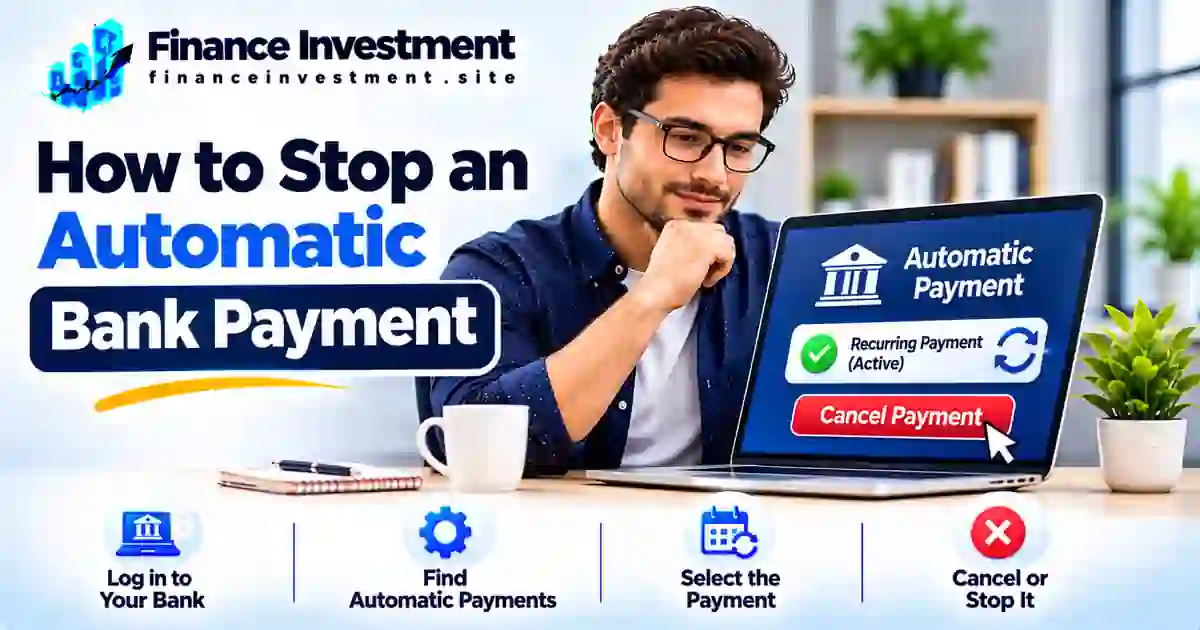
  • How to Stop an Automatic Bank Payment: Step-by-Step Guide

    How to Stop an Automatic Bank Payment: Step-by-Step Guide

    How to Stop an Automatic Bank Payment: A Step-by-Step Guide

    SR
    Subhash Rukade
    Founder, FinanceInvestment

    Published: November 01, 2026

    Updated: November 01, 2026

    Reading Time: 10 minutes


    how to stop an automatic bank payment

    How to Stop an Automatic Bank Payment Without Creating Another Problem

    A subscription you no longer use, a gym membership you cancelled, or a bill you want to pay manually can keep triggering withdrawals from your bank account. If you’re wondering how to stop an automatic bank payment, start by finding out how the payment was authorized and who is collecting it.

    The right cancellation method depends on the payment type. A payment scheduled through your bank may need to be cancelled with the bank. An automatic ACH debit may require you to revoke the company’s authorization and notify your bank. A recurring debit-card charge follows a different process.

    Act promptly, keep written proof of your request, and check whether another payment is already being processed. Most importantly, stopping a withdrawal does not automatically cancel the subscription, loan, or service agreement behind it. Our complete guide to bank transfers and payments explains the wider payment landscape.

    What You’ll Learn

    • How to identify the type of recurring payment.
    • How to cancel a payment with the company or your bank.
    • When to request a stop-payment order.
    • What to do if a withdrawal continues after authorization is revoked.
    • How to protect your account without overlooking an unpaid bill.

    Quick Answer: How Do You Stop an Automatic Bank Payment?

    Quick answer: First, identify how the payment is being collected. Cancel a bank-scheduled payment through your bank, contact the company to revoke authorization for recurring ACH debits, or follow the card issuer’s process for recurring card charges. If needed, ask your bank about a stop-payment order and applicable deadlines. Keep written proof and monitor your account for further withdrawals.

    Key Takeaways

    • Identify whether the payment is bank-scheduled, an ACH debit, or a recurring card charge.
    • Contact the company to cancel or revoke recurring payment authorization.
    • Ask your bank about stop-payment options, notice requirements, and deadlines.
    • Save confirmation numbers, emails, and cancellation records.
    • Report unauthorized withdrawals to your financial institution promptly.
    • Remember that stopping a withdrawal does not automatically cancel the underlying bill, loan, or service agreement.

    Bottom Line: Use the cancellation process that matches your payment type. Contact the responsible company or bank in time, keep proof of your request, and verify that future withdrawals have stopped.

    Automatic Bank Payments: Quick Facts at a Glance

    The right cancellation method depends on how the payment is set up. Identify the payment type before contacting your bank or the company.

    Start Here

    Identify the payment method

    ACH Payments

    Revoke authorization with the biller

    Bank Bill Pay

    Cancel through your bank

    Important Reminder

    Stopping payment does not cancel the underlying bill

    Which Payment Are You Trying to Stop?

    Payment TypeWhere to StartKey Action
    Bank-scheduled bill payYour bank or credit unionCancel the scheduled payment before its cutoff.
    Automatic ACH debitCompany or biller, then your bank if neededRevoke authorization and ask your bank about stopping future withdrawals.
    Recurring card paymentMerchant and card issuerCancel the recurring billing arrangement and ask your issuer about available protections.

    Important: A payment already processing may not be cancellable. Contact your bank promptly, keep written confirmation, and continue checking your account. You may still owe the bill even after automatic withdrawals stop.

    A Beginner’s Guide to Stopping Automatic Bank Paymentshow to stop an automatic bank payment

    Before you stop an automatic bank payment, identify how the money is being withdrawn. A payment scheduled through your bank works differently from a company-initiated ACH debit or a recurring debit-card charge. Choosing the correct cancellation method can help prevent another unwanted withdrawal.

    1. Bank-Scheduled Bill Payments

    With online bill pay, you ask your bank or credit union to send money to a company or individual on a specific date. You usually manage these payments through your banking app or website. To cancel one, find the scheduled transaction and check whether it is still eligible for cancellation. Once processing begins, your bank may not be able to stop it.

    2. Automatic ACH Debits

    An ACH debit occurs when a company initiates an electronic withdrawal from your bank account under an authorization you provided. Utility bills, insurance premiums, and loan payments commonly use this method. To stop future withdrawals, contact the company to revoke your authorization. Also notify your bank and ask about a stop-payment order if another withdrawal is scheduled. Read our guide on how ACH transfers work to understand the process.

    3. Recurring Debit-Card Payments

    Streaming services, memberships, and other subscriptions may charge your debit card automatically. Start by cancelling the recurring billing arrangement with the merchant and keeping its confirmation. If charges continue or you cannot resolve the issue, contact your card issuer about available options for blocking or disputing future charges.

    Beginner Tip: Check your bank statement for the payee name, transaction description, amount, and date. These details can help you identify the payment type and explain exactly which withdrawal you want to stop.

    How to Stop an Automatic Bank Payment: Step by Step

    After identifying the payment method, follow these steps to request cancellation, protect your account, and avoid confusion about upcoming withdrawals.

    1

    Identify the Automatic Payment

    Open your bank statement and note the payee name, transaction amount, date, and description. Determine whether the withdrawal is bank-scheduled bill pay, an ACH debit, or a recurring debit-card charge.

    2

    Check the Next Withdrawal Date

    Review the next scheduled payment and contact the responsible provider promptly. Ask whether the transaction is still scheduled, pending, or already being processed. Cancellation options may depend on its status and the provider’s cutoff time.

    3

    Cancel the Recurring Authorization

    For an ACH debit, contact the company and clearly revoke permission for future withdrawals. For a recurring debit-card charge, cancel the merchant’s recurring billing arrangement. Keep written confirmation, an email, or a cancellation reference number.

    4

    Request the Appropriate Action From Your Bank

    For an ACH withdrawal, tell your bank about the revoked authorization and ask whether a stop-payment order is appropriate. For bank-scheduled bill pay, request cancellation through your bank’s app, website, or customer service before its cutoff. Provide the payee, amount, and expected payment date.

    5

    Get Confirmation and Monitor Your Account

    Confirm which future payments have been stopped and whether any pending transaction can still be processed. Save the bank’s confirmation and review your account around the expected withdrawal date. If an unauthorized or incorrect payment occurs, contact your bank promptly.

    Important: Cancelling an automatic payment does not cancel the underlying subscription, loan, insurance policy, or utility agreement. Arrange another payment method for any amount you still owe to avoid late fees or service interruptions.

    Benefits and Drawbacks of Stopping Automatic Payments

    Stopping an automatic payment can give you greater control over your money, especially when you no longer need a service or want to prevent an unwanted withdrawal. However, cancelling autopay without arranging another payment method can create avoidable financial problems.

    Benefits

    • Helps prevent future unwanted withdrawals after cancellation is properly completed.
    • Gives you more control over when money leaves your account.
    • Can reduce repeated charges for services you have cancelled.
    • Allows closer monitoring of payments after identifying suspicious or unauthorized activity.

    Drawbacks

    • You may forget to make a payment manually after cancelling autopay.
    • Missed due dates can lead to late fees or service interruptions.
    • Missed loan or credit-card payments may be reported to credit bureaus and affect your credit history.
    • Your bank may charge a stop-payment fee depending on its account terms and policies.

    Expert Tip: Before stopping autopay for a loan, insurance premium, utility bill, or credit card, arrange another payment method and confirm the next due date. Remember, cancelling the automatic withdrawal does not cancel the bill, debt, or contractual obligation.

    Bank Bill Pay vs. ACH Debit vs. Recurring Card Payments

    Automatic payments may look similar on your bank statement, but the payment process and cancellation method can be different. The key is identifying who initiates the transaction and which account or card is charged.

    FeatureBank Bill PayACH DebitRecurring Card Payment
    Who initiates it?Your bank or credit unionCompany or billerMerchant through card network
    Payment sourceBank accountBank accountDebit or credit card
    Where to start?Your bankBiller, then your bank when appropriateMerchant, then card issuer if needed
    How to stop itCancel the scheduled payment before the bank’s cutoff.Revoke the company’s ACH authorization and ask your bank about stop-payment options.Cancel recurring billing and contact the card issuer if charges continue.
    Important cautionA payment already sent or processed may not be cancellable.Stopping a withdrawal does not automatically cancel the bill or contract.Replacing a card may not always stop recurring billing arrangements.

    Which method should you use? For bank-scheduled bill pay, contact your bank. For ACH withdrawals, revoke authorization with the company and notify your bank when appropriate. For recurring card charges, cancel with the merchant and contact your card issuer if the problem continues.

    Cancellation Costs, Risks and Expert Tips

    Before stopping an automatic payment, understand the applicable cancellation rules, possible bank fees, and timing requirements. Your rights can depend on whether the withdrawal is a qualifying ACH payment, bank-scheduled bill pay, or recurring card charge.

    Understand the Three-Business-Day Rule

    Under Regulation E, you can stop a qualifying preauthorized electronic fund transfer by notifying your bank orally or in writing at least three business days before its scheduled date. If you make an oral request, your bank may require written confirmation within 14 days. It must explain this requirement and provide submission instructions when you make the request.

    Know Your ACH Authorization Rights

    You can revoke authorization for future ACH withdrawals. Notify your bank that the authorization is no longer valid and provide written evidence if requested. Under Regulation E, the bank must block future payments covered by that revoked authorization; it cannot simply wait for the company to complete its own cancellation process.

    Check Fees and Avoid Payment Problems

    Stop-payment fees, renewal periods, and procedures vary by financial institution and account agreement. Before cancelling autopay for a loan, insurance premium, or utility bill, arrange another payment method so you do not miss the due date.

    Expert Tips

    • Contact your bank as early as possible.
    • Give the bank the payee name and scheduled withdrawal details.
    • Keep written proof of authorization revocation and stop-payment requests.
    • Monitor your account and report unauthorized transactions promptly.

    Official guidance: Read the CFPB’s Regulation E, Section 1005.10 for the federal rules on preauthorized transfers and stop-payment rights.

    Common Mistakes When Stopping Automatic Bank Payments

    Stopping an automatic payment involves more than clicking a cancellation button. Overlooking the following details can lead to another withdrawal, an unpaid bill, or unnecessary fees.

    • Deleting autopay instead of revoking authorization: Removing a scheduled payment from your banking app may not cancel a company’s ACH authorization.
    • Contacting only one party: Some situations require notifying both the biller and your bank.
    • Waiting until payment day: Late requests may arrive after the transaction has entered processing.
    • Ignoring confirmation: Without written proof, it can be harder to establish when you requested cancellation.
    • Forgetting the outstanding bill: Stopping autopay does not remove a remaining balance or contractual payment obligation.

    Real-Life Example: A Cancelled Gym Membership

    Consider a customer who cancels a gym membership but does not revoke the ACH authorization used for monthly withdrawals. Depending on the payment schedule and processing status, another debit may still be initiated. The customer should check the membership agreement, request written confirmation of cancellation, revoke the payment authorization, and notify the bank if another withdrawal needs to be stopped.

    Key Lesson: Cancelling a membership, revoking payment authorization, and settling any remaining contractual balance are three separate matters. Complete each one to avoid future billing disputes.

    When Should You Contact Your Bank or the Biller?

    The right contact depends on how the payment is set up and why you want to stop it. Use these situations to decide where to begin.

    Bank-scheduled bill payment: Contact your bank or credit union to cancel the scheduled payment. Ask whether it has already entered processing and whether cancellation is still possible.

    Automatic ACH withdrawal: Contact the company to revoke its authorization. Separately notify your bank if you need to stop a future debit or place a stop-payment order.

    Recurring debit or credit card charge: Contact the merchant to cancel recurring billing. If charges continue or a transaction is unauthorized, contact your card issuer about blocking or disputing options.

    Unknown or unauthorized withdrawal: Contact your bank immediately to report the transaction, ask about securing your account, and understand the applicable error-resolution process. Do not wait for the merchant to respond first.

    Important: A pending or completed transaction may not be cancellable through an ordinary stop-payment request. Ask your bank what options remain. A completed unauthorized or incorrect transaction may need to be reported and disputed rather than cancelled.

    Frequently Asked Questions About Stopping Automatic Bank Payments

    1. Can I stop an automatic bank payment online?

    Often, yes. Many banks allow eligible scheduled bill payments to be cancelled through online banking or a mobile app. For ACH debits or recurring card charges, you may also need to contact the company or card issuer.

    2. How do I stop an automatic ACH payment?

    Revoke authorization with the company and notify your bank that future withdrawals are no longer authorized. Ask the bank about a stop-payment order if another debit is scheduled.

    3. Do I need to contact my bank or the company?

    It depends on the payment method. Cancel bank-scheduled bill pay through your bank. For ACH debits, contact the company to revoke authorization and notify your bank. For recurring card charges, contact the merchant and your card issuer when necessary.

    4. How much notice does a bank need to stop an automatic payment?

    For a qualifying preauthorized electronic fund transfer, Regulation E generally requires notice at least three business days before the scheduled transfer. Other payment methods may have different cancellation deadlines.

    5. Can my bank stop a payment that has already been processed?

    A completed payment generally cannot be cancelled through a standard stop-payment request. Contact your bank promptly to ask about recovery or dispute options, particularly if the transaction was unauthorized or incorrect.

    6. Does cancelling autopay cancel my subscription or loan?

    No. Stopping an automatic withdrawal does not automatically end a subscription, loan, or service agreement. Follow the provider’s cancellation terms and arrange payment of any remaining balance.

    7. What if a company keeps charging after I cancel?

    Keep your cancellation confirmation and contact the company in writing. Notify your bank or card issuer promptly, explain the continued charges, and ask how to stop future payments and dispute any eligible transactions.

    8. Can I stop recurring debit-card payments through my bank?

    Contact the merchant to cancel recurring billing. If an unauthorized charge occurs or billing continues after cancellation, contact your card issuer promptly about available blocking and dispute options.

    Official guidance: Read the CFPB’s Regulation E, Section 1005.10 for federal rules on preauthorized electronic fund transfers and stop-payment rights.


    Final Verdict: Stop Automatic Payments Without Missing Important Bills

    Stopping an automatic bank payment starts with identifying how the money is being withdrawn. Cancel bank-scheduled payments through your bank, revoke ACH authorization with the company and notify your bank when necessary, or cancel recurring card billing with the merchant.

    Keep written confirmation, check your account for further withdrawals, and arrange another payment method for any outstanding balance. Remember, stopping autopay does not cancel a subscription, loan, or other financial obligation.

    Explore the Complete Guide

    Learn how ACH transfers, bank payments, and other money-transfer methods work in the United States.

    Read the Bank Transfers & Payments Guide →

    FinanceInvestment

    Take Control of Your Banking Decisions

    Explore practical banking guides, understand payment options, and make more confident financial decisions with clear, helpful information.

    FinanceInvestment — Practical financial education for everyday decisions.

  • Online Bill Pay vs Automatic ACH Payments: Key Differences

    Online Bill Pay vs Automatic ACH Payments: Key Differences

    Online Bill Pay vs. Automatic ACH Payments: What’s the Difference?

    SR
    Subhash Rukade
    Founder, FinanceInvestment
    PERSONAL FINANCE
    Published
    November 01, 2026
    Updated
    November 01, 2026
    Reading Time
    About 10 minutes


    online bill pay vs automatic ACH payments

    Online Bill Pay vs. Automatic ACH Payments: What’s Different?

    Your electricity bill is due Friday. Would you rather schedule the payment through your bank or let the utility company withdraw the money automatically? That everyday decision captures the difference between online bill pay vs. automatic ACH payments.

    With bank bill pay, you tell your bank whom to pay and when. Depending on the bank and biller, the payment may arrive electronically or by mailed check. With automatic ACH debit, you authorize the company to collect money from your account under agreed payment terms.

    Both methods can simplify monthly expenses, but they differ in control, timing, and how payments are handled when something changes. Our bank transfers and payments guide explains the broader payment system. Here, we’ll focus on choosing the right method for your bills.

    What You’ll Learn

    • Who initiates each payment and how it reaches the biller.
    • How scheduling, authorization, and cancellation differ.
    • What to check about fees, processing times, and available funds.
    • Which option fits fixed bills, changing amounts, and tight deadlines.
    • How to reduce missed payments and unwanted withdrawals.

    Quick Answer: What’s the Difference?

    Online Bill Pay: You instruct your bank to pay a company or other payee. Depending on the bank and recipient, the payment may be sent electronically or by paper check.

    Automatic ACH Payment: You authorize a company to debit your bank account electronically according to the agreed payment terms. This is commonly used for recurring bills.

    Key Takeaways

    • With bank bill pay, you initiate the payment through your bank.
    • With ACH debit, the authorized company requests money from your account.
    • Bank bill pay can involve electronic delivery or a mailed check.
    • ACH debits operate under the authorization you provide.
    • Processing and delivery times vary by bank, biller, and payment method.
    • Both methods can lead to returned-payment or overdraft-related costs if funds are insufficient, depending on your account terms.

    Bottom Line: Bank bill pay suits people who want to schedule payments through their bank. Automatic ACH debit can simplify recurring bills when they prefer an authorized company to collect payments. Whichever method you choose, check the payment terms, available balance, and confirmation status.

    Online Bill Pay vs. Automatic ACH: At a Glance

    The main difference comes down to who starts the payment. With bank bill pay, you instruct your bank to send money. With an ACH debit, a company you have authorized requests money from your account.

    BANK BILL PAY
    You send the instruction

    Schedule eligible one-time or recurring payments through your bank.

    AUTOMATIC ACH DEBIT
    Company requests funds

    A company you authorized collects payment electronically under agreed terms.

    Quick Comparison Table

    FeatureBank Bill PayAutomatic ACH Debit
    Who initiates?You instruct your bankAuthorized company
    Payment methodElectronic delivery or paper checkElectronic ACH debit
    Payment frequencyOne-time or scheduled recurringOne-time or recurring, as authorized
    Common useManaging payments through one bank dashboardPaying bills directly through a company’s payment system

    Important distinction: Bank bill pay is a payment service, not a specific transfer network. An electronic bank payment may use ACH or another delivery method, while some banks send paper checks. Automatic ACH debit specifically involves an electronic withdrawal request under your authorization.

    A Beginner’s Guide to Bank Bill Pay and Automatic ACH Paymentsonline bill pay vs automatic ACH payments

    Both payment methods help you pay expenses from a bank account, but they put the payment instruction in different hands. With bank bill pay, you tell your financial institution to send money. With an automatic ACH debit, you authorize a company to request money from your account.

    How Online Bank Bill Pay Works

    Online bill pay is a service available through many bank and credit union websites or mobile apps. You add a payee, provide the required account details, enter an amount, and select a payment date. Your bank processes the instruction and delivers the payment using the method available for that recipient.

    Some payments are delivered electronically; others may be sent as paper checks. Depending on your bank, you may be able to schedule individual payments or set up a recurring schedule. The delivery method and estimated arrival date matter, especially when a bill has a firm deadline. To understand the underlying payment network, see our guide to how ACH transfers work.

    How Automatic ACH Debits Work

    With an automatic ACH debit, you give a company permission to collect payments from your bank account. You may provide that authorization online, on a form, or through another accepted process. The company then submits an electronic debit request according to the agreed terms. This may cover a fixed monthly payment or a changing bill amount, such as electricity or water.

    Important: Authorizing a company to withdraw money is not the same as scheduling a payment through your bank. Keep a copy of the authorization and understand how to change or revoke it. Check the company’s terms and your bank’s procedures before a scheduled debit.

    Whichever method you use, monitor your account balance and payment records. A bank’s scheduled or processed status does not necessarily confirm that the biller has credited your account.

    How Online Bill Pay and Automatic ACH Payments Work

    Both methods begin with your bank account, but the payment instructions follow different paths. Here is what happens from setup to the final transaction.

    How the Bank Bill Pay Process Works

    1. Sign in: Open your bank’s official website or mobile app.
    2. Add a payee: Enter the company’s name and the required billing account details.
    3. Set up the payment: Choose a one-time payment or recurring schedule, if available.
    4. Review and submit: Check the amount, payment date, delivery estimate, and any displayed fee.
    5. Track the result: Check the bank’s payment status and verify that the biller has credited the payment.

    How the Automatic ACH Debit Process Works

    1. Choose bank-account payment: Select the bank account option through the company’s payment system.
    2. Provide account details: Enter the requested information, such as your routing and account numbers.
    3. Authorize the debit: Agree to the payment terms, including the amount or how variable amounts are determined and the withdrawal schedule.
    4. Company requests payment: The company submits an ACH debit entry under your authorization.
    5. Check your account: Review the withdrawal and compare it with your bill and authorization.

    Practical tip: Do not assume that cancelling a payment works the same way in both systems. A bank bill-pay instruction may have a cancellation cutoff, while stopping an authorized ACH debit may require contacting the company and, in some situations, your bank. Check the applicable deadlines before acting.

    Benefits and Drawbacks of Online Bill Pay and Automatic ACH

    The biggest benefit of bank bill pay is the ability to manage payment instructions yourself. Automatic ACH debit, on the other hand, can take routine payment scheduling off your to-do list. Each option also comes with trade-offs.

    Pros

    • Bank bill pay: You can review the amount and choose when to schedule eligible payments.
    • Automatic ACH: Authorized recurring bills can be paid without manually submitting each payment.
    • Both methods can reduce the need to write and mail personal checks.
    • Electronic payment records can help you review household spending.

    Cons

    • Bank bill pay: Some payments may take longer to arrive or be delivered by paper check.
    • Automatic ACH: Money may be withdrawn without you manually initiating each payment, so changing bills need attention.
    • Insufficient available funds can cause a returned payment or fees, depending on account terms.
    • Stopping or changing a scheduled payment may require action before a bank or biller’s cutoff time.

    A useful habit: Check variable bills before their withdrawal dates, keep enough available money in your account, and review your bank statement after payments. Automatic scheduling should never mean ignoring your bills.

    Online Bill Pay vs. Automatic ACH: A Detailed Comparison

    The biggest difference is who gives the payment instruction and how the money is collected. Compare these features before choosing a method for your household bills.

    FeatureOnline Bank Bill PayAutomatic ACH Debit
    Who gives the instruction?You instruct your bank to payYou authorize the company to collect payment
    Who initiates the transaction?Your bank processes the payment instructionThe authorized company submits the debit request
    Payment deliveryElectronic delivery or paper check, depending on the payee and bankElectronic withdrawal through the ACH network
    Payment frequencyOne-time or recurring, if supportedOne-time or recurring, as authorized
    Amount selectionYou generally enter or confirm the amount; some services offer e-bill payment featuresThe amount follows the authorization and billing terms, including permitted changes
    Best suited forPeople who prefer to manage payment instructions through their bankPeople comfortable with a company collecting authorized payments

    How to decide: Choose bank bill pay if you prefer to review and schedule payment instructions through your bank. Consider automatic ACH debit when you want a biller to collect payments under agreed terms. With either option, check the payment amount, available balance, and delivery or withdrawal schedule.

    Fees, Risks, Security and Expert Tips

    A convenient payment method can still cost you money if you overlook its terms. Before choosing bank bill pay or automatic ACH debit, understand the possible charges and what happens when a payment goes wrong.

    Fees and Risks to Watch

    • Bank bill pay: Standard payments may be included with your account, but expedited delivery or certain services may cost extra.
    • Automatic ACH: Check whether the biller charges a payment or convenience fee. A failed debit may also lead to a returned-payment charge.
    • Insufficient funds: Your bank may charge an NSF fee for a returned payment or an overdraft fee if it pays the transaction and your account becomes overdrawn. Account terms apply.
    • Security risks: Incorrect account details, fake payment requests, and unauthorized withdrawals can put your money at risk.

    Practical Tips to Protect Your Account

    • Use your bank’s official website or app; avoid payment links in unexpected messages.
    • Verify the payee, account details, amount, and payment date before submitting.
    • Keep enough available funds for scheduled payments and review variable bills before withdrawals.
    • Save confirmations, enable account alerts, and check bank statements regularly.

    Important: To stop an authorized recurring ACH debit, contact the company to revoke the authorization and notify your bank if necessary. A stop-payment request may have specific deadlines and requirements. Stopping a withdrawal does not cancel the bill, loan, or other payment obligation itself.

    For more protection, review our bank account security checklist and guide to avoiding bank transfer fees. The CFPB’s automatic payment guide explains how authorizations and cancellation requests work.

    Common Mistakes When Paying Bills Automatically

    Online bill pay and automatic ACH payments can simplify monthly expenses, but a few overlooked details can lead to missed payments or unexpected charges. Avoid these common mistakes:

    • Assuming a scheduled bank bill payment means the biller has already received and credited the payment.
    • Forgetting that variable bills, such as electricity or water, can change each billing cycle.
    • Not checking the available account balance before an automatic ACH withdrawal.
    • Ignoring payment confirmations, transaction alerts, or bank statements.
    • Stopping an automatic withdrawal without checking whether the underlying bill or service agreement still requires payment.

    Real-Life Example: A Family Managing Two Different Payments

    Consider a family that uses automatic ACH debit for its monthly electricity bill and online bank bill pay for its credit card. During a particularly hot month, the electricity bill increases, so the ACH withdrawal is higher than expected. Meanwhile, the family schedules its credit card payment through the bank but assumes the card issuer has already credited it.

    What should the family do? Review variable bill amounts, keep enough money available for scheduled withdrawals, and check the credit card account to confirm that the payment has been credited.

    The key lesson is simple: scheduling a payment, seeing money leave your account, and having the biller credit that payment are separate events. Check your payment status rather than relying on assumptions.

    Who Should Choose Online Bill Pay vs. Automatic ACH Payments?

    The better payment method depends on how much control you want, whether your bills are predictable, and how closely you prefer to monitor your bank account.

    Online Bank Bill Pay May Suit You If You:

    • Prefer scheduling payments yourself through your bank.
    • Want to review the amount and payment date before submitting.
    • Need flexibility when paying different bills with changing amounts.
    • Prefer managing multiple payees from one banking dashboard.

    Automatic ACH Debit May Suit You If You:

    • Want eligible bills collected automatically under an authorization.
    • Prefer hands-off payments for recurring expenses, such as loan payments or subscriptions.
    • Are comfortable with the biller’s agreed payment schedule and any permitted amount changes.
    • Can maintain sufficient available funds and regularly review withdrawals.

    Can you use both? Yes. For example, you could use automatic ACH debit for a recurring loan payment and online bank bill pay for a credit card bill that you prefer to review before paying.

    Ultimately, choose the method that fits your budget and payment habits. Whichever option you use, check due dates, available funds, payment confirmations, and account statements to help avoid missed or unexpected payments.

    Frequently Asked Questions About Online Bill Pay and Automatic ACH Payments

    1. Is online bill pay the same as automatic ACH payments?

    No. Online bank bill pay lets you instruct your bank to send money to a payee. Automatic ACH debit allows a company to withdraw money from your bank account under your authorization. Depending on the bank and payee, a bank bill payment may be delivered electronically or by paper check.

    2. What is the difference between ACH debit and ACH credit?

    An ACH debit pulls money from a payer’s bank account with proper authorization, such as a company collecting a bill. An ACH credit pushes money into a recipient’s account, such as an employer sending a direct deposit to an employee.

    3. Does online bank bill pay always use ACH?

    No. Depending on the bank and payee, the bank may send an electronic payment through an available payment network or mail a paper check. Online bill pay is a banking service, not one specific payment network.

    4. Can ACH payments be one-time or recurring?

    Yes. ACH debits can be authorized for a single payment or recurring withdrawals. The payment frequency and conditions depend on the authorization and the biller’s payment arrangement.

    5. Are automatic ACH payments safe?

    They can be convenient when properly authorized. Use trusted payment channels, review authorization terms, monitor your bank account, and contact your financial institution promptly if you notice an unauthorized withdrawal.

    6. Can I stop or cancel an automatic ACH payment?

    You can generally revoke authorization for future recurring debits and may request a stop-payment order through your bank. Follow the applicable deadlines and procedures. Stopping a withdrawal does not cancel the underlying bill, loan, or service agreement.

    7. Which is better for utility bills: bank bill pay or ACH autopay?

    Either can work. Bank bill pay may suit people who prefer to review and schedule payments themselves. ACH autopay may be more convenient for recurring utility bills, including variable amounts, provided the authorization terms are acceptable and sufficient funds are available.

    8. Are bank bill pay and automatic ACH payments free?

    Not always. Many banks include standard bill pay with eligible accounts, but expedited services or certain biller payment options may carry fees. Review your bank’s account terms and the biller’s payment conditions before enrolling.


    Final Verdict: Online Bill Pay vs. Automatic ACH Payments

    Online bank bill pay and automatic ACH payments both simplify everyday banking, but the right choice depends on how you prefer to manage your money. Bank bill pay gives you more direct control over scheduling payments, while ACH autopay lets a company collect authorized payments automatically.

    Choose bank bill pay if you want to review and schedule payments yourself. Consider automatic ACH debit if you prefer convenience for recurring bills and are comfortable with the authorization terms. You can also combine both methods for different expenses.

    Want to understand more ways to move money between accounts and pay expenses? Explore our complete guide to bank transfers and payments for practical guidance on managing everyday banking transactions.

    FinanceInvestment • Smarter Banking

    Take Control of Your Everyday Payments

    Understand your payment options, explore practical banking guides, and make informed decisions about managing your money.

    Thank you for reading FinanceInvestment. Make every financial decision with greater confidence.