How to Stop an Automatic Bank Payment: A Step-by-Step Guide
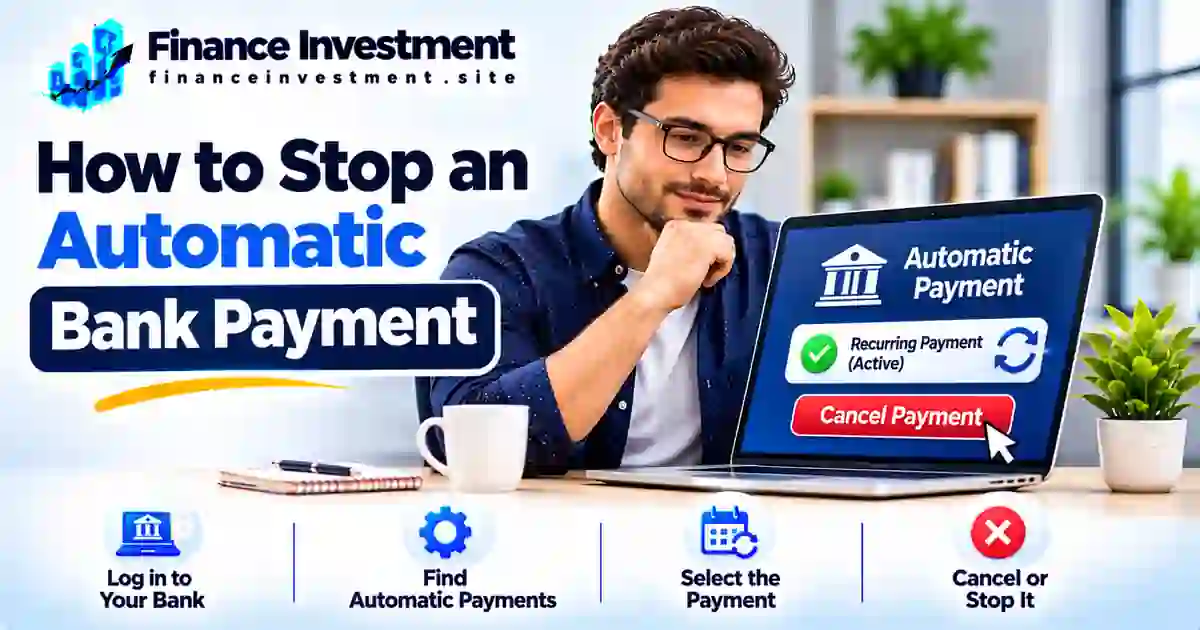
How to Stop an Automatic Bank Payment Without Creating Another Problem
A subscription you no longer use, a gym membership you cancelled, or a bill you want to pay manually can keep triggering withdrawals from your bank account. If you’re wondering how to stop an automatic bank payment, start by finding out how the payment was authorized and who is collecting it.
The right cancellation method depends on the payment type. A payment scheduled through your bank may need to be cancelled with the bank. An automatic ACH debit may require you to revoke the company’s authorization and notify your bank. A recurring debit-card charge follows a different process.
Act promptly, keep written proof of your request, and check whether another payment is already being processed. Most importantly, stopping a withdrawal does not automatically cancel the subscription, loan, or service agreement behind it. Our complete guide to bank transfers and payments explains the wider payment landscape.
What You’ll Learn
- How to identify the type of recurring payment.
- How to cancel a payment with the company or your bank.
- When to request a stop-payment order.
- What to do if a withdrawal continues after authorization is revoked.
- How to protect your account without overlooking an unpaid bill.
Quick Answer: How Do You Stop an Automatic Bank Payment?
Quick answer: First, identify how the payment is being collected. Cancel a bank-scheduled payment through your bank, contact the company to revoke authorization for recurring ACH debits, or follow the card issuer’s process for recurring card charges. If needed, ask your bank about a stop-payment order and applicable deadlines. Keep written proof and monitor your account for further withdrawals.
Key Takeaways
- Identify whether the payment is bank-scheduled, an ACH debit, or a recurring card charge.
- Contact the company to cancel or revoke recurring payment authorization.
- Ask your bank about stop-payment options, notice requirements, and deadlines.
- Save confirmation numbers, emails, and cancellation records.
- Report unauthorized withdrawals to your financial institution promptly.
- Remember that stopping a withdrawal does not automatically cancel the underlying bill, loan, or service agreement.
Bottom Line: Use the cancellation process that matches your payment type. Contact the responsible company or bank in time, keep proof of your request, and verify that future withdrawals have stopped.
Automatic Bank Payments: Quick Facts at a Glance
The right cancellation method depends on how the payment is set up. Identify the payment type before contacting your bank or the company.
Start Here
Identify the payment method
ACH Payments
Revoke authorization with the biller
Bank Bill Pay
Cancel through your bank
Important Reminder
Stopping payment does not cancel the underlying bill
Which Payment Are You Trying to Stop?
| Payment Type | Where to Start | Key Action |
|---|---|---|
| Bank-scheduled bill pay | Your bank or credit union | Cancel the scheduled payment before its cutoff. |
| Automatic ACH debit | Company or biller, then your bank if needed | Revoke authorization and ask your bank about stopping future withdrawals. |
| Recurring card payment | Merchant and card issuer | Cancel the recurring billing arrangement and ask your issuer about available protections. |
Important: A payment already processing may not be cancellable. Contact your bank promptly, keep written confirmation, and continue checking your account. You may still owe the bill even after automatic withdrawals stop.
A Beginner’s Guide to Stopping Automatic Bank Payments
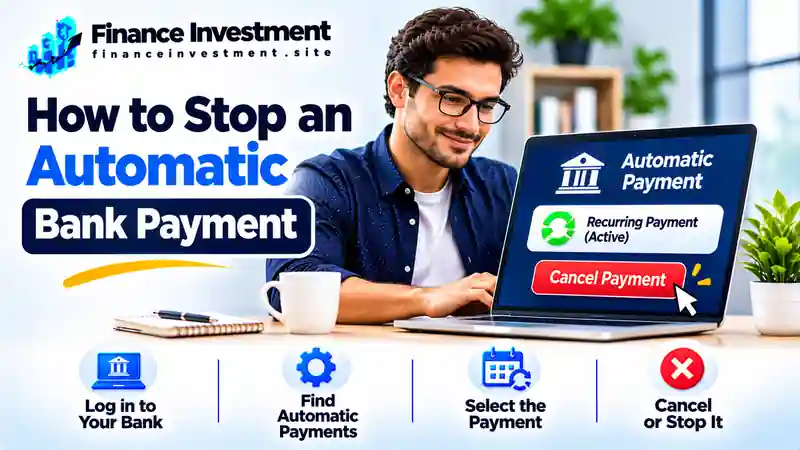
Before you stop an automatic bank payment, identify how the money is being withdrawn. A payment scheduled through your bank works differently from a company-initiated ACH debit or a recurring debit-card charge. Choosing the correct cancellation method can help prevent another unwanted withdrawal.
1. Bank-Scheduled Bill Payments
With online bill pay, you ask your bank or credit union to send money to a company or individual on a specific date. You usually manage these payments through your banking app or website. To cancel one, find the scheduled transaction and check whether it is still eligible for cancellation. Once processing begins, your bank may not be able to stop it.
2. Automatic ACH Debits
An ACH debit occurs when a company initiates an electronic withdrawal from your bank account under an authorization you provided. Utility bills, insurance premiums, and loan payments commonly use this method. To stop future withdrawals, contact the company to revoke your authorization. Also notify your bank and ask about a stop-payment order if another withdrawal is scheduled. Read our guide on how ACH transfers work to understand the process.
3. Recurring Debit-Card Payments
Streaming services, memberships, and other subscriptions may charge your debit card automatically. Start by cancelling the recurring billing arrangement with the merchant and keeping its confirmation. If charges continue or you cannot resolve the issue, contact your card issuer about available options for blocking or disputing future charges.
Beginner Tip: Check your bank statement for the payee name, transaction description, amount, and date. These details can help you identify the payment type and explain exactly which withdrawal you want to stop.
How to Stop an Automatic Bank Payment: Step by Step
After identifying the payment method, follow these steps to request cancellation, protect your account, and avoid confusion about upcoming withdrawals.
Identify the Automatic Payment
Open your bank statement and note the payee name, transaction amount, date, and description. Determine whether the withdrawal is bank-scheduled bill pay, an ACH debit, or a recurring debit-card charge.
Check the Next Withdrawal Date
Review the next scheduled payment and contact the responsible provider promptly. Ask whether the transaction is still scheduled, pending, or already being processed. Cancellation options may depend on its status and the provider’s cutoff time.
Cancel the Recurring Authorization
For an ACH debit, contact the company and clearly revoke permission for future withdrawals. For a recurring debit-card charge, cancel the merchant’s recurring billing arrangement. Keep written confirmation, an email, or a cancellation reference number.
Request the Appropriate Action From Your Bank
For an ACH withdrawal, tell your bank about the revoked authorization and ask whether a stop-payment order is appropriate. For bank-scheduled bill pay, request cancellation through your bank’s app, website, or customer service before its cutoff. Provide the payee, amount, and expected payment date.
Get Confirmation and Monitor Your Account
Confirm which future payments have been stopped and whether any pending transaction can still be processed. Save the bank’s confirmation and review your account around the expected withdrawal date. If an unauthorized or incorrect payment occurs, contact your bank promptly.
Important: Cancelling an automatic payment does not cancel the underlying subscription, loan, insurance policy, or utility agreement. Arrange another payment method for any amount you still owe to avoid late fees or service interruptions.
Benefits and Drawbacks of Stopping Automatic Payments
Stopping an automatic payment can give you greater control over your money, especially when you no longer need a service or want to prevent an unwanted withdrawal. However, cancelling autopay without arranging another payment method can create avoidable financial problems.
Benefits
- Helps prevent future unwanted withdrawals after cancellation is properly completed.
- Gives you more control over when money leaves your account.
- Can reduce repeated charges for services you have cancelled.
- Allows closer monitoring of payments after identifying suspicious or unauthorized activity.
Drawbacks
- You may forget to make a payment manually after cancelling autopay.
- Missed due dates can lead to late fees or service interruptions.
- Missed loan or credit-card payments may be reported to credit bureaus and affect your credit history.
- Your bank may charge a stop-payment fee depending on its account terms and policies.
Expert Tip: Before stopping autopay for a loan, insurance premium, utility bill, or credit card, arrange another payment method and confirm the next due date. Remember, cancelling the automatic withdrawal does not cancel the bill, debt, or contractual obligation.
Bank Bill Pay vs. ACH Debit vs. Recurring Card Payments
Automatic payments may look similar on your bank statement, but the payment process and cancellation method can be different. The key is identifying who initiates the transaction and which account or card is charged.
| Feature | Bank Bill Pay | ACH Debit | Recurring Card Payment |
|---|---|---|---|
| Who initiates it? | Your bank or credit union | Company or biller | Merchant through card network |
| Payment source | Bank account | Bank account | Debit or credit card |
| Where to start? | Your bank | Biller, then your bank when appropriate | Merchant, then card issuer if needed |
| How to stop it | Cancel the scheduled payment before the bank’s cutoff. | Revoke the company’s ACH authorization and ask your bank about stop-payment options. | Cancel recurring billing and contact the card issuer if charges continue. |
| Important caution | A payment already sent or processed may not be cancellable. | Stopping a withdrawal does not automatically cancel the bill or contract. | Replacing a card may not always stop recurring billing arrangements. |
Which method should you use? For bank-scheduled bill pay, contact your bank. For ACH withdrawals, revoke authorization with the company and notify your bank when appropriate. For recurring card charges, cancel with the merchant and contact your card issuer if the problem continues.
Cancellation Costs, Risks and Expert Tips
Before stopping an automatic payment, understand the applicable cancellation rules, possible bank fees, and timing requirements. Your rights can depend on whether the withdrawal is a qualifying ACH payment, bank-scheduled bill pay, or recurring card charge.
Understand the Three-Business-Day Rule
Under Regulation E, you can stop a qualifying preauthorized electronic fund transfer by notifying your bank orally or in writing at least three business days before its scheduled date. If you make an oral request, your bank may require written confirmation within 14 days. It must explain this requirement and provide submission instructions when you make the request.
Know Your ACH Authorization Rights
You can revoke authorization for future ACH withdrawals. Notify your bank that the authorization is no longer valid and provide written evidence if requested. Under Regulation E, the bank must block future payments covered by that revoked authorization; it cannot simply wait for the company to complete its own cancellation process.
Check Fees and Avoid Payment Problems
Stop-payment fees, renewal periods, and procedures vary by financial institution and account agreement. Before cancelling autopay for a loan, insurance premium, or utility bill, arrange another payment method so you do not miss the due date.
Expert Tips
- Contact your bank as early as possible.
- Give the bank the payee name and scheduled withdrawal details.
- Keep written proof of authorization revocation and stop-payment requests.
- Monitor your account and report unauthorized transactions promptly.
Official guidance: Read the CFPB’s Regulation E, Section 1005.10 for the federal rules on preauthorized transfers and stop-payment rights.
Common Mistakes When Stopping Automatic Bank Payments
Stopping an automatic payment involves more than clicking a cancellation button. Overlooking the following details can lead to another withdrawal, an unpaid bill, or unnecessary fees.
- Deleting autopay instead of revoking authorization: Removing a scheduled payment from your banking app may not cancel a company’s ACH authorization.
- Contacting only one party: Some situations require notifying both the biller and your bank.
- Waiting until payment day: Late requests may arrive after the transaction has entered processing.
- Ignoring confirmation: Without written proof, it can be harder to establish when you requested cancellation.
- Forgetting the outstanding bill: Stopping autopay does not remove a remaining balance or contractual payment obligation.
Real-Life Example: A Cancelled Gym Membership
Consider a customer who cancels a gym membership but does not revoke the ACH authorization used for monthly withdrawals. Depending on the payment schedule and processing status, another debit may still be initiated. The customer should check the membership agreement, request written confirmation of cancellation, revoke the payment authorization, and notify the bank if another withdrawal needs to be stopped.
Key Lesson: Cancelling a membership, revoking payment authorization, and settling any remaining contractual balance are three separate matters. Complete each one to avoid future billing disputes.
When Should You Contact Your Bank or the Biller?
The right contact depends on how the payment is set up and why you want to stop it. Use these situations to decide where to begin.
Bank-scheduled bill payment: Contact your bank or credit union to cancel the scheduled payment. Ask whether it has already entered processing and whether cancellation is still possible.
Automatic ACH withdrawal: Contact the company to revoke its authorization. Separately notify your bank if you need to stop a future debit or place a stop-payment order.
Recurring debit or credit card charge: Contact the merchant to cancel recurring billing. If charges continue or a transaction is unauthorized, contact your card issuer about blocking or disputing options.
Unknown or unauthorized withdrawal: Contact your bank immediately to report the transaction, ask about securing your account, and understand the applicable error-resolution process. Do not wait for the merchant to respond first.
Important: A pending or completed transaction may not be cancellable through an ordinary stop-payment request. Ask your bank what options remain. A completed unauthorized or incorrect transaction may need to be reported and disputed rather than cancelled.
Frequently Asked Questions About Stopping Automatic Bank Payments
1. Can I stop an automatic bank payment online?
Often, yes. Many banks allow eligible scheduled bill payments to be cancelled through online banking or a mobile app. For ACH debits or recurring card charges, you may also need to contact the company or card issuer.
2. How do I stop an automatic ACH payment?
Revoke authorization with the company and notify your bank that future withdrawals are no longer authorized. Ask the bank about a stop-payment order if another debit is scheduled.
3. Do I need to contact my bank or the company?
It depends on the payment method. Cancel bank-scheduled bill pay through your bank. For ACH debits, contact the company to revoke authorization and notify your bank. For recurring card charges, contact the merchant and your card issuer when necessary.
4. How much notice does a bank need to stop an automatic payment?
For a qualifying preauthorized electronic fund transfer, Regulation E generally requires notice at least three business days before the scheduled transfer. Other payment methods may have different cancellation deadlines.
5. Can my bank stop a payment that has already been processed?
A completed payment generally cannot be cancelled through a standard stop-payment request. Contact your bank promptly to ask about recovery or dispute options, particularly if the transaction was unauthorized or incorrect.
6. Does cancelling autopay cancel my subscription or loan?
No. Stopping an automatic withdrawal does not automatically end a subscription, loan, or service agreement. Follow the provider’s cancellation terms and arrange payment of any remaining balance.
7. What if a company keeps charging after I cancel?
Keep your cancellation confirmation and contact the company in writing. Notify your bank or card issuer promptly, explain the continued charges, and ask how to stop future payments and dispute any eligible transactions.
8. Can I stop recurring debit-card payments through my bank?
Contact the merchant to cancel recurring billing. If an unauthorized charge occurs or billing continues after cancellation, contact your card issuer promptly about available blocking and dispute options.
Official guidance: Read the CFPB’s Regulation E, Section 1005.10 for federal rules on preauthorized electronic fund transfers and stop-payment rights.
Final Verdict: Stop Automatic Payments Without Missing Important Bills
Stopping an automatic bank payment starts with identifying how the money is being withdrawn. Cancel bank-scheduled payments through your bank, revoke ACH authorization with the company and notify your bank when necessary, or cancel recurring card billing with the merchant.
Keep written confirmation, check your account for further withdrawals, and arrange another payment method for any outstanding balance. Remember, stopping autopay does not cancel a subscription, loan, or other financial obligation.
Explore the Complete Guide
Learn how ACH transfers, bank payments, and other money-transfer methods work in the United States.
FinanceInvestment
Take Control of Your Banking Decisions
Explore practical banking guides, understand payment options, and make more confident financial decisions with clear, helpful information.
FinanceInvestment — Practical financial education for everyday decisions.
Leave a Reply