Tag: Financial Safety

  • How to Help a Family Member Avoid Financial Scams

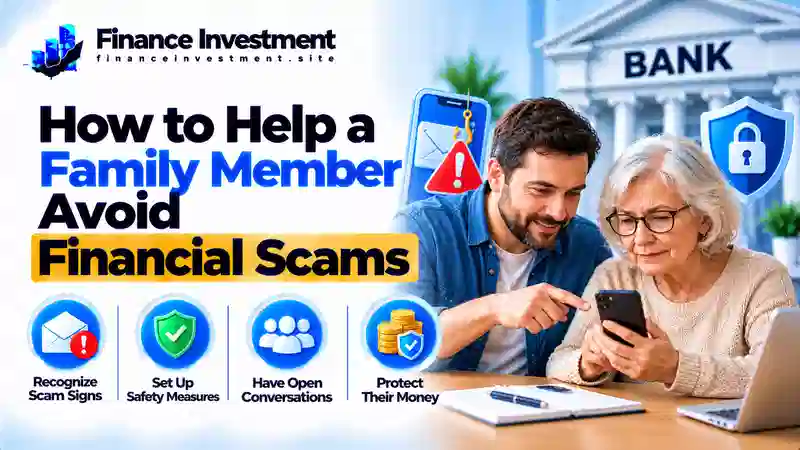
    How to Help a Family Member Avoid Financial Scams

    How to Help a Family Member Avoid Financial Scams

    Family Finance · Scam Prevention
    SR
    Subhash Rukade
    Founder, FinanceInvestment
    Personal Finance Education · USA
    Last Updated
    October 21, 2026
    Reading Time
    9–11 minutes

    How to Help a Family Member Avoid Financial Scamshelp a family member avoid financial scams

    Knowing how to help a family member avoid financial scams can protect more than money. A phone call claims a grandchild is in trouble. A text warns that a bank account will be frozen. An online friend suddenly asks for an urgent payment. These requests can sound convincing, especially when they involve someone’s safety or savings.

    The best response starts with a calm conversation, not blame. Scammers often create fear, build false trust, or demand secrecy so people act before checking the facts. Encourage your loved one to pause, verify the story through a separate trusted contact, and never rush a payment.

    For more ways to protect financial accounts, read our bank security and fraud prevention guide. This article explains how to recognize suspicious requests, protect personal information, and respond if a family member may already have been targeted.

    What You’ll Learn

    • Warning signs of common financial scams.
    • Ways to verify unexpected calls, texts, and payment requests.
    • How to discuss scam risks without embarrassing a loved one.
    • Steps to protect bank accounts and report suspected fraud.
    • What to do if money has been sent or sensitive information has been shared.

    How Can You Help a Family Member Avoid Financial Scams?

    Quick answer: Ask your loved one to pause before sending money, verify the request using a separate trusted contact method, and never share passwords, PINs, or one-time verification codes. If money or account information may already be at risk, contact the bank or payment provider immediately through its official app or verified contact details.

    Key Takeaways for Families

    • Pause when a request creates panic, demands secrecy, or pressures someone to pay immediately.
    • Verify the story independently using a known phone number or another trusted contact method.
    • Never give a caller or texter your banking password, PIN, or verification code.
    • Use unique passwords and enable multifactor authentication where available.
    • Review transactions regularly and turn on useful account alerts.
    • Report suspected fraud quickly, preserve messages and receipts, and follow the bank’s instructions.

    The Bottom Line

    A suspicious request deserves a pause, not a rushed decision. If a loved one has already sent money, contact the bank or payment provider immediately and ask what action is still possible. Quick reporting may help limit further loss, but recovery is not guaranteed.

    Financial Scam Prevention at a Glance

    Scammers often create urgency, demand secrecy, or discourage people from checking a story. These quick warning signs can help your family decide when to pause and verify.

    Warning sign
    Pressure to act quickly
    First response
    Pause and verify
    Family safeguard
    Agree on a check-in plan

    Warning Signs and Safer Responses

    Warning signSafer response
    A caller says a relative is in danger and demands immediate payment.Contact the relative or another trusted person using a number you already know.
    Someone insists on secrecy or requests gift cards, cryptocurrency, or a wire transfer.Do not rush. Independently verify the request before sending money.
    A caller or message asks for a password, PIN, or one-time verification code.Do not share the code or credentials. Contact the relevant institution through its official app or verified number.

    Quick takeaway: Anyone can be targeted. A stressful life event, unfamiliar technology, or an unexpected request may make verification harder. Offer practical support without assuming someone is vulnerable because of age or treating them as incapable.

    A Beginner Guide to Helping a Loved One Stay Safehelp a family member avoid financial scams

    Start with a respectful conversation, not a lecture. Scams can fool people of any age, so avoid comments that make your loved one feel careless or embarrassed. Ask how they usually handle unexpected calls, payment requests, and messages about their bank account. Listen first, then discuss ways to check whether a request is genuine.

    Agree on a Family Verification Plan

    Make one shared rule: pause before sending unexpected money or responding to an urgent emergency request. Verify the story independently by calling the person on a number you already trust or contacting the organization through its official website or app. Do not rely on contact details provided in the suspicious message.

    Build Simple Banking Safeguards

    • Enable useful transaction alerts if the bank offers them.
    • Use unique passwords and multifactor authentication where available.
    • Save the bank’s official contact details and learn how to report a lost card.
    • Agree on a trusted person to contact when a payment request or transaction seems suspicious.

    Family tip: Offer help with permission. Never ask someone to disclose their banking password or verification codes to you. Support should make it easier for your loved one to make informed decisions, not take away their independence.

    How Financial Scams Work

    A financial scam often begins with a believable story and ends with a request for money or private information. Scammers try to control the conversation so the target feels there is no time to check what is happening.

    Four Tactics Scammers Commonly Use

    1. Build a story: They may impersonate a bank employee, government official, relative, romantic interest, or familiar company.
    2. Trigger an emotion: They create fear about an account, concern for a loved one, or excitement about an unexpected prize or opportunity.
    3. Rush the decision: They demand immediate action, ask for secrecy, or discourage the person from checking with anyone else.
    4. Ask for money or access: They may request a transfer, gift cards, cryptocurrency, passwords, or a one-time verification code.

    Warning sign: Pressure, secrecy, and instructions not to verify a story deserve caution. Urgency alone does not prove a scam, but it should never replace an independent check.

    To interrupt the pattern, stop the unexpected interaction and verify the claim using a contact method you already trust. If the request involves a bank account, contact the bank through its official app or verified phone number before taking action.

    Benefits and Drawbacks of Family Scam Prevention

    A family scam-prevention plan can make it easier to spot suspicious requests before money or personal information is at risk. The key is to offer support without taking away a loved one’s control over their own finances.

    Benefits

    • A pause-and-verify habit can prevent rushed payments.
    • A trusted contact gives family members someone to consult when a request feels suspicious.
    • Bank alerts and transaction reviews may help identify unfamiliar activity sooner.

    Drawbacks to Avoid

    • Repeated warnings can create anxiety or make someone less willing to ask for help.
    • Reviewing accounts without permission can undermine privacy and trust.
    • Taking over financial decisions unnecessarily can weaken confidence and independence.

    The right balance: Agree on simple safety steps together, respect financial privacy, and offer help without judgment. The goal is to help your family member make informed decisions—not to make every decision for them.

    Financial Scam Types Compared

    Financial scams can arrive through phone calls, text messages, email, social media, or in-person conversations. The story may sound convincing, so focus on the warning signs and verify the request independently before taking action.

    Scam typeCommon warning signSafest first response
    Bank impersonationA caller claims there is an account problem and asks for a password, PIN, or verification code.End the unexpected interaction and contact the bank using its official app or verified number.
    Family emergency scamSomeone claims a relative urgently needs money and insists the request remain secret.Call the relative using a known number or confirm the situation with another trusted person.
    Romance or investment fraudAn online contact asks for money or promotes unusually high or guaranteed returns.Pause payments and independently check the person, company, and investment before committing funds.
    Prize or government impersonationSomeone demands payment to release a prize or threatens penalties unless money is sent immediately.Check the claim through the agency’s official website or a verified contact channel.
    Phishing messagesAn unexpected email or text links to a page requesting account or personal information.Do not open the link. Visit the official website or app directly to check for a real alert.

    Family safety rule: A familiar name, convincing story, logo, or caller ID is not proof that a request is genuine. Verify through a separate, trusted channel before sending money or sharing sensitive information.

    Costs, Risks and Expert Tips for Protecting Family Members

    Financial scams can cause more than an immediate monetary loss. A victim may face unauthorized transactions, identity misuse, account access problems, and emotional stress. Quick action can help limit further damage, but recovering stolen money is not guaranteed.

    What to Do if a Family Member Is Targeted

    1. Stop further payments. Do not send more money, pay a supposed recovery fee, or share additional passwords or verification codes.
    2. Contact the bank or payment provider immediately. Use its official app or verified phone number. Report the transaction and ask whether it can be stopped, recalled, or disputed. Options depend on the payment method and circumstances.
    3. Secure affected accounts. From a trusted device, change compromised passwords and any reused passwords. Secure the associated email account, sign out unfamiliar sessions where possible, and enable multifactor authentication.
    4. Save evidence and report the scam. Keep messages, receipts, transaction IDs, and contact details. In the United States, submit a report to the Federal Trade Commission. Suspected cybercrime can also be reported to the FBI’s Internet Crime Complaint Center.

    Practical tip: Stay calm and avoid blaming the person. Scammers deliberately manipulate trust and emotions. Prompt reporting, accurate records, and support from legitimate institutions can help reduce further harm, even when the original payment cannot be recovered.

    Common Mistakes and a Realistic Family Example

    Scammers deliberately create fear, trust, or urgency. Even careful people can be caught off guard, so family conversations should focus on practical checks rather than blame or embarrassment.

    Mistakes Families Should Avoid

    • Shaming a loved one instead of helping them check a suspicious request.
    • Treating a familiar voice, caller ID, profile picture, or logo as proof of identity.
    • Sending money before independently confirming an urgent story.
    • Ignoring an unfamiliar transaction because the amount appears small.

    A Family Example

    Imagine a parent receives a call from someone claiming that their grandchild has been arrested and needs money immediately. The caller insists that the parent must not tell anyone. Rather than rushing to pay or criticizing the parent, another family member suggests ending the call and contacting the grandchild through a known number. They also check with another trusted relative. Because the emergency cannot be independently confirmed, they do not send money. If the contact appears fraudulent, they preserve the details and report it through the relevant platform or authority.

    Family rule: Verify first, pay later—if the request is confirmed as legitimate. Make it normal for everyone to double-check urgent requests without fear of embarrassment or blame.

    Who May Need Extra Support With Scam Prevention?

    Anyone can be targeted by a convincing financial scam, regardless of age, income, or education. Extra support may be useful after a recent scam attempt, during a stressful life event, or when someone feels unsure about unfamiliar banking technology or repeated suspicious messages.

    Offer Help Without Taking Control

    Start by asking what would make the person feel safer. With their permission, help them activate available transaction alerts, save their bank’s verified contact details, or practice checking unexpected requests. Never ask them to reveal passwords, PINs, or one-time verification codes. If money has already been lost, help them contact the bank promptly.

    Keep support respectful: Focus on the person’s actual needs, not assumptions about their age or abilities. The goal is to build confidence, encourage safer decisions, and protect financial privacy and independence.

    Frequently Asked Questions About Helping Family Members Avoid Financial Scams

    1. How can I tell a family member they may be dealing with a scam?

    Stay calm and focus on the suspicious request rather than blaming the person. Suggest pausing, checking the facts independently, and deciding together what to do next.

    2. What should we do if a family member has already sent money?

    Contact the bank or payment provider immediately and ask whether the payment can be stopped, recalled, or disputed. Save transaction records and report the scam. Getting the money back is not guaranteed.

    3. Should I manage a relative’s bank account to protect them?

    Not automatically. Ask what help they want and respect their privacy. Any formal access should follow the bank’s procedures and applicable legal requirements.

    4. What information should never be shared with an unexpected caller?

    Never disclose passwords, PINs, or one-time verification codes to an unexpected caller. Do not approve unfamiliar login requests or follow instructions to move money to a supposed “safe account.”

    5. Are older adults the only people targeted by financial scams?

    No. People of every age and income level can be targeted. Scammers exploit trust, stress, urgency, and personal circumstances rather than targeting only one group.

    6. How can families verify an emergency call?

    End the unexpected call and contact the relative using a number you already know. If necessary, check with another trusted person before sending money.

    7. Where can we report a financial scam in the United States?

    Contact the bank or payment provider promptly if money or account access is at risk. You can also report fraud to the Federal Trade Commission. Suspected cybercrime can be reported to the FBI’s Internet Crime Complaint Center.

    8. Can families guarantee that a loved one will never be scammed?

    No prevention plan can eliminate every risk. Regular conversations, independent verification, available account alerts, and prompt reporting can help reduce exposure and limit further harm.

    Final Verdict: Help Your Family Stay Scam-Safe

    Helping a family member avoid financial scams does not require taking control of their finances. Start with honest conversations, encourage a pause before urgent payments, and verify unexpected requests through a trusted, separate channel. Make it easy for everyone to ask for help without fear of blame.

    If a scam occurs, contact the bank or payment provider promptly, secure affected accounts, save evidence, and report the incident. Quick action may limit further losses, although recovering money is never guaranteed.

    For more practical protection steps, read our bank security and fraud prevention guide. The best family safety plan combines verification, shared awareness, and respect for each person’s privacy and independence.
    FinanceInvestment · Practical Money Guidance

    Have a Money Question? Keep Exploring.

    Protecting your family’s finances starts with reliable information and safer everyday habits. Keep learning, verify unexpected requests, and help loved ones make informed decisions while respecting their independence.

    Have a Question for FinanceInvestment?

    For general website questions or feedback, get in touch by email.

    Contact FinanceInvestment

    Continue Your Research

    FinanceInvestment provides educational information. No particular financial outcome or recovery of money lost to scams is guaranteed.

  • Mobile Banking Security Tips for Beginners (2026)

    Mobile Banking Security Tips for Beginners (2026)

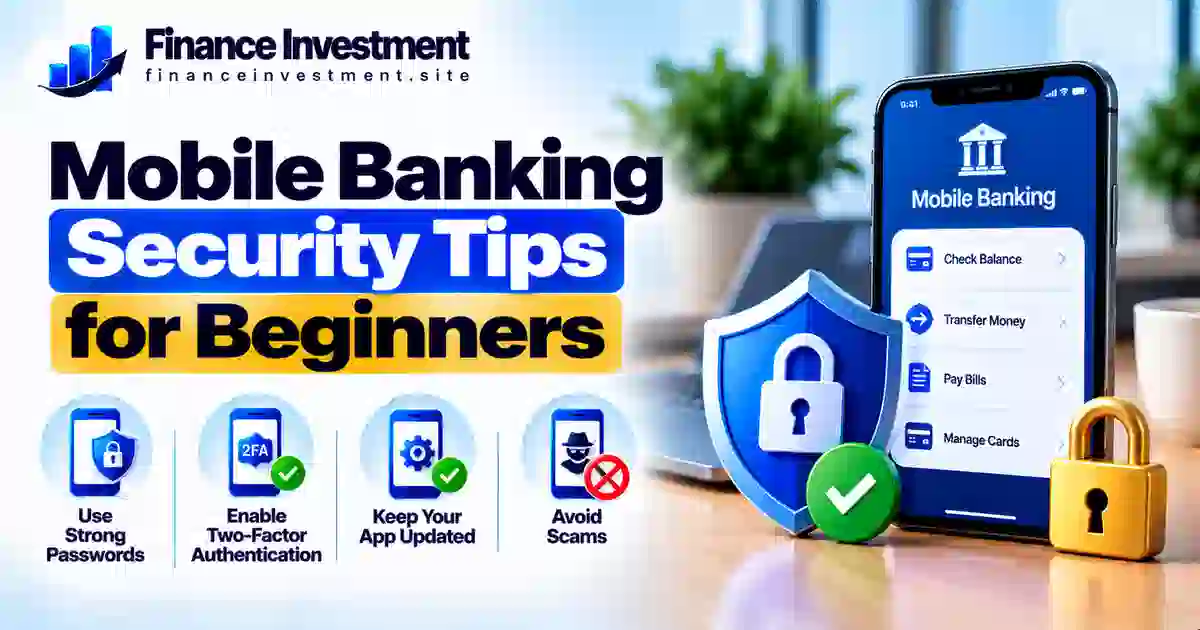
    Mobile Banking Security Tips for Beginners: A Safer Banking Guide for 2026

    SR
    Subhash Rukade
    Founder, FinanceInvestment

    MOBILE BANKING SECURITY

    PUBLISHEDOctober 15, 2026
    LAST UPDATEDOctober 15, 2026
    READING TIME9–11 minutes
    Simple, practical steps to protect your banking app, recognize mobile scams and manage everyday finances with greater confidence.

    Mobile Banking Security Tips for Beginners: Protect Your Money on Your Phonemobile banking security tips for beginners

    Mobile banking security tips for beginners can help you manage money on your phone while avoiding common security mistakes. Banking apps make it easy to check balances, deposit checks and transfer funds. However, a fake app, stolen login or convincing scam message could expose your account.

    You do not need advanced technical skills to get started. Download your bank’s genuine app from an official app store, lock your phone with a PIN or biometric protection, and use a unique password or passkey. Enable additional login verification when available. Also, review app permissions and be cautious if an app requests access that seems unrelated to its banking functions.

    For broader protection against banking scams and unauthorized access, explore our bank security and fraud prevention guide.

    What You’ll Learn

    • How to choose your bank’s genuine mobile app and protect your login.
    • Which phone settings and security features can help protect your account.
    • How to recognize fake bank texts, calls and sign-in screens.
    • What steps to take if your phone goes missing or you suspect unauthorized access.

    Quick Answer: How Can Beginners Secure Mobile Banking?

    The short answer: Download your bank’s genuine app, lock your phone, use a unique password or passkey, and enable multifactor authentication when available. Keep your device updated, avoid unexpected banking links and review transactions regularly.

    6 Mobile Banking Security Tips to Remember

    1. Download the genuine app: Get it from an official app store and verify the bank’s identity before signing in.
    2. Lock your phone: Use a strong PIN, password or biometric screen lock to help prevent unauthorized access.
    3. Protect your login: Use a unique password or passkey and enable multifactor authentication if your bank supports it.
    4. Ignore suspicious sign-in links: Open the banking app directly instead of following unexpected text or email links.
    5. Keep your device updated: Install operating system and banking app updates from trusted sources.
    6. Monitor account activity: Enable useful transaction alerts and report unfamiliar payments or transfers promptly.
    Bottom line: Start with three essentials: the genuine banking app, a locked and updated phone, and a secure login. Check transactions regularly and verify suspicious requests independently. These habits reduce avoidable risks, although no single measure can prevent every scam.

    Mobile Banking Security at a Glance

    Mobile banking lets you manage money from almost anywhere, but safe access depends on the app, your phone and your everyday habits. Use this checklist to identify the essentials before your next login.

    BEST FOR
    Everyday banking
    Beginners, families, retirees and investors managing accounts on a phone.
    FIRST PRIORITY
    Secure the device
    Use a screen lock and install trusted security updates.
    ONGOING HABIT
    Monitor activity
    Enable useful alerts and check unfamiliar transactions promptly.

    Mobile Banking Safety Checklist

    Security areaRecommended action
    Banking appInstall the genuine app from an official app store and verify the publisher.
    Login protectionUse a unique password or passkey and enable multifactor authentication when available.
    Phone securitySet a screen lock, keep software updated and avoid saving banking credentials on shared devices.
    Account activitySet suitable transaction alerts and contact your bank promptly about unfamiliar payments.
    QUICK TAKE: Start with a genuine banking app, a protected phone and a secure login. Then monitor transactions regularly. No single safeguard blocks every scam, but combining these habits helps reduce avoidable risks.

    Mobile Banking Security Tips Every Beginner Should Knowmobile banking security tips for beginners

    You do not need advanced technical skills to make mobile banking safer. Start with these practical steps and build habits that fit your daily routine.

    1. Download Your Bank’s Genuine App

    Find the app through your bank’s official website or a trusted app store. Check the developer name and avoid apps promoted through unexpected texts, social media messages or unfamiliar websites. Never enter banking details into an app you cannot verify.

    2. Lock and Update Your Phone

    Use a strong screen-lock PIN, password or biometric protection. Set your phone to lock automatically and install operating system and app updates from trusted sources. Avoid leaving your unlocked phone unattended, especially in public places.

    3. Protect Your Banking Login

    Choose a unique password and never reuse it for email or shopping accounts. A reputable password manager can help you create and store separate passwords; protect it with a strong master password. Enable multifactor authentication or a passkey if your bank offers one. Read our guide to creating a strong online banking password.

    4. Verify Alerts and Protect Verification Codes

    Never share a one-time verification code with someone who contacts you unexpectedly. If a text claims your account is locked, open your banking app directly or call a verified number instead of following the message’s link. Learn how two-factor authentication helps protect bank accounts.

    5. Monitor Transactions and Prepare for a Lost Phone

    Enable useful transaction alerts and review your account regularly. If your phone goes missing, contact your bank promptly to secure mobile access, use the device maker’s official service to lock or locate it when available, and contact your mobile carrier if your SIM or number may be at risk. Consider remote erasure if recovery is unlikely and your device supports it. Report unfamiliar transactions immediately through a verified banking channel.

    Beginner tip: Keep your bank’s verified phone number somewhere accessible without your banking app. If your phone is lost or you suspect fraud, you will still have a trusted way to request help.

    How Mobile Banking Security Works

    Mobile banking security combines several safeguards to help protect your information when you sign in, check balances or transfer money. Each layer has a different role, so relying on just one feature is not enough.

    The Main Layers of Protection

    • Login verification: A password, passkey or supported biometric feature helps verify your identity. Some banks also offer an additional verification step.
    • Encrypted connections: Banking apps generally use encryption to help protect information sent between your device and the bank. Encryption does not protect you from every threat, such as a fake app or a scam that steals your login details.
    • Fraud detection: Banks may use automated systems to flag unusual activity or request extra verification. However, suspicious transactions can still go undetected.
    • Account notifications: Available alerts can help you notice certain transactions or account changes and report unfamiliar activity sooner.
    Remember: These safeguards reduce risk but cannot prevent every scam or unauthorized transaction. Protect your device, never share verification codes with unexpected callers, and confirm suspicious requests using your bank’s official app or verified phone number.

    Benefits and Drawbacks of Mobile Banking

    Mobile banking makes everyday money management easier, but convenience does not automatically mean your account is protected. Understanding both sides helps you use banking apps more carefully.

    Benefits

    • Check balances and review transactions without visiting a branch.
    • Receive available account alerts and notice unfamiliar activity sooner.
    • Make supported transfers and bill payments from your phone.
    • Use security options such as passkeys or multifactor authentication when your bank offers them.

    Drawbacks

    • A lost, stolen or unlocked phone can put account access at risk.
    • Fake apps, phishing messages and bank impersonation scams can steal login details.
    • A compromised device or careless app permissions may expose personal information.
    • Weak connectivity, technical outages or unavailable alerts can interrupt access or delay notifications.
    The takeaway: Mobile banking offers convenience, not a guarantee against fraud. Use a protected device, verify unexpected requests independently and check transactions regularly. If something looks unfamiliar, contact your bank through a verified channel.

    Mobile Banking Security Methods Compared

    Different security methods protect against different risks. A unique password helps prevent damage from reused credentials, while passkeys, additional verification and phone security provide other layers of protection.

    MethodMain benefitLimitation
    Unique passwordReduces risk from passwords exposed in unrelated data breaches.Can still be stolen through phishing or fake sign-in pages.
    PasskeyCan resist many phishing attacks by linking sign-in to the genuine service.Bank support and account-recovery options vary.
    Multifactor authentication (MFA)Adds another verification step beyond a password when required.Some methods, such as SMS codes, remain vulnerable to certain attacks.
    Phone screen lockHelps prevent unauthorized physical access to your device.Cannot prevent every online scam or compromised-device threat.
    Transaction alertsCan help you notice certain account activities sooner.Alerts may be delayed, limited or unavailable.
    Best approach: Use a passkey if your bank supports it, or use a unique password with available MFA. Keep your phone locked and review account activity regularly. These safeguards work together, but none guarantees complete protection against fraud.

    Mobile Banking Costs, Risks and Expert Tips

    Many banks offer mobile banking apps without a separate app fee, but other costs may apply. Your mobile data plan, certain account services, wire transfers or other transactions may involve charges. Review your bank’s current fee schedule and wireless plan before assuming every service is free.

    Risks Beginners Should Understand

    • Phishing and impersonation: Fake texts, emails or calls may pressure you to disclose login details, share verification codes or approve fraudulent payments.
    • Untrusted networks: Prefer a trusted network or your mobile connection for sensitive banking. Avoid unfamiliar Wi-Fi networks, unexpected security warnings and connections that require suspicious sign-ins.
    • Fake apps and excessive permissions: Install your bank’s genuine app and review whether its requested permissions make sense for its functions.

    Practical Security Tips

    Open your banking app directly instead of following unexpected links. Keep your phone and apps updated, enable useful transaction alerts, and never disclose passwords or verification codes to unexpected callers. If someone creates urgency or asks you to move money to a supposedly “safe” account, stop and verify the request independently using your bank’s official contact details.

    If you spot suspicious activity: Contact your bank immediately through its official app or a verified phone number. Ask it to secure your account, dispute unauthorized transactions and explain any additional steps you should take. Prompt reporting can improve the chances of a timely investigation, but recovery is not guaranteed.

    Common Mobile Banking Security Mistakes

    Simple habits can put banking information at risk or delay the discovery of fraud. Beginners should avoid these common mistakes:

    • Reusing a banking password on other websites or apps.
    • Following an unexpected message link to sign in or confirm account details.
    • Sharing passwords, one-time codes or approval requests with unexpected callers.
    • Ignoring unfamiliar transactions or waiting too long to report suspected fraud.
    • Leaving a phone unlocked or delaying important software updates.

    Example: A Suspicious Bank Text

    Imagine you receive a text claiming that your account has an unauthorized transfer. The message urges you to click a link immediately and enter your banking password and verification code to stop it.

    The mistake: Trusting the urgent message and entering sensitive details on a website you have not verified.

    The safer response: Do not use the message link. Open your bank’s genuine app directly or call a verified number to check whether the alert is legitimate. If you already entered your details, contact the bank immediately and ask how to secure your account.

    Remember: A familiar logo, caller ID or urgent warning does not prove that a message is genuine. Verify unexpected requests independently and report suspicious transactions promptly.

    Who Should Follow Mobile Banking Security Practices?

    Anyone who checks balances, pays bills or transfers money through a banking app can benefit from these precautions. They are particularly helpful for:

    • Banking beginners: Build safe login and transaction habits from the start.
    • Families and working adults: Protect everyday payments, deposits and financial responsibilities.
    • Retirees: Recognize suspicious requests and verify unexpected banking communications.
    • Investors and frequent travelers: Secure access to financial accounts when managing money away from home.
    Key point: You do not need advanced technical skills to begin. Use a genuine banking app, protect your phone and login, and review transactions regularly. Adjust your precautions to the security features your bank actually offers.

    Frequently Asked Questions About Mobile Banking Security

    1. Is mobile banking safe for beginners?

    Mobile banking can be safe when you use your bank’s genuine app, protect your phone, secure your login and review transactions regularly. No security measure eliminates every risk.

    2. Should I use mobile banking on public Wi-Fi?

    For sensitive banking, prefer your mobile data connection or a trusted network. Avoid unfamiliar networks that display security warnings or request suspicious sign-in details. Never ignore a browser or app security warning.

    3. Is a banking app safer than a mobile browser?

    Neither option is automatically safer in every situation. Use your bank’s genuine app or enter its verified website address yourself. Keep your software updated and avoid sign-in links in unexpected messages.

    4. How often should I check my bank account?

    Review transactions regularly and enable useful account alerts. Contact your bank promptly if you notice an unfamiliar payment, transfer or account change.

    5. What should I do if my phone is stolen?

    Contact your bank promptly to secure mobile access. Use the device maker’s official service to lock or locate the phone, and contact your mobile carrier if your SIM or number may be compromised. Change affected credentials from a trusted device when necessary.

    6. Are biometric logins completely secure?

    Fingerprint and face recognition can make sign-in more convenient and help protect access, but they are not foolproof. Keep your device secure and protect its backup PIN or password.

    7. Should I share a bank verification code with a caller?

    Do not share a one-time code with an unexpected caller or message sender. End the conversation and contact your bank using a verified phone number if you are concerned.

    8. What should I do if I notice an unauthorized transaction?

    Contact your bank immediately through its official app or verified phone number. Ask how to secure your account, dispute the transaction and protect affected cards or credentials. Follow the bank’s reporting instructions and keep a record of your communications.

    Final Verdict: Make Mobile Banking Safer in 2026

    Mobile banking makes everyday money management convenient, but account security depends on the precautions you take. Install your bank’s genuine app, keep your phone updated and locked, and protect your login with a unique password or a passkey when supported. Enable additional verification if your bank offers it, and review transactions regularly.

    Never follow unexpected sign-in links or share verification codes with untrusted callers. If your phone goes missing or you notice an unfamiliar transaction, contact your bank promptly through a verified channel. No single safeguard prevents every scam, but combining sensible security habits can reduce avoidable risks and help you respond sooner.

    Your next step: Today, check your phone lock, banking login and transaction alerts. Fix any gaps, then make account reviews part of your regular routine.

    Have a Money Question? Keep Exploring.

    Safer mobile banking starts with consistent habits. Keep learning how to protect your account, recognize suspicious messages and make informed decisions about your money.

    Contact FinanceInvestment

    Have a question or a suggestion for a future guide? Email us.

    Email FinanceInvestment

    Continue Your Research

    FinanceInvestment provides educational information to help readers make informed financial decisions. Verify account-security instructions directly with your bank.

  • Fake Bank Phone Calls: 8 Warning Signs to Know

    Fake Bank Phone Calls: 8 Warning Signs to Know

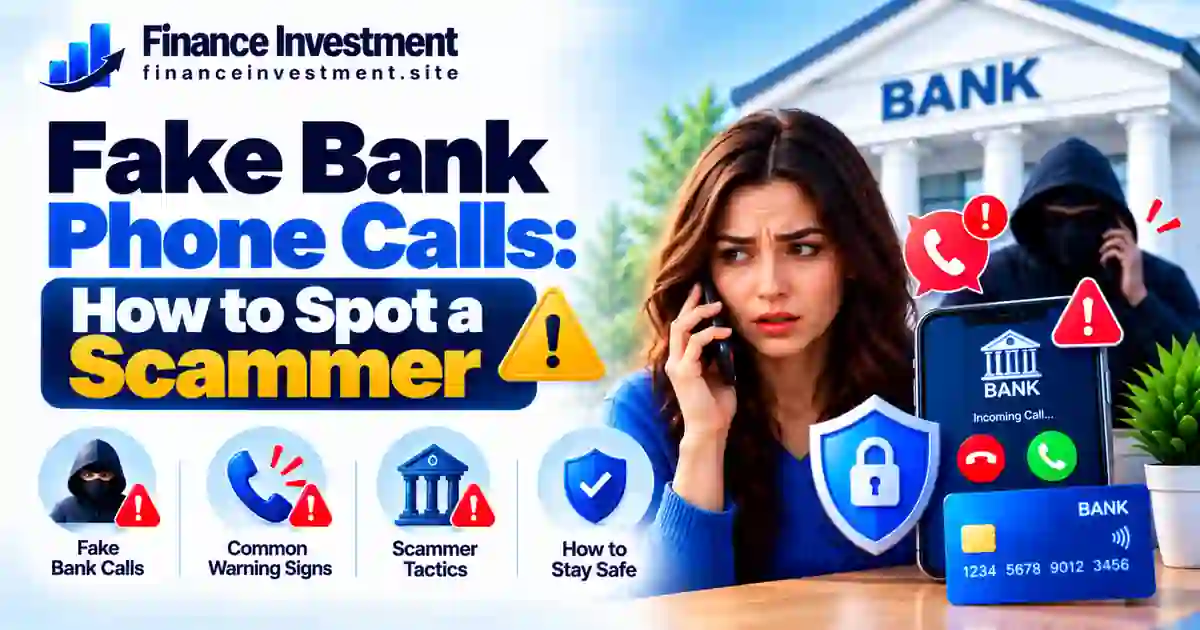
    Fake Bank Phone Calls: How to Spot a Scammer

    SR
    Subhash Rukade
    Founder, FinanceInvestment
    Banking Safety · Fraud Awareness · Personal Finance
    Updated: October 13, 2026
    Reading time: About 10 minutes

    Fake Bank Phone Calls: How to Recognize a Scammerfake bank phone calls

    Your phone rings, and the caller claims to be from your bank’s fraud department. They mention a suspicious purchase or warn that your account could be frozen. It sounds serious, but fake bank phone calls are often designed to frighten you into acting before you can check whether the story is real.

    Some scammers imitate bank employees, use caller ID spoofing to display a familiar number, or know a few details about you. The real warning sign is often what they ask you to do. Requests for your password, one-time verification code, remote access to your device, or an urgent money transfer deserve immediate caution.

    You do not need to prove anything to an unexpected caller. Hang up and contact your bank using its official app or the number printed on your debit card. For broader protection, explore our bank security and fraud prevention guide.

    What You’ll Learn

    • How scammers impersonate bank employees and fraud specialists.
    • Why a familiar caller ID does not prove a call is genuine.
    • Which requests for passcodes, passwords, device access, or money are warning signs.
    • How to verify a suspicious call and report suspected bank impersonation.
    • What to do if you have already shared sensitive information or sent money.

    Fake Bank Phone Calls: Quick Answer

    How do you spot a fake bank call? Watch for pressure to act immediately, requests for passwords or one-time codes, demands to install remote-access software, or instructions to transfer money to a supposedly safe account. Caller ID can be spoofed, so a familiar number does not prove the call is genuine.

    Key Takeaways

    • Never disclose your password or one-time verification code to an unexpected caller.
    • Do not move money because a caller says your account is in danger.
    • Hang up and call your bank using its official app or the number on your card.
    • Never install software or grant device access at a caller’s request.
    • Review transactions and account alerts if you suspect fraud.
    • If you shared details or sent money, contact your bank immediately.

    The Bottom Line

    You do not need to settle an account issue during an unexpected call. Hang up, verify the situation independently, and contact your bank through a trusted channel before taking action.

    Table of Contents

    Fake Bank Phone Calls at a Glance

    Main warning signPressure to reveal codes, grant access, or move money
    Safest responseEnd the call and contact your bank independently
    Who should know this?Anyone receiving an unexpected banking call

    Quick Safety Checklist

    Caller’s requestWhat you should do
    Claims your account is in dangerCheck through your bank’s official app
    Requests a password or verification codeDo not share it with the caller
    Tells you to transfer money urgentlyStop and verify through a trusted channel
    Asks to control your phone or computerRefuse access and end the call
    Quick takeaway: Caller ID can be spoofed. Never rely on the displayed number alone to decide whether a call is genuine.

    A Beginner’s Guide to Fake Bank Phone Callsfake bank phone calls

    A scam call may begin with a believable warning: a payment you do not recognize, an account that supposedly needs protection, or an alert about suspicious activity. The caller may claim to work for your bank and sound calm, professional, and helpful. The aim is to win your trust before you have time to check the story.

    Why a Call Can Seem Genuine

    Scammers can manipulate caller ID so a familiar bank number appears on your screen. They may also know your name or other basic details. These clues can look convincing, but they do not confirm who is speaking. Even a caller who knows about a real transaction could be an impostor.

    Warning Signs to Watch For

    • Pressure to act immediately or keep the call secret.
    • Requests for your password or one-time verification code.
    • Instructions to move money to a so-called “safe” account.
    • Requests to install software or grant remote access to your device.
    • Attempts to stop you from hanging up and contacting your bank independently.
    Remember: You can end an unexpected call without resolving anything on the spot. Open your bank’s official app or call the number printed on your debit card to check whether there is a genuine issue.

    You can find more practical safeguards in our guide to protecting your bank account.

    How a Fake Bank Phone Call Works

    Fake bank phone calls often follow a predictable pattern. Scammers create fear, appear trustworthy, and then pressure you into sharing information or moving money.

    They create fear

    The caller claims your account has suspicious activity or your card has been used without permission.

    They imitate your bank

    A familiar-looking caller ID, professional tone, or personal details may make the caller seem genuine.

    They demand action

    They may ask for a verification code, password, remote device access, or a transfer to a supposed safe account.

    They stop you checking

    They may insist you act immediately or discourage you from hanging up and contacting the bank yourself.

    How to protect yourself: Hang up and contact your bank through its official app or the number on your card. Never share passwords or verification codes, grant remote access, or transfer money because an unexpected caller tells you to. If you have already shared information or sent money, contact your bank immediately.

    Benefits and Drawbacks of Legitimate Bank Calls

    Legitimate bank calls can help you identify suspicious activity or resolve account problems. However, scammers can imitate bank representatives, so an unexpected call should never be trusted based on caller ID or a convincing voice alone.

    Potential Benefits

    • Alerts you to transactions that may need attention.
    • Helps address card or account issues.
    • Can prompt a quicker response to suspected fraud.

    Potential Risks

    • Scammers can spoof a bank’s phone number.
    • A caller may use personal details to appear genuine.
    • Pressure to act quickly can lead to unsafe decisions.
    Practical safety tip: If a bank calls unexpectedly, end the call and verify the issue through your bank’s official app or the number printed on your debit card. Never disclose your password or one-time verification code to an unexpected caller, or transfer money just because the caller instructs you to.

    Real Bank Call vs. Scam Call: Key Differences

    A real bank may contact you about suspicious activity, but scammers can imitate bank employees and spoof phone numbers. No single sign proves whether a call is genuine. Pay attention to the caller’s requests, and verify unexpected calls independently.

    What to CheckSafer Banking PracticeScam Warning Sign
    UrgencyVerify the issue before taking action.Threatens immediate loss to stop you thinking clearly.
    Passwords and codesKeep passwords and one-time codes private; verify requests through official channels.Asks you to disclose a password or one-time verification code.
    Money transfersContact the bank yourself before moving money.Tells you to transfer funds to a supposedly “safe” account.
    Caller IDConfirm identity using a trusted contact method.Uses a familiar-looking number as proof of identity.
    Device accessUse your bank’s official support channels.Pressures you to install software or grant remote access.
    The safest response: End the unexpected call and contact your bank through its official app or the number printed on your card. Do not use a callback number supplied by the caller. If you suspect fraud, check your account and notify your bank promptly.

    Costs, Risks and Expert Safety Tips

    Falling for fake bank phone calls can expose your money, personal information, and financial accounts to fraud. You may face unauthorized transactions, time-consuming disputes, or account access problems. Recovery is not guaranteed, so acting quickly after a suspicious call is important.

    Main Risks of Bank Phone Scams

    • Financial loss: You may be tricked into sending money or giving a scammer access to your account.
    • Identity theft: Stolen personal details may be used in further fraud attempts.
    • Device security: Remote-access software could expose private information.
    • Recovery difficulties: Reporting fraud, disputing transactions, and securing accounts can take time.

    Practical Safety Tips

    • End unexpected calls and contact your bank through its official app or the number on your card.
    • Never disclose your password or one-time verification code to an unexpected caller.
    • Turn on account alerts and review transactions regularly.
    • If you shared sensitive details, notify your bank immediately and follow its account-security instructions.
    • If you sent money, contact your bank or payment provider immediately and ask whether the transaction can be stopped or recalled.

    For more prevention steps, read our guide on how to protect your bank account.

    Common Mistakes and a Realistic Example

    Scammers use fear and urgency to push people into making mistakes. Avoid these common traps when you receive an unexpected bank call:

    • Assuming a familiar caller ID proves the caller works for your bank.
    • Sharing passwords or one-time verification codes with an unexpected caller.
    • Moving money to a so-called “safe” account without independently verifying the request.
    • Installing software or granting remote access because a caller asks you to.
    • Delaying contact with your bank after sharing information or sending money.

    Example: A Fake Fraud Alert

    Imagine a customer in the United States receives a call from a number that appears to belong to their bank. The caller claims a suspicious purchase has occurred and insists the customer must transfer money to a “safe” account immediately.

    Instead of following the instructions, the customer hangs up and contacts the bank through its official app or the number printed on their debit card. The bank can help the customer check the account and determine whether any protective action is needed.

    Key lesson: Never let an unexpected caller direct your financial decisions. End the call, verify the situation independently, and notify your bank promptly if you suspect fraud.

    Who Should Be Extra Careful About Fake Bank Calls?

    Anyone can receive a fake bank call. Extra caution is especially important when an unexpected caller creates pressure, asks for sensitive information, or requests a money transfer. Pay particular attention if you:

    • Are an older adult or help manage someone else’s finances.
    • Are new to online banking or unfamiliar with common phone scams.
    • Receive an unexpected warning about suspicious transactions or account closure.
    • Feel pressured to reveal verification codes, personal details, or banking information.
    • Help a parent, student, or relative who may benefit from clear fraud-prevention guidance.
    Practical safety rule: Never share a password or one-time verification code with an unexpected caller, and never transfer money just because the caller instructs you to. Hang up and verify the situation through your bank’s official app or the number printed on your debit card.

    Frequently Asked Questions About Fake Bank Phone Calls

    1. How can I tell if a bank phone call is fake?

    Warning signs include pressure to act immediately, requests for passwords or one-time codes, demands to transfer money, or requests for remote device access. Hang up and verify independently.

    2. Can scammers fake my bank’s phone number?

    Yes. Caller ID spoofing can make a call appear to come from your bank. The displayed number alone does not confirm the caller’s identity.

    3. Should I share a one-time verification code with a caller?

    Do not disclose a one-time code to an unexpected caller. Contact your bank through an official channel if you are unsure why a code was sent.

    4. Should I hang up on a suspicious bank call?

    Yes. End the call and contact your bank through its official app or the number printed on your card.

    5. What if I already shared my banking information?

    Contact your bank immediately, explain what you shared, and follow its security instructions. Change compromised passwords and review recent transactions.

    6. What if I transferred money to a scammer?

    Contact your bank or payment provider immediately. Ask whether the transfer can be stopped or recalled, and report the suspected fraud.

    7. Where can I report a fake bank call in the United States?

    Report suspected scams to the Federal Trade Commission (FTC). Notify your bank promptly if your account or money may be at risk.

    8. Can I trust a caller who knows my name or transactions?

    No. Personal details do not prove the caller is genuine. Verify account alerts through your bank’s official app or a trusted phone number.

    Final Verdict: How to Stay Safe From Fake Bank Phone Calls

    Fake bank phone calls can sound convincing, especially when the caller claims there is an urgent problem with your account. However, a familiar phone number, professional tone, or knowledge of your personal details does not prove the caller represents your bank.

    If a call feels suspicious, end it and verify the situation through your bank’s official app or the number printed on your debit card. Never disclose passwords or one-time verification codes to an unexpected caller, grant remote access, or transfer money based on pressure from the caller.

    The bottom line: Pause before acting, verify independently, and contact your bank immediately if you suspect fraud. For additional prevention strategies, read our bank security and fraud prevention guide.

    Have a Money Question? Keep Exploring.

    Making informed financial decisions starts with reliable information. If a caller claims your bank account is at risk, pause and verify the request through an official banking channel before taking action.

    Contact FinanceInvestment

    Have a question or suggestion about our personal finance guides? Email our team.

    Email FinanceInvestment

    Continue Your Research