How to Secure Your Bank Account After a Data Breach
Reading time: To be confirmed after the article is complete
A practical guide to securing your banking access, checking for suspicious activity, and protecting your personal information after a data breach.
How to Secure Your Bank Account After a Data Breach
If your personal information was exposed in a data breach, knowing how to secure your bank account after a data breach can help you act quickly and reduce the risk of fraud. A breach does not automatically mean your bank account has been accessed. However, exposed passwords, email addresses, phone numbers, or other personal details may help criminals target you.
Start by checking the breach notice to learn what information was affected. Change any exposed or reused passwords, secure the email account linked to your banking profile, and review recent transactions. If you spot an unauthorized payment or suspect someone has entered your account, contact your bank immediately using its official app, website, or the number on your card. Never share verification codes with unexpected callers.
The right response depends on what was exposed and whether suspicious activity has occurred. This guide walks you through the priorities in a practical order. For broader prevention advice, read our bank security and fraud prevention guide.
What You’ll Learn
- What to do first when you receive a data-breach notice.
- How to secure exposed passwords, email, and account recovery details.
- How to check for unauthorized transactions and unexpected account changes.
- When to contact your bank and when a credit freeze may help.
- How to recognize follow-up phishing messages and bank impersonation scams.
Quick Answer: How to Secure Your Bank Account After a Data Breach
Start by checking the breach notice to find out what information was exposed. Change affected or reused passwords, secure the email account connected to your banking profile, and review recent transactions. If you notice an unauthorized payment or account change, contact your bank immediately through a verified channel. Remember, a data breach does not automatically mean someone has accessed your bank account.
Key Takeaways
- Read the breach notice and identify which personal details may have been exposed.
- Use a unique password for online banking and enable multifactor authentication when available.
- Secure your linked email account and check banking recovery details for unauthorized changes.
- Review transactions and enable account alerts to help spot unfamiliar activity.
- Report suspected unauthorized transactions to your bank promptly.
- Consider a fraud alert or credit freeze if sensitive identity information, such as your Social Security number, was exposed.
Match your response to the information exposed. Secure affected accounts first, report suspicious banking activity quickly, and watch for follow-up phishing or impersonation attempts.
Data Breach Response at a Glance
If your information was exposed in a data breach, act promptly without panicking. Your next steps depend on what was exposed and whether your account shows suspicious activity.
| Action | When | Purpose |
|---|---|---|
| Change passwords | Immediately if exposed or reused | Reduce account access risks |
| Enable multifactor authentication | As soon as possible | Add another security layer |
| Review transactions | Now and regularly | Spot unauthorized activity |
| Contact your bank | If activity or account details look wrong | Report the issue and ask about account protections |
| Consider a credit freeze | If your SSN or credit data was exposed | Help block certain new credit accounts opened fraudulently |
QUICK TAKE
Secure exposed or reused passwords, protect your linked email, enable multifactor authentication, and review transactions. If you spot suspicious activity, contact your bank using its official app, website, or the number on your card. A credit freeze helps protect your credit file; it does not directly secure an existing bank account.
How to Secure Your Bank Account After a Data Breach: A Beginner’s Guide
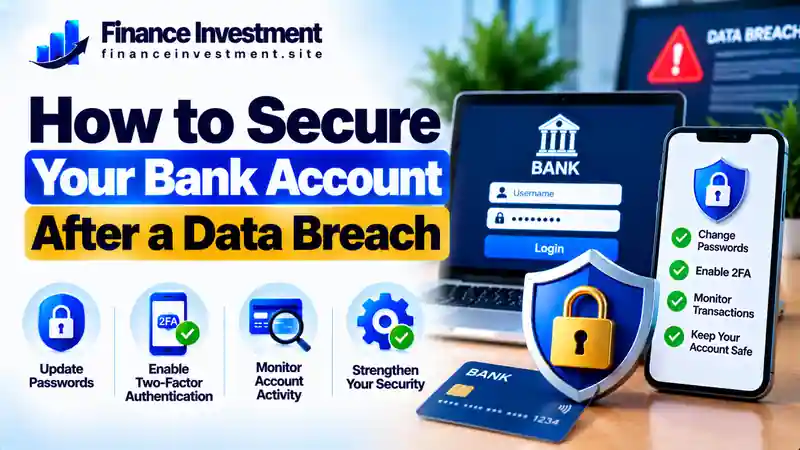
A data breach does not automatically mean your bank account has been accessed. However, exposed personal information can make phishing, identity theft, and account takeover attempts easier. These steps can help you reduce the risk.
1. Find Out What Information Was Exposed
Read the official breach notice carefully. Check whether passwords, email addresses, financial details, or your Social Security number were involved. If the notice is unclear, contact the affected organization through its verified website or phone number.
2. Change Exposed or Reused Passwords
If your banking password was exposed, change it immediately using your bank’s official app or website. Replace reused passwords on other accounts, too. Choose a different, strong password for every account, and consider using a reputable password manager.
3. Protect Your Email and Phone
Secure the email account used for banking password resets with a unique password and multifactor authentication. If your phone unexpectedly loses service or you suspect someone has taken control of your number, contact your mobile carrier through a verified channel.
4. Check Your Bank Account
Review recent transactions, linked accounts, contact details, and payment settings. Report unfamiliar transactions or unauthorized changes to your bank immediately. Use its official app, website, or the number on your card rather than links or phone numbers in unexpected messages.
5. Enable Security Alerts
Turn on available transaction, login, and password-change alerts. Keep checking your account for unusual activity. For additional precautions, read our guide to protecting your bank account.
Important: If you notice an unauthorized transfer, contact your bank immediately. Do not delay reporting it while completing the other security steps.
How a Data Breach Can Affect Your Bank Account
A data breach happens when private information is accessed or disclosed without authorization. Criminals may try to misuse exposed details, but the risk depends on what was stolen. An exposed email address alone does not give someone access to your bank account. Stolen banking credentials or compromised recovery details can create a more direct risk.
Four Risks to Understand
- Phishing: Scammers may use your personal details to create convincing emails, texts, or calls that trick you into sharing banking information.
- Credential stuffing: Attackers may try a stolen password on other services if you reused it for your bank account.
- Identity theft: Exposed Social Security numbers and other identifying details may be used in attempts to open fraudulent accounts or apply for credit.
- Account takeover: Criminals may attempt to access your account using stolen login details or control of a recovery email address or phone number.
Watch for unfamiliar transactions, unexpected password-reset notices, and account changes you did not authorize. Before responding to suspicious calls or messages, learn how to recognize bank impersonation scams.
Key point: Find out what information was exposed, secure any affected accounts, and contact your bank promptly if you notice unauthorized transactions or account changes.
Benefits and Drawbacks of Bank Security Measures
After a data breach, several security steps can reduce your risk. However, each has limitations, and no single measure guarantees complete protection.
Key Benefits
- Unique passwords: Help prevent a password stolen from one service from unlocking other accounts.
- Multifactor authentication (MFA): Adds a verification step beyond your password, making unauthorized access harder.
- Transaction and login alerts: Can help you notice suspicious activity sooner, depending on the alerts your bank offers.
Possible Drawbacks
- Extra verification may take time when you change devices or lose access to your authentication method.
- Too many notifications can make important alerts easier to overlook.
- MFA and alerts cannot prevent every scam, especially if you approve a fraudulent request or disclose a verification code.
PRACTICAL TIP
Use unique passwords, enable MFA, and turn on useful bank alerts. Keep recovery details current. Never share a one-time verification code or approve an unexpected login request because someone contacted you claiming to be from your bank.
Compare Security Steps After a Data Breach
Not every security measure solves the same problem. Use this comparison to decide which steps deserve attention based on the information exposed and the warning signs you notice.
| Security Step | Best Used When | Main Limitation |
|---|---|---|
| Change your password | Your banking password was exposed or reused | Does not secure a compromised email account by itself |
| Enable MFA | Your bank offers extra login verification | Cannot stop every scam or fraudulent approval |
| Review transactions | After a breach and during follow-up checks | Finding suspicious activity does not reverse it automatically |
| Contact your bank | You notice unauthorized transactions or account changes | You may need to follow the bank’s dispute process |
| Freeze your credit | Your SSN or other credit-related data was exposed | Does not block access to an existing bank account |
WHICH STEP SHOULD COME FIRST?
If banking credentials were exposed, secure your bank login and linked email promptly. If you spot an unauthorized transaction, contact your bank immediately rather than waiting to finish the other steps. Choose a credit freeze when the exposed information creates a risk of identity theft or fraudulent new credit accounts.
Costs, Risks, and Expert Tips for Bank Account Security
Many essential security steps are free, including changing passwords, enabling available multifactor authentication, and turning on bank alerts. However, a password manager or identity-monitoring service may charge a fee. Review what your bank or breach-response notice offers before paying for extra protection.
Risks to Watch For
- Recovery scams: Fraudsters may promise to recover stolen money for an upfront fee or request sensitive information.
- Fake security apps: Unverified downloads may expose passwords or personal data.
- Delayed reporting: Waiting to report unauthorized transactions may complicate the dispute process. Contact your bank promptly.
Practical Expert Tips
- Use your bank’s official app or manually enter its verified website address.
- Never share passwords, one-time codes, or approve unexpected login requests.
- Save the bank’s verified fraud-reporting number and keep records of suspicious transactions and your reports.
SMART SECURITY RULE
Do not pay for a service simply because someone claims your account is in danger. Verify the offer independently, use trusted security tools, and contact your bank directly if you suspect fraud.
Common Mistakes to Avoid After a Data Breach
A breach notification can be stressful, but ignoring it or reacting without checking the facts can create additional risks. Avoid these common mistakes:
- Ignoring the notice: Read it carefully to understand what information was exposed and which steps the affected organization recommends.
- Reusing passwords: If a stolen password is also used for banking, criminals may try it on your bank’s website.
- Trusting urgent messages: Scammers may impersonate your bank and pressure you to reveal passwords or verification codes. Verify requests through official channels.
- Delaying a fraud report: Contact your bank promptly if you notice unauthorized transactions or account changes, and follow its reporting instructions.
Illustrative Example: The Risk of a Reused Password
Imagine Alex receives a notice that an online shopping account was breached. Alex ignores it because the notice does not mention a bank. However, Alex used the same password for online banking. A criminal might try the exposed password on the bank’s website. A unique banking password and multifactor authentication can reduce this risk. If Alex notices an unfamiliar login or transaction, contacting the bank immediately is the right next step. This scenario is illustrative, not a verified real incident.
LESSON TO REMEMBER
Read breach notices, use a unique password for every account, verify unexpected messages independently, and report suspicious banking activity promptly.
Who Should Take Extra Precautions After a Data Breach?
Anyone affected by a data breach should read the notice and follow relevant security guidance. Additional precautions may be especially important when sensitive information or account access details were exposed.
- People whose banking passwords were exposed: Change the compromised password and secure any account where it was reused.
- People whose Social Security numbers were exposed: Consider a credit freeze with each major U.S. credit bureau to help prevent certain fraudulent new credit accounts.
- People receiving suspicious bank messages: Verify unexpected calls, emails, and texts through official bank channels before responding.
- Small-business owners and frequent online banking users: Review authorized users, linked accounts, payment settings, and available transaction alerts.
- People who notice unauthorized activity: Contact the bank immediately and follow its instructions for reporting and disputing transactions.
KEY TAKEAWAY
Choose your next steps based on what information was exposed and whether suspicious activity has occurred. A breach notice alone does not prove that your bank account has been compromised.
Frequently Asked Questions About Bank Account Security After a Data Breach
1. Can a data breach give someone access to my bank account?
Not necessarily. The risk depends on what information was exposed. Stolen banking credentials or compromised account-recovery details can create a greater risk than an exposed email address alone.
2. Should I change my bank password after a data breach?
Change it promptly if your banking password was exposed or reused on the affected service. Use your bank’s official app or website and choose a strong, unique password.
3. What should I do if I notice an unauthorized transaction?
Contact your bank immediately through a verified channel. Report the transaction, follow the bank’s instructions for disputing it, and ask whether additional account protections are needed.
4. Is multifactor authentication enough to protect my account?
No. Multifactor authentication adds a layer of protection, but it cannot prevent every scam or unauthorized access attempt. Also use unique passwords, secure your email, and review account activity.
5. Should I freeze my credit after a data breach?
Consider a credit freeze if your Social Security number or other sensitive credit-related information was exposed. In the United States, you can request freezes from Equifax, Experian, and TransUnion. A freeze can help prevent certain new credit accounts but does not directly protect an existing bank account.
6. Can I secure my bank account for free?
Often, yes. Changing passwords, enabling available multifactor authentication, reviewing transactions, and setting up available bank alerts generally do not require a paid security service.
7. How can I tell if a bank message is fake?
Be cautious of urgent demands, unexpected links, and requests for passwords or verification codes. Verify the message by contacting your bank through its official app, website, or the number on your card.
8. How long should I monitor my account?
Check your account regularly after the breach and keep useful alerts enabled. Follow the affected organization’s guidance, and report suspicious transactions or account changes as soon as you notice them.
Final Verdict: Protect Your Bank Account After a Data Breach
A data breach does not automatically mean your bank account has been compromised. First, confirm what information was exposed. Change affected or reused passwords, secure your email, and review your bank activity. Enable available multifactor authentication, and contact your bank immediately if you notice unauthorized transactions or account changes.
If your Social Security number or other sensitive identity information was exposed, consider additional protections, such as a credit freeze. For more practical prevention steps, explore our complete guide to bank security and fraud prevention.
BOTTOM LINE
Act promptly, verify unexpected requests through official channels, and monitor your account regularly. These habits can reduce risk, although no security measure guarantees complete protection.
Have a Money Question? Keep Exploring.
Building safer banking habits starts with reliable information. Explore our practical guides to learn how to recognize scams and protect your financial information.
Contact FinanceInvestment
Continue Your Research
Stay alert, verify unexpected requests through official channels, and contact your bank promptly if you notice suspicious activity.
Leave a Reply