Tag: Bank Fraud Prevention

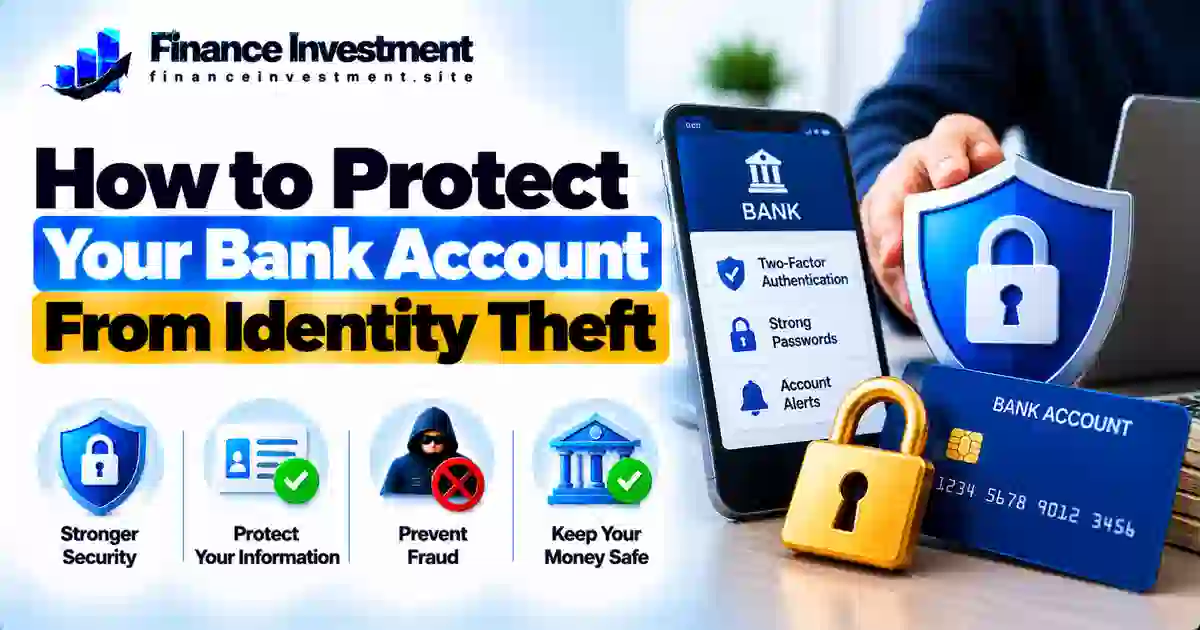
  • How to Protect Your Bank Account From Identity Theft

    How to Protect Your Bank Account From Identity Theft

    How to Protect Your Bank Account From Identity Theft

    SR
    Subhash Rukade
    Founder, FinanceInvestment
    Personal Finance · Banking Security
    Published

    Last Updated

    Reading Time
    About 10 minutes

    Your Bank Account Deserves More Than a Passwordhow to protect your bank account from identity theft

    Your bank account holds more than your money. It may also connect to your paycheck, bills, savings, and other financial details. Learning how to protect your bank account from identity theft can help you reduce the risk of criminals misusing your personal information.

    Identity thieves may use stolen details to impersonate you, attempt to open an account, or gain access to an existing one. Strong, unique passwords, multifactor authentication, and regular transaction checks can help you spot trouble sooner. Never share a one-time verification code with someone who contacts you unexpectedly, even if they claim to represent your bank.

    No single security measure can prevent every scam, but a few consistent habits can make a real difference. This guide covers practical steps to protect your information and explains what to do if something looks wrong. For a broader overview, visit our bank security and fraud prevention guide.

    What You’ll Learn

    • How identity thieves may target bank accounts.
    • How to secure passwords, devices, and banking apps.
    • Which warning signs deserve your attention.
    • What to do if you notice an unfamiliar transaction or account change.
    • Where to report suspected identity theft and find reliable help.

    Quick Answer: Protect Your Bank Account From Identity Theft

    Create a unique banking password, enable multifactor authentication when available, update your devices, and review transactions regularly. Treat unexpected bank calls, texts, and emails with caution. If you notice suspicious activity, contact your bank through its official app, a website address you enter yourself, or the number printed on your card. Ask the bank to secure your account and explain any further steps you should take.

    Key Takeaways

    • Use a strong, unique password that you do not reuse on other websites.
    • Enable multifactor authentication and never share login codes with unexpected callers.
    • Check transactions, account alerts, and contact details for changes you did not make.
    • Avoid banking on shared or untrusted devices; use a trusted connection and your own device whenever possible.
    • Keep your phone, computer, browser, and banking app updated.
    • Report suspected fraud promptly and keep the bank’s case number and related records.

    Bottom line: No security measure prevents every form of identity theft. Strong account habits and a quick response to suspicious activity can help reduce risk and limit further damage.

    Bank Account Identity Theft: At a Glance

    Who should act?
    Every bank customer
    First step
    Secure access and check activity
    Typical cost
    Many basic steps are free

    Security Steps at a Glance

    MeasureWhat it helps with
    Unique password and MFAMakes it harder for someone to access your account using stolen login details.
    Account alertsCan help you spot unfamiliar transactions or account changes sooner.
    Contact your bankLets you report suspected fraud and ask about securing the account.
    Credit freezeCan restrict access to your credit file for many new credit applications, but does not block every fraudulent deposit account or banking scam.

    QUICK TAKE: Review your account activity, strengthen your login security, and enable alerts if your bank offers them. If you find something suspicious, contact the bank promptly through a verified channel and keep the case number and related records.

    A Beginner’s Guide to Protecting Your Bank Accounthow to protect your bank account from identity theft

    You do not need expensive security software to improve your banking safety. Start by protecting the details criminals could use to impersonate you or access your money.

    1. Make Account Access Harder to Steal

    Use a strong, unique password and enable multifactor authentication (MFA) when your bank offers it. A reputable password manager can help you create and store separate passwords. See our guide to two-factor authentication for bank accounts.

    2. Keep Personal Details Private

    Share your Social Security number and banking details only when necessary with a verified organization. Never give an unexpected caller your password or one-time security code. Avoid links in unsolicited bank messages; open your bank’s official app or enter its known website address instead.

    3. Check for Changes You Did Not Make

    Review transactions, alerts, and account contact details. Keep your devices and banking app updated, use a screen lock, and sign out after banking on a shared device.

    If something looks wrong: Contact your bank using a verified phone number or official app. Ask how to secure the account, dispute any unauthorized transaction, and obtain a case or reference number. Keep copies of relevant messages and statements.

    How Identity Theft Happens—and What to Do

    Identity theft may start with a fake bank message, a stolen device, exposed personal details, or information leaked in a data breach. A criminal might use those details to access an existing account, change its contact information, or impersonate you when contacting a financial institution. An unfamiliar transaction does not automatically prove identity theft, but it should never be ignored.

    Steps to Take When You Suspect Fraud

    1. Contact your bank promptly. Use the official banking app or a verified phone number. Report the suspicious activity and ask whether your card, login, or account access needs to be restricted.
    2. Secure compromised access. From a trusted device, change any exposed password and review recent account changes. If your phone or computer may be compromised, use another trusted device.
    3. Save the evidence. Keep relevant statements, messages, transaction details, dates, and the bank’s case number.
    4. Follow official recovery guidance. Use the FTC’s IdentityTheft.gov recovery steps to find actions suited to your situation.

    Act quickly: If money is missing or an unauthorized transfer appears, notify your bank immediately. Ask how to report the transaction and what deadlines or documentation apply. Do not delay contacting the bank while gathering evidence.

    Benefits and Drawbacks of Bank Account Protection Methods

    Each security measure addresses a different risk. Combining them can improve protection, but no tool can prevent every scam or unauthorized transaction.

    Benefits

    • Unique passwords and multifactor authentication make unauthorized login more difficult.
    • Transaction alerts can help you notice unfamiliar activity sooner.
    • Promptly reporting suspected fraud gives your bank a chance to investigate and explain available protections.

    Drawbacks

    • Phishing and impersonation scams may still trick people into revealing private information.
    • Alerts depend on your bank’s available features and the settings you choose.
    • A credit freeze can restrict access to credit files for many new credit applications, but it does not block every deposit-account fraud or banking scam.

    Best approach: Combine login security with transaction monitoring. If you suspect fraud, contact your bank promptly through a verified channel and follow its instructions.

    Compare Bank Account Security Measures

    Each security measure serves a different purpose. Comparing them can help you choose the right response to your risk rather than relying on a single tool.

    Security measureWhat it helps withWhat it cannot guarantee
    Multifactor authentication (MFA)Adds a verification step when signing in.It cannot stop every phishing scam or account takeover attempt.
    Transaction alertsCan help you notice transactions or changes sooner.Alerts may depend on the bank’s features and your settings.
    Credit freezeRestricts access to your credit file for many new credit applications.It does not stop every deposit-account fraud or unauthorized bank transaction.
    Report suspected fraud to your bankStarts the bank’s review and lets you ask about securing the account.The investigation outcome and resolution time can vary.

    Practical choice: For everyday protection, use strong login security and enable available alerts. If you suspect fraud, contact your bank promptly. If your personal information may also be used to open credit accounts, consider placing a credit freeze with each of the three nationwide credit bureaus.

    Costs, Risks, and Expert Tips for Safer Banking

    Many useful precautions, such as reviewing transactions and using your bank’s security features, are available at no extra cost. A security freeze on your credit reports is also free under federal law. However, identity theft may cost you time and effort while you dispute transactions, replace cards, or resolve unfamiliar account activity. Optional identity-monitoring services may charge fees, so compare their features before paying.

    Risks You Should Not Ignore

    • Waiting too long: Report suspicious transactions promptly. Deadlines and protections can depend on the transaction type and your account agreement.
    • Recovery scams: Be cautious of anyone promising guaranteed results, demanding upfront payment to recover your money, or requesting your password or verification code.
    • Assuming a freeze solves everything: A credit freeze does not prevent every checking-account scam, phishing attempt, or unauthorized transaction.

    Expert Tips

    • Save statements, suspicious messages, dates, and your bank’s case number.
    • Ask the bank how to dispute the activity and whether written documentation is required.
    • If your personal information may be misused, consider freezing your credit with all three nationwide credit bureaus.
    • Use the FTC’s identity theft recovery guide to find steps suited to your situation.

    Common Mistakes That Can Put Your Bank Account at Risk

    • Trusting unexpected links: A message may look official but still be fake. Open your bank’s app or enter its known website address instead of using the link.
    • Reusing passwords: If another website exposes a reused password, your banking login may also be at risk.
    • Overlooking unfamiliar transactions: Even a small charge deserves a check if you do not recognize it. Contact your bank if you cannot verify it.
    • Revealing security codes: Never share a one-time code with an unexpected caller or texter. If you are unsure, end the contact and reach your bank through a verified channel.

    A Realistic Example

    Imagine Maya receives a text claiming her bank account will be locked unless she verifies her details. Rather than clicking the link, she opens her bank’s official app independently. She sees no matching notice, so she contacts the bank using its verified channel and reports the suspicious message.

    The lesson: Verify unexpected requests independently. If you already shared your credentials or notice an unauthorized transaction, contact your bank promptly, explain what happened, and follow its security instructions. Maya’s story is illustrative, not a report of an actual customer incident.

    Who Should Take Extra Care With Bank Account Security?

    Identity theft can affect anyone. Extra caution is especially useful if your personal information, banking credentials, or identification documents may have been exposed.

    • Retirees and older adults: Review account activity regularly and independently verify unexpected requests for money or personal details.
    • Families sharing devices: Use separate account logins where appropriate, lock devices, and discuss how to recognize suspicious banking messages.
    • People notified of a data breach: Follow the organization’s official instructions and watch for unusual account activity or targeted scam messages.
    • People who have experienced fraud: Secure affected accounts, replace compromised credentials, and review other accounts that may use the same password.

    Keep it in perspective: A data breach does not automatically mean your bank account has been accessed. Follow verified guidance, monitor relevant accounts, and respond promptly to signs of actual misuse.

    Frequently Asked Questions About Bank Account Identity Theft

    1. How can I protect my bank account from identity theft?

    Use a unique, strong password and enable multifactor authentication if your bank offers it. Turn on transaction alerts, keep your devices updated, and never share passwords or one-time security codes with unexpected callers or texters.

    2. What are the warning signs of bank account identity theft?

    Warning signs include unfamiliar transactions, password-reset messages you did not request, changes to your contact details, or notices about accounts you did not open. Check suspicious activity directly through your bank’s official app or verified phone number.

    3. What should I do if someone accesses my bank account?

    Contact your bank immediately using a verified phone number or official app. Report unauthorized activity, ask how to secure the account, and follow instructions to change compromised credentials. Keep transaction details and your case number for reference.

    4. Does a credit freeze protect my bank account?

    A credit freeze can help prevent certain new credit accounts from being opened using your information. However, it does not stop every checking-account fraud attempt, phishing scam, or unauthorized transaction. Contact your bank if you suspect account misuse.

    5. Can a data breach put my bank account at risk?

    Yes. Stolen personal information may be used in fraud attempts. A data breach does not automatically mean your bank account has been accessed, so follow verified breach notifications and monitor your accounts for unfamiliar activity.

    6. Should I report identity theft to the FTC?

    If you suspect identity theft, visit IdentityTheft.gov for recovery guidance. Also contact your bank directly. If someone opened a checking account in your name, request a free ChexSystems report and contact the affected institution.

    7. Do I need a paid identity theft protection service?

    Not necessarily. Strong passwords, multifactor authentication, account alerts, and regular reviews are useful starting points. Paid services may offer monitoring or recovery assistance, but compare their coverage, exclusions, and fees before enrolling.

    8. Can I get my money back after an unauthorized bank transaction?

    You may have legal protections, but reimbursement depends on the circumstances, the type of transaction, and applicable rules. Report the transaction promptly, ask your bank how to dispute it, and confirm any deadlines. Do not assume that reimbursement is automatic.

    Final Verdict: Protect Your Bank Account Before Problems Start

    Knowing how to protect your bank account from identity theft begins with consistent habits. Create a unique password, enable multifactor authentication, turn on transaction alerts, and review your account regularly. Always verify unexpected bank messages independently instead of clicking suspicious links or sharing security codes.

    If you spot an unfamiliar transaction or unauthorized account change, contact your bank immediately through a verified channel. Ask how to secure your account, report the activity, and dispute any unauthorized transaction. Keep your case number and related records.

    For more practical advice, read our bank security and fraud prevention guide to explore additional ways to protect your money and personal information.

    Have a Money Question? Keep Exploring.

    Have a question about bank security, fraud prevention, or personal finance? Send us an email, or continue learning with our practical banking guides.

    Continue Your Research

    FinanceInvestment shares educational information to help readers understand financial topics and make informed decisions.
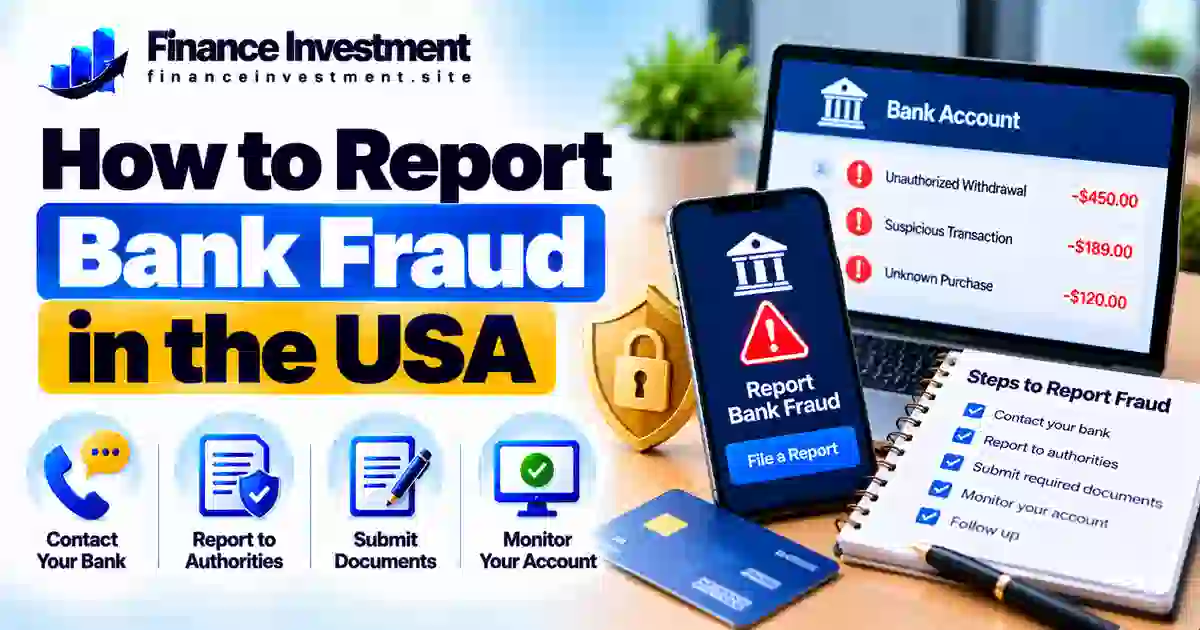
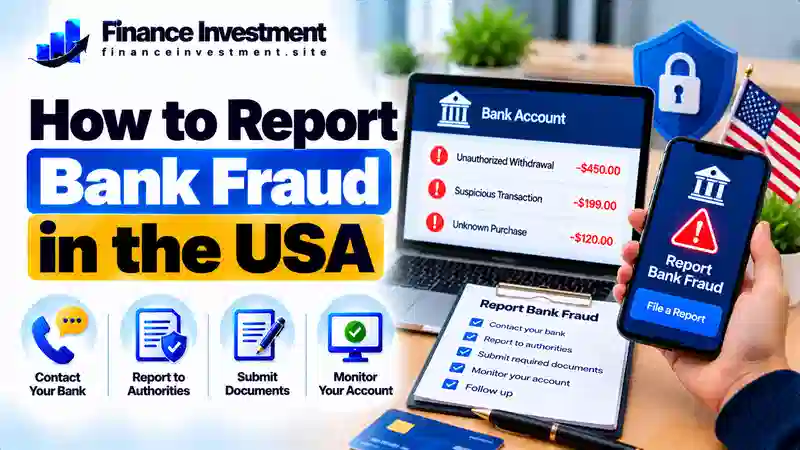
  • How to Report Bank Fraud in the USA (2026 Guide)

    How to Report Bank Fraud in the USA (2026 Guide)

    How to Report Bank Fraud in the USA

    SR
    FinanceInvestment
    Subhash Rukade
    Founder, FinanceInvestment
    Published
    October 16, 2026
    Last Updated
    October 16, 2026
    Reading Time
    About 10 minutes

    How to Report Bank Fraud in the USAhow to report bank fraud in the USA

    Knowing how to report bank fraud in the USA matters when you spot a transfer you did not make, discover unfamiliar withdrawals, or realize someone has impersonated your bank. Start by contacting your bank through its official app, verified website, or the number printed on your card. Ask the bank to secure your account and explain how to dispute the suspicious activity.

    Your bank may be the first call, but it is not always the only one. Depending on the incident, you may also report a scam to the Federal Trade Commission (FTC), submit an online-crime complaint to the FBI’s Internet Crime Complaint Center (IC3), or contact local law enforcement. Save transaction records, messages, emails, dates, and complaint numbers. These details can help you explain the incident and follow up.

    What You’ll Learn

    • How to report suspected bank fraud step by step.
    • When to contact your bank, the FTC, the IC3, or law enforcement.
    • Which records to keep and why reporting deadlines matter.
    • How to secure your account and help prevent further losses.

    For practical prevention steps, read our Bank Security and Fraud Prevention Guide.

    Quick Answer: How Do You Report Bank Fraud?

    If you suspect bank fraud, contact your bank immediately using its official app, verified website, or the number on your card. Report the suspicious activity, ask the bank to secure your account, and find out how to submit a formal transaction dispute. Depending on what happened, you may also need to report the scam to a government agency or local law enforcement.

    Key Takeaways

    • Contact your bank promptly and request a fraud case or reference number.
    • Ask whether your card, online banking access, or affected account needs to be blocked or secured.
    • Change compromised passwords from a trusted device and enable two-factor authentication.
    • Keep transaction records, screenshots, messages, dates, and copies of your bank complaint.
    • Report suspected scams through the FTC’s ReportFraud website or internet crime through the FBI’s IC3, when appropriate.
    • Report unauthorized electronic transfers quickly because legal protections and deadlines depend on the transaction and circumstances.

    Bottom line: Notify your bank, follow its dispute process, and keep written records. An FTC or IC3 complaint does not replace notifying your bank, and reporting fraud does not guarantee reimbursement.

    Bank Fraud at a Glance: Where Should You Report It?

    Start with your bank. If you see a transaction you did not authorize or suspect someone has accessed your account, contact your bank promptly. Ask it to secure your account and explain how to file a formal dispute. Additional reports may be appropriate depending on the type of fraud.

    Reporting channelWhen to consider itWhat it does
    Your bankUnrecognized transfers, withdrawals, or account changesHelps secure the account and starts the bank’s dispute process
    Federal Trade Commission (FTC)Scams, deceptive practices, or fraud attemptsCollects reports and provides consumer guidance
    FBI Internet Crime Complaint Center (IC3)Suspected internet-enabled crimeAccepts information about suspected online crime
    IdentityTheft.govSomeone misuses your personal informationProvides identity-theft reporting and recovery steps

    Before you report: Gather transaction dates, amounts, relevant messages, account statements, and your bank’s case number. Never include your password, PIN, or one-time verification code in a complaint. If money is missing, do not delay contacting your bank while preparing other reports.

    Where and How to Report Bank Fraud in the USAhow to report bank fraud in the USA

    If you notice an unfamiliar withdrawal, a transfer you did not authorize, or signs that someone has accessed your account, act promptly. Start with your bank, then consider other reporting channels based on what happened.

    1. Notify Your Bank and Open a Fraud Case

    Contact your bank through its official app, verified website, or the phone number on your card or statement. Identify the suspicious transaction and ask the bank to secure your account, block compromised access where appropriate, and explain how to file a formal dispute. Request a case number and ask whether a transfer recall is possible. A recall is not guaranteed.

    2. Choose the Right Reporting Agency

    For scams and deceptive practices, submit a report through the Federal Trade Commission (FTC). For suspected internet-enabled crime, such as online scams or phishing-related financial losses, use the FBI’s Internet Crime Complaint Center (IC3). These reports provide information to authorities; they do not replace a bank dispute or guarantee that money will be recovered.

    3. Contact Local Law Enforcement When Appropriate

    Consider contacting your local police department if you suspect theft, identity misuse, or another crime, or if your bank requests a police report. Call 911 for an immediate emergency, not for routine account disputes.

    4. Save Evidence and Follow Up

    Keep statements, transaction dates and amounts, relevant messages, screenshots, and complaint numbers. Follow your bank’s instructions for submitting supporting documents and keep copies of anything you send. For unauthorized electronic fund transfers, notify your bank as soon as possible: certain federal rules use specific reporting deadlines, and the applicable protections depend on the facts and transaction type.

    Scam warning: A legitimate bank representative should not ask you to move money to a stranger’s “safe account” or reveal your password or one-time verification code. End suspicious calls and contact your bank using a verified number.

    How to Report Bank Fraud Step by Step

    You do not need to know exactly how the fraud happened before reporting it. Start with the suspicious activity you noticed, then follow these steps.

    Step 1: Contact Your Bank Through an Official Channel

    Call the verified number on your card or statement, or use the bank’s official app or website. Identify the suspicious transaction and ask the bank to open a fraud case. Request a case number for your records.

    Step 2: Secure Your Account

    Ask whether your card should be locked or replaced and whether online banking access needs to be secured. Change compromised passwords from a trusted device and enable two-factor authentication. Never share verification codes with an unexpected caller.

    Step 3: File a Formal Transaction Dispute

    Tell the bank which transaction you did not authorize and follow its dispute instructions. Include the date, amount, and any relevant details. Keep a copy of your submission. Do not assume that a general fraud report automatically completes the dispute process.

    Step 4: Preserve the Evidence

    Save statements, screenshots, suspicious messages, emails, transaction details, and complaint numbers. Record when you contacted the bank and the instructions you received.

    Step 5: Make Other Reports if Needed

    Report scams through the FTC or suspected internet-related crime through the FBI’s IC3, where appropriate. These reports do not replace your bank’s dispute process.

    Keep in mind: Report unauthorized electronic transfers promptly. Legal deadlines and protections depend on the type of transaction and circumstances. Ask your bank how to submit a dispute and keep written records of every follow-up.

    Benefits and Drawbacks of Reporting Bank Fraud Quickly

    Reporting suspicious activity promptly gives your bank a chance to respond sooner. It may not solve everything immediately, but waiting can make account protection and dispute resolution harder.

    Benefits

    • Gives the bank an earlier opportunity to secure your account.
    • Helps you start the formal transaction-dispute process.
    • Creates a record of when you reported the issue.
    • May help limit further unauthorized activity.

    Possible Drawbacks

    • You may need a replacement card or new login credentials.
    • Some transactions may remain under review during the investigation.
    • You may need to provide documents and follow up.
    • A report does not guarantee reimbursement.

    Expert tip: Do not delay contacting your bank while collecting paperwork. For certain unauthorized electronic fund transfers, Regulation E sets liability rules that depend on the circumstances and timing of your notice. Review the CFPB’s Regulation E liability rules and ask your bank which procedures apply.

    Bank vs. FTC vs. FBI IC3 vs. Police: What’s the Difference?

    Different reporting channels serve different purposes. If money has left your account without your permission, contact your bank first. You may also need to report the scam or suspected crime elsewhere.

    Reporting channelWhen to use itMain purpose
    Your bank or credit unionUnauthorized transfers, withdrawals, or suspicious account accessSecure the account and handle the transaction-dispute process
    Federal Trade Commission (FTC)Consumer scams and deceptive practicesCollect fraud reports and support consumer-protection efforts
    FBI Internet Crime Complaint Center (IC3)Suspected internet-enabled fraud or cybercrimeCollect online crime complaints for analysis and potential investigative action
    Local police or sheriffSuspected theft, identity misuse, or another possible crimeDocument the incident and determine appropriate local action

    Which should you contact first? For an unauthorized bank transaction, notify your bank promptly and ask how to file a formal dispute. Depending on the circumstances, submit an additional report to the FTC, IC3, or local law enforcement. None of these reports guarantees reimbursement.

    Costs, Risks, Deadlines, and Expert Tips

    Reporting fraud through a government complaint website is generally free. You may still face indirect costs, such as replacing a card, updating automatic payments, or spending time collecting records. Be wary of anyone demanding an upfront payment to recover stolen money or promising a guaranteed refund.

    Why Reporting Deadlines Matter

    For certain unauthorized electronic fund transfers from consumer accounts, federal Regulation E rules make prompt notice important. If a lost or stolen access device is involved, reporting it within two business days after learning of the loss or theft can affect your potential liability. You should also report an unauthorized electronic transfer shown on a periodic statement within 60 days after the bank sends that statement. Delaying notice may affect liability for certain later transfers. The precise rules depend on the circumstances, and Regulation E does not cover every type of bank fraud or payment.

    Warning: Checks, wire transfers, credit-card transactions, and payments you were tricked into making may follow different rules. Contact your bank promptly and ask which protections and dispute procedures apply to your situation.

    Practical Tips to Protect Yourself

    • Request a fraud case number and keep notes of every conversation.
    • Change compromised passwords from a trusted device and secure your email account.
    • Review recent transactions and automatic payments for unfamiliar activity.
    • Never share your PIN, password, or one-time code with an unexpected caller.

    Read the CFPB’s Regulation E liability rules for the details that may apply to certain unauthorized electronic transfers.

    Common Mistakes When Reporting Bank Fraud

    When you discover suspicious bank activity, avoid these common mistakes:

    • Delaying notification: Contact your bank as soon as possible. Some consumer protections depend on reporting deadlines.
    • Using an unverified phone number: Contact the bank through its official app, website, or the number on your card or statement.
    • Skipping the formal dispute: Ask how to dispute each unauthorized transaction and whether written notice or a specific form is required.
    • Deleting evidence: Save relevant messages, screenshots, transaction details, and the bank’s case number.
    • Trusting recovery scammers: Be cautious of anyone demanding an upfront fee or promising guaranteed recovery.

    A Realistic Example of Reporting Bank Fraud

    Imagine Sarah notices a $240 electronic transfer from her checking account that she did not authorize. She contacts her bank through its official app, reports the transaction, and asks how to secure her account. She records the case number and follows the bank’s instructions to submit a formal dispute.

    Sarah also saves relevant transaction details and suspicious messages, changes any compromised passwords, and checks for other unfamiliar activity. If the incident involved an online scam, she may also file a report with the Federal Trade Commission or, when appropriate, the FBI’s Internet Crime Complaint Center. These reports do not replace notifying her bank, and reimbursement is not guaranteed.

    Key takeaway: Report suspicious activity promptly, follow the bank’s dispute process, keep records, and never share passwords, PINs, or one-time verification codes with callers or strangers.

    Who Should Take Extra Care When Reporting Bank Fraud?

    Bank fraud can affect anyone. However, some people may need additional help securing their accounts, recognizing scams, or completing a fraud report.

    • Seniors and retirees: Be cautious of unexpected calls claiming to come from a bank, government agency, or fraud department. Verify the caller independently.
    • Families and joint-account holders: Review shared account activity and notify the bank if a transaction appears unauthorized.
    • Students and first-time account holders: Verify suspicious emails and texts before clicking links or sharing account information.
    • Online banking users: If login details may be compromised, contact the bank and secure affected accounts, email, and devices.
    • Identity theft victims: If personal information has been misused, use IdentityTheft.gov for official identity-theft reporting and recovery guidance.

    Important safety tip: Never move money to an unfamiliar “safe account” because of an unexpected call or message. Do not disclose your password, PIN, or one-time verification code to someone who contacts you unexpectedly. Contact your bank using a verified channel instead.

    Frequently Asked Questions About Reporting Bank Fraud

    1. How do I report bank fraud in the USA?

    Contact your bank through its official app, website, or verified phone number. Report suspicious activity, ask how to secure your account, and file a formal dispute for unauthorized transactions. You may also report scams to the FTC or suspected internet crime to the FBI’s IC3.

    2. Can I report bank fraud online?

    Yes. Many banks accept fraud reports online or through their mobile apps. You can also report scams at ReportFraud.ftc.gov or suspected internet-enabled crime at IC3.gov. These reports do not replace contacting your bank.

    3. Should I contact my bank before reporting fraud to the FTC?

    Usually, contact your bank promptly first, especially when money or account access is at risk. An FTC report can help document a scam, but it does not replace notifying your bank or disputing an unauthorized transaction.

    4. Can I get my money back after bank fraud?

    You may qualify for reimbursement, depending on the transaction type, applicable law, circumstances, and investigation. Report the issue quickly and follow the bank’s dispute process. A refund is not guaranteed, and some scam-related payments may have different protections.

    5. How long do I have to report an unauthorized bank transaction?

    The deadline depends on the payment and circumstances. For certain electronic fund transfers covered by Regulation E, reporting a lost or stolen access device within two business days after learning of the loss or theft can affect liability. Reporting an unauthorized transfer within 60 days after the bank sends the statement showing it can also be important. Contact your bank immediately; other payment types may follow different rules.

    6. Do I need a police report for bank fraud?

    Not always. Your bank may request supporting documents, and a police report may be appropriate for suspected crimes such as forged checks or identity theft. Ask your bank what documentation it requires and keep a copy of any report you file.

    7. What evidence should I keep when reporting bank fraud?

    Save transaction dates and amounts, account statements, relevant emails or texts, screenshots, complaint numbers, and correspondence with your bank. Store the records securely. Never include passwords, PINs, or one-time verification codes in ordinary complaint messages.

    8. What should I do if my bank does not resolve my fraud complaint?

    Ask the bank for its written decision and complaint escalation process. Depending on the issue, you can submit a complaint to the Consumer Financial Protection Bureau. Keep copies of all records and note any applicable deadlines.

    Final Verdict: Report Bank Fraud Without Delay

    Knowing how to report bank fraud in the USA helps you respond when suspicious transactions or account activity appear. Contact your bank through a verified channel, secure affected accounts, and formally dispute unauthorized transactions. Save relevant records and consider reporting scams to the appropriate government agency when necessary.

    Act promptly because reporting deadlines and legal protections vary by transaction type. Although a report does not guarantee reimbursement, keeping clear records and following the correct process can help support your case.

    Take the next step: Learn how to reduce future risks with our Bank Security and Fraud Prevention Guide, which covers practical ways to recognize scams and protect your bank account.

    Have a Money Question? Keep Exploring.

    Want to learn more about protecting your money? Explore our practical banking security guides or contact FinanceInvestment with a question or suggestion.

    Contact FinanceInvestment

    Questions or suggestions are welcome by email.

    Email FinanceInvestment

    Continue Your Research

  • How to Recognize a Fake Banking Website (2026 Guide)

    How to Recognize a Fake Banking Website (2026 Guide)

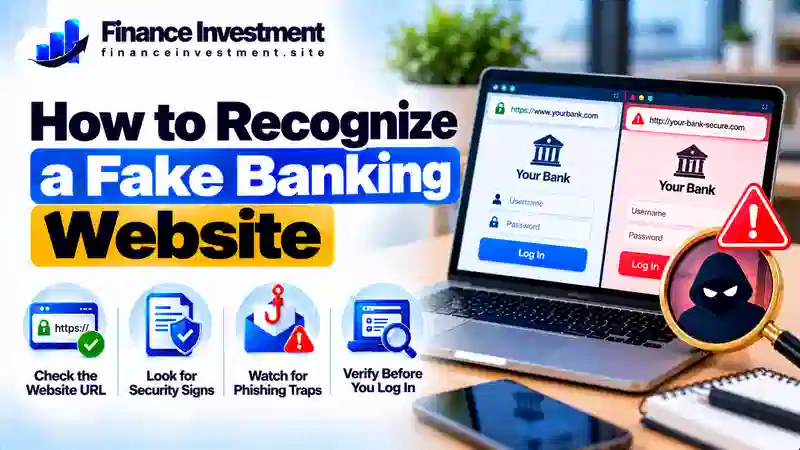
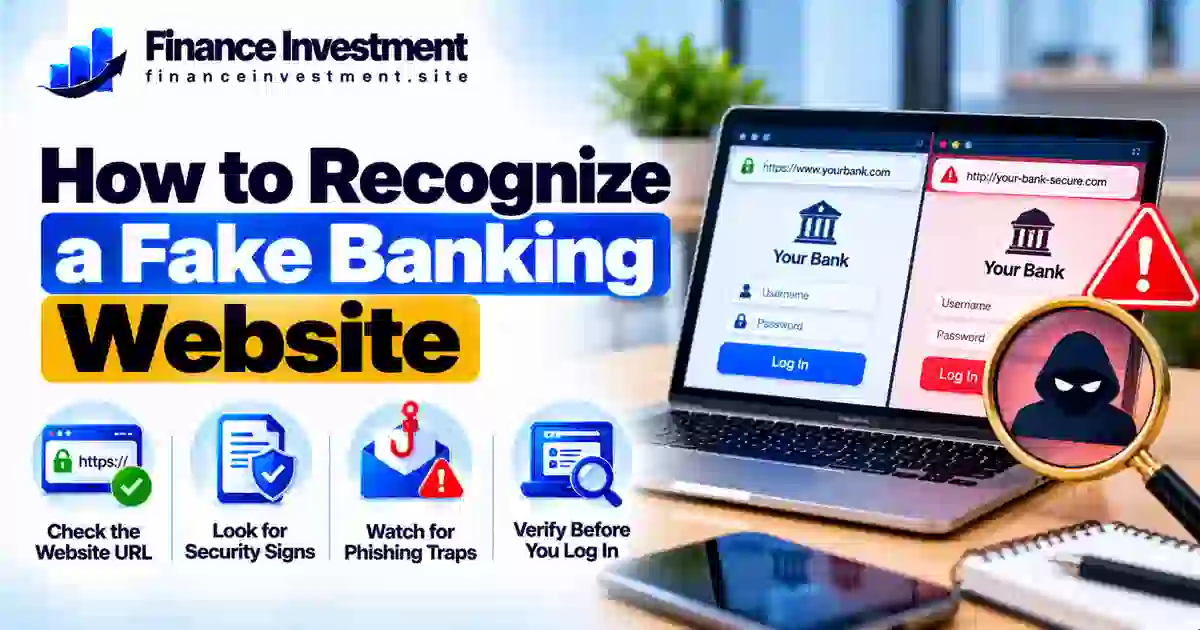
    How to Recognize a Fake Banking Website

    SR
    Subhash Rukade
    Founder, FinanceInvestment
    BANKING SECURITY
    PublishedOctober 15, 2026
    Last UpdatedOctober 15, 2026
    Reading TimeAbout 8–10 minutes
    Learn how to check suspicious bank URLs, recognize fake login pages, and protect your personal and financial information before signing in.

    How to Recognize a Fake Banking Website Before You Sign In how to recognize a fake banking website

    Knowing how to recognize a fake banking website can help you protect your money, account details, and identity. Scammers build websites that imitate real banks and use them to steal login credentials, passwords, and security codes. Criminals may then use that information to attempt unauthorized access or commit fraud.

    A fake site can display a familiar logo and look professional, so do not judge it by appearance alone. Check the domain carefully, avoid login links in unexpected emails or text messages, and use your bank’s official app or a website address you have independently verified. Remember, a padlock or HTTPS connection encrypts the connection; it does not prove that the website belongs to a legitimate bank. For more practical safeguards, read our bank security and fraud prevention guide.

    What You’ll Learn

    • Common warning signs of a fake banking website and suspicious URL.
    • How to compare a legitimate bank website with a fake login page.
    • How to verify your bank’s official website safely.
    • What to do if you have already shared your banking information.

    Quick Answer: How Can You Spot a Fake Banking Website?

    You can identify a potentially fake banking website by checking the exact domain, questioning unexpected login requests, and avoiding links in unsolicited emails or text messages. Scammers can copy bank logos and create professional-looking pages. Even an HTTPS padlock does not prove that a site belongs to a legitimate bank. If you are unsure, close the page and open your bank’s official app or enter a verified website address yourself.

    Key Takeaways

    • Inspect the full domain: Watch for misspellings, added words, or subtle changes to the bank’s real web address.
    • Avoid unexpected links: Reach your bank through its official app or a website address you have independently verified.
    • Keep login details private: Never disclose your password or one-time verification code to someone who contacts you unexpectedly.
    • Respond quickly to exposure: Contact your bank using a verified phone number, secure your account, change compromised passwords, and report unauthorized transactions.

    Remember: A suspicious banking page is a reason to stop and verify—not to enter your details and hope for the best.

    Table of Contents

    Fake Banking Websites at a Glance

    Fake banking websites can look convincing, so check for warning signs before entering personal or financial information. Use these examples as reasons to verify a website, not as proof on their own.

    Warning SignWhat to Look ForSafer Action
    Unfamiliar URLMisspellings, extra words, or a domain that differs from the bank’s verified addressCheck the address using a trusted source
    Urgent warningPressure to sign in immediately to avoid account suspensionOpen the bank’s official app independently
    Unusual information requestRequests for passwords or one-time codes through unexpected messages or suspicious pagesStop and contact the bank through a verified channel
    Unexpected login linkA sign-in link sent in an unsolicited email or textAvoid the link and verify the message separately

    QUICK TAKE

    A suspicious URL, urgent demand, or unexpected login request deserves attention, but no single sign confirms fraud. HTTPS only indicates an encrypted connection; it does not establish that a bank website is legitimate. When in doubt, stop and verify the address before signing in.

    A Beginner’s Guide to Checking a Banking Websitehow to recognize a fake banking website

    You do not need technical expertise to check a banking website before signing in. Follow these practical steps to reduce the risk of handing your personal or financial information to a scammer.

    1. Access Your Bank Through a Trusted Route

    Open your bank’s official mobile app or use a website address you have independently verified. You can also use a previously saved bookmark if you created it after confirming the address. Avoid signing in through unexpected email or text links, social media posts, and unfamiliar advertisements.

    2. Inspect the Full Domain

    Read the website address carefully, paying attention to misspellings, added words, and domains that differ from the bank’s verified address. Do not rely on the bank’s logo, professional design, or HTTPS padlock alone. These features do not establish that the site belongs to the real bank.

    3. Verify the Financial Institution

    If the institution claims to be a US bank, search for it using the FDIC BankFind Suite. Check its identity and available official details, then confirm the website address through a separate trusted source. A bank appearing in the directory does not authenticate every website using its name. If the institution is a credit union, check the appropriate official regulator or locator instead.

    4. Know When to Stop

    If the page requests unexpected information or anything about it seems suspicious, do not enter your credentials or verification codes. Close the page and contact your bank using a verified phone number or its official app. If you have already shared sensitive details, notify the bank promptly, change compromised passwords through a trusted route, and follow its account-security instructions.

    Beginner tip: Never rely on a suspicious website to prove that it is genuine. Verify the institution and its web address independently before signing in.

    How Fake Banking Websites Work

    Fake banking websites imitate legitimate financial institutions to trick people into sharing sensitive information. Scammers may copy a bank’s logo, colors, and login layout, then use a misleading web address to make the page appear authentic. Their main goal is often to capture information they can use for fraud.

    The Typical Scam Process

    1. Reach the victim: A fraudulent email, text message, advertisement, or search result directs the person to a fake website.
    2. Apply pressure: The message may claim that an account is locked, a suspicious payment needs attention, or immediate verification is required.
    3. Capture information: A fake login form collects details such as usernames, passwords, or one-time verification codes.
    4. Attempt unauthorized access: Criminals may use the stolen information to try to access accounts, impersonate customers, or make unauthorized transactions.

    Some fraudulent pages redirect visitors to the genuine bank website after collecting their details, which can make the scam less obvious. Other scams may ask victims to download harmful software or grant access to their devices. These outcomes vary, but the purpose is to deceive users and obtain information or access they should not provide.

    Safety reminder: If you entered banking details on a suspicious page, contact your bank through a verified channel immediately. Ask it to secure your account, change compromised credentials through a trusted route, and review recent transactions.

    Benefits and Drawbacks of Website Security Checks

    Checking a banking website before signing in can help you notice warning signs and avoid common scams. However, no single check can guarantee that a website is legitimate. Use several precautions together.

    Benefits

    • Helps reveal misspelled or misleading website addresses.
    • Makes suspicious login requests easier to recognize.
    • Encourages safer habits before sharing financial information.

    Limitations

    • A fake website can look almost identical to a real bank’s site.
    • HTTPS encrypts a connection but does not prove the site is genuine.
    • Scammers can quickly change domains and page designs.

    QUICK TIP: Access your bank through its verified app or website, and enable multifactor authentication when available. These steps add protection, but they do not make suspicious login links safe. Always verify the website before entering your credentials.

    Genuine vs. Fake Banking Website: Key Differences

    A fake banking website may closely copy a real bank’s design, so appearance alone is not a reliable test. Compare how you reached the page, whether the domain matches the bank’s verified address, and whether the request is consistent with the bank’s normal process.

    FeatureWhat Builds ConfidenceWarning Sign
    Website addressThe full domain matches information verified independentlyMisspellings, added words, or an unexpected domain
    How you arrivedYou opened the bank’s verified app or saved bookmarkAn unexpected message directs you to sign in
    Information requestedThe request fits the bank’s normal, verified processUnusual demands for passwords, codes, or sensitive details
    Connection securityHTTPS on the independently verified domainA padlock is treated as the only proof of legitimacy

    How to Verify the Website

    Open your bank’s official app or enter a website address you have independently confirmed. If you are unsure whether the institution is legitimate, check its details through the appropriate official regulator. Contact the bank using a verified phone number if anything seems unusual. Do not rely on contact details provided only by a suspicious page.

    QUICK TAKE: No single visual clue guarantees safety. Verify the domain, use a trusted route to your bank, and investigate unusual requests before entering sensitive information.

    Risks, Costs, and Expert Tips for Staying Safe

    Entering information on a fake banking website can expose you to financial fraud and identity theft. The consequences depend on what you shared and whether criminals successfully use it. Even when money is recovered, resolving the incident may require time, documentation, and contact with your bank.

    Potential Risks and Costs

    • Unauthorized transactions: Criminals may attempt transfers or purchases using compromised account details.
    • Identity theft: Personal information could be misused to attempt fraud in your name.
    • Recovery expenses and time: You may need to replace cards, secure accounts, dispute transactions, and monitor your credit and statements.

    Practical Expert Tips

    • Use a unique, strong banking password and enable multifactor authentication when available.
    • Set up transaction alerts and review account activity regularly.
    • If you entered your credentials on a suspicious site, contact your bank immediately through a verified channel. Change compromised passwords using a trusted device and secure any other accounts that reused them.
    • Report unauthorized transactions promptly and keep records of your bank communications.

    Expert reminder: Do not assume that a reported loss will automatically be reimbursed—or that it cannot be recovered. In the US, legal protections and reporting deadlines vary by transaction type and circumstances. Ask your bank about its dispute process and act without delay.

    Common Mistakes When Checking a Banking Website

    A convincing fake website can fool people who are otherwise careful. Avoid relying on these shortcuts when checking a banking page.

    • Trusting the logo or design: Scammers can copy a bank’s branding and login layout.
    • Relying only on HTTPS: Encryption does not prove that a website belongs to a legitimate bank.
    • Acting under pressure: Urgent messages can push you to click before checking the request.
    • Ignoring the full URL: A small difference in the domain can reveal that a page is not the bank’s verified website.

    Realistic Example: A Fake Account Alert

    Imagine receiving a text message claiming that your bank account will be locked unless you verify your details immediately. The link opens a page displaying your bank’s logo and a familiar-looking login form.

    Before entering anything, you inspect the web address and notice that its domain differs from the bank’s verified address. You close the page, open your bank’s official app independently, and check your account. You then report the suspicious message using a verified bank contact channel.

    The lesson: Verify urgent account alerts independently. Do not use the link in a suspicious message to confirm whether the message is genuine.

    If you already entered your details: Contact your bank promptly through a verified channel, explain what you shared, and follow its instructions to secure your account.

    Who Should Take Extra Care With Banking Websites?

    Anyone who uses online banking can encounter a fraudulent website. Extra caution is especially helpful when you are unfamiliar with online banking, handling financial tasks for someone else, or responding to an unexpected account alert.

    • New online banking users: Learn how to verify your bank’s website before entering login details.
    • Seniors and anyone needing extra support: Take time to check unexpected messages and ask a trusted person for help when needed.
    • Families and caregivers: Help relatives identify suspicious links without requesting or sharing their passwords.
    • Frequent mobile banking users: Avoid signing in through unexpected text messages, emails, or unfamiliar advertisements.
    • Small-business owners: Independently verify banking portals and changes to payment instructions before transferring money.

    Practical takeaway: Slow down when a message creates urgency. Verify the request through your bank’s official app, independently confirmed website, or verified phone number.

    Frequently Asked Questions

    1. How can I recognize a fake banking website?

    Check the full web address, how you reached the page, and whether the request seems legitimate. Misspellings, unexpected login links, and unusual requests are warning signs. Verify the address independently before signing in.

    2. Does HTTPS mean a banking website is safe?

    No. HTTPS encrypts the connection between your browser and the website, but scammers can also use HTTPS. Check that the domain belongs to your bank before entering information.

    3. How do I verify my bank’s official website?

    Use your bank’s official app or a website address independently confirmed through a trusted source. The FDIC BankFind Suite can help verify a US bank’s identity, but it does not authenticate every website claiming to represent that bank.

    4. Can a fake banking website look exactly like a real one?

    Yes. Scammers can copy logos, colors, and login layouts. Check the domain and use a trusted route to your bank instead of relying on appearance alone.

    5. What should I do if I entered my password on a fake website?

    Contact your bank immediately through a verified channel. Change the compromised password using a trusted device, secure other accounts that reuse it, and review recent transactions. Tell the bank if you also shared a verification code.

    6. Can scammers steal money through a fake bank login page?

    They may use stolen credentials or verification codes to attempt unauthorized access or transactions. Sharing information does not mean a loss is certain, but you should contact your bank promptly if your details may be exposed.

    7. Should I click a bank link in an unexpected text message?

    Avoid using unexpected login links, especially when the message creates urgency. Open your bank’s official app or independently verified website to check whether action is needed.

    8. How can I report a fake banking website in the US?

    Notify your bank through a verified contact channel. You can also report suspected fraud to the Federal Trade Commission (FTC). If your account or money may be at risk, contact your bank without delay.

    Final Verdict: Stay Alert Before You Sign In

    Knowing how to recognize a fake banking website can help you make safer decisions when managing your money online. Scammers can imitate legitimate banks, so a familiar logo or professional-looking login page is not enough to establish trust.

    Before signing in, verify the full web address and access your account through your bank’s official app or an independently confirmed website. If you suspect fraud or have shared sensitive information, contact your bank through a verified channel immediately and follow its instructions to secure your account.

    Safe online banking comes down to careful habits and independent verification. Continue learning with our bank security and fraud prevention guide for more ways to protect your financial information.

    Final takeaway: When something about a banking website seems wrong, stop before entering your details. Verify the website independently, then proceed only when you are confident you have reached the legitimate bank.

    FINANCEINVESTMENT · BANKING & MONEY GUIDES

    Have a Money Question? Keep Exploring.

    Have a question about banking security or managing your money? Contact FinanceInvestment or explore our related guides for practical information to help you make more informed financial decisions.

    Contact FinanceInvestment

    Send your question or suggest a topic for a future personal finance guide.

    Email FinanceInvestment

    FinanceInvestment · Practical guidance for more confident financial decisions.
  • Mobile Banking Security Tips for Beginners (2026)

    Mobile Banking Security Tips for Beginners (2026)

    Mobile Banking Security Tips for Beginners: A Safer Banking Guide for 2026

    SR
    Subhash Rukade
    Founder, FinanceInvestment

    MOBILE BANKING SECURITY

    PUBLISHEDOctober 15, 2026
    LAST UPDATEDOctober 15, 2026
    READING TIME9–11 minutes
    Simple, practical steps to protect your banking app, recognize mobile scams and manage everyday finances with greater confidence.

    Mobile Banking Security Tips for Beginners: Protect Your Money on Your Phonemobile banking security tips for beginners

    Mobile banking security tips for beginners can help you manage money on your phone while avoiding common security mistakes. Banking apps make it easy to check balances, deposit checks and transfer funds. However, a fake app, stolen login or convincing scam message could expose your account.

    You do not need advanced technical skills to get started. Download your bank’s genuine app from an official app store, lock your phone with a PIN or biometric protection, and use a unique password or passkey. Enable additional login verification when available. Also, review app permissions and be cautious if an app requests access that seems unrelated to its banking functions.

    For broader protection against banking scams and unauthorized access, explore our bank security and fraud prevention guide.

    What You’ll Learn

    • How to choose your bank’s genuine mobile app and protect your login.
    • Which phone settings and security features can help protect your account.
    • How to recognize fake bank texts, calls and sign-in screens.
    • What steps to take if your phone goes missing or you suspect unauthorized access.

    Quick Answer: How Can Beginners Secure Mobile Banking?

    The short answer: Download your bank’s genuine app, lock your phone, use a unique password or passkey, and enable multifactor authentication when available. Keep your device updated, avoid unexpected banking links and review transactions regularly.

    6 Mobile Banking Security Tips to Remember

    1. Download the genuine app: Get it from an official app store and verify the bank’s identity before signing in.
    2. Lock your phone: Use a strong PIN, password or biometric screen lock to help prevent unauthorized access.
    3. Protect your login: Use a unique password or passkey and enable multifactor authentication if your bank supports it.
    4. Ignore suspicious sign-in links: Open the banking app directly instead of following unexpected text or email links.
    5. Keep your device updated: Install operating system and banking app updates from trusted sources.
    6. Monitor account activity: Enable useful transaction alerts and report unfamiliar payments or transfers promptly.
    Bottom line: Start with three essentials: the genuine banking app, a locked and updated phone, and a secure login. Check transactions regularly and verify suspicious requests independently. These habits reduce avoidable risks, although no single measure can prevent every scam.

    Mobile Banking Security at a Glance

    Mobile banking lets you manage money from almost anywhere, but safe access depends on the app, your phone and your everyday habits. Use this checklist to identify the essentials before your next login.

    BEST FOR
    Everyday banking
    Beginners, families, retirees and investors managing accounts on a phone.
    FIRST PRIORITY
    Secure the device
    Use a screen lock and install trusted security updates.
    ONGOING HABIT
    Monitor activity
    Enable useful alerts and check unfamiliar transactions promptly.

    Mobile Banking Safety Checklist

    Security areaRecommended action
    Banking appInstall the genuine app from an official app store and verify the publisher.
    Login protectionUse a unique password or passkey and enable multifactor authentication when available.
    Phone securitySet a screen lock, keep software updated and avoid saving banking credentials on shared devices.
    Account activitySet suitable transaction alerts and contact your bank promptly about unfamiliar payments.
    QUICK TAKE: Start with a genuine banking app, a protected phone and a secure login. Then monitor transactions regularly. No single safeguard blocks every scam, but combining these habits helps reduce avoidable risks.

    Mobile Banking Security Tips Every Beginner Should Knowmobile banking security tips for beginners

    You do not need advanced technical skills to make mobile banking safer. Start with these practical steps and build habits that fit your daily routine.

    1. Download Your Bank’s Genuine App

    Find the app through your bank’s official website or a trusted app store. Check the developer name and avoid apps promoted through unexpected texts, social media messages or unfamiliar websites. Never enter banking details into an app you cannot verify.

    2. Lock and Update Your Phone

    Use a strong screen-lock PIN, password or biometric protection. Set your phone to lock automatically and install operating system and app updates from trusted sources. Avoid leaving your unlocked phone unattended, especially in public places.

    3. Protect Your Banking Login

    Choose a unique password and never reuse it for email or shopping accounts. A reputable password manager can help you create and store separate passwords; protect it with a strong master password. Enable multifactor authentication or a passkey if your bank offers one. Read our guide to creating a strong online banking password.

    4. Verify Alerts and Protect Verification Codes

    Never share a one-time verification code with someone who contacts you unexpectedly. If a text claims your account is locked, open your banking app directly or call a verified number instead of following the message’s link. Learn how two-factor authentication helps protect bank accounts.

    5. Monitor Transactions and Prepare for a Lost Phone

    Enable useful transaction alerts and review your account regularly. If your phone goes missing, contact your bank promptly to secure mobile access, use the device maker’s official service to lock or locate it when available, and contact your mobile carrier if your SIM or number may be at risk. Consider remote erasure if recovery is unlikely and your device supports it. Report unfamiliar transactions immediately through a verified banking channel.

    Beginner tip: Keep your bank’s verified phone number somewhere accessible without your banking app. If your phone is lost or you suspect fraud, you will still have a trusted way to request help.

    How Mobile Banking Security Works

    Mobile banking security combines several safeguards to help protect your information when you sign in, check balances or transfer money. Each layer has a different role, so relying on just one feature is not enough.

    The Main Layers of Protection

    • Login verification: A password, passkey or supported biometric feature helps verify your identity. Some banks also offer an additional verification step.
    • Encrypted connections: Banking apps generally use encryption to help protect information sent between your device and the bank. Encryption does not protect you from every threat, such as a fake app or a scam that steals your login details.
    • Fraud detection: Banks may use automated systems to flag unusual activity or request extra verification. However, suspicious transactions can still go undetected.
    • Account notifications: Available alerts can help you notice certain transactions or account changes and report unfamiliar activity sooner.
    Remember: These safeguards reduce risk but cannot prevent every scam or unauthorized transaction. Protect your device, never share verification codes with unexpected callers, and confirm suspicious requests using your bank’s official app or verified phone number.

    Benefits and Drawbacks of Mobile Banking

    Mobile banking makes everyday money management easier, but convenience does not automatically mean your account is protected. Understanding both sides helps you use banking apps more carefully.

    Benefits

    • Check balances and review transactions without visiting a branch.
    • Receive available account alerts and notice unfamiliar activity sooner.
    • Make supported transfers and bill payments from your phone.
    • Use security options such as passkeys or multifactor authentication when your bank offers them.

    Drawbacks

    • A lost, stolen or unlocked phone can put account access at risk.
    • Fake apps, phishing messages and bank impersonation scams can steal login details.
    • A compromised device or careless app permissions may expose personal information.
    • Weak connectivity, technical outages or unavailable alerts can interrupt access or delay notifications.
    The takeaway: Mobile banking offers convenience, not a guarantee against fraud. Use a protected device, verify unexpected requests independently and check transactions regularly. If something looks unfamiliar, contact your bank through a verified channel.

    Mobile Banking Security Methods Compared

    Different security methods protect against different risks. A unique password helps prevent damage from reused credentials, while passkeys, additional verification and phone security provide other layers of protection.

    MethodMain benefitLimitation
    Unique passwordReduces risk from passwords exposed in unrelated data breaches.Can still be stolen through phishing or fake sign-in pages.
    PasskeyCan resist many phishing attacks by linking sign-in to the genuine service.Bank support and account-recovery options vary.
    Multifactor authentication (MFA)Adds another verification step beyond a password when required.Some methods, such as SMS codes, remain vulnerable to certain attacks.
    Phone screen lockHelps prevent unauthorized physical access to your device.Cannot prevent every online scam or compromised-device threat.
    Transaction alertsCan help you notice certain account activities sooner.Alerts may be delayed, limited or unavailable.
    Best approach: Use a passkey if your bank supports it, or use a unique password with available MFA. Keep your phone locked and review account activity regularly. These safeguards work together, but none guarantees complete protection against fraud.

    Mobile Banking Costs, Risks and Expert Tips

    Many banks offer mobile banking apps without a separate app fee, but other costs may apply. Your mobile data plan, certain account services, wire transfers or other transactions may involve charges. Review your bank’s current fee schedule and wireless plan before assuming every service is free.

    Risks Beginners Should Understand

    • Phishing and impersonation: Fake texts, emails or calls may pressure you to disclose login details, share verification codes or approve fraudulent payments.
    • Untrusted networks: Prefer a trusted network or your mobile connection for sensitive banking. Avoid unfamiliar Wi-Fi networks, unexpected security warnings and connections that require suspicious sign-ins.
    • Fake apps and excessive permissions: Install your bank’s genuine app and review whether its requested permissions make sense for its functions.

    Practical Security Tips

    Open your banking app directly instead of following unexpected links. Keep your phone and apps updated, enable useful transaction alerts, and never disclose passwords or verification codes to unexpected callers. If someone creates urgency or asks you to move money to a supposedly “safe” account, stop and verify the request independently using your bank’s official contact details.

    If you spot suspicious activity: Contact your bank immediately through its official app or a verified phone number. Ask it to secure your account, dispute unauthorized transactions and explain any additional steps you should take. Prompt reporting can improve the chances of a timely investigation, but recovery is not guaranteed.

    Common Mobile Banking Security Mistakes

    Simple habits can put banking information at risk or delay the discovery of fraud. Beginners should avoid these common mistakes:

    • Reusing a banking password on other websites or apps.
    • Following an unexpected message link to sign in or confirm account details.
    • Sharing passwords, one-time codes or approval requests with unexpected callers.
    • Ignoring unfamiliar transactions or waiting too long to report suspected fraud.
    • Leaving a phone unlocked or delaying important software updates.

    Example: A Suspicious Bank Text

    Imagine you receive a text claiming that your account has an unauthorized transfer. The message urges you to click a link immediately and enter your banking password and verification code to stop it.

    The mistake: Trusting the urgent message and entering sensitive details on a website you have not verified.

    The safer response: Do not use the message link. Open your bank’s genuine app directly or call a verified number to check whether the alert is legitimate. If you already entered your details, contact the bank immediately and ask how to secure your account.

    Remember: A familiar logo, caller ID or urgent warning does not prove that a message is genuine. Verify unexpected requests independently and report suspicious transactions promptly.

    Who Should Follow Mobile Banking Security Practices?

    Anyone who checks balances, pays bills or transfers money through a banking app can benefit from these precautions. They are particularly helpful for:

    • Banking beginners: Build safe login and transaction habits from the start.
    • Families and working adults: Protect everyday payments, deposits and financial responsibilities.
    • Retirees: Recognize suspicious requests and verify unexpected banking communications.
    • Investors and frequent travelers: Secure access to financial accounts when managing money away from home.
    Key point: You do not need advanced technical skills to begin. Use a genuine banking app, protect your phone and login, and review transactions regularly. Adjust your precautions to the security features your bank actually offers.

    Frequently Asked Questions About Mobile Banking Security

    1. Is mobile banking safe for beginners?

    Mobile banking can be safe when you use your bank’s genuine app, protect your phone, secure your login and review transactions regularly. No security measure eliminates every risk.

    2. Should I use mobile banking on public Wi-Fi?

    For sensitive banking, prefer your mobile data connection or a trusted network. Avoid unfamiliar networks that display security warnings or request suspicious sign-in details. Never ignore a browser or app security warning.

    3. Is a banking app safer than a mobile browser?

    Neither option is automatically safer in every situation. Use your bank’s genuine app or enter its verified website address yourself. Keep your software updated and avoid sign-in links in unexpected messages.

    4. How often should I check my bank account?

    Review transactions regularly and enable useful account alerts. Contact your bank promptly if you notice an unfamiliar payment, transfer or account change.

    5. What should I do if my phone is stolen?

    Contact your bank promptly to secure mobile access. Use the device maker’s official service to lock or locate the phone, and contact your mobile carrier if your SIM or number may be compromised. Change affected credentials from a trusted device when necessary.

    6. Are biometric logins completely secure?

    Fingerprint and face recognition can make sign-in more convenient and help protect access, but they are not foolproof. Keep your device secure and protect its backup PIN or password.

    7. Should I share a bank verification code with a caller?

    Do not share a one-time code with an unexpected caller or message sender. End the conversation and contact your bank using a verified phone number if you are concerned.

    8. What should I do if I notice an unauthorized transaction?

    Contact your bank immediately through its official app or verified phone number. Ask how to secure your account, dispute the transaction and protect affected cards or credentials. Follow the bank’s reporting instructions and keep a record of your communications.

    Final Verdict: Make Mobile Banking Safer in 2026

    Mobile banking makes everyday money management convenient, but account security depends on the precautions you take. Install your bank’s genuine app, keep your phone updated and locked, and protect your login with a unique password or a passkey when supported. Enable additional verification if your bank offers it, and review transactions regularly.

    Never follow unexpected sign-in links or share verification codes with untrusted callers. If your phone goes missing or you notice an unfamiliar transaction, contact your bank promptly through a verified channel. No single safeguard prevents every scam, but combining sensible security habits can reduce avoidable risks and help you respond sooner.

    Your next step: Today, check your phone lock, banking login and transaction alerts. Fix any gaps, then make account reviews part of your regular routine.

    Have a Money Question? Keep Exploring.

    Safer mobile banking starts with consistent habits. Keep learning how to protect your account, recognize suspicious messages and make informed decisions about your money.

    Contact FinanceInvestment

    Have a question or a suggestion for a future guide? Email us.

    Email FinanceInvestment

    Continue Your Research

    FinanceInvestment provides educational information to help readers make informed financial decisions. Verify account-security instructions directly with your bank.

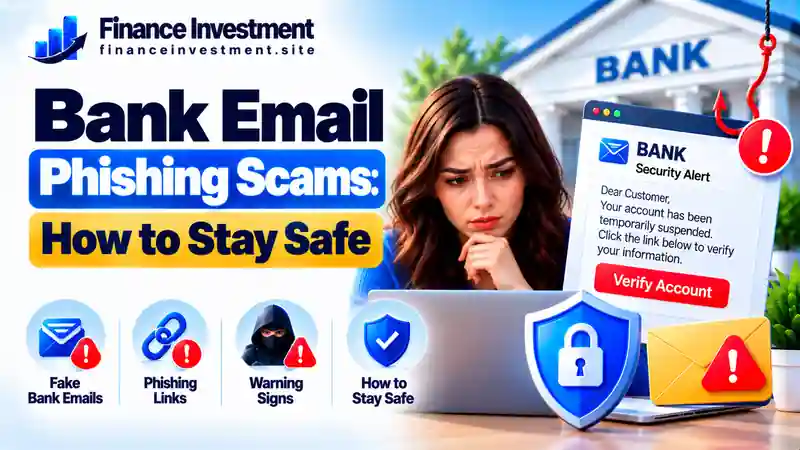
  • Bank Email Phishing Scams: How to Stay Safe in 2026

    Bank Email Phishing Scams: How to Stay Safe in 2026

    Bank Email Phishing Scams: How to Stay Safe

    SR
    Subhash Rukade
    Founder, FinanceInvestment
    Banking Safety · Phishing Awareness · Personal Finance
    Updated: October 13, 2026
    Reading time: About 12 minutes

    Bank Email Phishing Scams: How to Recognize the Warning Signsbank email phishing scams

    An email claiming to be from your bank can look convincing. It might warn you about unusual account activity, ask you to verify a payment, or threaten to suspend your account unless you act immediately. These bank email phishing scams are designed to make you worry and click before you stop to check the message. A fake link may lead to a website that steals your banking password, personal information, or one-time security code.

    You can reduce the risk by recognizing common warning signs and verifying unexpected requests through your bank’s official app, website, or phone number. Avoid using contact details or links supplied in a suspicious email. For more practical safeguards, read our bank security and fraud prevention guide.

    What You’ll Learn

    • How phishing emails work and which warning signs to look for.
    • How to distinguish suspicious messages from legitimate bank emails.
    • What to do if you click a link or share sensitive information.
    • How to report phishing attempts and improve your account security.

    Quick Answer: How Can You Avoid Bank Email Phishing Scams?

    To avoid bank email phishing scams, treat unexpected banking emails with caution. Don’t click suspicious links, open unexpected attachments, or provide passwords, PINs, or one-time verification codes in response to an email. Instead, open your bank’s official app, type its known website address yourself, or call the number printed on your bank card. Urgent threats and requests to verify account details are reasons to pause and check independently.

    Key Takeaways

    • Inspect the sender’s full email address, but remember that sender details can be spoofed.
    • Verify account alerts independently instead of using links in unexpected emails.
    • Never email your password, PIN, or one-time verification code to someone claiming to represent your bank.
    • Use a unique banking password and enable multifactor authentication when available.
    • If you clicked a suspicious link or shared information, contact your bank promptly through a trusted channel and ask how to secure your account.

    Remember: You don’t have to reply to a suspicious email to resolve an account issue. Verify the claim directly with your bank, then report the message through an appropriate channel.

    Bank Email Phishing Scams at a Glance

    Bank email phishing scams use messages that appear to come from financial institutions to trick people into revealing sensitive information or visiting fraudulent websites. These common warning signs can help you decide when to stop and verify a message before taking action.

    Warning SignWhy It MattersSafer Response
    Urgent account warningMay pressure you to act without checkingCheck your account through the official app or website
    Unexpected sign-in linkCould lead to a fake login pageEnter your bank’s known website address yourself
    Request for a password or security codeCould be an attempt to gain account accessDo not disclose credentials in response to the email
    Unexpected attachmentMay contain harmful files or linksDo not open it until you verify the message independently

    QUICK TAKE

    A bank logo, familiar display name, or professional-looking design does not prove an email is genuine. Verify unexpected requests through a trusted channel, avoid suspicious links, and contact your bank promptly if you may have exposed your information.

    A Beginner’s Guide to Bank Email Phishing Scamsbank email phishing scams

    Bank email phishing scams involve fraudulent messages designed to look as though they came from a bank or another trusted financial institution. An email might warn you about an unfamiliar transaction, claim your account will be restricted, or ask you to confirm a payment. The goal is to persuade you to reveal private information, visit a fake website, or open unsafe content.

    What Information Are Scammers After?

    Depending on the scam, criminals may try to obtain your online banking username and password, debit or credit card details, personal information, or one-time verification code. They may use stolen details to attempt unauthorized transactions, access accounts, or support identity fraud. Some phishing emails also direct recipients to fake sign-in pages or contain dangerous attachments.

    How Should You Handle a Suspicious Email?

    Avoid clicking its links, opening unexpected attachments, or replying with sensitive information. Instead, check the claim through your bank’s official app, a website address you already know, or the trusted phone number on your bank card. If the message appears fraudulent, follow your bank’s reporting instructions and use your email provider’s phishing-report option.

    Beginner tip: A familiar bank logo or display name does not prove an email is genuine. When you are unsure, do not use the message to contact your bank; verify the issue independently.

    How Bank Email Phishing Scams Work

    Bank email phishing scams typically follow a pattern: imitate a trusted institution, create pressure, and encourage the recipient to reveal information or visit a fraudulent website. Recognizing these steps can help you stop before taking an action that puts your account at risk.

    Four Common Steps in a Phishing Attempt

    1. A message appears legitimate. The sender may copy a bank’s logo, colors, or writing style. The displayed sender name alone does not prove who sent it.
    2. The email creates urgency. It may warn about an unfamiliar transaction, a locked account, or a payment that supposedly needs immediate attention.
    3. You are prompted to act. A link may lead to a fake login page, or an unexpected attachment may contain malicious content.
    4. Your information may be targeted. If you enter your password, card details, or verification code on a fraudulent page, criminals may attempt to access your account or misuse your information.

    Safety reminder: Do not rely on an email’s appearance to decide whether it is genuine. Verify unexpected requests through your bank’s official app, a website address you already know, or a trusted phone number.

    Some phishing emails include your name or other accurate details, so personalization is not proof of legitimacy. If you only opened a suspicious email, that alone does not necessarily mean your account is compromised. If you clicked a link, downloaded a file, or shared information, take appropriate precautions and contact your bank if banking details may be exposed.

    Bank Email Alerts: Benefits and Drawbacks

    Genuine bank email alerts can help you monitor account activity, receive service updates, and notice certain changes. However, alerts may be delayed or filtered, and scammers can imitate bank notifications to trick you into clicking fraudulent links.

    Benefits of Bank Email Alerts

    • Keep you informed about selected transactions and account changes.
    • Help you notice unfamiliar activity so you can investigate promptly.
    • Provide convenient access to important service and security notifications.

    Drawbacks to Keep in Mind

    • Fraudulent emails may copy the appearance of legitimate bank alerts.
    • Messages can arrive late, land in spam, or go unnoticed.
    • Following a fake link may expose your login details or other sensitive information.

    Practical tip: Set up alerts through your bank’s official app or website. Treat unexpected email links cautiously, and verify account warnings independently instead of signing in through the message.

    Legitimate Bank Emails vs. Phishing Emails

    Phishing emails can closely imitate genuine bank messages, making them difficult to identify at first glance. Instead of judging an email by its logo or appearance, examine the request and verify unexpected account warnings independently.

    What to CheckPossible Legitimate SignPotential Warning Sign
    Message purposeAn expected alert or routine account updateUnexpected threats or pressure to act immediately
    Links and websitesA link consistent with a verified bank serviceA look-alike domain or unfamiliar sign-in page
    Sensitive informationInstructions to review activity through secure banking channelsRequests to email passwords, PINs, or one-time codes
    Sender detailsConsistent with communications you have independently verifiedMisspelled domains or misleading sender information

    Important: No single clue can confirm that an email is genuine. Sender information can be spoofed, and some legitimate bank messages contain links. When in doubt, avoid the email’s links and open your bank’s official app, use a website address you already know, or call a trusted number on your bank card.

    Risks, Costs, and Expert Safety Tips

    Falling for bank email phishing scams can expose your banking password, card details, or personal information. Depending on what was shared, criminals may attempt unauthorized transactions or identity fraud. You may also spend time securing accounts, replacing cards, and disputing transactions. Financial losses and reimbursement outcomes vary, so report suspected fraud promptly and ask your bank which protections and deadlines apply.

    Practical Ways to Protect Your Account

    • Verify unexpected requests: Use your bank’s official app, a website address you already know, or a trusted phone number—not contact details supplied in a suspicious email.
    • Strengthen account security: Use a unique password and enable multifactor authentication when available.
    • Review account activity: Check transactions regularly and set up relevant alerts through your bank’s official settings.
    • Respond quickly to exposure: Contact your bank if you shared credentials or financial details. Change compromised passwords through a trusted device, and ask whether your card or account access should be blocked or replaced.

    If you notice an unauthorized transaction: Contact your bank immediately through a trusted channel, report the transaction, and ask about dispute procedures and deadlines. In the United States, you can also report suspected scams through the FTC’s ReportFraud website. Reporting a scam does not replace contacting your bank about your account or money.

    Common Mistakes to Avoid With Bank Email Phishing Scams

    A convincing message can catch anyone off guard. These mistakes can increase your risk:

    • Trusting a bank logo or familiar sender name without verifying the message.
    • Following an unexpected sign-in link or opening an unverified attachment.
    • Sharing passwords, PINs, card details, or one-time verification codes in response to an email.
    • Ignoring unusual transactions or delaying action after sharing sensitive information.

    Realistic Example: A Fake Bank Security Alert

    Imagine receiving an email claiming that your bank has detected suspicious activity and will restrict your account unless you verify a transaction. The message looks professional and includes a sign-in link. You click it and enter your banking password on a fake website.

    The safer choice is to open your bank’s official app or use its known website to check the claim. If you already entered your password, contact your bank promptly and change the compromised password using a trusted device. If you shared a verification code or notice an unfamiliar transaction, tell the bank that too.

    Remember: Pause and verify unexpected requests independently. Simply receiving or opening a suspicious email does not automatically mean your account has been compromised, but clicking links or sharing information may require further action.

    Who Should Be Extra Careful About Bank Email Phishing Scams?

    Anyone with a bank account can be targeted by phishing emails. Extra caution is helpful if you:

    • Are new to online banking or unfamiliar with common phishing warning signs.
    • Rely on email for account alerts, payment notifications, or security updates.
    • Manage family finances, business banking, or several financial accounts.
    • Have received suspicious messages or believe your personal or banking information may have been exposed.

    Practical takeaway: You do not need advanced technical skills to protect yourself. Pause before following unexpected requests, verify them through your bank’s official app or a trusted phone number, and contact your bank promptly if you suspect your account details have been compromised.

    Final Verdict: Stay Alert and Protect Your Bank Account

    Bank email phishing scams can appear convincing, but you can reduce the risk by slowing down and checking unexpected requests. Do not rely on a bank logo, display name, or professional-looking message as proof of authenticity. Instead, verify account alerts through your bank’s official app, a website address you already know, or a trusted phone number.

    If you share your banking credentials or notice an unauthorized transaction, contact your bank immediately. Follow its instructions to secure your account, review recent activity, and report any suspicious transactions.

    Bottom line: Stop, verify, and then act. Checking an unexpected email independently is a simple habit that can help protect your finances and personal information.

    Have a Money Question? Keep Exploring.

    Staying safe online starts with knowing what to check before you act. Keep learning about banking scams, account security, and practical ways to protect your financial information.

    Have a question?

    Send your general questions or feedback about FinanceInvestment’s financial education content by email.

    Email FinanceInvestment

    Continue Your Research