Tag: Cybersecurity

  • How to Recognize a Fake Banking Website (2026 Guide)

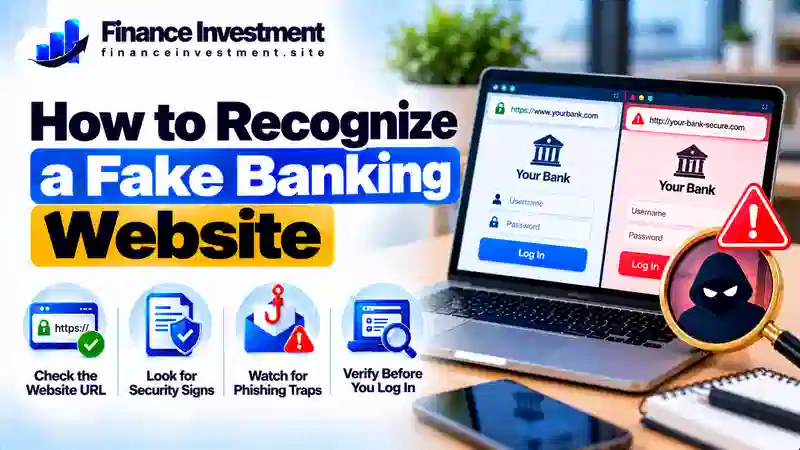
    How to Recognize a Fake Banking Website (2026 Guide)

    How to Recognize a Fake Banking Website

    SR
    Subhash Rukade
    Founder, FinanceInvestment
    BANKING SECURITY
    PublishedOctober 15, 2026
    Last UpdatedOctober 15, 2026
    Reading TimeAbout 8–10 minutes
    Learn how to check suspicious bank URLs, recognize fake login pages, and protect your personal and financial information before signing in.

    How to Recognize a Fake Banking Website Before You Sign In how to recognize a fake banking website

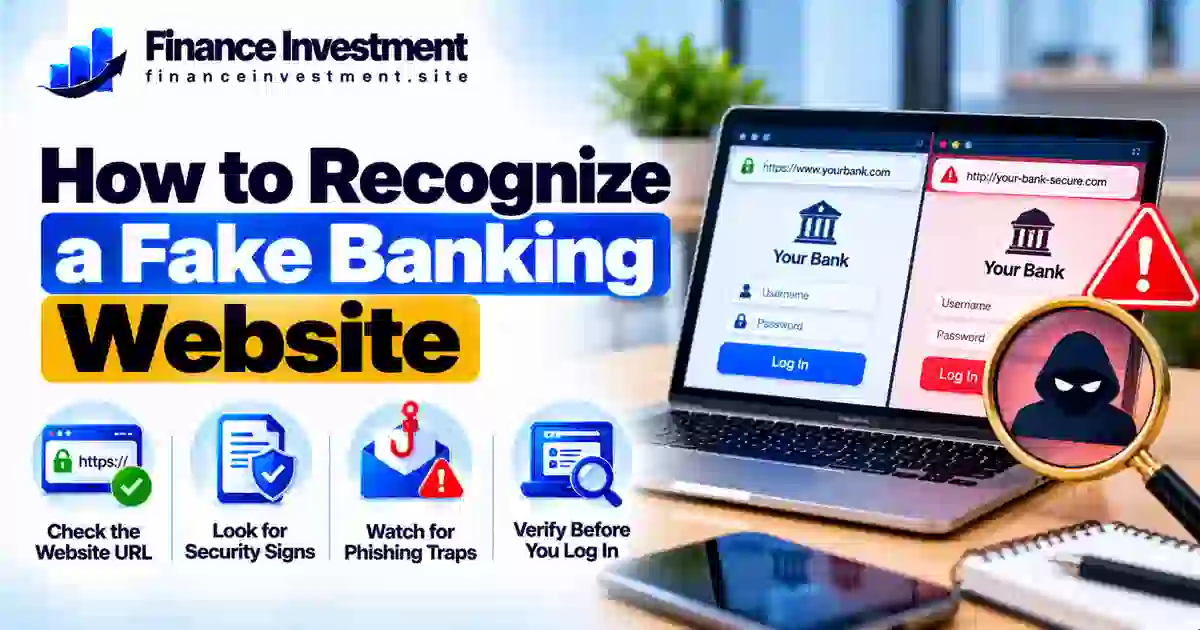
    Knowing how to recognize a fake banking website can help you protect your money, account details, and identity. Scammers build websites that imitate real banks and use them to steal login credentials, passwords, and security codes. Criminals may then use that information to attempt unauthorized access or commit fraud.

    A fake site can display a familiar logo and look professional, so do not judge it by appearance alone. Check the domain carefully, avoid login links in unexpected emails or text messages, and use your bank’s official app or a website address you have independently verified. Remember, a padlock or HTTPS connection encrypts the connection; it does not prove that the website belongs to a legitimate bank. For more practical safeguards, read our bank security and fraud prevention guide.

    What You’ll Learn

    • Common warning signs of a fake banking website and suspicious URL.
    • How to compare a legitimate bank website with a fake login page.
    • How to verify your bank’s official website safely.
    • What to do if you have already shared your banking information.

    Quick Answer: How Can You Spot a Fake Banking Website?

    You can identify a potentially fake banking website by checking the exact domain, questioning unexpected login requests, and avoiding links in unsolicited emails or text messages. Scammers can copy bank logos and create professional-looking pages. Even an HTTPS padlock does not prove that a site belongs to a legitimate bank. If you are unsure, close the page and open your bank’s official app or enter a verified website address yourself.

    Key Takeaways

    • Inspect the full domain: Watch for misspellings, added words, or subtle changes to the bank’s real web address.
    • Avoid unexpected links: Reach your bank through its official app or a website address you have independently verified.
    • Keep login details private: Never disclose your password or one-time verification code to someone who contacts you unexpectedly.
    • Respond quickly to exposure: Contact your bank using a verified phone number, secure your account, change compromised passwords, and report unauthorized transactions.

    Remember: A suspicious banking page is a reason to stop and verify—not to enter your details and hope for the best.

    Table of Contents

    Fake Banking Websites at a Glance

    Fake banking websites can look convincing, so check for warning signs before entering personal or financial information. Use these examples as reasons to verify a website, not as proof on their own.

    Warning SignWhat to Look ForSafer Action
    Unfamiliar URLMisspellings, extra words, or a domain that differs from the bank’s verified addressCheck the address using a trusted source
    Urgent warningPressure to sign in immediately to avoid account suspensionOpen the bank’s official app independently
    Unusual information requestRequests for passwords or one-time codes through unexpected messages or suspicious pagesStop and contact the bank through a verified channel
    Unexpected login linkA sign-in link sent in an unsolicited email or textAvoid the link and verify the message separately

    QUICK TAKE

    A suspicious URL, urgent demand, or unexpected login request deserves attention, but no single sign confirms fraud. HTTPS only indicates an encrypted connection; it does not establish that a bank website is legitimate. When in doubt, stop and verify the address before signing in.

    A Beginner’s Guide to Checking a Banking Websitehow to recognize a fake banking website

    You do not need technical expertise to check a banking website before signing in. Follow these practical steps to reduce the risk of handing your personal or financial information to a scammer.

    1. Access Your Bank Through a Trusted Route

    Open your bank’s official mobile app or use a website address you have independently verified. You can also use a previously saved bookmark if you created it after confirming the address. Avoid signing in through unexpected email or text links, social media posts, and unfamiliar advertisements.

    2. Inspect the Full Domain

    Read the website address carefully, paying attention to misspellings, added words, and domains that differ from the bank’s verified address. Do not rely on the bank’s logo, professional design, or HTTPS padlock alone. These features do not establish that the site belongs to the real bank.

    3. Verify the Financial Institution

    If the institution claims to be a US bank, search for it using the FDIC BankFind Suite. Check its identity and available official details, then confirm the website address through a separate trusted source. A bank appearing in the directory does not authenticate every website using its name. If the institution is a credit union, check the appropriate official regulator or locator instead.

    4. Know When to Stop

    If the page requests unexpected information or anything about it seems suspicious, do not enter your credentials or verification codes. Close the page and contact your bank using a verified phone number or its official app. If you have already shared sensitive details, notify the bank promptly, change compromised passwords through a trusted route, and follow its account-security instructions.

    Beginner tip: Never rely on a suspicious website to prove that it is genuine. Verify the institution and its web address independently before signing in.

    How Fake Banking Websites Work

    Fake banking websites imitate legitimate financial institutions to trick people into sharing sensitive information. Scammers may copy a bank’s logo, colors, and login layout, then use a misleading web address to make the page appear authentic. Their main goal is often to capture information they can use for fraud.

    The Typical Scam Process

    1. Reach the victim: A fraudulent email, text message, advertisement, or search result directs the person to a fake website.
    2. Apply pressure: The message may claim that an account is locked, a suspicious payment needs attention, or immediate verification is required.
    3. Capture information: A fake login form collects details such as usernames, passwords, or one-time verification codes.
    4. Attempt unauthorized access: Criminals may use the stolen information to try to access accounts, impersonate customers, or make unauthorized transactions.

    Some fraudulent pages redirect visitors to the genuine bank website after collecting their details, which can make the scam less obvious. Other scams may ask victims to download harmful software or grant access to their devices. These outcomes vary, but the purpose is to deceive users and obtain information or access they should not provide.

    Safety reminder: If you entered banking details on a suspicious page, contact your bank through a verified channel immediately. Ask it to secure your account, change compromised credentials through a trusted route, and review recent transactions.

    Benefits and Drawbacks of Website Security Checks

    Checking a banking website before signing in can help you notice warning signs and avoid common scams. However, no single check can guarantee that a website is legitimate. Use several precautions together.

    Benefits

    • Helps reveal misspelled or misleading website addresses.
    • Makes suspicious login requests easier to recognize.
    • Encourages safer habits before sharing financial information.

    Limitations

    • A fake website can look almost identical to a real bank’s site.
    • HTTPS encrypts a connection but does not prove the site is genuine.
    • Scammers can quickly change domains and page designs.

    QUICK TIP: Access your bank through its verified app or website, and enable multifactor authentication when available. These steps add protection, but they do not make suspicious login links safe. Always verify the website before entering your credentials.

    Genuine vs. Fake Banking Website: Key Differences

    A fake banking website may closely copy a real bank’s design, so appearance alone is not a reliable test. Compare how you reached the page, whether the domain matches the bank’s verified address, and whether the request is consistent with the bank’s normal process.

    FeatureWhat Builds ConfidenceWarning Sign
    Website addressThe full domain matches information verified independentlyMisspellings, added words, or an unexpected domain
    How you arrivedYou opened the bank’s verified app or saved bookmarkAn unexpected message directs you to sign in
    Information requestedThe request fits the bank’s normal, verified processUnusual demands for passwords, codes, or sensitive details
    Connection securityHTTPS on the independently verified domainA padlock is treated as the only proof of legitimacy

    How to Verify the Website

    Open your bank’s official app or enter a website address you have independently confirmed. If you are unsure whether the institution is legitimate, check its details through the appropriate official regulator. Contact the bank using a verified phone number if anything seems unusual. Do not rely on contact details provided only by a suspicious page.

    QUICK TAKE: No single visual clue guarantees safety. Verify the domain, use a trusted route to your bank, and investigate unusual requests before entering sensitive information.

    Risks, Costs, and Expert Tips for Staying Safe

    Entering information on a fake banking website can expose you to financial fraud and identity theft. The consequences depend on what you shared and whether criminals successfully use it. Even when money is recovered, resolving the incident may require time, documentation, and contact with your bank.

    Potential Risks and Costs

    • Unauthorized transactions: Criminals may attempt transfers or purchases using compromised account details.
    • Identity theft: Personal information could be misused to attempt fraud in your name.
    • Recovery expenses and time: You may need to replace cards, secure accounts, dispute transactions, and monitor your credit and statements.

    Practical Expert Tips

    • Use a unique, strong banking password and enable multifactor authentication when available.
    • Set up transaction alerts and review account activity regularly.
    • If you entered your credentials on a suspicious site, contact your bank immediately through a verified channel. Change compromised passwords using a trusted device and secure any other accounts that reused them.
    • Report unauthorized transactions promptly and keep records of your bank communications.

    Expert reminder: Do not assume that a reported loss will automatically be reimbursed—or that it cannot be recovered. In the US, legal protections and reporting deadlines vary by transaction type and circumstances. Ask your bank about its dispute process and act without delay.

    Common Mistakes When Checking a Banking Website

    A convincing fake website can fool people who are otherwise careful. Avoid relying on these shortcuts when checking a banking page.

    • Trusting the logo or design: Scammers can copy a bank’s branding and login layout.
    • Relying only on HTTPS: Encryption does not prove that a website belongs to a legitimate bank.
    • Acting under pressure: Urgent messages can push you to click before checking the request.
    • Ignoring the full URL: A small difference in the domain can reveal that a page is not the bank’s verified website.

    Realistic Example: A Fake Account Alert

    Imagine receiving a text message claiming that your bank account will be locked unless you verify your details immediately. The link opens a page displaying your bank’s logo and a familiar-looking login form.

    Before entering anything, you inspect the web address and notice that its domain differs from the bank’s verified address. You close the page, open your bank’s official app independently, and check your account. You then report the suspicious message using a verified bank contact channel.

    The lesson: Verify urgent account alerts independently. Do not use the link in a suspicious message to confirm whether the message is genuine.

    If you already entered your details: Contact your bank promptly through a verified channel, explain what you shared, and follow its instructions to secure your account.

    Who Should Take Extra Care With Banking Websites?

    Anyone who uses online banking can encounter a fraudulent website. Extra caution is especially helpful when you are unfamiliar with online banking, handling financial tasks for someone else, or responding to an unexpected account alert.

    • New online banking users: Learn how to verify your bank’s website before entering login details.
    • Seniors and anyone needing extra support: Take time to check unexpected messages and ask a trusted person for help when needed.
    • Families and caregivers: Help relatives identify suspicious links without requesting or sharing their passwords.
    • Frequent mobile banking users: Avoid signing in through unexpected text messages, emails, or unfamiliar advertisements.
    • Small-business owners: Independently verify banking portals and changes to payment instructions before transferring money.

    Practical takeaway: Slow down when a message creates urgency. Verify the request through your bank’s official app, independently confirmed website, or verified phone number.

    Frequently Asked Questions

    1. How can I recognize a fake banking website?

    Check the full web address, how you reached the page, and whether the request seems legitimate. Misspellings, unexpected login links, and unusual requests are warning signs. Verify the address independently before signing in.

    2. Does HTTPS mean a banking website is safe?

    No. HTTPS encrypts the connection between your browser and the website, but scammers can also use HTTPS. Check that the domain belongs to your bank before entering information.

    3. How do I verify my bank’s official website?

    Use your bank’s official app or a website address independently confirmed through a trusted source. The FDIC BankFind Suite can help verify a US bank’s identity, but it does not authenticate every website claiming to represent that bank.

    4. Can a fake banking website look exactly like a real one?

    Yes. Scammers can copy logos, colors, and login layouts. Check the domain and use a trusted route to your bank instead of relying on appearance alone.

    5. What should I do if I entered my password on a fake website?

    Contact your bank immediately through a verified channel. Change the compromised password using a trusted device, secure other accounts that reuse it, and review recent transactions. Tell the bank if you also shared a verification code.

    6. Can scammers steal money through a fake bank login page?

    They may use stolen credentials or verification codes to attempt unauthorized access or transactions. Sharing information does not mean a loss is certain, but you should contact your bank promptly if your details may be exposed.

    7. Should I click a bank link in an unexpected text message?

    Avoid using unexpected login links, especially when the message creates urgency. Open your bank’s official app or independently verified website to check whether action is needed.

    8. How can I report a fake banking website in the US?

    Notify your bank through a verified contact channel. You can also report suspected fraud to the Federal Trade Commission (FTC). If your account or money may be at risk, contact your bank without delay.

    Final Verdict: Stay Alert Before You Sign In

    Knowing how to recognize a fake banking website can help you make safer decisions when managing your money online. Scammers can imitate legitimate banks, so a familiar logo or professional-looking login page is not enough to establish trust.

    Before signing in, verify the full web address and access your account through your bank’s official app or an independently confirmed website. If you suspect fraud or have shared sensitive information, contact your bank through a verified channel immediately and follow its instructions to secure your account.

    Safe online banking comes down to careful habits and independent verification. Continue learning with our bank security and fraud prevention guide for more ways to protect your financial information.

    Final takeaway: When something about a banking website seems wrong, stop before entering your details. Verify the website independently, then proceed only when you are confident you have reached the legitimate bank.

    FINANCEINVESTMENT · BANKING & MONEY GUIDES

    Have a Money Question? Keep Exploring.

    Have a question about banking security or managing your money? Contact FinanceInvestment or explore our related guides for practical information to help you make more informed financial decisions.

    Contact FinanceInvestment

    Send your question or suggest a topic for a future personal finance guide.

    Email FinanceInvestment

    FinanceInvestment · Practical guidance for more confident financial decisions.
  • Mobile Banking Security Tips for Beginners (2026)

    Mobile Banking Security Tips for Beginners (2026)

    Mobile Banking Security Tips for Beginners: A Safer Banking Guide for 2026

    SR
    Subhash Rukade
    Founder, FinanceInvestment

    MOBILE BANKING SECURITY

    PUBLISHEDOctober 15, 2026
    LAST UPDATEDOctober 15, 2026
    READING TIME9–11 minutes
    Simple, practical steps to protect your banking app, recognize mobile scams and manage everyday finances with greater confidence.

    Mobile Banking Security Tips for Beginners: Protect Your Money on Your Phonemobile banking security tips for beginners

    Mobile banking security tips for beginners can help you manage money on your phone while avoiding common security mistakes. Banking apps make it easy to check balances, deposit checks and transfer funds. However, a fake app, stolen login or convincing scam message could expose your account.

    You do not need advanced technical skills to get started. Download your bank’s genuine app from an official app store, lock your phone with a PIN or biometric protection, and use a unique password or passkey. Enable additional login verification when available. Also, review app permissions and be cautious if an app requests access that seems unrelated to its banking functions.

    For broader protection against banking scams and unauthorized access, explore our bank security and fraud prevention guide.

    What You’ll Learn

    • How to choose your bank’s genuine mobile app and protect your login.
    • Which phone settings and security features can help protect your account.
    • How to recognize fake bank texts, calls and sign-in screens.
    • What steps to take if your phone goes missing or you suspect unauthorized access.

    Quick Answer: How Can Beginners Secure Mobile Banking?

    The short answer: Download your bank’s genuine app, lock your phone, use a unique password or passkey, and enable multifactor authentication when available. Keep your device updated, avoid unexpected banking links and review transactions regularly.

    6 Mobile Banking Security Tips to Remember

    1. Download the genuine app: Get it from an official app store and verify the bank’s identity before signing in.
    2. Lock your phone: Use a strong PIN, password or biometric screen lock to help prevent unauthorized access.
    3. Protect your login: Use a unique password or passkey and enable multifactor authentication if your bank supports it.
    4. Ignore suspicious sign-in links: Open the banking app directly instead of following unexpected text or email links.
    5. Keep your device updated: Install operating system and banking app updates from trusted sources.
    6. Monitor account activity: Enable useful transaction alerts and report unfamiliar payments or transfers promptly.
    Bottom line: Start with three essentials: the genuine banking app, a locked and updated phone, and a secure login. Check transactions regularly and verify suspicious requests independently. These habits reduce avoidable risks, although no single measure can prevent every scam.

    Mobile Banking Security at a Glance

    Mobile banking lets you manage money from almost anywhere, but safe access depends on the app, your phone and your everyday habits. Use this checklist to identify the essentials before your next login.

    BEST FOR
    Everyday banking
    Beginners, families, retirees and investors managing accounts on a phone.
    FIRST PRIORITY
    Secure the device
    Use a screen lock and install trusted security updates.
    ONGOING HABIT
    Monitor activity
    Enable useful alerts and check unfamiliar transactions promptly.

    Mobile Banking Safety Checklist

    Security areaRecommended action
    Banking appInstall the genuine app from an official app store and verify the publisher.
    Login protectionUse a unique password or passkey and enable multifactor authentication when available.
    Phone securitySet a screen lock, keep software updated and avoid saving banking credentials on shared devices.
    Account activitySet suitable transaction alerts and contact your bank promptly about unfamiliar payments.
    QUICK TAKE: Start with a genuine banking app, a protected phone and a secure login. Then monitor transactions regularly. No single safeguard blocks every scam, but combining these habits helps reduce avoidable risks.

    Mobile Banking Security Tips Every Beginner Should Knowmobile banking security tips for beginners

    You do not need advanced technical skills to make mobile banking safer. Start with these practical steps and build habits that fit your daily routine.

    1. Download Your Bank’s Genuine App

    Find the app through your bank’s official website or a trusted app store. Check the developer name and avoid apps promoted through unexpected texts, social media messages or unfamiliar websites. Never enter banking details into an app you cannot verify.

    2. Lock and Update Your Phone

    Use a strong screen-lock PIN, password or biometric protection. Set your phone to lock automatically and install operating system and app updates from trusted sources. Avoid leaving your unlocked phone unattended, especially in public places.

    3. Protect Your Banking Login

    Choose a unique password and never reuse it for email or shopping accounts. A reputable password manager can help you create and store separate passwords; protect it with a strong master password. Enable multifactor authentication or a passkey if your bank offers one. Read our guide to creating a strong online banking password.

    4. Verify Alerts and Protect Verification Codes

    Never share a one-time verification code with someone who contacts you unexpectedly. If a text claims your account is locked, open your banking app directly or call a verified number instead of following the message’s link. Learn how two-factor authentication helps protect bank accounts.

    5. Monitor Transactions and Prepare for a Lost Phone

    Enable useful transaction alerts and review your account regularly. If your phone goes missing, contact your bank promptly to secure mobile access, use the device maker’s official service to lock or locate it when available, and contact your mobile carrier if your SIM or number may be at risk. Consider remote erasure if recovery is unlikely and your device supports it. Report unfamiliar transactions immediately through a verified banking channel.

    Beginner tip: Keep your bank’s verified phone number somewhere accessible without your banking app. If your phone is lost or you suspect fraud, you will still have a trusted way to request help.

    How Mobile Banking Security Works

    Mobile banking security combines several safeguards to help protect your information when you sign in, check balances or transfer money. Each layer has a different role, so relying on just one feature is not enough.

    The Main Layers of Protection

    • Login verification: A password, passkey or supported biometric feature helps verify your identity. Some banks also offer an additional verification step.
    • Encrypted connections: Banking apps generally use encryption to help protect information sent between your device and the bank. Encryption does not protect you from every threat, such as a fake app or a scam that steals your login details.
    • Fraud detection: Banks may use automated systems to flag unusual activity or request extra verification. However, suspicious transactions can still go undetected.
    • Account notifications: Available alerts can help you notice certain transactions or account changes and report unfamiliar activity sooner.
    Remember: These safeguards reduce risk but cannot prevent every scam or unauthorized transaction. Protect your device, never share verification codes with unexpected callers, and confirm suspicious requests using your bank’s official app or verified phone number.

    Benefits and Drawbacks of Mobile Banking

    Mobile banking makes everyday money management easier, but convenience does not automatically mean your account is protected. Understanding both sides helps you use banking apps more carefully.

    Benefits

    • Check balances and review transactions without visiting a branch.
    • Receive available account alerts and notice unfamiliar activity sooner.
    • Make supported transfers and bill payments from your phone.
    • Use security options such as passkeys or multifactor authentication when your bank offers them.

    Drawbacks

    • A lost, stolen or unlocked phone can put account access at risk.
    • Fake apps, phishing messages and bank impersonation scams can steal login details.
    • A compromised device or careless app permissions may expose personal information.
    • Weak connectivity, technical outages or unavailable alerts can interrupt access or delay notifications.
    The takeaway: Mobile banking offers convenience, not a guarantee against fraud. Use a protected device, verify unexpected requests independently and check transactions regularly. If something looks unfamiliar, contact your bank through a verified channel.

    Mobile Banking Security Methods Compared

    Different security methods protect against different risks. A unique password helps prevent damage from reused credentials, while passkeys, additional verification and phone security provide other layers of protection.

    MethodMain benefitLimitation
    Unique passwordReduces risk from passwords exposed in unrelated data breaches.Can still be stolen through phishing or fake sign-in pages.
    PasskeyCan resist many phishing attacks by linking sign-in to the genuine service.Bank support and account-recovery options vary.
    Multifactor authentication (MFA)Adds another verification step beyond a password when required.Some methods, such as SMS codes, remain vulnerable to certain attacks.
    Phone screen lockHelps prevent unauthorized physical access to your device.Cannot prevent every online scam or compromised-device threat.
    Transaction alertsCan help you notice certain account activities sooner.Alerts may be delayed, limited or unavailable.
    Best approach: Use a passkey if your bank supports it, or use a unique password with available MFA. Keep your phone locked and review account activity regularly. These safeguards work together, but none guarantees complete protection against fraud.

    Mobile Banking Costs, Risks and Expert Tips

    Many banks offer mobile banking apps without a separate app fee, but other costs may apply. Your mobile data plan, certain account services, wire transfers or other transactions may involve charges. Review your bank’s current fee schedule and wireless plan before assuming every service is free.

    Risks Beginners Should Understand

    • Phishing and impersonation: Fake texts, emails or calls may pressure you to disclose login details, share verification codes or approve fraudulent payments.
    • Untrusted networks: Prefer a trusted network or your mobile connection for sensitive banking. Avoid unfamiliar Wi-Fi networks, unexpected security warnings and connections that require suspicious sign-ins.
    • Fake apps and excessive permissions: Install your bank’s genuine app and review whether its requested permissions make sense for its functions.

    Practical Security Tips

    Open your banking app directly instead of following unexpected links. Keep your phone and apps updated, enable useful transaction alerts, and never disclose passwords or verification codes to unexpected callers. If someone creates urgency or asks you to move money to a supposedly “safe” account, stop and verify the request independently using your bank’s official contact details.

    If you spot suspicious activity: Contact your bank immediately through its official app or a verified phone number. Ask it to secure your account, dispute unauthorized transactions and explain any additional steps you should take. Prompt reporting can improve the chances of a timely investigation, but recovery is not guaranteed.

    Common Mobile Banking Security Mistakes

    Simple habits can put banking information at risk or delay the discovery of fraud. Beginners should avoid these common mistakes:

    • Reusing a banking password on other websites or apps.
    • Following an unexpected message link to sign in or confirm account details.
    • Sharing passwords, one-time codes or approval requests with unexpected callers.
    • Ignoring unfamiliar transactions or waiting too long to report suspected fraud.
    • Leaving a phone unlocked or delaying important software updates.

    Example: A Suspicious Bank Text

    Imagine you receive a text claiming that your account has an unauthorized transfer. The message urges you to click a link immediately and enter your banking password and verification code to stop it.

    The mistake: Trusting the urgent message and entering sensitive details on a website you have not verified.

    The safer response: Do not use the message link. Open your bank’s genuine app directly or call a verified number to check whether the alert is legitimate. If you already entered your details, contact the bank immediately and ask how to secure your account.

    Remember: A familiar logo, caller ID or urgent warning does not prove that a message is genuine. Verify unexpected requests independently and report suspicious transactions promptly.

    Who Should Follow Mobile Banking Security Practices?

    Anyone who checks balances, pays bills or transfers money through a banking app can benefit from these precautions. They are particularly helpful for:

    • Banking beginners: Build safe login and transaction habits from the start.
    • Families and working adults: Protect everyday payments, deposits and financial responsibilities.
    • Retirees: Recognize suspicious requests and verify unexpected banking communications.
    • Investors and frequent travelers: Secure access to financial accounts when managing money away from home.
    Key point: You do not need advanced technical skills to begin. Use a genuine banking app, protect your phone and login, and review transactions regularly. Adjust your precautions to the security features your bank actually offers.

    Frequently Asked Questions About Mobile Banking Security

    1. Is mobile banking safe for beginners?

    Mobile banking can be safe when you use your bank’s genuine app, protect your phone, secure your login and review transactions regularly. No security measure eliminates every risk.

    2. Should I use mobile banking on public Wi-Fi?

    For sensitive banking, prefer your mobile data connection or a trusted network. Avoid unfamiliar networks that display security warnings or request suspicious sign-in details. Never ignore a browser or app security warning.

    3. Is a banking app safer than a mobile browser?

    Neither option is automatically safer in every situation. Use your bank’s genuine app or enter its verified website address yourself. Keep your software updated and avoid sign-in links in unexpected messages.

    4. How often should I check my bank account?

    Review transactions regularly and enable useful account alerts. Contact your bank promptly if you notice an unfamiliar payment, transfer or account change.

    5. What should I do if my phone is stolen?

    Contact your bank promptly to secure mobile access. Use the device maker’s official service to lock or locate the phone, and contact your mobile carrier if your SIM or number may be compromised. Change affected credentials from a trusted device when necessary.

    6. Are biometric logins completely secure?

    Fingerprint and face recognition can make sign-in more convenient and help protect access, but they are not foolproof. Keep your device secure and protect its backup PIN or password.

    7. Should I share a bank verification code with a caller?

    Do not share a one-time code with an unexpected caller or message sender. End the conversation and contact your bank using a verified phone number if you are concerned.

    8. What should I do if I notice an unauthorized transaction?

    Contact your bank immediately through its official app or verified phone number. Ask how to secure your account, dispute the transaction and protect affected cards or credentials. Follow the bank’s reporting instructions and keep a record of your communications.

    Final Verdict: Make Mobile Banking Safer in 2026

    Mobile banking makes everyday money management convenient, but account security depends on the precautions you take. Install your bank’s genuine app, keep your phone updated and locked, and protect your login with a unique password or a passkey when supported. Enable additional verification if your bank offers it, and review transactions regularly.

    Never follow unexpected sign-in links or share verification codes with untrusted callers. If your phone goes missing or you notice an unfamiliar transaction, contact your bank promptly through a verified channel. No single safeguard prevents every scam, but combining sensible security habits can reduce avoidable risks and help you respond sooner.

    Your next step: Today, check your phone lock, banking login and transaction alerts. Fix any gaps, then make account reviews part of your regular routine.

    Have a Money Question? Keep Exploring.

    Safer mobile banking starts with consistent habits. Keep learning how to protect your account, recognize suspicious messages and make informed decisions about your money.

    Contact FinanceInvestment

    Have a question or a suggestion for a future guide? Email us.

    Email FinanceInvestment

    Continue Your Research

    FinanceInvestment provides educational information to help readers make informed financial decisions. Verify account-security instructions directly with your bank.