How to Use Online Banking Safely in Everyday Life 
Learning how to use online banking safely helps you manage your money while reducing avoidable security risks. You can check balances, pay bills and transfer funds in minutes. However, a stolen password, a fake banking website or a convincing scam message could put your account at risk.
You do not need advanced technical skills to protect yourself. Start with a unique password, enable multifactor authentication when available, keep your phone and computer updated, and review account activity regularly. These simple habits can make it harder for someone else to access your money.
Be cautious when a message claims there is an urgent problem with your account. Scammers may imitate your bank by email, text or phone. Instead of clicking an unexpected link, open your bank’s official app or enter its verified website address yourself. Never disclose a one-time verification code to someone who contacts you unexpectedly.
For more practical safeguards, explore our bank security and fraud prevention guide.
What You’ll Learn
- How to create a strong password and sign in securely.
- How multifactor authentication adds another layer of protection.
- How to spot phishing messages, fake websites and suspicious requests.
- What to consider before accessing your account on public Wi-Fi.
- How to check for unauthorized transactions and report them promptly.
Online banking should make everyday money management easier, not more stressful. The following sections explain how to build safer habits without making routine banking complicated.
Quick Answer: How Can You Use Online Banking Safely?
The short answer: Use your bank’s official website or app, choose a unique password, enable multifactor authentication, update your devices and review transactions regularly. Avoid unexpected banking links, and never give your password or one-time verification codes to someone who contacts you.
6 Key Takeaways for Safer Online Banking
- Choose a unique password. Never reuse your banking password on other websites or apps.
- Add another layer of protection. Enable multifactor authentication or use a passkey if your bank offers one.
- Check links before signing in. Open the official banking app or enter your bank’s verified website address directly.
- Keep devices updated. Install security updates for your phone, computer, browser and banking app.
- Monitor account activity. Review transactions and enable suitable account alerts.
- Report suspicious activity promptly. Contact your bank through its official app, website or verified phone number.
The Bottom Line
No single security measure can prevent every scam. Combining strong login protection, careful browsing and regular account checks can make it harder for criminals to access your money. If you notice an unfamiliar transaction, contact your bank promptly rather than waiting for your next statement.
Online Banking Safety at a Glance
Online banking makes everyday money management easier, but account security still needs attention. This quick guide highlights where to start and which habits to maintain.
Online Banking Safety Checklist
| Security step | Recommended action | When to do it |
|---|---|---|
| Password | Create a long, unique password; consider a password manager. | At setup; change it if exposed or compromised. |
| Multifactor authentication | Enable a secure verification option offered by your bank. | As soon as available. |
| Account activity | Check transactions and set useful account alerts. | Regularly and when an alert arrives. |
| Device security | Update your operating system, browser and banking app. | Install trusted security updates promptly. |
How to Use Online Banking Safely: A Beginner’s Guide
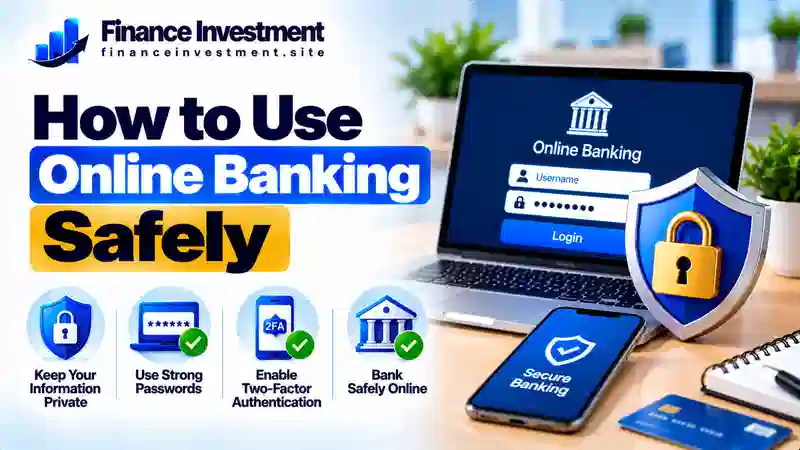
Protecting your bank account does not require advanced technical skills. Start with these six practical habits to make everyday online banking safer.
1. Open Your Bank’s Official Website or App
Install your bank’s app from a trusted app store, or enter its verified website address directly in your browser. Avoid sign-in links in unexpected emails and text messages. Check the domain carefully, because a padlock icon alone does not prove a website belongs to your bank.
2. Use a Strong, Unique Password
Choose a long password that you do not reuse on other accounts. A reputable password manager can create and store unique passwords for you. If you suspect a password has been exposed, change it promptly. See our guide to creating a strong online banking password.
3. Add Multifactor Authentication
Multifactor authentication (MFA) requires an additional verification step beyond your password. Use a passkey or another strong method if your bank supports it. Never disclose a verification code to someone who contacts you unexpectedly. Our banking two-factor authentication guide explains the basics.
4. Protect Your Phone and Computer
Install operating system, browser and banking app updates from trusted sources. Lock your device with a PIN, password or biometric protection. Avoid banking on shared computers, and never save your login details on a public device.
5. Set Up Useful Account Alerts
Enable available notifications for transactions, transfers or account changes. Choose alerts that help you spot activity you do not recognize. Remember that alerts can help you notice a problem, but they do not replace reviewing your account.
6. Sign Out and Check Your Transactions
When using a shared device, sign out completely and close the browser. Review transactions regularly. If you see an unfamiliar payment or transfer, contact your bank promptly through its official app, verified website or a trusted phone number.
How Online Banking Security Works
Online banking security uses several safeguards to help protect your login details, personal information and transactions. The exact protections vary by bank, but these common features work together to reduce risk.
Why Your Own Habits Still Matter
Even strong bank security cannot prevent every scam. Criminals may persuade you to reveal a password, approve a fraudulent payment or enter your details on a fake website. Careful browsing and regular account reviews remain important.
One stolen login can put more than a single transaction at risk. Read our guide to bank account takeover fraud to understand how criminals misuse compromised credentials.
Benefits and Drawbacks of Online Banking
Online banking lets you manage everyday finances without making a branch visit for every task. Still, digital access depends on reliable systems and careful security habits. Here is what to weigh before relying on it for routine banking.
Benefits
- Check balances and transaction history without visiting a branch.
- Pay bills and transfer funds through supported banking services.
- Receive available alerts that help you notice account activity.
- Review spending and manage money on your own schedule.
Drawbacks
- Phishing messages and fake websites can put login details at risk.
- A compromised phone or computer can expose account information.
- Internet problems or scheduled maintenance may interrupt access.
- Complex disputes or account problems may require phone support or a branch visit.
How to Balance Convenience and Safety
Use online banking for routine tasks, but keep your bank’s verified contact number available. Protect your devices, enable useful account alerts and review transactions regularly. If something looks suspicious, contact your bank directly rather than trusting the contact details in an unexpected message.
Comparing Online Banking Security Methods
Different security methods protect your account in different ways. A strong password is a useful starting point, while an additional verification method can make unauthorized access harder. The best option depends on what your bank supports and how securely you manage your devices.
| Method | Main strength | Limitation |
|---|---|---|
| Unique password | Reduces risks from password reuse and guessing. | Can still be stolen through phishing or exposed in a data breach. |
| SMS verification code | Widely supported and simple to use. | May be vulnerable to SIM-swap attacks and social engineering. |
| Authenticator app | Generates verification codes without relying on SMS delivery. | Losing access to the app can complicate account recovery. |
| Passkey | Designed to resist phishing when supported and implemented correctly. | Availability and recovery procedures vary by bank and device. |
To understand how an extra login step works, read our guide to two-factor authentication for banking.
Online Banking Costs, Risks and Expert Tips
Online banking access is often included with a checking or savings account, but certain services may carry fees. Wire transfers, overdrafts, account maintenance or other transactions can cost money depending on your bank and account terms. Review the current fee schedule before using a service you do not recognize.
Four Risks Worth Watching
- Phishing: Fraudulent emails or messages may imitate your bank and ask for login details. Learn to spot bank email phishing scams.
- Untrusted networks: Public Wi-Fi can expose you to certain risks, particularly on compromised networks. Prefer your trusted mobile connection for sensitive banking when practical, and never bypass browser security warnings.
- Fake support calls: Scammers may impersonate bank employees and pressure you to reveal a code or move money. End the call and contact your bank using a verified number.
- Malicious downloads: Fake apps and untrusted software can expose your information. Install banking apps and updates from official sources.
A genuine bank representative should not pressure you to transfer money to a personal account to protect it. If someone makes this demand unexpectedly, stop and verify the request independently through your bank’s official contact channel.
Practical Expert Tips
Use a password manager, enable multifactor authentication and keep your devices updated. Turn on useful transaction alerts and review account activity regularly. If you notice an unauthorized transaction, contact your bank immediately using its official app, website or verified phone number. Ask how to secure the account and dispute the transaction. Reporting deadlines and legal protections vary, so do not wait for your next statement.
Common Online Banking Mistakes to Avoid
A convincing message or an unexpected account alert can catch anyone off guard. Avoid these common mistakes to reduce the chance of giving a scammer access to your money.
- Reusing passwords: Use a separate password for banking so a breach on another service does not expose the same login.
- Trusting urgent messages: Do not sign in through unexpected links, even when a message uses your bank’s name or logo.
- Sharing verification codes: Never disclose a one-time code to someone who contacts you unexpectedly.
- Overlooking unfamiliar activity: Check even small transactions you do not recognize and report concerns promptly.
- Waiting to report a problem: Contact your bank immediately if you suspect fraud. Reporting deadlines and protections can depend on the payment type and circumstances.
Real-Life Example: A Fake Bank Alert
Imagine Alex receives a text claiming that the bank has blocked a suspicious payment. It includes a sign-in link and warns that the account will be frozen unless Alex acts immediately.
Alex avoids the link, opens the bank’s official app independently and checks the account. The message cannot be verified there, so Alex calls the bank using the number on the back of the debit card. The bank confirms that the text was not genuine.
What Alex did right: Paused, checked through a trusted channel and avoided sharing login details. If money had been taken, Alex should contact the bank immediately to report the transaction and ask about securing the account.
Learn more in our guide to recognizing fake bank text message scams.
Who Should Follow These Online Banking Safety Practices?
Anyone who checks balances, pays bills or transfers money online can benefit from safer banking habits. These practices are especially useful for:
- Beginners: Learn how to identify your bank’s official website and recognize suspicious messages before signing in.
- Families: Secure shared devices and make sure everyone who accesses an account understands how to protect login details.
- Retirees: Take time to verify unexpected calls or messages, especially those creating pressure to act quickly.
- Investors: Protect bank accounts connected to brokerage accounts, since unauthorized access could affect transfers to or from investment platforms.
Frequently Asked Questions About Online Banking Safety
1. Is online banking safe to use?
Online banking can be safe when you use your bank’s official website or app and follow good security practices. Choose a unique password, enable multifactor authentication and review transactions regularly. No security measure prevents every risk.
2. What is the safest way to log in to online banking?
Open your bank’s official app or type its verified website address into your browser. Use a unique password and enable a passkey or multifactor authentication if available. Avoid signing in through unexpected email or text links.
3. Is it safe to use online banking on public Wi-Fi?
Public Wi-Fi can carry security risks. When practical, use your trusted mobile connection for banking away from home. Keep your device updated, avoid suspicious networks and never ignore browser security warnings.
4. Is a banking app safer than using a web browser?
Neither option is automatically safer in every situation. Use your bank’s genuine app from an official app store or visit its verified website directly. Keep your software updated and protect the device you use.
5. How often should I check my bank account?
Review your transactions regularly and enable useful account alerts. Check unfamiliar activity as soon as you notice it. If a payment or transfer appears unauthorized, contact your bank promptly.
6. What should I do if I click a suspicious banking link?
Close the page and do not enter any information. If you entered your password, contact your bank through an official channel and change the compromised password from a trusted device. If you shared a verification code or financial details, tell your bank immediately and follow its security instructions.
7. Will my bank refund money lost through online fraud?
A refund is not guaranteed in every situation. The outcome may depend on the payment method, whether the transaction was unauthorized, the circumstances and applicable law. Report the problem promptly and ask your bank about its investigation and dispute process.
8. What is the most important online banking security habit?
Use a unique password, enable additional login protection and verify unexpected requests independently. These habits work together to reduce the risk of account compromise, although no single step can prevent every scam.
Final Verdict: Use Online Banking With Confidence
Online banking makes it easier to pay bills, transfer funds and track everyday spending. To use it more safely, protect your login, keep your devices updated and review account activity regularly. Enable multifactor authentication whenever your bank offers it.
Be cautious of unexpected messages, urgent calls and requests for verification codes. Do not rely on a message’s logo or caller ID as proof that it is genuine. Verify unusual requests through your bank’s official app, verified website or trusted phone number. Report suspected unauthorized transactions promptly.
No single security measure can stop every scam. A few consistent habits, combined with a quick response to suspicious activity, can help reduce avoidable risks while you bank online.
Leave a Reply