Tag: Phishing Scams

  • How to Recognize a Fake Banking Website (2026 Guide)

    How to Recognize a Fake Banking Website (2026 Guide)

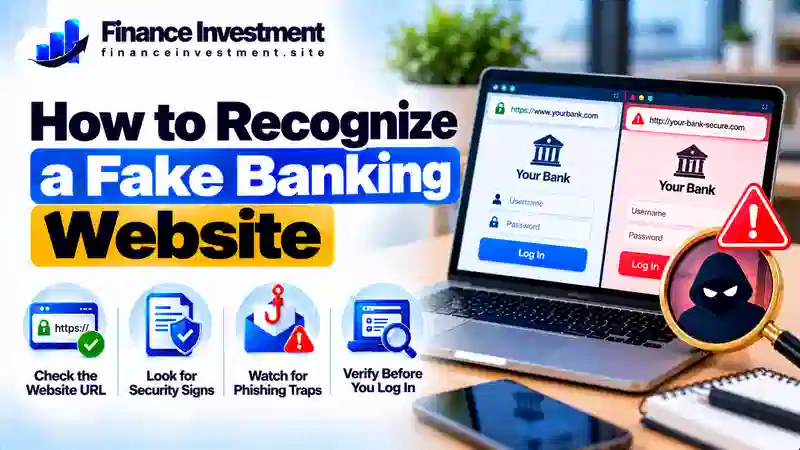
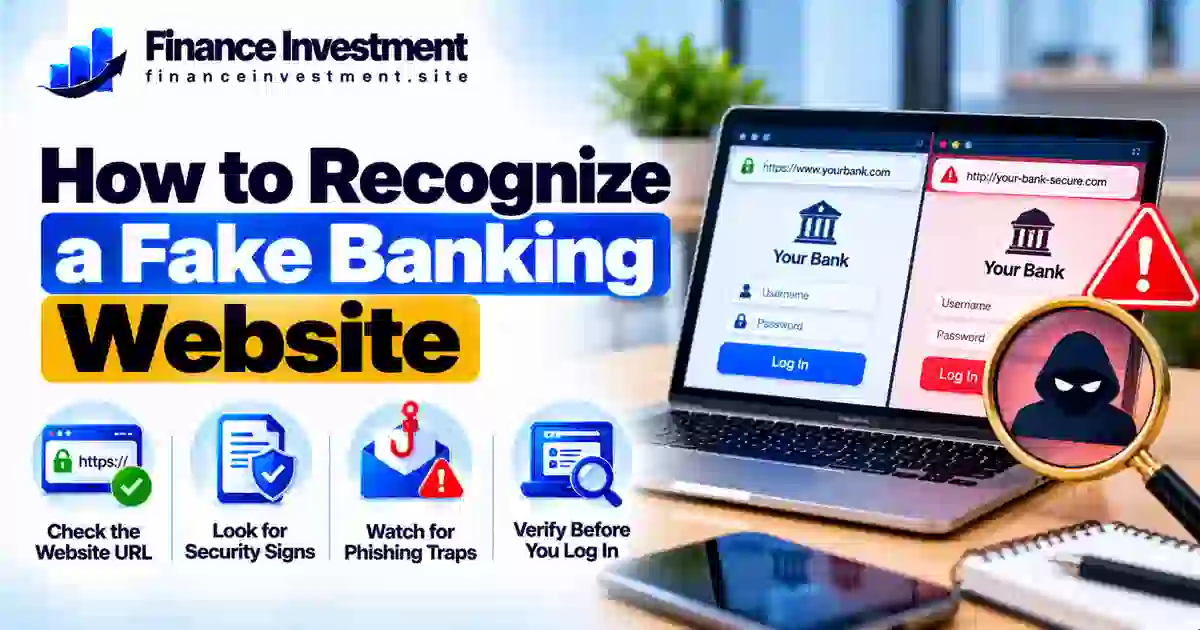
    How to Recognize a Fake Banking Website

    SR
    Subhash Rukade
    Founder, FinanceInvestment
    BANKING SECURITY
    PublishedOctober 15, 2026
    Last UpdatedOctober 15, 2026
    Reading TimeAbout 8–10 minutes
    Learn how to check suspicious bank URLs, recognize fake login pages, and protect your personal and financial information before signing in.

    How to Recognize a Fake Banking Website Before You Sign In how to recognize a fake banking website

    Knowing how to recognize a fake banking website can help you protect your money, account details, and identity. Scammers build websites that imitate real banks and use them to steal login credentials, passwords, and security codes. Criminals may then use that information to attempt unauthorized access or commit fraud.

    A fake site can display a familiar logo and look professional, so do not judge it by appearance alone. Check the domain carefully, avoid login links in unexpected emails or text messages, and use your bank’s official app or a website address you have independently verified. Remember, a padlock or HTTPS connection encrypts the connection; it does not prove that the website belongs to a legitimate bank. For more practical safeguards, read our bank security and fraud prevention guide.

    What You’ll Learn

    • Common warning signs of a fake banking website and suspicious URL.
    • How to compare a legitimate bank website with a fake login page.
    • How to verify your bank’s official website safely.
    • What to do if you have already shared your banking information.

    Quick Answer: How Can You Spot a Fake Banking Website?

    You can identify a potentially fake banking website by checking the exact domain, questioning unexpected login requests, and avoiding links in unsolicited emails or text messages. Scammers can copy bank logos and create professional-looking pages. Even an HTTPS padlock does not prove that a site belongs to a legitimate bank. If you are unsure, close the page and open your bank’s official app or enter a verified website address yourself.

    Key Takeaways

    • Inspect the full domain: Watch for misspellings, added words, or subtle changes to the bank’s real web address.
    • Avoid unexpected links: Reach your bank through its official app or a website address you have independently verified.
    • Keep login details private: Never disclose your password or one-time verification code to someone who contacts you unexpectedly.
    • Respond quickly to exposure: Contact your bank using a verified phone number, secure your account, change compromised passwords, and report unauthorized transactions.

    Remember: A suspicious banking page is a reason to stop and verify—not to enter your details and hope for the best.

    Table of Contents

    Fake Banking Websites at a Glance

    Fake banking websites can look convincing, so check for warning signs before entering personal or financial information. Use these examples as reasons to verify a website, not as proof on their own.

    Warning SignWhat to Look ForSafer Action
    Unfamiliar URLMisspellings, extra words, or a domain that differs from the bank’s verified addressCheck the address using a trusted source
    Urgent warningPressure to sign in immediately to avoid account suspensionOpen the bank’s official app independently
    Unusual information requestRequests for passwords or one-time codes through unexpected messages or suspicious pagesStop and contact the bank through a verified channel
    Unexpected login linkA sign-in link sent in an unsolicited email or textAvoid the link and verify the message separately

    QUICK TAKE

    A suspicious URL, urgent demand, or unexpected login request deserves attention, but no single sign confirms fraud. HTTPS only indicates an encrypted connection; it does not establish that a bank website is legitimate. When in doubt, stop and verify the address before signing in.

    A Beginner’s Guide to Checking a Banking Websitehow to recognize a fake banking website

    You do not need technical expertise to check a banking website before signing in. Follow these practical steps to reduce the risk of handing your personal or financial information to a scammer.

    1. Access Your Bank Through a Trusted Route

    Open your bank’s official mobile app or use a website address you have independently verified. You can also use a previously saved bookmark if you created it after confirming the address. Avoid signing in through unexpected email or text links, social media posts, and unfamiliar advertisements.

    2. Inspect the Full Domain

    Read the website address carefully, paying attention to misspellings, added words, and domains that differ from the bank’s verified address. Do not rely on the bank’s logo, professional design, or HTTPS padlock alone. These features do not establish that the site belongs to the real bank.

    3. Verify the Financial Institution

    If the institution claims to be a US bank, search for it using the FDIC BankFind Suite. Check its identity and available official details, then confirm the website address through a separate trusted source. A bank appearing in the directory does not authenticate every website using its name. If the institution is a credit union, check the appropriate official regulator or locator instead.

    4. Know When to Stop

    If the page requests unexpected information or anything about it seems suspicious, do not enter your credentials or verification codes. Close the page and contact your bank using a verified phone number or its official app. If you have already shared sensitive details, notify the bank promptly, change compromised passwords through a trusted route, and follow its account-security instructions.

    Beginner tip: Never rely on a suspicious website to prove that it is genuine. Verify the institution and its web address independently before signing in.

    How Fake Banking Websites Work

    Fake banking websites imitate legitimate financial institutions to trick people into sharing sensitive information. Scammers may copy a bank’s logo, colors, and login layout, then use a misleading web address to make the page appear authentic. Their main goal is often to capture information they can use for fraud.

    The Typical Scam Process

    1. Reach the victim: A fraudulent email, text message, advertisement, or search result directs the person to a fake website.
    2. Apply pressure: The message may claim that an account is locked, a suspicious payment needs attention, or immediate verification is required.
    3. Capture information: A fake login form collects details such as usernames, passwords, or one-time verification codes.
    4. Attempt unauthorized access: Criminals may use the stolen information to try to access accounts, impersonate customers, or make unauthorized transactions.

    Some fraudulent pages redirect visitors to the genuine bank website after collecting their details, which can make the scam less obvious. Other scams may ask victims to download harmful software or grant access to their devices. These outcomes vary, but the purpose is to deceive users and obtain information or access they should not provide.

    Safety reminder: If you entered banking details on a suspicious page, contact your bank through a verified channel immediately. Ask it to secure your account, change compromised credentials through a trusted route, and review recent transactions.

    Benefits and Drawbacks of Website Security Checks

    Checking a banking website before signing in can help you notice warning signs and avoid common scams. However, no single check can guarantee that a website is legitimate. Use several precautions together.

    Benefits

    • Helps reveal misspelled or misleading website addresses.
    • Makes suspicious login requests easier to recognize.
    • Encourages safer habits before sharing financial information.

    Limitations

    • A fake website can look almost identical to a real bank’s site.
    • HTTPS encrypts a connection but does not prove the site is genuine.
    • Scammers can quickly change domains and page designs.

    QUICK TIP: Access your bank through its verified app or website, and enable multifactor authentication when available. These steps add protection, but they do not make suspicious login links safe. Always verify the website before entering your credentials.

    Genuine vs. Fake Banking Website: Key Differences

    A fake banking website may closely copy a real bank’s design, so appearance alone is not a reliable test. Compare how you reached the page, whether the domain matches the bank’s verified address, and whether the request is consistent with the bank’s normal process.

    FeatureWhat Builds ConfidenceWarning Sign
    Website addressThe full domain matches information verified independentlyMisspellings, added words, or an unexpected domain
    How you arrivedYou opened the bank’s verified app or saved bookmarkAn unexpected message directs you to sign in
    Information requestedThe request fits the bank’s normal, verified processUnusual demands for passwords, codes, or sensitive details
    Connection securityHTTPS on the independently verified domainA padlock is treated as the only proof of legitimacy

    How to Verify the Website

    Open your bank’s official app or enter a website address you have independently confirmed. If you are unsure whether the institution is legitimate, check its details through the appropriate official regulator. Contact the bank using a verified phone number if anything seems unusual. Do not rely on contact details provided only by a suspicious page.

    QUICK TAKE: No single visual clue guarantees safety. Verify the domain, use a trusted route to your bank, and investigate unusual requests before entering sensitive information.

    Risks, Costs, and Expert Tips for Staying Safe

    Entering information on a fake banking website can expose you to financial fraud and identity theft. The consequences depend on what you shared and whether criminals successfully use it. Even when money is recovered, resolving the incident may require time, documentation, and contact with your bank.

    Potential Risks and Costs

    • Unauthorized transactions: Criminals may attempt transfers or purchases using compromised account details.
    • Identity theft: Personal information could be misused to attempt fraud in your name.
    • Recovery expenses and time: You may need to replace cards, secure accounts, dispute transactions, and monitor your credit and statements.

    Practical Expert Tips

    • Use a unique, strong banking password and enable multifactor authentication when available.
    • Set up transaction alerts and review account activity regularly.
    • If you entered your credentials on a suspicious site, contact your bank immediately through a verified channel. Change compromised passwords using a trusted device and secure any other accounts that reused them.
    • Report unauthorized transactions promptly and keep records of your bank communications.

    Expert reminder: Do not assume that a reported loss will automatically be reimbursed—or that it cannot be recovered. In the US, legal protections and reporting deadlines vary by transaction type and circumstances. Ask your bank about its dispute process and act without delay.

    Common Mistakes When Checking a Banking Website

    A convincing fake website can fool people who are otherwise careful. Avoid relying on these shortcuts when checking a banking page.

    • Trusting the logo or design: Scammers can copy a bank’s branding and login layout.
    • Relying only on HTTPS: Encryption does not prove that a website belongs to a legitimate bank.
    • Acting under pressure: Urgent messages can push you to click before checking the request.
    • Ignoring the full URL: A small difference in the domain can reveal that a page is not the bank’s verified website.

    Realistic Example: A Fake Account Alert

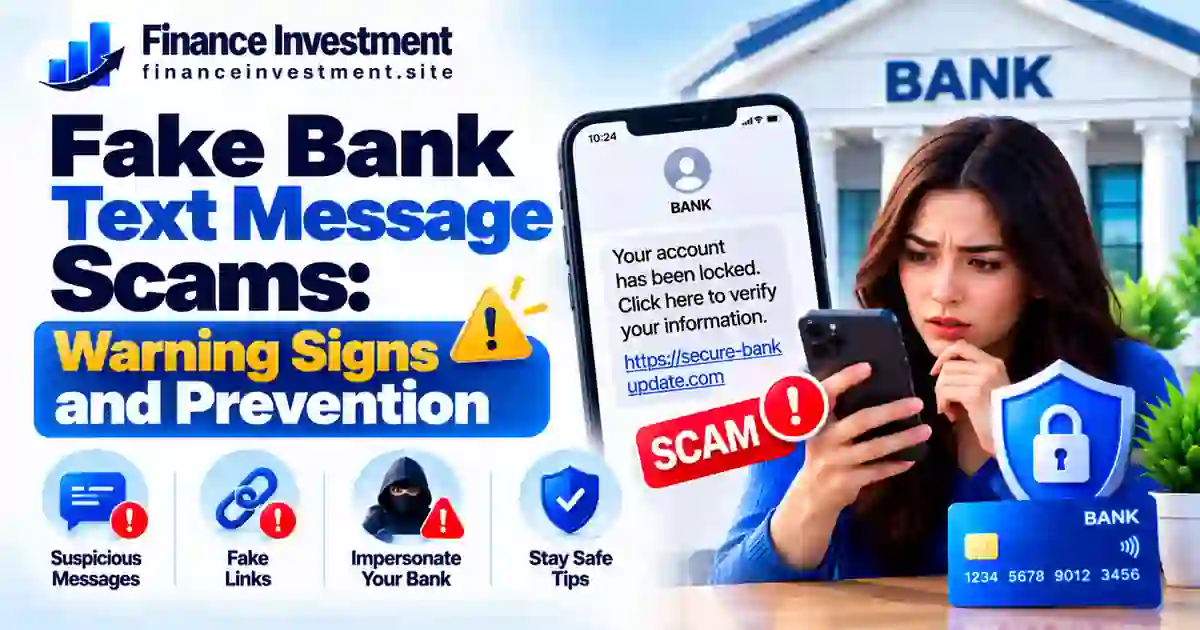
    Imagine receiving a text message claiming that your bank account will be locked unless you verify your details immediately. The link opens a page displaying your bank’s logo and a familiar-looking login form.

    Before entering anything, you inspect the web address and notice that its domain differs from the bank’s verified address. You close the page, open your bank’s official app independently, and check your account. You then report the suspicious message using a verified bank contact channel.

    The lesson: Verify urgent account alerts independently. Do not use the link in a suspicious message to confirm whether the message is genuine.

    If you already entered your details: Contact your bank promptly through a verified channel, explain what you shared, and follow its instructions to secure your account.

    Who Should Take Extra Care With Banking Websites?

    Anyone who uses online banking can encounter a fraudulent website. Extra caution is especially helpful when you are unfamiliar with online banking, handling financial tasks for someone else, or responding to an unexpected account alert.

    • New online banking users: Learn how to verify your bank’s website before entering login details.
    • Seniors and anyone needing extra support: Take time to check unexpected messages and ask a trusted person for help when needed.
    • Families and caregivers: Help relatives identify suspicious links without requesting or sharing their passwords.
    • Frequent mobile banking users: Avoid signing in through unexpected text messages, emails, or unfamiliar advertisements.
    • Small-business owners: Independently verify banking portals and changes to payment instructions before transferring money.

    Practical takeaway: Slow down when a message creates urgency. Verify the request through your bank’s official app, independently confirmed website, or verified phone number.

    Frequently Asked Questions

    1. How can I recognize a fake banking website?

    Check the full web address, how you reached the page, and whether the request seems legitimate. Misspellings, unexpected login links, and unusual requests are warning signs. Verify the address independently before signing in.

    2. Does HTTPS mean a banking website is safe?

    No. HTTPS encrypts the connection between your browser and the website, but scammers can also use HTTPS. Check that the domain belongs to your bank before entering information.

    3. How do I verify my bank’s official website?

    Use your bank’s official app or a website address independently confirmed through a trusted source. The FDIC BankFind Suite can help verify a US bank’s identity, but it does not authenticate every website claiming to represent that bank.

    4. Can a fake banking website look exactly like a real one?

    Yes. Scammers can copy logos, colors, and login layouts. Check the domain and use a trusted route to your bank instead of relying on appearance alone.

    5. What should I do if I entered my password on a fake website?

    Contact your bank immediately through a verified channel. Change the compromised password using a trusted device, secure other accounts that reuse it, and review recent transactions. Tell the bank if you also shared a verification code.

    6. Can scammers steal money through a fake bank login page?

    They may use stolen credentials or verification codes to attempt unauthorized access or transactions. Sharing information does not mean a loss is certain, but you should contact your bank promptly if your details may be exposed.

    7. Should I click a bank link in an unexpected text message?

    Avoid using unexpected login links, especially when the message creates urgency. Open your bank’s official app or independently verified website to check whether action is needed.

    8. How can I report a fake banking website in the US?

    Notify your bank through a verified contact channel. You can also report suspected fraud to the Federal Trade Commission (FTC). If your account or money may be at risk, contact your bank without delay.

    Final Verdict: Stay Alert Before You Sign In

    Knowing how to recognize a fake banking website can help you make safer decisions when managing your money online. Scammers can imitate legitimate banks, so a familiar logo or professional-looking login page is not enough to establish trust.

    Before signing in, verify the full web address and access your account through your bank’s official app or an independently confirmed website. If you suspect fraud or have shared sensitive information, contact your bank through a verified channel immediately and follow its instructions to secure your account.

    Safe online banking comes down to careful habits and independent verification. Continue learning with our bank security and fraud prevention guide for more ways to protect your financial information.

    Final takeaway: When something about a banking website seems wrong, stop before entering your details. Verify the website independently, then proceed only when you are confident you have reached the legitimate bank.

    FINANCEINVESTMENT · BANKING & MONEY GUIDES

    Have a Money Question? Keep Exploring.

    Have a question about banking security or managing your money? Contact FinanceInvestment or explore our related guides for practical information to help you make more informed financial decisions.

    Contact FinanceInvestment

    Send your question or suggest a topic for a future personal finance guide.

    Email FinanceInvestment

    FinanceInvestment · Practical guidance for more confident financial decisions.
  • How to Recognize Bank Impersonation Scams (2026)

    How to Recognize Bank Impersonation Scams (2026)

    How to Recognize Bank Impersonation Scams

    SR
    Subhash Rukade
    Founder, FinanceInvestment
    Personal Finance • Banking Safety • Consumer Education
    Updated: October 13, 2026
    Estimated reading time: 12 minutes

    How to Recognize Bank Impersonation Scams Before You Respondhow to recognize bank impersonation scams

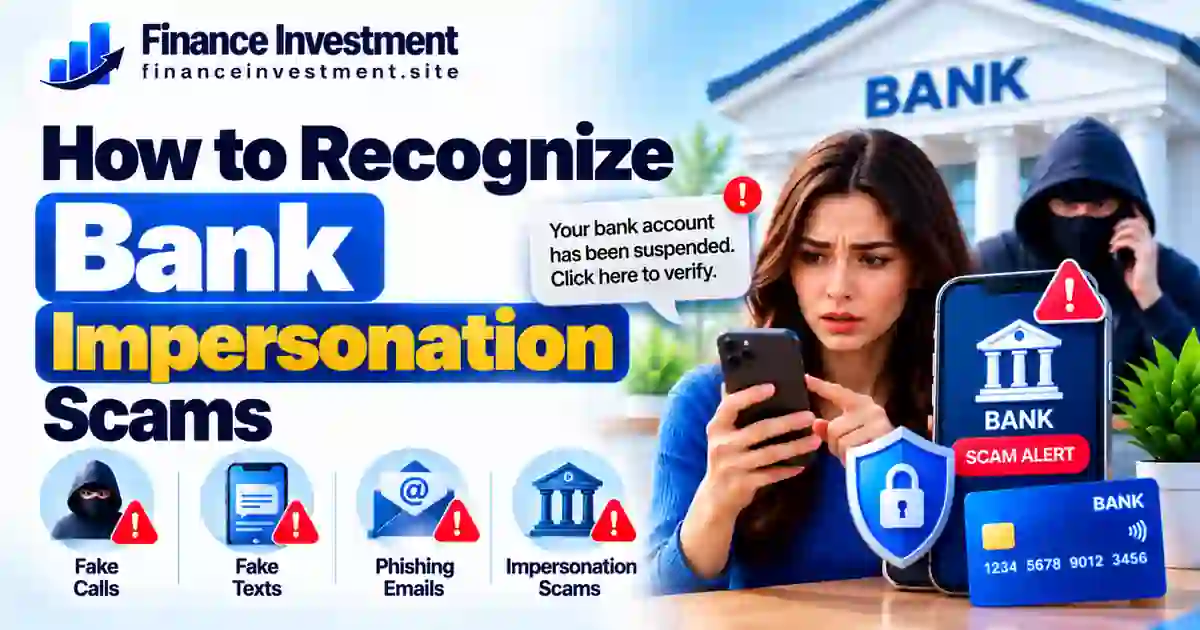
    Learning how to recognize bank impersonation scams starts with one simple habit: pause before you respond. A message claiming your account is locked, a call about suspicious transactions, or an alert asking you to verify your identity may look genuine. Scammers can copy bank logos, imitate phone numbers, and use convincing language to make their requests seem legitimate.

    The biggest warning sign is often pressure to act immediately. A caller may ask for your password, one-time verification code, or a transfer to a supposedly safe account. Never trust caller ID, a familiar logo, or someone’s knowledge of your personal details as proof of identity. End the conversation and contact your bank using the number on your card or the official app you open yourself.

    For broader protection, explore our bank security and fraud prevention guide.

    What You’ll Learn

    • Warning signs of fake bank calls, texts, and emails.
    • How to verify whether a bank communication is genuine.
    • Common mistakes that expose your money or personal information.
    • What to do if you shared a code, clicked a suspicious link, or sent money.

    How Can You Recognize a Bank Impersonation Scam?

    Recognize bank impersonation scams by watching for urgent messages, suspicious links, unexpected calls, and requests for passwords or verification codes. Scammers may pretend to be bank employees and claim your account is at risk.

    Quick Answer: Never share your banking password or one-time passcode with an unexpected caller. Contact your bank through its official app or the number printed on your card.

    Key Takeaways

    • Be cautious of urgent warnings and threats.
    • Caller ID and bank logos can be faked.
    • Avoid clicking links in unexpected bank messages.
    • Verify suspicious requests directly with your bank.
    • If you shared information or sent money, contact your bank immediately.

    Table of Contents

    Bank Impersonation Scams: Quick Facts

    Bank impersonation scams occur when criminals pretend to represent a real bank or credit union to steal money, account credentials, or personal information. These quick facts explain the warning signs and the safest response.

    What to CheckWhat You Should Know
    Common methodsFake phone calls, text messages, emails, and websites.
    Warning signsUrgent threats, suspicious links, or requests for confidential codes.
    Information at riskPasswords, one-time passcodes, banking details, and money.
    Safest responseStop responding and verify the request through an official bank channel.
    If you are targetedContact your bank promptly, secure affected accounts, and report suspected fraud.
    QUICK TAKE: A familiar caller ID, bank logo, or message sender name does not prove a communication is genuine. Never share your password or one-time passcode in response to an unexpected request. Contact your bank using the number on your card or its official app.

    Bank Impersonation Scams: A Complete Beginner Guidehow to recognize bank impersonation scams

    Bank impersonation scams happen when criminals pretend to represent a real bank or credit union to steal money, account credentials, or personal information. They may pose as fraud investigators, security specialists, or customer service employees. Anyone with a financial account can be targeted, so recognizing common tactics is an important part of protecting your money.

    1. Fake Bank Text Messages

    You might receive a text claiming that your debit card was used, your account is locked, or suspicious activity needs immediate attention. A link may lead to a fake website designed to capture your login details. Do not click unexpected links; open your bank’s official app or contact the bank using a trusted number.

    2. Fraudulent Bank Phone Calls

    A caller may claim to work in the bank’s fraud department and ask you to verify a transaction. Caller ID can be spoofed, so a familiar number is not proof of identity. Never share your password or one-time passcode with an unexpected caller. Hang up and contact the bank independently.

    3. Fake Emails and Banking Websites

    Scammers can copy bank logos, colors, and email formatting to make messages look authentic. They may direct you to a fake sign-in page. Avoid logging in through unexpected email links. Open the bank’s website yourself and check the address carefully.

    4. Requests to Transfer Money

    A scammer may tell you to move your savings to a “safe account” or make a payment to stop alleged fraud. Treat unexpected transfer instructions as a serious warning sign. Do not send money until you have independently verified the situation with your bank.

    5. What to Do If You Suspect a Scam

    Stop responding and contact your bank immediately if you shared information, approved a payment, or transferred money. Ask whether the bank can block transactions or secure your account. Change compromised passwords, enable multifactor authentication, and review recent activity. Follow the FTC’s guidance on what to do after a scam. You can also read our guide on how to protect your bank account.

    Remember: Stop, verify, and contact your bank through a channel you choose yourself. If money was transferred, report it immediately; recovery is not guaranteed, but a prompt report may help limit further losses.

    How Bank Impersonation Scams Work

    Bank impersonation scams often follow a pattern: create fear, appear trustworthy, and pressure the victim to act quickly. Criminals may use text messages, phone calls, emails, or fake websites to make a fraudulent request seem legitimate.

    Step 1: Create an Urgent Problem

    You receive an alert about a suspicious purchase, a locked account, or an alleged security breach. The message may warn that your money is at risk unless you respond immediately. Verify the alert independently rather than following its instructions.

    Step 2: Pretend to Be Your Bank

    The scammer may imitate a bank employee, spoof caller ID, or copy the bank’s logo. They might even know some personal details. None of these proves the contact is genuine.

    Step 3: Ask for Information or Money

    The scammer may request your password, one-time verification code, remote access to your device, or a transfer to a supposedly safe account. Treat unexpected requests like these as serious warning signs.

    Step 4: Demand More or Disappear

    After receiving your information or money, the scammer may disappear or invent another emergency to demand more. Stop responding and contact your bank using its official app or the number on your card.

    Safety Tip: Never rely on caller ID or a message logo alone. Verify suspicious contact independently and read our guide to common types of bank fraud to learn about other tactics criminals use.

    Benefits of Recognizing Bank Impersonation Scams

    Understanding bank impersonation scams helps you recognize suspicious requests before sharing information or sending money. Awareness cannot stop every attempt, but it can help you respond more carefully when an unexpected bank call, text, or email arrives.

    Key Benefits

    • Protect your information: Spotting suspicious requests can help safeguard your login details and financial information.
    • Respond sooner: Recognizing warning signs can help you report suspicious activity promptly.
    • Avoid rushed decisions: You can pause and verify a request instead of reacting to threats or pressure.
    • Build confidence: You can handle unexpected banking alerts more calmly and carefully.

    Important Limitations

    Scammers constantly change their tactics. Messages can look professional, caller IDs can be spoofed, and even cautious people can be deceived. Fraud alerts and security tools can help, but they cannot guarantee complete protection. Verify unexpected requests independently and review account activity regularly.

    Key Takeaway: Awareness is helpful, but it is not a guarantee. Combine careful verification with strong, unique passwords, multifactor authentication, and prompt contact with your bank when something seems suspicious.

    Legitimate Bank Contact vs. an Impersonation Scam

    Banks may contact customers about unusual transactions or account security. Scammers can imitate these alerts, so a message’s appearance alone cannot establish whether it is genuine. Check the request carefully and verify it through a trusted channel before taking action.

    Warning SignSafer Response
    Pressure to act immediatelyPause and verify the alert independently.
    Familiar caller ID or bank logoDo not treat either as proof; both can be imitated.
    Request for a password or one-time codeNever disclose these in response to an unexpected call or message.
    Instruction to move money to a “safe account”Do not transfer funds; contact your bank independently.
    Unexpected login linkAvoid the link and open your bank’s official app or website yourself.

    How to Verify a Bank Message

    End the unexpected call and use the number on your bank card or the official app to ask whether the alert is genuine. Review recent transactions and report anything unfamiliar. Do not call numbers or click links supplied in a suspicious message to verify that same message. For more guidance, read our bank security vs. fraud protection guide.

    Remember: A legitimate alert may require attention, but you can pause and confirm it through a trusted channel before sharing information or moving money.

    Warning Signs of Bank Impersonation Scams

    Bank impersonation scams can look convincing, so pay attention to suspicious behavior rather than appearance alone. A warning sign does not automatically prove fraud, but unexpected requests should always be verified independently.

    Red Flags to Watch For

    • Urgent threats: Someone pressures you to act immediately to avoid an alleged account freeze or financial loss.
    • Requests for confidential codes: An unexpected caller asks you to reveal your password or one-time passcode.
    • Suspicious links: A text or email directs you to an unfamiliar website to sign in or verify account details.
    • Safe-account claims: Someone instructs you to transfer money to supposedly protect your savings.
    • Unusual payment instructions: You are pressured to send money through a wire transfer, payment app, gift card, or cryptocurrency.

    What Is at Risk?

    Sharing sensitive information can expose your account credentials, personal details, and money. Criminals may attempt unauthorized transactions or identity theft. A familiar caller ID, convincing voice, or bank logo does not prove that the person contacting you is genuine.

    Practical Tips to Stay Safer

    Pause before responding, open your bank’s official app yourself, and call the number on your card to verify suspicious contact. Use unique passwords and multifactor authentication, enable transaction alerts, and review account activity regularly. Never give an unexpected caller remote access to your device. If you suspect fraud, contact your bank immediately to secure your account and report unauthorized transactions. For more guidance, read our guide to spotting checking account fraud.

    Safety Reminder: Do not rely on a single warning sign or a caller’s claims. Verify unexpected requests through a trusted channel before sharing information or moving money.

    Common Mistakes That Make Bank Impersonation Scams Easier

    Scammers exploit fear, trust, and rushed decisions. Avoiding these common mistakes can help protect your bank account and personal information.

    • Trusting caller ID: Scammers can spoof phone numbers to make calls appear genuine.
    • Clicking unexpected links: Fake banking websites may capture your login details.
    • Sharing verification codes: Criminals may use a one-time code to access an account or authorize an action.
    • Transferring money under pressure: Instructions to move funds to a “safe account” are a major warning sign.
    • Delaying a report: Waiting can give criminals more time to misuse your information or money.

    Example: A Fake Bank Fraud Alert

    Imagine you receive a text claiming that a $900 purchase triggered a security alert. A person posing as a bank employee then calls and says your savings are at risk. They ask for a one-time passcode and tell you to transfer your money to a “protected” account. This is a hypothetical example of how impersonation scams may unfold.

    The safer response: Do not share the code or transfer money. End the call and contact your bank through its official app or the number printed on your card. If you already shared information or sent funds, notify the bank immediately, secure your account, and ask what steps may help limit further losses.

    Remember: Urgent warnings can sound convincing, but you do not need to follow an unexpected caller’s instructions. Verify the situation independently and read our guide to what bank fraud is and how it works.

    Who Is Most at Risk of Bank Impersonation Scams?

    Anyone with a bank account, debit card, or online banking access can be targeted. Scammers use convincing messages, fear, and urgency rather than targeting only one age group. A person’s experience with technology or money does not guarantee protection.

    Situations That May Increase Risk

    • Unexpected security alerts: Anyone may react quickly to claims of suspicious transactions or account suspension.
    • Busy or distracted moments: People may overlook warning signs when handling an urgent message while multitasking.
    • Limited familiarity with online banking: Customers who are unsure how to verify messages may find fake alerts harder to assess.
    • Financial pressure: Threats involving lost savings or frozen accounts can make people feel they must act immediately.
    • Targeted impersonation attempts: Older adults and other groups may receive scams tailored to their circumstances, but no group is immune.

    Steps Every Banking Customer Can Take

    Use unique passwords, enable multifactor authentication, turn on transaction alerts, and review account activity regularly. Never disclose a one-time passcode to an unexpected caller or transfer money simply because someone claims it will protect your account. Verify suspicious contact through your bank’s official app or the number printed on your card.

    Key Takeaway: Anyone can encounter a convincing scam. Pause, verify unexpected requests independently, and report suspected fraud to your bank promptly.

    Frequently Asked Questions About Bank Impersonation Scams

    1. What is a bank impersonation scam?

    A bank impersonation scam occurs when someone pretends to represent a real bank or credit union to steal money, account credentials, or personal information through fake calls, texts, emails, or websites.

    2. How can I tell if a bank call is fake?

    Be cautious of pressure, unusual payment instructions, or requests for confidential information. Caller ID can be spoofed, so end the call and contact your bank using its official app or the number on your card.

    3. Can my bank ask me for a one-time passcode?

    Banks use different verification methods, but never reveal a one-time passcode to an unexpected caller or message. If a request seems suspicious, contact your bank independently before proceeding.

    4. What should I do after clicking a suspicious link?

    Close the page and do not enter any information. If you entered your banking credentials, contact your bank promptly, change your password through its official app or website, and review recent transactions. If you downloaded a file, check your device for security risks.

    5. What if I already transferred money to a scammer?

    Contact your bank or payment provider immediately and ask whether the transaction can be stopped, recalled, or disputed. Recovery is not guaranteed, but reporting quickly may help limit further losses.

    6. Can scammers fake a bank phone number?

    Yes. Caller ID spoofing can make a call appear to come from a legitimate bank number. Never rely on the displayed number alone to confirm the caller’s identity.

    7. How do I report a bank impersonation scam in the US?

    Notify your bank and report the incident through the FTC’s official fraud reporting website. If your personal information was misused, visit IdentityTheft.gov for recovery guidance.

    8. How can I prevent bank impersonation scams?

    Use unique passwords, enable multifactor authentication, avoid links in unexpected messages, monitor account activity, and verify suspicious requests through trusted bank channels.

    Final Verdict: Stay Alert to Bank Impersonation Scams

    Knowing how to recognize bank impersonation scams helps you make safer decisions when unexpected calls, texts, or emails arrive. Scammers may imitate bank employees, copy official logos, and spoof phone numbers to make fraudulent requests appear genuine. Never treat a familiar caller ID or convincing message as proof of identity.

    If something seems suspicious, stop responding and verify the request through your bank’s official app or the number printed on your card. Never disclose your password or one-time passcode to an unexpected caller, and do not transfer money to a supposed safe account because someone pressures you.

    If you suspect fraud, contact your bank immediately, secure affected accounts, and report the incident. For more practical guidance, read our bank security and fraud prevention guide.

    Bottom Line: Pause, verify independently, and use trusted banking channels. Acting carefully can help reduce the risk of financial loss.

    Have a Money Question? Keep Exploring.

    Have a question about banking safety, fraud prevention, or protecting your savings? Contact FinanceInvestment or explore our practical financial guides.

    Contact FinanceInvestment

    Email Us

    Tap the button to open your email app.

    Continue Your Research

    Stay alert, verify unexpected requests through trusted channels, and contact your bank promptly if you suspect fraud.