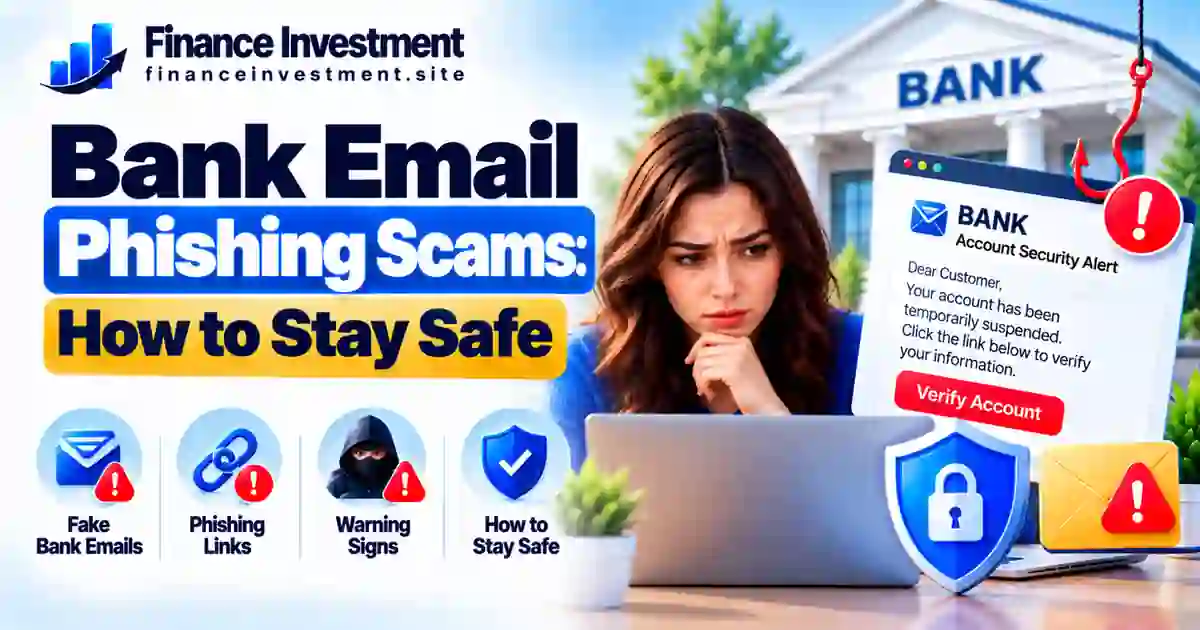
Bank Email Phishing Scams: How to Stay Safe
Bank Email Phishing Scams: How to Recognize the Warning Signs
An email claiming to be from your bank can look convincing. It might warn you about unusual account activity, ask you to verify a payment, or threaten to suspend your account unless you act immediately. These bank email phishing scams are designed to make you worry and click before you stop to check the message. A fake link may lead to a website that steals your banking password, personal information, or one-time security code.
You can reduce the risk by recognizing common warning signs and verifying unexpected requests through your bank’s official app, website, or phone number. Avoid using contact details or links supplied in a suspicious email. For more practical safeguards, read our bank security and fraud prevention guide.
What You’ll Learn
- How phishing emails work and which warning signs to look for.
- How to distinguish suspicious messages from legitimate bank emails.
- What to do if you click a link or share sensitive information.
- How to report phishing attempts and improve your account security.
Quick Answer: How Can You Avoid Bank Email Phishing Scams?
To avoid bank email phishing scams, treat unexpected banking emails with caution. Don’t click suspicious links, open unexpected attachments, or provide passwords, PINs, or one-time verification codes in response to an email. Instead, open your bank’s official app, type its known website address yourself, or call the number printed on your bank card. Urgent threats and requests to verify account details are reasons to pause and check independently.
Key Takeaways
- Inspect the sender’s full email address, but remember that sender details can be spoofed.
- Verify account alerts independently instead of using links in unexpected emails.
- Never email your password, PIN, or one-time verification code to someone claiming to represent your bank.
- Use a unique banking password and enable multifactor authentication when available.
- If you clicked a suspicious link or shared information, contact your bank promptly through a trusted channel and ask how to secure your account.
Remember: You don’t have to reply to a suspicious email to resolve an account issue. Verify the claim directly with your bank, then report the message through an appropriate channel.
Bank Email Phishing Scams at a Glance
Bank email phishing scams use messages that appear to come from financial institutions to trick people into revealing sensitive information or visiting fraudulent websites. These common warning signs can help you decide when to stop and verify a message before taking action.
| Warning Sign | Why It Matters | Safer Response |
|---|---|---|
| Urgent account warning | May pressure you to act without checking | Check your account through the official app or website |
| Unexpected sign-in link | Could lead to a fake login page | Enter your bank’s known website address yourself |
| Request for a password or security code | Could be an attempt to gain account access | Do not disclose credentials in response to the email |
| Unexpected attachment | May contain harmful files or links | Do not open it until you verify the message independently |
QUICK TAKE
A bank logo, familiar display name, or professional-looking design does not prove an email is genuine. Verify unexpected requests through a trusted channel, avoid suspicious links, and contact your bank promptly if you may have exposed your information.
A Beginner’s Guide to Bank Email Phishing Scams
Bank email phishing scams involve fraudulent messages designed to look as though they came from a bank or another trusted financial institution. An email might warn you about an unfamiliar transaction, claim your account will be restricted, or ask you to confirm a payment. The goal is to persuade you to reveal private information, visit a fake website, or open unsafe content.
What Information Are Scammers After?
Depending on the scam, criminals may try to obtain your online banking username and password, debit or credit card details, personal information, or one-time verification code. They may use stolen details to attempt unauthorized transactions, access accounts, or support identity fraud. Some phishing emails also direct recipients to fake sign-in pages or contain dangerous attachments.
How Should You Handle a Suspicious Email?
Avoid clicking its links, opening unexpected attachments, or replying with sensitive information. Instead, check the claim through your bank’s official app, a website address you already know, or the trusted phone number on your bank card. If the message appears fraudulent, follow your bank’s reporting instructions and use your email provider’s phishing-report option.
Beginner tip: A familiar bank logo or display name does not prove an email is genuine. When you are unsure, do not use the message to contact your bank; verify the issue independently.
How Bank Email Phishing Scams Work
Bank email phishing scams typically follow a pattern: imitate a trusted institution, create pressure, and encourage the recipient to reveal information or visit a fraudulent website. Recognizing these steps can help you stop before taking an action that puts your account at risk.
Four Common Steps in a Phishing Attempt
- A message appears legitimate. The sender may copy a bank’s logo, colors, or writing style. The displayed sender name alone does not prove who sent it.
- The email creates urgency. It may warn about an unfamiliar transaction, a locked account, or a payment that supposedly needs immediate attention.
- You are prompted to act. A link may lead to a fake login page, or an unexpected attachment may contain malicious content.
- Your information may be targeted. If you enter your password, card details, or verification code on a fraudulent page, criminals may attempt to access your account or misuse your information.
Safety reminder: Do not rely on an email’s appearance to decide whether it is genuine. Verify unexpected requests through your bank’s official app, a website address you already know, or a trusted phone number.
Some phishing emails include your name or other accurate details, so personalization is not proof of legitimacy. If you only opened a suspicious email, that alone does not necessarily mean your account is compromised. If you clicked a link, downloaded a file, or shared information, take appropriate precautions and contact your bank if banking details may be exposed.
Bank Email Alerts: Benefits and Drawbacks
Genuine bank email alerts can help you monitor account activity, receive service updates, and notice certain changes. However, alerts may be delayed or filtered, and scammers can imitate bank notifications to trick you into clicking fraudulent links.
Benefits of Bank Email Alerts
- Keep you informed about selected transactions and account changes.
- Help you notice unfamiliar activity so you can investigate promptly.
- Provide convenient access to important service and security notifications.
Drawbacks to Keep in Mind
- Fraudulent emails may copy the appearance of legitimate bank alerts.
- Messages can arrive late, land in spam, or go unnoticed.
- Following a fake link may expose your login details or other sensitive information.
Practical tip: Set up alerts through your bank’s official app or website. Treat unexpected email links cautiously, and verify account warnings independently instead of signing in through the message.
Legitimate Bank Emails vs. Phishing Emails
Phishing emails can closely imitate genuine bank messages, making them difficult to identify at first glance. Instead of judging an email by its logo or appearance, examine the request and verify unexpected account warnings independently.
| What to Check | Possible Legitimate Sign | Potential Warning Sign |
|---|---|---|
| Message purpose | An expected alert or routine account update | Unexpected threats or pressure to act immediately |
| Links and websites | A link consistent with a verified bank service | A look-alike domain or unfamiliar sign-in page |
| Sensitive information | Instructions to review activity through secure banking channels | Requests to email passwords, PINs, or one-time codes |
| Sender details | Consistent with communications you have independently verified | Misspelled domains or misleading sender information |
Important: No single clue can confirm that an email is genuine. Sender information can be spoofed, and some legitimate bank messages contain links. When in doubt, avoid the email’s links and open your bank’s official app, use a website address you already know, or call a trusted number on your bank card.
Risks, Costs, and Expert Safety Tips
Falling for bank email phishing scams can expose your banking password, card details, or personal information. Depending on what was shared, criminals may attempt unauthorized transactions or identity fraud. You may also spend time securing accounts, replacing cards, and disputing transactions. Financial losses and reimbursement outcomes vary, so report suspected fraud promptly and ask your bank which protections and deadlines apply.
Practical Ways to Protect Your Account
- Verify unexpected requests: Use your bank’s official app, a website address you already know, or a trusted phone number—not contact details supplied in a suspicious email.
- Strengthen account security: Use a unique password and enable multifactor authentication when available.
- Review account activity: Check transactions regularly and set up relevant alerts through your bank’s official settings.
- Respond quickly to exposure: Contact your bank if you shared credentials or financial details. Change compromised passwords through a trusted device, and ask whether your card or account access should be blocked or replaced.
If you notice an unauthorized transaction: Contact your bank immediately through a trusted channel, report the transaction, and ask about dispute procedures and deadlines. In the United States, you can also report suspected scams through the FTC’s ReportFraud website. Reporting a scam does not replace contacting your bank about your account or money.
Common Mistakes to Avoid With Bank Email Phishing Scams
A convincing message can catch anyone off guard. These mistakes can increase your risk:
- Trusting a bank logo or familiar sender name without verifying the message.
- Following an unexpected sign-in link or opening an unverified attachment.
- Sharing passwords, PINs, card details, or one-time verification codes in response to an email.
- Ignoring unusual transactions or delaying action after sharing sensitive information.
Realistic Example: A Fake Bank Security Alert
Imagine receiving an email claiming that your bank has detected suspicious activity and will restrict your account unless you verify a transaction. The message looks professional and includes a sign-in link. You click it and enter your banking password on a fake website.
The safer choice is to open your bank’s official app or use its known website to check the claim. If you already entered your password, contact your bank promptly and change the compromised password using a trusted device. If you shared a verification code or notice an unfamiliar transaction, tell the bank that too.
Remember: Pause and verify unexpected requests independently. Simply receiving or opening a suspicious email does not automatically mean your account has been compromised, but clicking links or sharing information may require further action.
Who Should Be Extra Careful About Bank Email Phishing Scams?
Anyone with a bank account can be targeted by phishing emails. Extra caution is helpful if you:
- Are new to online banking or unfamiliar with common phishing warning signs.
- Rely on email for account alerts, payment notifications, or security updates.
- Manage family finances, business banking, or several financial accounts.
- Have received suspicious messages or believe your personal or banking information may have been exposed.
Practical takeaway: You do not need advanced technical skills to protect yourself. Pause before following unexpected requests, verify them through your bank’s official app or a trusted phone number, and contact your bank promptly if you suspect your account details have been compromised.
Final Verdict: Stay Alert and Protect Your Bank Account
Bank email phishing scams can appear convincing, but you can reduce the risk by slowing down and checking unexpected requests. Do not rely on a bank logo, display name, or professional-looking message as proof of authenticity. Instead, verify account alerts through your bank’s official app, a website address you already know, or a trusted phone number.
If you share your banking credentials or notice an unauthorized transaction, contact your bank immediately. Follow its instructions to secure your account, review recent activity, and report any suspicious transactions.
Bottom line: Stop, verify, and then act. Checking an unexpected email independently is a simple habit that can help protect your finances and personal information.
Leave a Reply