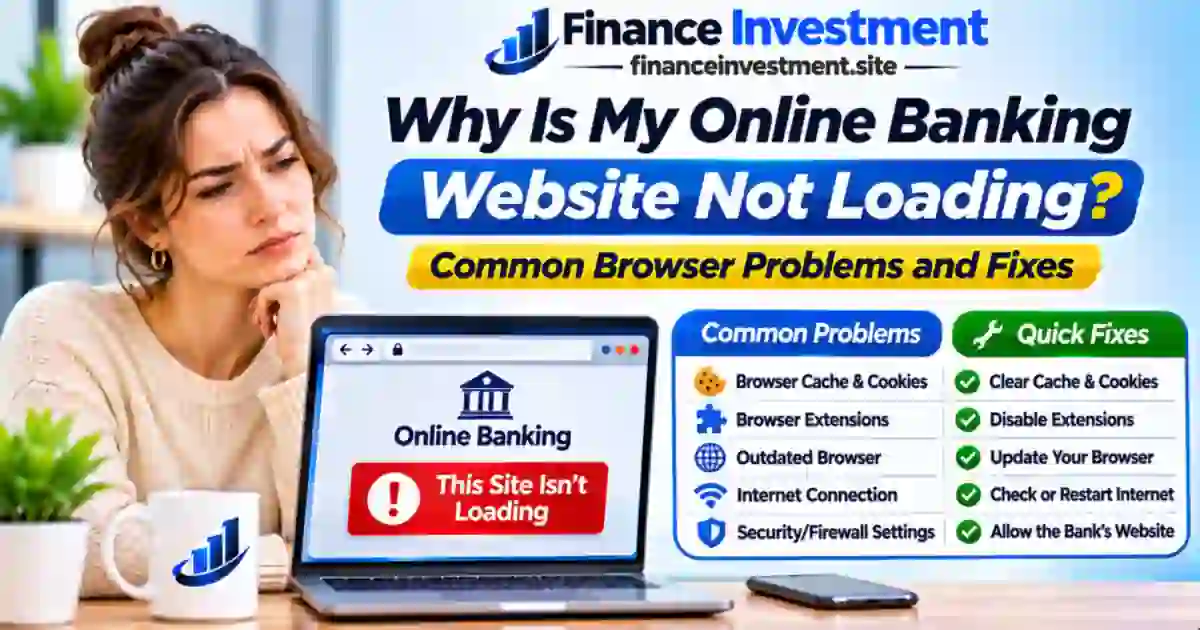
 When Your Bank Website Refuses to Load
You open your bank’s website to pay a bill, check a deposit, or review your balance. Instead, the page stays blank, keeps spinning, or displays an error message. Now you’re wondering whether the problem is your phone, your browser, or the bank itself.
Why is my online banking website not loading? Common causes include a weak internet connection, outdated browser data, blocked cookies, incompatible extensions, or temporary problems with your bank’s servers.
Before changing browser settings, make sure you’re using your bank’s official website. If you’re still getting comfortable with online accounts, our beginner’s guide to digital and online banking explains how these services work.
What You’ll Learn
- What causes banking websites to stop loading.
- Which browser and connection problems you can fix yourself.
- How to recognize a possible bank service outage.
- When to contact your bank instead of trying more fixes.
Quick Answer: Why Isn’t Your Bank Website Loading?
Online banking websites may fail to load because of connection problems, outdated browser data, blocked cookies, interfering extensions, or temporary bank outages. First, confirm you’re using the bank’s official address and check whether other websites open normally. Avoid entering your password on an unfamiliar page.
6 Key Takeaways
- Only your bank’s website fails? Check for a possible service issue.
- Several websites won’t open? Your internet connection may be responsible.
- Login page stays blank? Browser data or extensions could interfere.
- Certificate or security warning? Stop. Never bypass the warning to sign in.
- Bank reports an outage? Wait for an official service update.
- Problem continues? Contact the bank using its verified support number.
Bottom Line: A website error doesn’t necessarily mean your account is at risk. Check the connection, browser, and bank’s service status before changing settings or retrying your login.
At a Glance: Why Your Bank Website May Not Open
A blank screen, endless loading circle, or connection error can have different causes. Before changing your browser settings, look at what happens when you open other trusted websites.
Your browser, internet connection, or the bank’s servers could be responsible.
Checking balances, paying bills, downloading statements, or reviewing deposits.
Confirm the official URL, test another website, and review bank service notices.
| What You See | Possible Cause | What to Check First |
|---|---|---|
| Blank login page | Browser data or blocked scripts | Try a current, supported browser |
| Connection error | Internet or network issue | Open another trusted website |
| Service unavailable | Possible bank maintenance or outage | Check official service notices |
Safety note: These symptoms suggest possible causes, not confirmed answers. If your browser displays a certificate or security warning, do not bypass it to sign in.
Why Online Banking Websites Stop Loading: A Beginner’s Guide
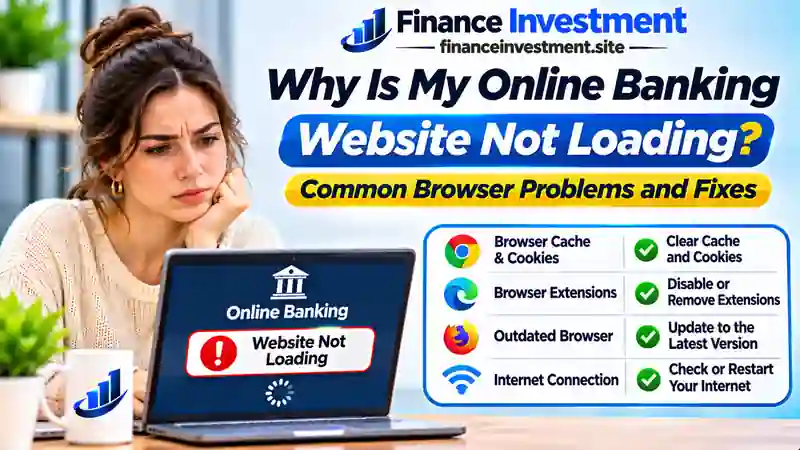
When you visit your bank’s website, several things happen behind the screen. Your device connects to the internet, finds the bank’s server, and asks your browser to display the page. A problem at any point can interrupt that process.
Your Browser May Be the Problem
Browsers store temporary files and cookies to help websites work. However, outdated files, blocked JavaScript, or certain extensions can sometimes interfere with banking pages. Even an otherwise working browser may struggle with a particular website.
Your Internet Connection Matters Too
A weak connection can interrupt page loading. DNS, the system that helps your device find website addresses, can also experience problems. These issues may affect your bank’s website without necessarily affecting every other site.
Sometimes the Bank Is Having Trouble
Banks occasionally perform maintenance or experience service disruptions. Their websites also rely on secure connections and authentication systems. If those services are unavailable, changing browser settings may accomplish nothing.
Want to understand what happens after you sign in? Our guide to how online banking works explains the basics without technical jargon.
How to Fix an Online Banking Website That Won’t Load: 9 Steps
You don’t need to change every browser setting at once. Work through these checks in order and stop when the bank’s official website starts working normally.
1. Confirm You’re on the Official Bank Website
Use a trusted bookmark or type the address verified through your bank’s official materials. Avoid links from unexpected texts, emails, or sponsored search results. If the address looks unfamiliar, don’t enter your credentials.
2. Check Whether Your Internet Is Working
Try opening another trusted website. If several sites fail, reconnect to your Wi-Fi or cellular network. On a network you control, restarting the router may help.
3. Close the Tab and Restart Your Browser
A temporary loading error may disappear after you close the affected tab and reopen the official address. If it doesn’t, fully quit the browser and launch it again.
4. Install Browser and Device Updates
Check for updates to Chrome, Safari, Edge, Firefox, or your operating system. Banks may require current browser features for secure login and account access.
5. Clear Only the Bank’s Site Data
If the page still fails, look for the browser’s site-data controls and remove stored cookies and cached data for that bank’s domain. This can fix corrupted files but may sign you out. Make sure you know your login details and have access to your verification method first.
6. Check Extensions and Required Browser Features
Ad blockers, privacy extensions, or disabled JavaScript can interfere with login pages. Test whether a suspected extension is responsible, then restore your normal protections. Don’t disable browser-wide security safeguards or ignore certificate warnings.
7. Try Another Bank-Supported Browser
Open the verified address in another updated browser that your bank supports. If it works there, the original browser’s settings or stored data may be involved.
8. Look for Official Maintenance or Outage Notices
Check the bank’s verified service updates or contact its support team. If the bank confirms an outage, wait for service restoration rather than repeatedly submitting login requests.
9. Contact Your Bank If Access Still Fails
Call the number printed on your bank card or statement. Explain the error message, browser, and device you’re using. Never give passwords or one-time verification codes to someone who contacts you unexpectedly.
Need access urgently? Your bank’s official mobile app may offer another way to check your account, although some outages affect both services. Learn how to set up mobile banking safely.
Benefits and Drawbacks of Troubleshooting Banking Website Problems Yourself
When your bank’s website stops working, checking a few things yourself can be useful. However, knowing when to stop is just as important as knowing what to try.
✓ Benefits
- Minor browser problems may be resolved without waiting for support.
- You can describe the issue more clearly if you need help.
- Most basic troubleshooting checks are free.
✗ Drawbacks
- A bank-wide outage cannot be repaired from your device.
- Removing site data may sign you out or reset preferences.
- Changing security settings carelessly can create unnecessary risks.
When to stop: If you see a certificate warning, unfamiliar login page, or request for sensitive information, don’t continue signing in. Contact your bank through a verified channel.
Bank Website Error Messages: Causes and Safe Next Steps
A browser error can offer a useful clue, but it rarely tells the whole story. Match the message on your screen with the possibilities below before deciding what to do next.
| Error or Symptom | What It May Mean | Safe Next Step |
|---|---|---|
| ERR_CONNECTION_TIMED_OUT | The connection took too long to respond. | Check your network and official bank service notices. |
| ERR_NAME_NOT_RESOLVED | The browser could not resolve the website’s domain name. | Confirm the official URL and check whether other sites open. |
| 403 Forbidden | The server understood the request but refused access. | Avoid repeated attempts; contact the bank if the error continues. |
| 502 / 503 Error | A gateway or service-availability problem may be affecting the site. | Check official outage notices and try again later. |
| Blank Login Screen | Scripts, browser data, or a temporary site error may be involved. | Test the official site in another updated, supported browser. |
| Certificate Warning | The browser cannot establish or verify a trusted secure connection. | Do not bypass the warning. Verify the address and contact the bank. |
Browser note: Chrome, Safari, Edge, and Firefox may display different wording for similar problems. An error message is a starting point for troubleshooting, not proof that your bank is down or your account is compromised.
Costs, Security Risks, and Smart Tips When Online Banking Fails
Could a Website Problem Cost You Money?
Checking your browser settings usually costs nothing. However, using mobile data, hiring technical support, or switching to another payment method may involve charges. If a bill is due, contact the bank or biller promptly to discuss available options and whether any fees might apply.
Be Careful With Unexpected Support Offers
A fake banking support message can look convincing when you’re already having trouble signing in. Scammers may claim your account needs urgent verification or ask you to install remote-access software. Don’t follow instructions from an unsolicited caller, text, or email.
Expert Tip: Keep a verified customer-service number from your bank card or official statement available offline. That way, you can reach the bank even when its website is inaccessible.
Security Warning: Never bypass certificate warnings, disable essential device protections, or share passwords and one-time verification codes with someone who contacts you unexpectedly. If anything looks suspicious, stop and contact your bank directly.
For more advice on recognizing impersonation scams, visit the Federal Trade Commission’s consumer scam resources.
Common Mistakes When Your Online Banking Website Won’t Load
A banking website problem can feel urgent, especially when you need to make a payment. Avoid these common mistakes while figuring out what went wrong.
- Retrying login repeatedly: Multiple unsuccessful attempts may trigger additional verification or temporary access restrictions.
- Following unfamiliar links: A convincing-looking login page could be a phishing website.
- Assuming deadlines are extended: Website problems don’t automatically postpone payment due dates.
- Changing several settings at once: This makes it difficult to identify which change helped—or caused another issue.
Practical Example: When a Bill Is Due
Hypothetical scenario: Sarah, an Ohio resident, needs to pay her electricity bill tonight. Her bank’s website keeps timing out, but other websites open normally.
She checks the bank’s official service updates and contacts her utility provider through its verified number to ask about alternative payment methods, deadlines, and possible fees. She can now make an informed decision without relying on suspicious login links.
Who Should Try These Online Banking Website Fixes?
Most customers can safely try basic browser checks, provided the website is legitimate and no security warnings appear. The key is recognizing when a problem needs professional assistance.
When Self-Troubleshooting Makes Sense
- Everyday banking customers: A familiar website is loading slowly or displaying a blank page.
- Computer and smartphone users: Other websites work normally, suggesting a site-specific issue.
- Beginners: Simple checks are manageable without disabling security features or installing unfamiliar software.
When to Contact Your Bank Instead
Use a verified customer-service channel if you encounter certificate warnings, suspicious login requests, repeated account restrictions, or unfamiliar account activity. For urgent payments, ask about alternative methods and any applicable fees or deadlines.
Frequently Asked Questions About Online Banking Website Problems
Final Verdict: What to Do When Your Bank Website Still Won’t Load
A bank website that won’t open doesn’t automatically mean your account has been compromised. Often, the problem involves your browser, internet connection, or the bank’s online service.
If basic checks don’t restore access, review official service notices and contact your bank through a verified channel. For time-sensitive payments, ask about alternatives instead of repeatedly attempting to sign in. Never ignore browser security warnings.
Keep learning: Our Digital and Online Banking Beginner’s Guide explains how online banking works and what to consider when using it.
Related Resources: Online Banking, Browser Help, and Security
Need more guidance? These resources cover online banking basics, alternative access methods, browser troubleshooting, and scam prevention.
Explore More FinanceInvestment Guides
- Digital and Online Banking Explained — beginner essentials.
- How Online Banking Works — account access basics.
- How to Set Up Mobile Banking — another access option.
- Mobile Banking vs. Online Banking — key differences.
- Digital Banking Pros and Cons — benefits and limitations.
- Download Bank Statements Online — statement access.
- Mobile Banking App Features — useful app tools.
Official Help and Security Resources
- Google Chrome Help: Manage Cookies — site-data troubleshooting.
- Apple Support: Safari Website Problems — Mac browser fixes.
- FTC: How to Avoid a Scam — phishing and impersonation safety.
Leave a Reply