Mobile Banking Security Tips for Beginners: A Safer Banking Guide for 2026
Mobile Banking Security Tips for Beginners: Protect Your Money on Your Phone
Mobile banking security tips for beginners can help you manage money on your phone while avoiding common security mistakes. Banking apps make it easy to check balances, deposit checks and transfer funds. However, a fake app, stolen login or convincing scam message could expose your account.
You do not need advanced technical skills to get started. Download your bank’s genuine app from an official app store, lock your phone with a PIN or biometric protection, and use a unique password or passkey. Enable additional login verification when available. Also, review app permissions and be cautious if an app requests access that seems unrelated to its banking functions.
For broader protection against banking scams and unauthorized access, explore our bank security and fraud prevention guide.
What You’ll Learn
- How to choose your bank’s genuine mobile app and protect your login.
- Which phone settings and security features can help protect your account.
- How to recognize fake bank texts, calls and sign-in screens.
- What steps to take if your phone goes missing or you suspect unauthorized access.
Quick Answer: How Can Beginners Secure Mobile Banking?
The short answer: Download your bank’s genuine app, lock your phone, use a unique password or passkey, and enable multifactor authentication when available. Keep your device updated, avoid unexpected banking links and review transactions regularly.
6 Mobile Banking Security Tips to Remember
- Download the genuine app: Get it from an official app store and verify the bank’s identity before signing in.
- Lock your phone: Use a strong PIN, password or biometric screen lock to help prevent unauthorized access.
- Protect your login: Use a unique password or passkey and enable multifactor authentication if your bank supports it.
- Ignore suspicious sign-in links: Open the banking app directly instead of following unexpected text or email links.
- Keep your device updated: Install operating system and banking app updates from trusted sources.
- Monitor account activity: Enable useful transaction alerts and report unfamiliar payments or transfers promptly.
Mobile Banking Security at a Glance
Mobile banking lets you manage money from almost anywhere, but safe access depends on the app, your phone and your everyday habits. Use this checklist to identify the essentials before your next login.
Mobile Banking Safety Checklist
| Security area | Recommended action |
|---|---|
| Banking app | Install the genuine app from an official app store and verify the publisher. |
| Login protection | Use a unique password or passkey and enable multifactor authentication when available. |
| Phone security | Set a screen lock, keep software updated and avoid saving banking credentials on shared devices. |
| Account activity | Set suitable transaction alerts and contact your bank promptly about unfamiliar payments. |
Mobile Banking Security Tips Every Beginner Should Know
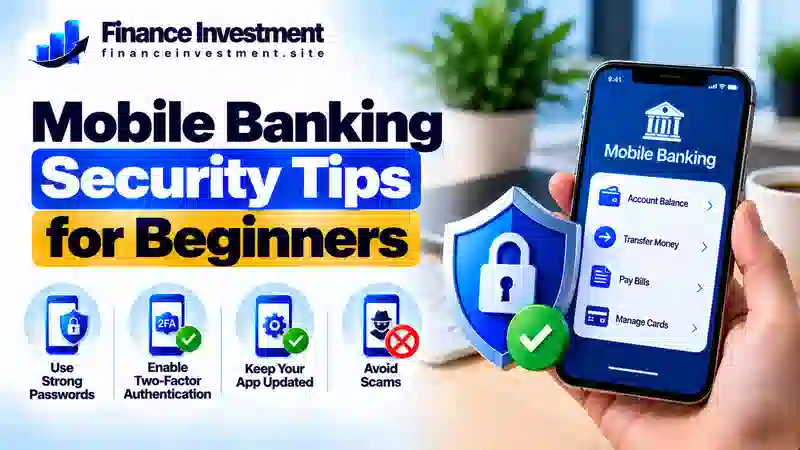
You do not need advanced technical skills to make mobile banking safer. Start with these practical steps and build habits that fit your daily routine.
1. Download Your Bank’s Genuine App
Find the app through your bank’s official website or a trusted app store. Check the developer name and avoid apps promoted through unexpected texts, social media messages or unfamiliar websites. Never enter banking details into an app you cannot verify.
2. Lock and Update Your Phone
Use a strong screen-lock PIN, password or biometric protection. Set your phone to lock automatically and install operating system and app updates from trusted sources. Avoid leaving your unlocked phone unattended, especially in public places.
3. Protect Your Banking Login
Choose a unique password and never reuse it for email or shopping accounts. A reputable password manager can help you create and store separate passwords; protect it with a strong master password. Enable multifactor authentication or a passkey if your bank offers one. Read our guide to creating a strong online banking password.
4. Verify Alerts and Protect Verification Codes
Never share a one-time verification code with someone who contacts you unexpectedly. If a text claims your account is locked, open your banking app directly or call a verified number instead of following the message’s link. Learn how two-factor authentication helps protect bank accounts.
5. Monitor Transactions and Prepare for a Lost Phone
Enable useful transaction alerts and review your account regularly. If your phone goes missing, contact your bank promptly to secure mobile access, use the device maker’s official service to lock or locate it when available, and contact your mobile carrier if your SIM or number may be at risk. Consider remote erasure if recovery is unlikely and your device supports it. Report unfamiliar transactions immediately through a verified banking channel.
How Mobile Banking Security Works
Mobile banking security combines several safeguards to help protect your information when you sign in, check balances or transfer money. Each layer has a different role, so relying on just one feature is not enough.
The Main Layers of Protection
- Login verification: A password, passkey or supported biometric feature helps verify your identity. Some banks also offer an additional verification step.
- Encrypted connections: Banking apps generally use encryption to help protect information sent between your device and the bank. Encryption does not protect you from every threat, such as a fake app or a scam that steals your login details.
- Fraud detection: Banks may use automated systems to flag unusual activity or request extra verification. However, suspicious transactions can still go undetected.
- Account notifications: Available alerts can help you notice certain transactions or account changes and report unfamiliar activity sooner.
Benefits and Drawbacks of Mobile Banking
Mobile banking makes everyday money management easier, but convenience does not automatically mean your account is protected. Understanding both sides helps you use banking apps more carefully.
Benefits
- Check balances and review transactions without visiting a branch.
- Receive available account alerts and notice unfamiliar activity sooner.
- Make supported transfers and bill payments from your phone.
- Use security options such as passkeys or multifactor authentication when your bank offers them.
Drawbacks
- A lost, stolen or unlocked phone can put account access at risk.
- Fake apps, phishing messages and bank impersonation scams can steal login details.
- A compromised device or careless app permissions may expose personal information.
- Weak connectivity, technical outages or unavailable alerts can interrupt access or delay notifications.
Mobile Banking Security Methods Compared
Different security methods protect against different risks. A unique password helps prevent damage from reused credentials, while passkeys, additional verification and phone security provide other layers of protection.
| Method | Main benefit | Limitation |
|---|---|---|
| Unique password | Reduces risk from passwords exposed in unrelated data breaches. | Can still be stolen through phishing or fake sign-in pages. |
| Passkey | Can resist many phishing attacks by linking sign-in to the genuine service. | Bank support and account-recovery options vary. |
| Multifactor authentication (MFA) | Adds another verification step beyond a password when required. | Some methods, such as SMS codes, remain vulnerable to certain attacks. |
| Phone screen lock | Helps prevent unauthorized physical access to your device. | Cannot prevent every online scam or compromised-device threat. |
| Transaction alerts | Can help you notice certain account activities sooner. | Alerts may be delayed, limited or unavailable. |
Mobile Banking Costs, Risks and Expert Tips
Many banks offer mobile banking apps without a separate app fee, but other costs may apply. Your mobile data plan, certain account services, wire transfers or other transactions may involve charges. Review your bank’s current fee schedule and wireless plan before assuming every service is free.
Risks Beginners Should Understand
- Phishing and impersonation: Fake texts, emails or calls may pressure you to disclose login details, share verification codes or approve fraudulent payments.
- Untrusted networks: Prefer a trusted network or your mobile connection for sensitive banking. Avoid unfamiliar Wi-Fi networks, unexpected security warnings and connections that require suspicious sign-ins.
- Fake apps and excessive permissions: Install your bank’s genuine app and review whether its requested permissions make sense for its functions.
Practical Security Tips
Open your banking app directly instead of following unexpected links. Keep your phone and apps updated, enable useful transaction alerts, and never disclose passwords or verification codes to unexpected callers. If someone creates urgency or asks you to move money to a supposedly “safe” account, stop and verify the request independently using your bank’s official contact details.
Common Mobile Banking Security Mistakes
Simple habits can put banking information at risk or delay the discovery of fraud. Beginners should avoid these common mistakes:
- Reusing a banking password on other websites or apps.
- Following an unexpected message link to sign in or confirm account details.
- Sharing passwords, one-time codes or approval requests with unexpected callers.
- Ignoring unfamiliar transactions or waiting too long to report suspected fraud.
- Leaving a phone unlocked or delaying important software updates.
Example: A Suspicious Bank Text
Imagine you receive a text claiming that your account has an unauthorized transfer. The message urges you to click a link immediately and enter your banking password and verification code to stop it.
The mistake: Trusting the urgent message and entering sensitive details on a website you have not verified.
The safer response: Do not use the message link. Open your bank’s genuine app directly or call a verified number to check whether the alert is legitimate. If you already entered your details, contact the bank immediately and ask how to secure your account.
Who Should Follow Mobile Banking Security Practices?
Anyone who checks balances, pays bills or transfers money through a banking app can benefit from these precautions. They are particularly helpful for:
- Banking beginners: Build safe login and transaction habits from the start.
- Families and working adults: Protect everyday payments, deposits and financial responsibilities.
- Retirees: Recognize suspicious requests and verify unexpected banking communications.
- Investors and frequent travelers: Secure access to financial accounts when managing money away from home.
Frequently Asked Questions About Mobile Banking Security
1. Is mobile banking safe for beginners?
Mobile banking can be safe when you use your bank’s genuine app, protect your phone, secure your login and review transactions regularly. No security measure eliminates every risk.
2. Should I use mobile banking on public Wi-Fi?
For sensitive banking, prefer your mobile data connection or a trusted network. Avoid unfamiliar networks that display security warnings or request suspicious sign-in details. Never ignore a browser or app security warning.
3. Is a banking app safer than a mobile browser?
Neither option is automatically safer in every situation. Use your bank’s genuine app or enter its verified website address yourself. Keep your software updated and avoid sign-in links in unexpected messages.
4. How often should I check my bank account?
Review transactions regularly and enable useful account alerts. Contact your bank promptly if you notice an unfamiliar payment, transfer or account change.
5. What should I do if my phone is stolen?
Contact your bank promptly to secure mobile access. Use the device maker’s official service to lock or locate the phone, and contact your mobile carrier if your SIM or number may be compromised. Change affected credentials from a trusted device when necessary.
6. Are biometric logins completely secure?
Fingerprint and face recognition can make sign-in more convenient and help protect access, but they are not foolproof. Keep your device secure and protect its backup PIN or password.
7. Should I share a bank verification code with a caller?
Do not share a one-time code with an unexpected caller or message sender. End the conversation and contact your bank using a verified phone number if you are concerned.
8. What should I do if I notice an unauthorized transaction?
Contact your bank immediately through its official app or verified phone number. Ask how to secure your account, dispute the transaction and protect affected cards or credentials. Follow the bank’s reporting instructions and keep a record of your communications.
Final Verdict: Make Mobile Banking Safer in 2026
Mobile banking makes everyday money management convenient, but account security depends on the precautions you take. Install your bank’s genuine app, keep your phone updated and locked, and protect your login with a unique password or a passkey when supported. Enable additional verification if your bank offers it, and review transactions regularly.
Never follow unexpected sign-in links or share verification codes with untrusted callers. If your phone goes missing or you notice an unfamiliar transaction, contact your bank promptly through a verified channel. No single safeguard prevents every scam, but combining sensible security habits can reduce avoidable risks and help you respond sooner.
Have a Money Question? Keep Exploring.
Safer mobile banking starts with consistent habits. Keep learning how to protect your account, recognize suspicious messages and make informed decisions about your money.
Contact FinanceInvestment
Have a question or a suggestion for a future guide? Email us.
Continue Your Research
- Bank Security and Fraud Prevention Guide — explore ways to reduce common banking risks.
- How to Secure Your Bank Account — review practical steps to protect your account.
FinanceInvestment provides educational information to help readers make informed financial decisions. Verify account-security instructions directly with your bank.