What Is Mobile Check Deposit?
Updated August 11, 2026
9–11 Min Read
2026 Banking Guide
Mobile banking has made depositing a paper check much easier. Instead of driving to a branch or finding an ATM, eligible customers can often use their phone’s camera to send a check for processing. This guide explains how it works, what to watch for, and when mobile deposit may not be the best option.
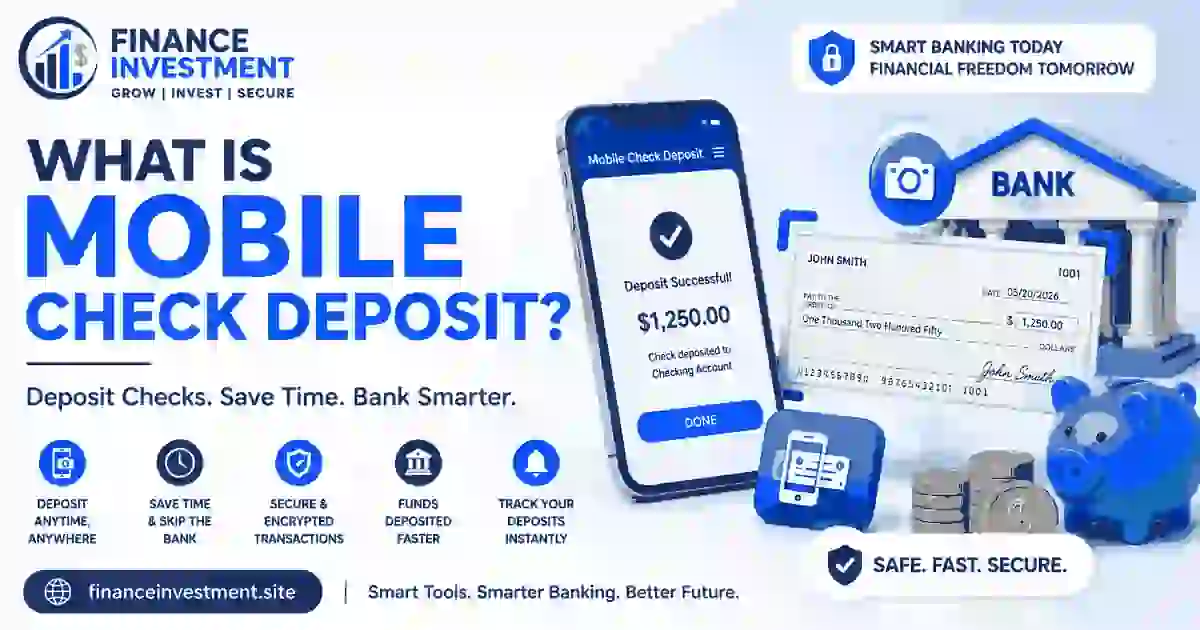 Depositing a paper check no longer has to mean finding a branch before it closes. What Is Mobile Check Deposit? It is a banking feature that lets you use your smartphone’s camera to capture images of a check and send them through your bank’s mobile app for processing.
The basic idea is simple. Open the bank’s app, choose its mobile deposit option, enter the check amount, photograph the front and back, and submit the images. The bank then reviews the information and processes the deposit. Your money may not become available immediately, though. Availability can depend on the bank, deposit amount, account history, and when the check is submitted.
There are a few details worth getting right. The check usually needs the proper endorsement, the photos must be clear enough to read, and some banks place daily or monthly deposit limits on the feature. Security matters too, so using the official banking app and a secure connection is preferable to sending check images through ordinary messaging or email.
For a broader look at checking accounts and the features they offer, see our Checking Accounts USA 2026 guide.
What You’ll Learn
You’ll see how mobile deposit works, when funds may become available, where limits and fees can matter, how to keep deposits secure, and which mistakes can cause problems. We’ll also compare mobile deposit with other ways to deposit checks and answer common questions.
Once the basic idea is clear, the next section gives you the short answer and the practical points worth remembering before you make your first mobile deposit.
Quick Answer & Key Takeaways
Mobile check deposit lets you submit a paper check through your bank’s mobile app by taking pictures of it with your phone. The bank receives those images, reviews the deposit, and then makes the funds available according to its processing rules.
What Is Mobile Check Deposit? It is a convenient way to deposit an eligible paper check without visiting a branch or ATM. You photograph the check, submit the images through your bank’s app, and wait for the deposit to be processed.
Before sending a check through the app, keep these six points in mind:
- Use your bank’s official mobile app. Avoid sending check images through ordinary messaging or email.
- Endorse the check as required. Follow the bank’s instructions rather than adding unnecessary wording.
- Take clear front and back photos. Keep the entire check visible and make sure the details can be read.
- Enter the exact check amount. Double-check the number before submitting the deposit.
- Know the limits and availability rules. Your bank may restrict how much you can deposit or when the money can be used.
- Keep the physical check safe. Follow your bank’s instructions about how long to retain it after a successful deposit.
Bottom Line
Mobile deposit can save a trip to the bank, but convenience doesn’t remove the need to check the details. A clean photo, correct amount, proper endorsement, and awareness of availability rules can make the process much smoother.
Now that the essentials are covered, the next section gives you a quick navigation map so you can jump straight to the part of the guide you need.
Table of Contents
Section 5 — At a Glance
Section 6 — Complete Beginner Guide
Section 7 — How It Works
Section 8 — Benefits & Drawbacks
Section 9 — Comparison Table
Section 10 — Costs, Risks & Expert Tips
Section 11 — Common Mistakes + Example
Section 12 — Who Should Choose This?
Section 13 — Frequently Asked Questions
Section 14 — Final Verdict
Section 15 — Related Resources
Section 16 — Call to Action
Use the map above to jump directly to the part that matters most, starting with the quick facts in the next section.
At a Glance
A smartphone camera is the main tool. You normally photograph both sides of the check, enter the amount, and submit it through your bank’s official app. Deposit limits and processing rules vary by bank and account.
Mobile check deposit is especially handy for people who want to deposit checks outside branch hours, live far from a branch, or prefer handling routine banking from their phone.
Once you understand what mobile check deposit is, the actual process is fairly simple. The important part is knowing what to check before pressing the submit button.
The important detail is that submission and funds availability are not always the same thing.
| Item | What to Know |
|---|---|
| Check image | The front and back should be clear and fully visible. |
| Endorsement | Follow your bank’s specific endorsement instructions. |
| Deposit amount | Check the amount carefully and stay within your bank’s limits. |
| Processing | The bank reviews and processes the submitted check. |
| Funds availability | Funds may not be available immediately after submission. |
| Physical check | Keep it secure and follow your bank’s retention instructions. |
| Deposit confirmation | Save the confirmation or record until the deposit is fully settled. |
These basics give you a useful picture of what happens before, during, and after a mobile deposit. Next, we’ll walk through the complete process from opening the app to confirming the deposit.
Complete Beginner Guide
 Learning What Is Mobile Check Deposit? is only the first step. The actual process is fairly simple once you know what to check before pressing the submit button.
1. Confirm Your Bank Supports Mobile Deposit
Start by checking your bank’s official website or mobile app. Look for a feature called mobile deposit, mobile check deposit, or something similar. Some accounts may have different eligibility rules or deposit limits.
2. Open the Official Banking App
Sign in through the bank’s official app and choose the check-deposit option. Avoid using links from unexpected messages or emails to access your account.
3. Prepare and Endorse the Check
Check the bank’s endorsement instructions before signing. Some banks may require specific wording or restrictions for mobile deposits. Don’t guess if the app provides instructions on the screen.
4. Enter the Amount and Take the Photos
Enter the exact dollar amount printed on the check. Then place the check on a flat, well-lit surface and photograph the entire front. Repeat the process for the back.
Glare, shadows, blurry numbers, and cropped edges can cause an image to be rejected. Keep your phone steady and make sure all four edges of the check are visible. A plain background can also make the check easier for the camera to capture.
5. Review Before Submitting
Check the account selected, dollar amount, and images. This quick review can catch a wrong account or typing mistake before the deposit is sent.
6. Submit and Save the Confirmation
After submitting, save the confirmation shown by the app. Don’t assume that submission means the funds are ready to spend. The bank may place a hold or follow a specific funds-availability schedule.
Beginner Example
Daniel receives a $620 check from a client. He opens his bank app, selects mobile deposit, chooses his checking account, and follows the endorsement instructions. His first photo has a bright reflection across the check number, so he retakes it near a window without direct sunlight. After confirming the $620 amount and receiving a submission message, he records the deposit and waits for the bank’s availability notice before using the money.
7. Keep the Physical Check Secure
Don’t immediately throw away the paper check. Follow your bank’s instructions about how long to keep it after the deposit is accepted. Store it somewhere secure until you’re comfortable that the deposit has been processed according to the bank’s rules.
Deposit limits matter too. A bank may set a maximum amount you can deposit through the app in one day or over a certain period. For a refresher on how deposits and other checking-account transactions work, see How Does a Checking Account Work?.
The steps above show what you do. The next part explains what happens after the check leaves your camera and enters the bank’s processing system.
How It Works
Once a mobile deposit is sent, the check still has to move through the bank’s normal review and processing system. What Is Mobile Check Deposit? becomes easier to understand when you separate the photo you take from what the bank does afterward.
From Photo to Bank Review
The app first captures images of the check and collects details such as the amount and account selected for the deposit. After you submit everything, the bank receives the information for review. The bank may check whether the images are readable, whether the check appears eligible, and whether the deposit meets its requirements.
A deposit can then show as pending while processing continues. That status doesn’t necessarily mean something is wrong. It may simply mean the bank has received the deposit but has not finished making the funds available.
Three Different Moments
- Submitted: the bank has received your mobile deposit request.
- Processed: the bank has reviewed and handled the deposit through its processing system.
- Available: the funds can be used according to the bank’s availability rules.
These stages can happen close together, but they are not guaranteed to occur at the same time.
Why Timing Can Change
Deposit limits and cutoff times can affect when a check moves through processing. A deposit made after a bank’s applicable cutoff may be handled on a later business day. Banks also set their own availability policies, so two institutions can handle similar deposits differently.
A bank may also place a hold in certain situations. The reason can vary, and the exact rules depend on the institution and account. That’s why the availability information shown in your app or account agreement matters more than assuming every mobile deposit will clear on the same schedule.
Fresh Example
On the 14th of the month, Priya receives a $1,150 check and submits it through her bank’s app in the evening. The app confirms the deposit, but the balance doesn’t immediately reflect the full amount as spendable money. Her bank processes the deposit after the applicable cutoff, and the app later shows when the funds become available. Priya avoids scheduling a large payment against the new deposit until that availability notice appears.
That distinction is the practical side of What Is Mobile Check Deposit? You are sending the check electronically, but the bank still needs time to process it and determine when the money can be used.
The convenience is clear, but convenience isn’t the whole story. The next section weighs what mobile deposit does well against the situations where another deposit method may make more sense.
Benefits & Drawbacks
The biggest appeal of mobile deposit is simple: a paper check can often be handled without changing your schedule around a branch visit. You can submit it from home, while traveling, or after normal banking hours. For someone who lives a long distance from a branch, that convenience can be especially useful.
Why People Like It
- No branch visit is needed for an eligible check.
- You can submit a deposit outside normal branch hours.
- It can save time when the nearest branch is inconvenient.
- The check can be submitted quickly from a phone.
- A digital confirmation gives you a record of the submission.
That convenience doesn’t mean every deposit will move instantly. Banks can impose deposit limits, reject an image that isn’t readable, or delay availability while the check is processed. The phone, app, camera, and internet connection also become part of the process. A problem with any of them can turn a two-minute task into an extra step.
Where It Can Fall Short
- Daily or monthly deposit limits may apply.
- A blurry, cropped, or poorly lit image may be rejected.
- Submitted funds may not be immediately available.
- You need a working device and access to the banking app.
- Check images and banking credentials need to be handled carefully.
For example, Jordan receives a check while staying with family several hours from home. Mobile deposit lets him submit it without looking for a nearby branch. However, he needs the money for a bill the following morning, and the bank’s availability notice shows that the deposit will not be ready that quickly. In that situation, the convenience is real, but the timing matters more.
What Is Mobile Check Deposit? At its best, it is a convenient deposit option rather than a guarantee of instant access to cash. The better choice depends on the check, the timing, the bank’s rules, and what other deposit methods are available.
With those trade-offs in mind, the next section compares mobile deposit with other common ways to get a paper check into your account.
Comparison Table
What Is Mobile Check Deposit? Compared with other deposit methods, it stands out mainly because you can handle an eligible check from your phone. But convenience is only one part of the decision. Timing, limits, receipts, and the type of check you have can matter just as much.
There isn’t one universally best deposit method. Look first at when you need the money, whether you have access to a branch or ATM, and whether your check fits the bank’s mobile-deposit rules.
| Method | Convenience | Speed | Availability | Limits | Best For | Main Drawback |
|---|---|---|---|---|---|---|
| Mobile Check Deposit | Very convenient; no branch trip | Quick to submit; processing varies | Often available through the app beyond branch hours | Bank-set limits may apply | Routine checks and remote banking | Requires a suitable phone, clear images, and app access |
| Branch Deposit | Requires visiting a branch | Deposit is handled in person | Limited by branch hours | Depends on bank and account rules | Larger or unusual deposits needing assistance | Travel and waiting time can be inconvenient |
| ATM Check Deposit | Convenient when a suitable ATM is nearby | Deposit is made immediately at the machine | Depends on ATM availability and cutoff rules | May vary by bank and ATM | People who prefer physical deposit locations | ATM access and deposit acceptance can vary |
| Mail Deposit | No branch visit, but requires mailing the check | Usually slower because the check must travel | Not dependent on branch or ATM access | Bank-specific rules may apply | Situations where electronic or in-person options aren’t practical | Mailing adds delivery time and handling risk |
What Should a Beginner Look At?
Start with the practical issue: when do you need the money? Then check whether the deposit method fits your bank’s cutoff times, limits, and availability rules. A phone-based deposit may be the easiest choice for an ordinary check, while a branch can be more useful when you need help with an unusual situation.
It also helps to understand the basic movement of money through a checking account. Our guide to How Does a Checking Account Work? provides that broader context.
The comparison makes one thing clear: the easiest deposit method isn’t always the right one for a particular check or deadline. Before choosing, it’s worth looking at the costs, restrictions, and risks that can sit behind each option.
Costs, Risks & Expert Tips
Mobile deposit can be convenient, but the feature still comes with rules. A bank may set daily or monthly deposit limits, reject a check when the image is unclear, or make you wait before the full amount becomes available. What Is Mobile Check Deposit? also means understanding these limits before relying on a deposit for an upcoming payment.
A confirmation only tells you that the bank received your submission. It does not necessarily mean the money is ready to spend. Cutoff times, weekends, holidays, check type, account history, and bank-specific policies can affect processing and availability.
Other problems are less obvious. Entering the wrong amount, endorsing the check incorrectly, or accidentally submitting the same check twice can create a headache. Some accounts may also have restrictions on mobile deposits. Security matters as well, so use the official banking app and avoid sharing check photos or account details with others.
Check the Rules Before You Need Them
Open your bank’s current mobile-deposit information and check the deposit limit, cutoff time, endorsement instructions, and funds-availability policy. Rules can change, so don’t rely on an old screenshot or advice from another bank.
Don’t Ignore an Unusual Deposit
If the app shows a duplicate submission, an unexpected deposit, or an amount you don’t recognize, stop and check the details. Don’t spend questionable funds until you understand what happened and, when necessary, contact the bank.
Fresh Example
Elena receives a $900 reimbursement check and submits it through her bank’s app. She receives a confirmation but notices that the available balance has not increased by the full amount. Instead of treating the confirmation as permission to spend the $900, she checks the bank’s availability message and waits for the stated date. That small pause keeps the deposit from being counted twice or spent before it is available.
Most mobile-deposit problems are easier to prevent than to untangle later. The next section looks at the everyday mistakes that can turn an otherwise simple deposit into an unnecessary problem.
Common Mistakes + Real-Life Example
Most mobile deposit problems come from small details rather than complicated banking rules. Knowing What Is Mobile Check Deposit? is useful, but knowing what can go wrong is just as practical.
Avoid These Mistakes
- Blurry or cropped photos: Retake the images on a flat, well-lit surface and keep every edge of the check visible.
- Wrong deposit amount: Compare the amount you typed with the amount printed on the check before submitting.
- Missing or incorrect endorsement: Follow your bank’s exact instructions instead of assuming every bank uses the same wording.
- Depositing the same check twice: Keep track of submitted checks so you don’t accidentally send the same paper check through the app again.
- Spending funds too early: Check the available-funds information instead of treating the submission confirmation as final availability.
- Ignoring deposit limits: Review your current daily or monthly limit before accepting a large check through mobile deposit.
- Deleting the confirmation: Save the confirmation until the deposit has been properly processed and recorded.
- Discarding the physical check too soon: Store the original securely and follow your bank’s instructions about when it can be destroyed.
A useful habit is to pause for a few seconds after the photo is taken. Check the amount, account, endorsement, and image quality before submitting. That short review can catch mistakes while they’re still easy to fix.
A Small Mistake With a Simple Fix
Marcus receives a $475 check and takes the photos in a hurry before leaving for work. The first image looks fine on his phone, but the bank app rejects it because part of the check is cut off. Instead of repeatedly submitting the same image, he places the check on a clear surface, retakes both photos, checks the amount, and submits it again. He saves the confirmation and puts the original check somewhere secure. The second attempt goes through without the extra hassle.
That example shows why What Is Mobile Check Deposit? should never be reduced to simply “take a picture.” The few seconds spent checking the details can prevent a much longer cleanup later.
With the common trouble spots out of the way, the next question is more personal: who actually gets the most value from using mobile deposit?
Who Should Choose This?
Mobile check deposit makes the most sense when convenience matters. Busy workers can handle a check without rearranging their day, while people who live far from a branch can avoid the drive altogether. Frequent travelers may also find it useful when a paper check arrives while they’re away from home.
It can also suit retirees who prefer managing routine banking from a phone, students who rarely visit a branch, families receiving occasional paper checks, and anyone who gets a check but doesn’t want to make a special trip just to deposit it. What Is Mobile Check Deposit? In practical terms, it’s a useful shortcut for eligible checks when the bank’s rules and timing work for you.
Choose Mobile Deposit When Convenience Wins
It’s a strong fit when you have a reliable smartphone, a suitable banking app, ordinary check deposits, and no immediate need for the funds before the bank makes them available.
A branch or ATM may be better for someone who regularly handles large checks, wants face-to-face help, lacks dependable smartphone or app access, or simply isn’t comfortable photographing financial documents. A branch can also be useful when a deposit doesn’t fit the bank’s mobile rules.
Mobile deposit is a convenience feature, not a rule that every deposit should be handled the same way. The right choice depends on the check, the timing, and the tools you have available. The FAQs below cover the questions that tend to come up before and after using it.
Frequently Asked Questions
Here are straightforward answers to the questions people commonly have before using a banking app to deposit a paper check.
What Is Mobile Check Deposit?
Mobile check deposit is a banking feature that lets you submit an eligible paper check through your phone. You use the bank’s app to photograph the front and back of the check, enter the amount, and send the deposit for processing.
How Does Mobile Check Deposit Work?
It works by sending check images and deposit details to your bank through its mobile app. The bank reviews the submission, processes it, and then applies its funds-availability rules. A submitted deposit may remain pending before the money becomes available.
How Long Does Mobile Check Deposit Take?
Timing varies by bank and deposit. Some deposits may become available relatively quickly, while others can take longer because of cutoff times, weekends, holidays, deposit amounts, or a bank-imposed hold. Check your bank’s availability information rather than assuming every deposit follows the same schedule.
Are There Limits on Mobile Check Deposits?
Yes, many banks set mobile-deposit limits. The limit may apply per day, over a longer period, or to the amount of an individual check. Your app or account information should show the current limit that applies to you.
Can I Deposit Any Check With My Phone?
No, not every check is necessarily eligible. Banks can restrict certain checks, documents, amounts, or situations. Before depositing an unusual check, review your bank’s current mobile-deposit requirements.
Do I Need to Endorse a Check for Mobile Deposit?
Usually, you need to endorse the check according to your bank’s instructions. Requirements can differ, so follow the wording or restrictions shown by your bank rather than assuming a generic endorsement will always work.
When Can I Spend Money From a Mobile Deposit?
You can spend the funds when your bank makes them available for use. A confirmation that the check was received does not necessarily mean the full deposit is ready to spend. Look at the available balance and any specific availability notice in your account.
Is Mobile Check Deposit Safe?
It can be a secure way to deposit checks when you use your bank’s official app and protect your account. Keep your phone and banking credentials secure, avoid sharing check images, and don’t use suspicious links to access your account.
What Should I Do With the Paper Check After Depositing It?
Keep the original check secure until you have followed your bank’s instructions about retention. Don’t immediately destroy it just because the app confirms submission. Once the bank’s required waiting period has passed, follow its guidance for safely disposing of the check.
Quick Reminder
The convenient part of What Is Mobile Check Deposit? is submitting the check from your phone. The part that still requires attention is everything after submission: pending status, funds availability, deposit limits, and your bank’s instructions for the original check.
For a simple check, mobile deposit can be remarkably convenient. Still, the best choice depends on your timing, the check itself, and the rules attached to your account. The final section brings those points together into a practical recommendation.
Final Verdict
For routine eligible checks, What Is Mobile Check Deposit? comes down to convenience: you can handle a deposit without arranging a branch visit or finding a suitable ATM. That makes it a strong option for people who value quick, phone-based banking.
Still, don’t treat the camera step as the whole process. Check your bank’s deposit limits, follow its endorsement instructions, and make sure the images are clear. Most importantly, look at the funds-availability information before spending the deposit. Keep the original check secure according to the bank’s retention instructions, and use the official app to protect your account and check images.
A branch may be the better choice when you have an unusual or large deposit, need personal assistance, or aren’t comfortable handling financial documents through a phone. An ATM can also make sense when one is nearby and your bank accepts the type of check you’re depositing.
For a broader look at choosing and managing a checking account, visit our Checking Accounts USA 2026 guide.
The best deposit method is the one that fits the check, your timing, and your bank’s rules. From here, the related resources can help you build a fuller picture of everyday checking-account management.
Ready to Take Control of Your Checking Setup?
A paper check doesn’t have to turn into a trip across town. When mobile deposit fits your bank’s rules, it can make an ordinary banking task much easier to handle.
Take a look at our other checking-account guides for practical tips on opening, choosing, and managing your account. You can also join the newsletter for new personal-finance guides delivered as they are published.
Small banking tasks are easier when you know what to expect. Keep this guide handy the next time a paper check lands in your hands.
Leave a Reply