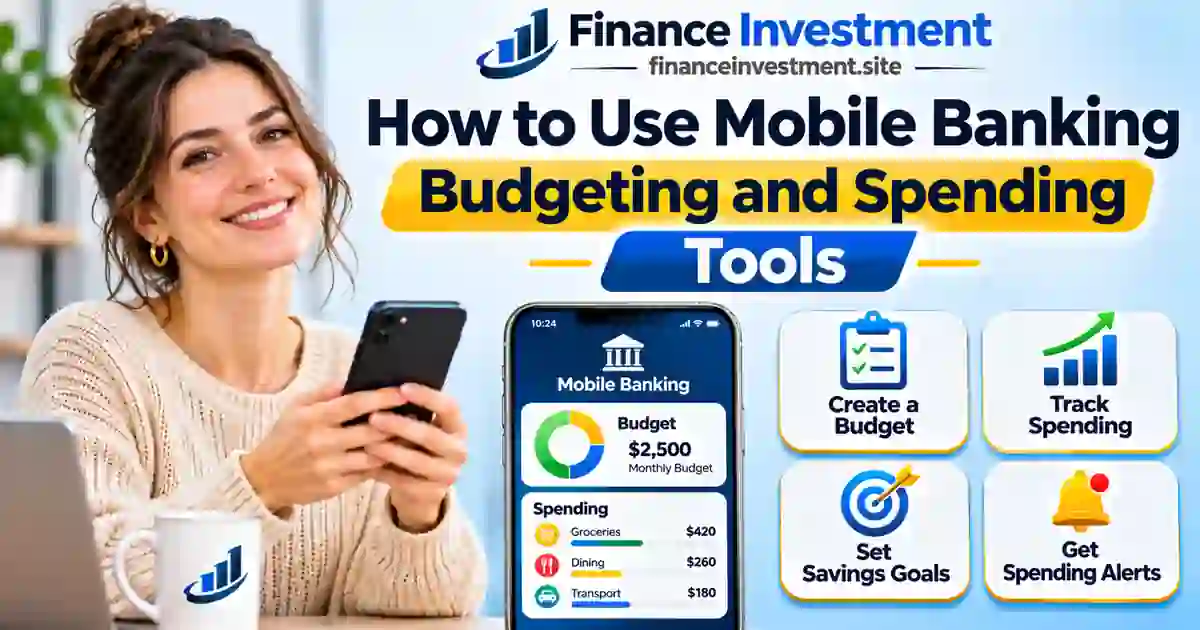
How to Use Mobile Banking Budgeting and Spending Tools: 7 Easy Steps
 Turn Your Banking App Into an Everyday Budget Planner
Ever checked your bank balance and wondered where your paycheck went? Between groceries, subscriptions and weekend takeout, everyday expenses can add up quickly. Mobile banking budgeting and spending tools can help you understand where your money goes.
Your bank or credit union may already offer expense tracking, spending categories and savings goals. The trick is turning those numbers into a realistic spending plan rather than simply reviewing past purchases.
This guide shows you how to get started. New to banking apps? Explore our complete digital and online banking guide for the basics.
What You’ll Learn
- How to build a realistic monthly budget.
- How to track expenses and correct spending categories.
- How to use spending alerts and savings goals.
- When a dedicated budgeting app is worth considering.
- How to avoid budgeting mistakes and protect your financial data.
Quick Answer: How to Budget Using Your Mobile Banking App
Mobile banking budgeting and spending tools help you turn transaction records into a practical spending plan. Review your take-home income, organize expenses, set monthly limits and track savings using the features available in your banking app.
6 Key Takeaways
- Build your budget around monthly take-home income.
- Review and correct inaccurate spending categories.
- Set realistic limits for flexible expenses.
- Plan for recurring bills and irregular expenses.
- Use available spending alerts and savings goals to track progress.
- Remember that budget limits generally do not block transactions automatically.
Bottom Line
Start with your existing banking app. A simple budget you review every week is more useful than an advanced spending tracker you rarely open.
Mobile Banking Budgeting and Spending Tools at a Glance
Your banking app can simplify everyday budgeting without requiring a complicated financial management system.
Quick Facts
Track expenses, organize spending and plan savings using supported banking features.
Best For
Beginners, families and retirees who prefer straightforward everyday money management.
Key Numbers
Suggested budgeting routine:
- 7 steps to get started.
- 1 review each week.
- 1 budget review each month.
| Feature | Main Purpose |
|---|---|
| Spending Tracker | Review everyday expenses. |
| Spending Categories | Understand spending patterns. |
| Budget Limits | Establish monthly spending targets. |
| Recurring Bills | Identify regular payments. |
| Savings Goals | Track progress toward savings targets. |
| Spending Alerts | Receive spending notifications. |
| Cost | Often included with banking services; fees may apply. |
Good to know: Features vary by institution. Budget targets and alerts do not necessarily block purchases, and notifications may be delayed.
7 Easy Steps to Budget Using Mobile Banking
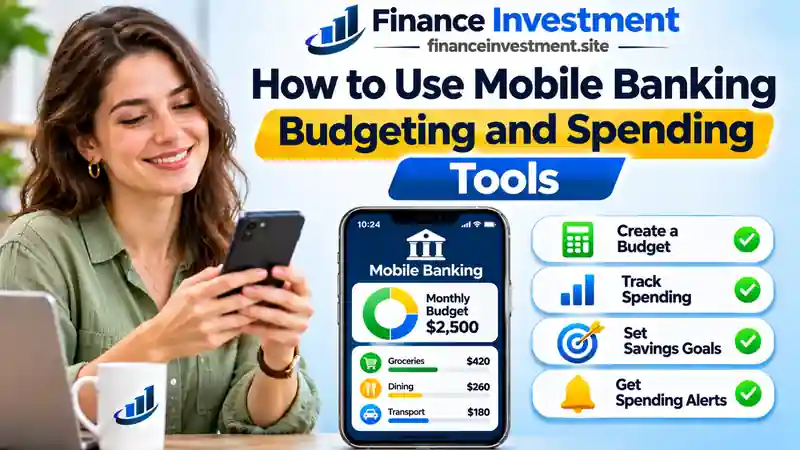
Mobile banking budgeting and spending tools can turn everyday transactions into a useful financial plan. Follow these seven steps to build a budget around your actual income, expenses and savings priorities.
Step 1: Find Budgeting and Spending Tools in Your Banking App
Open your official bank or credit union app. Look for sections labeled Spending, Insights, Budget, Money Management or Financial Tools. Available features and menu names vary by institution.
If your app lacks budgeting features, use its transaction history alongside a simple spreadsheet.
Step 2: Calculate Your Monthly Take-Home Income
Add your take-home pay, pension payments and other reliable income after applicable taxes and deductions. Exclude borrowed money and transfers between your own accounts.
For example, if your monthly take-home income is $4,200, build your budget around that amount. Use a conservative estimate if your earnings fluctuate.
Step 3: Review and Correct Spending Categories
Review two or three months of transactions and organize expenses into meaningful categories:
- Housing and utilities
- Groceries and transportation
- Healthcare and insurance
- Dining and entertainment
- Debt obligations
Correct inaccurate labels, account for refunds and include cash purchases. Avoid counting credit card payments twice when the original purchases are already recorded. Track interest, fees and repayment of existing debt separately.
Step 4: Create Realistic Monthly Spending Limits
Allocate money for essential expenses, required debt payments and savings before setting discretionary spending targets. Keep total planned allocations within your expected income.
Example: Reducing monthly dining expenses from $350 to $250 could free up $100 for savings or other priorities if you stay within the new target.
Step 5: Track Recurring Bills and Subscriptions
Check automatic payments, subscriptions, insurance premiums and bill due dates. Cancel unwanted subscriptions directly with the provider. Set aside money for irregular expenses such as annual renewals and vehicle maintenance.
Step 6: Set Spending Alerts and Savings Goals
Enable available spending alerts and create savings goals for emergencies or planned purchases. Setting aside $150 monthly adds up to $1,800 over 12 months, excluding interest.
Schedule automatic transfers only when sufficient funds are available for upcoming bills. Treat savings transfers as budget allocations, not spending. Remember that alerts may be delayed and generally do not block purchases.
Step 7: Review Your Budget Weekly and Adjust It Monthly
Compare actual spending with planned limits each week. Check your available balance, pending transactions and upcoming bills before making additional purchases.
At month-end, review overspending, update unrealistic targets and adjust your plan whenever income or household expenses change.
Practical Tip: Start with a few meaningful spending categories instead of tracking every purchase separately. A manageable budget is easier to maintain throughout the year.
How Mobile Banking Budgeting and Spending Tools Work
Mobile banking budgeting and spending tools turn available transaction records into spending summaries, category breakdowns and budget progress reports. The exact process depends on your financial institution and its supported features.
The Four Stages of Mobile Banking Budgeting
- Transaction Collection: The app retrieves available transaction records from eligible bank accounts and supported external accounts you choose to connect.
- Automatic Categorization: Supported tools use merchant information and transaction details to classify expenses. Incorrect categories may require manual correction.
- Budget Analysis: Budgeting features compare recorded expenses with your selected spending targets and calculate remaining category amounts.
- Progress Updates: Spending dashboards, charts and available notifications help you monitor expenses and savings progress.
A Simple Spending Tracker Example
If your monthly grocery budget is $500 and recorded grocery expenses total $380, your tracker may show $120 remaining, provided all relevant transactions are included and correctly categorized.
Keep in mind: Pending transactions, cash purchases and unlinked accounts may make reports incomplete. A remaining category budget does not represent your available bank balance or guarantee that you can afford another purchase.
Benefits and Drawbacks of Mobile Banking Budgeting Tools
Mobile banking budgeting and spending tools offer a convenient way to manage everyday expenses. However, their effectiveness depends on supported features, transaction accuracy and consistent use.
Benefits (Pros)
- Convenience: Review supported accounts and spending within your banking app.
- Better spending awareness: Identify costly habits and recurring expenses.
- Less manual work: Automatic categorization can simplify expense tracking.
- Goal tracking: Monitor savings progress and spending targets.
- Potential cost savings: Built-in tools may not require a separate subscription.
Drawbacks (Cons)
- Incomplete records: Cash purchases and unlinked accounts may be missing.
- Category errors: Automatically assigned expense labels may require correction.
- Limited customization: Some apps lack advanced budgeting features.
- Privacy risks: Linking external accounts may involve additional financial data sharing.
- Delayed updates: Spending reports and alerts may not reflect recent purchases immediately.
Built-in banking tools are worth trying before paying for a separate budgeting app. If they cannot capture your full financial picture, consider a dedicated app or spreadsheet.
Bank Budgeting Tools vs. Dedicated Budget Apps vs. Spreadsheets
Mobile banking budgeting and spending tools are a convenient starting point. Dedicated apps may offer more advanced features, while spreadsheets let you build a budget around your own financial priorities.
On smaller screens, scroll horizontally to view the complete comparison.
| Feature | Bank Budgeting Tools | Dedicated Budget Apps | Spreadsheets |
|---|---|---|---|
| Cost | Often included with banking services | Free or paid plans | Free or paid software |
| Transaction Tracking | Automatic for supported accounts | Manual or automatic syncing | Manual, imported or automated |
| Account Coverage | Bank accounts and supported external accounts | Depends on account compatibility | Any accounts you record |
| Customization | Varies by institution | Varies by app and plan | Highly flexible |
| Ease of Use | Often familiar to existing customers | Varies by interface | May require additional setup |
| Privacy | Depends on bank and service providers | May require additional data sharing | Depends on storage, integrations and access settings |
| Best For | Everyday expense tracking | More detailed budgeting | Customized financial tracking |
Features, fees and account compatibility vary by provider. This table compares general budgeting methods, not individual products.
Which Budgeting Method Should You Choose?
Try your existing banking tools first. Consider a dedicated app if you need additional features, or a spreadsheet if you prefer greater control over your budget structure.
Mobile Banking Budgeting Tools: Costs, Risks, Privacy and Expert Tips
Mobile banking budgeting and spending tools can simplify money management, but understanding their costs and limitations helps you make better financial decisions.
Costs and Risks to Watch
- Subscription fees: Advanced budgeting services may require paid plans.
- Bank account fees: Included budgeting tools do not eliminate applicable account fees.
- Inaccurate reports: Missing transactions and incorrect categories can distort spending totals.
- Overdraft risk: Automatic savings transfers may leave insufficient funds for scheduled payments.
Protect Your Financial Data
Review privacy policies, data-sharing practices and account-linking permissions. Grant only necessary access and revoke permissions for services you no longer use.
Keep your banking app updated, use a strong, unique password and enable two-factor authentication, as recommended by the FTC, when available.
Expert Tip: Build a Budget With Breathing Room
Try your bank’s included budgeting features before paying for another app. Maintain a small monthly cash buffer for everyday spending fluctuations.
For larger unexpected expenses or income disruptions, build a separate cash reserve using our complete emergency fund guide.
Common Budgeting Mistakes and a Practical Household Example
Mobile banking budgeting and spending tools are most useful when your financial records are accurate and your spending targets reflect real household expenses.
6 Common Mistakes to Avoid
- Budgeting with gross income instead of take-home pay.
- Overlooking cash purchases and irregular expenses.
- Counting credit card payments as new expenses when the purchases are already recorded.
- Setting unrealistic spending targets without a cash buffer.
- Assuming spending alerts automatically prevent purchases.
- Failing to adjust the budget when financial circumstances change.
Practical Example: A $4,800 Monthly Household Budget
Consider a household earning $4,800 in monthly take-home income. The family creates the following budget and monitors its progress through its banking app.
| Budget Category | Monthly Amount |
|---|---|
| Fixed Essential Expenses | $2,700 |
| Flexible Essential Expenses | $600 |
| Discretionary Spending | $700 |
| Savings Contributions | $350 |
| Additional Debt Repayment | $250 |
| Monthly Cash Buffer | $200 |
| Total Planned Allocation | $4,800 |
The Result: The household plans $350 in savings and $250 toward additional debt repayment while retaining a $200 cash buffer. Required debt payments are already included in fixed expenses.
This hypothetical example shows planned allocations, not actual spending or universal budget recommendations.
Who Should Use Mobile Banking Budgeting Tools?
Mobile banking budgeting and spending tools can support different financial priorities, whether you’re managing your first paycheck or living on retirement income.
Beginners
Start with basic spending categories, realistic monthly limits and a manageable savings goal to develop consistent budgeting habits.
Families
Coordinate household bills, groceries, childcare expenses and shared savings goals using accounts each person is authorized to access.
Investors
Monitor cash flow and plan affordable investment contributions after accounting for essential expenses, debt obligations and emergency savings needs.
Retirees
Track Social Security benefits, pension income, healthcare costs and recurring bills to manage retirement spending within available resources.
Choose budgeting features that match your financial needs, comfort with technology and preferred level of detail.
Frequently Asked Questions About Mobile Banking Budgeting Tools
What are mobile banking budgeting and spending tools?
They are banking app features that help you track expenses, categorize transactions, establish spending targets and monitor savings goals. Available features vary by financial institution.
Can I create a monthly budget using my banking app?
Yes, if your app supports budgeting features. Start with take-home income, account for essential expenses and savings, and establish realistic spending targets.
Are mobile banking budgeting tools free?
Many financial institutions include basic budgeting features without a separate subscription. However, applicable bank account fees and premium service charges may still apply.
How accurate are mobile banking spending trackers?
Accuracy depends on account coverage, transaction updates and correct categorization. Cash purchases, unlinked accounts, pending transactions and duplicate records can distort spending totals.
Can banking app spending limits prevent overspending?
Budget limits help monitor spending but generally do not block transactions. Separate card controls may restrict certain purchases, depending on the available features.
Is it safe to use budgeting tools in mobile banking?
Use official banking apps, enable available multifactor authentication and review data-sharing permissions before connecting external accounts. No digital financial service is completely risk-free.
Do credit union apps offer budgeting and spending tools?
Some credit unions provide spending summaries, expense categorization, savings goals and budgeting features. Check your credit union’s mobile banking platform for supported tools.
How often should I review my mobile banking budget?
Review actual spending weekly and reassess your budget monthly. Adjust spending targets when income, essential expenses or financial priorities change.
Final Verdict: Are Mobile Banking Budgeting Tools Worth Using?
Mobile banking budgeting and spending tools offer a convenient way to understand your expenses, plan monthly spending and work toward meaningful savings goals.
Our Recommendation
Start with the budgeting features your bank already provides. Set realistic spending targets and review your progress regularly. Consider a dedicated app if its additional features justify the cost and data-sharing requirements.
A better budget begins with everyday decisions. Explore our complete guide to digital and online banking to get more value from your banking experience.
Have a Money Question? Keep Exploring.
Turn everyday spending insights into better financial habits. FinanceInvestment helps you understand your banking options and make informed money decisions.
Continue exploring our digital and online banking guide or discover how credit union mobile banking works.
📩 Get in Touch With FinanceInvestment
For your security, never email passwords, account numbers, PINs or verification codes.
Financial Disclaimer: This article is for general educational purposes and does not constitute personalized financial advice. Banking features, fees and terms vary by financial institution.