How to Set Up Paperless Bank Statements: 7 Easy Steps for 2026
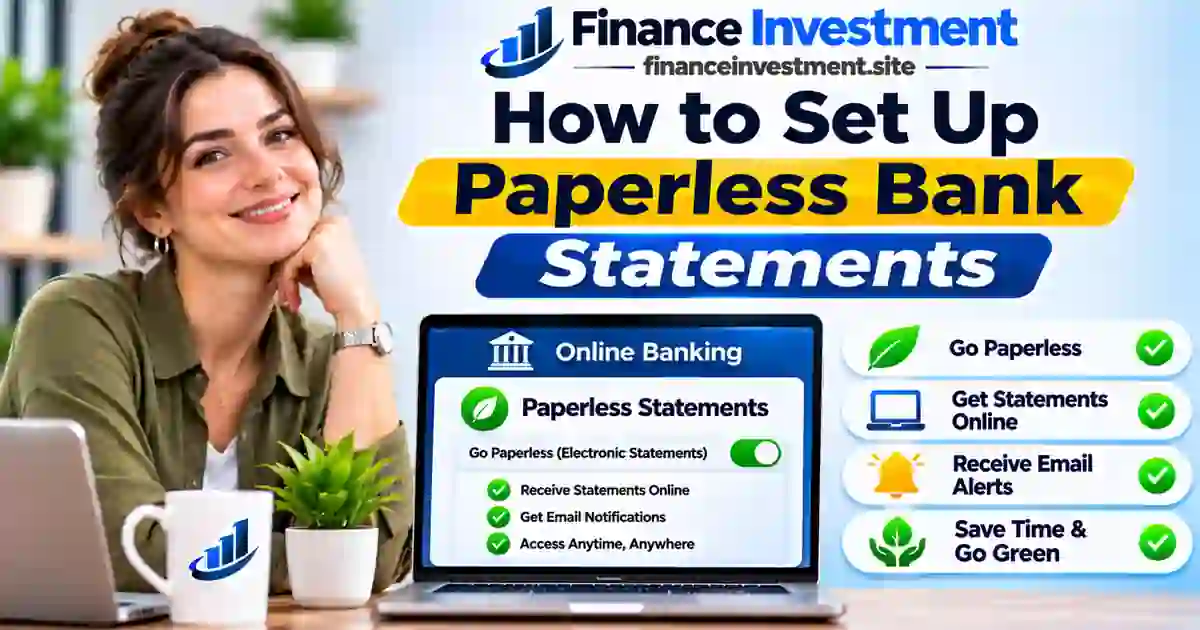 Monthly bank statements can quickly turn into a pile of paperwork. Switching to electronic delivery gives you a simpler way to review transactions, track expenses and organize important financial records.
Learning how to set up paperless bank statements is straightforward. Most U.S. banks and credit unions allow eligible customers to enroll through online banking or their mobile apps without visiting a branch.
However, going paperless involves more than changing a delivery setting. You also need to understand electronic consent, statement availability and safe document storage.
Whether you’re managing your first checking account or organizing household finances, this guide will help you make the switch confidently.
What You’ll Learn
- What paperless bank statements are and how they work.
- Seven easy steps to activate electronic delivery.
- How to download, organize and protect your statements.
- Potential fee savings and security risks.
- How to avoid missing important banking notices.
- When traditional paper statements may be a better choice.
Quick Answer: How Do You Set Up Paperless Bank Statements?
The Bottom Line: Sign in to your bank’s official website or mobile app, locate statement delivery preferences, select eligible accounts, choose electronic delivery, confirm your contact information and accept the required electronic disclosures. Save your settings and verify enrollment.
Key Takeaways
- Electronic statements provide an official record of account activity.
- Enrollment is typically free and takes a few minutes.
- Some banks waive paper statement fees after enrollment.
- Statement availability and delivery preferences vary by institution.
- Download important records before online access expires.
- Review statements regularly and report suspicious transactions promptly.
Paperless Bank Statements at a Glance
Official account statements delivered electronically through your bank’s digital platform.
Customers seeking convenient access, less paperwork and easier recordkeeping.
7 setup steps. Typically $0 enrollment fee. Review every statement cycle.
| Feature | Details |
|---|---|
| Enrollment method | Online banking or supported mobile app |
| Typical enrollment cost | Free |
| Document format | Usually downloadable PDF |
| Notifications | Email or app alerts, where supported |
| Eligible accounts | Checking, savings and other supported accounts |
| Online retention | Varies by bank and account type |
| Return to paper delivery | Subject to account terms and applicable fees |
Note: Enrollment requirements, fees and statement availability differ between financial institutions.
What Are Paperless Bank Statements?
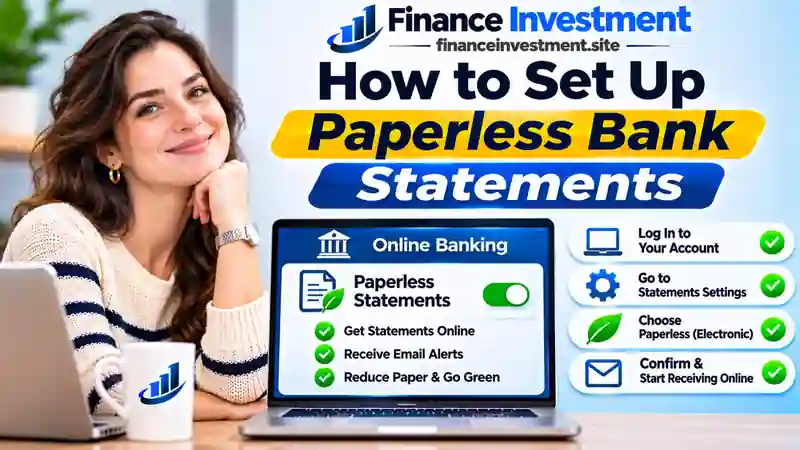
Paperless bank statements, commonly called electronic statements or eStatements, are digital records of your account activity during a defined statement period. Instead of receiving printed documents by mail, you access them electronically.
Most banks notify enrolled customers when a new statement becomes available in their secure online banking portal.
What Information Does an Electronic Statement Include?
- Beginning and ending account balances.
- Deposits, withdrawals and electronic transfers.
- Debit card purchases and ATM transactions.
- Applicable account fees and interest earned.
- Statement dates and account identification details.
- Important notices or error-reporting instructions, where applicable.
Bank Statements vs. Online Transaction History
Online transaction history displays account activity as transactions are processed. A bank statement summarizes activity for a specific period and provides a more formal record for budgeting, bookkeeping or financial verification.
For example, a lender may request complete monthly statements rather than screenshots of individual transactions.
What Do You Need Before Enrolling?
- An eligible bank or credit union account.
- Active online banking credentials.
- A current email address and supported device.
- The ability to open and save electronic documents.
New digital banking users can start with our guide on how to set up mobile banking for the first time.
How to Set Up Paperless Bank Statements in 7 Easy Steps
Ready to stop receiving printed statements? Follow these seven steps. Menu names and verification requirements may differ depending on your bank.
Step 1: Sign In to Your Bank Account
Open your bank’s official website or mobile app and sign in using your existing credentials. Complete any required identity verification.
If you have not registered for online banking, activate digital access first. Avoid signing in through unexpected email or text message links.
Step 2: Locate Statement Delivery Preferences
Navigate to your profile, account settings or document center. Look for options such as:
- Statements and Documents
- Paperless Settings
- Delivery Preferences
- Electronic Communications
If the option is unavailable in your mobile app, try the bank’s website.
Step 3: Select Eligible Bank Accounts
Choose the checking, savings, money market or other supported accounts you want to enroll. Review joint accounts separately because delivery preferences may affect other account holders.
Step 4: Choose Paperless Statement Delivery
Select electronic delivery instead of postal mail. Check whether your selection covers periodic statements only or includes additional account notices and documents.
Step 5: Confirm Your Contact Information
Verify your registered email address and update outdated contact details. Complete any verification process required by your bank.
Enable statement notifications if available, but never rely exclusively on email reminders to review your accounts.
Step 6: Review and Accept Electronic Consent
Read the electronic delivery agreement before accepting it. Check which documents are covered, device requirements, how to withdraw consent and whether requesting paper copies involves fees.
Your bank may require you to demonstrate that you can access electronic documents, such as opening a sample PDF.
Step 7: Save Your Settings and Confirm Enrollment
Submit your preferences and check for confirmation. Verify that each selected account shows electronic delivery as active.
Depending on your bank’s processing schedule, you may receive another paper statement before the change takes effect.
Paperless Enrollment Roadmap
How Electronic Statement Delivery Works After Enrollment
At the end of your statement cycle, the bank prepares your account statement and makes it available electronically. Depending on your preferences, you may receive an email or app notification.
How to Download Your Bank Statement
Open Statements or Documents, select your account and statement period, then download the available PDF. Save it securely using a recognizable filename, such as Checking-2026-11.pdf.
Explore other useful digital tools in our guide to essential mobile banking app features.
Benefits and Drawbacks of Paperless Bank Statements
Electronic delivery can simplify everyday banking, but it also introduces new responsibilities for document security and recordkeeping.
Benefits (Pros)
- Convenient access: Retrieve available statements without waiting for postal delivery.
- Less paperwork: Reduce physical clutter and filing requirements.
- Potential savings: Avoid paper statement fees where applicable.
- Easier organization: Sort downloaded documents by account and year.
- Reduced mail exposure: Fewer sensitive financial documents arrive by post.
- Lower paper consumption: Reduce the need for printed statements.
Drawbacks (Cons)
- Internet dependence: Retrieving new statements requires digital access.
- Missed notifications: Important notices may go unnoticed.
- Cybersecurity risks: Phishing and account compromise remain possible.
- Limited online retention: Historical statements may become unavailable.
- Accessibility concerns: Digital documents may not suit every customer.
- Account closure: Online access may end after closing an account.
Paperless statements work best when you combine convenient digital access with regular account reviews and secure document backups.
Paperless vs. Paper Bank Statements: What’s the Difference?
Both formats provide a record of banking activity. The main differences involve delivery, accessibility, costs and how you protect your financial information.
| Feature | Paperless Statements | Paper Statements |
|---|---|---|
| Delivery | Electronic banking platform | Postal mail |
| Cost | Typically free | May involve fees |
| Access | Online or downloaded PDF | Physical document |
| Storage | Secure digital folders | Physical filing system |
| Security risks | Phishing and unauthorized digital access | Mail theft and physical loss |
| Historical access | Subject to bank retention policies | As long as copies are retained |
| Internet requirement | Required to retrieve new online statements | Not required |
| Best for | Regular digital banking users | Customers preferring printed records |
Paperless Bank Statement Costs, Security Risks and Expert Tips
Does Going Paperless Cost Money?
Electronic statement enrollment is generally free. However, some financial institutions charge for mailed statements, duplicate historical copies or special document requests.
Check your account’s fee schedule before enrolling. Switching to electronic delivery does not automatically eliminate monthly maintenance fees or other banking charges.
How to Keep Electronic Statements Secure
- Use unique passwords for your banking and email accounts.
- Enable multifactor authentication wherever supported.
- Access statements directly through official banking platforms.
- Avoid saving financial documents on shared computers.
- Store downloaded statements in encrypted or access-controlled folders.
- Keep your banking app and device software updated.
- Never share login verification codes with callers or message senders.
Learn how criminals can target verification codes in our guide to SIM swap scams and bank account security.
Understand the 60-Day Error Reporting Rule
Under Regulation E, consumers generally need to notify their financial institution of a covered electronic fund transfer error within 60 days after the bank sends the first periodic statement showing the problem.
Report suspicious activity immediately rather than waiting for this deadline. Shorter reporting periods can affect liability when an access device, such as a debit card, is lost or stolen.
Read the official CFPB Regulation E error-resolution requirements for additional information.
How Long Should You Keep Bank Statements?
There is no single retention period suitable for every financial record. Keep documents needed for tax reporting, major purchases, loan applications and unresolved disputes for the relevant period.
Download important statements before closing an account or reaching your bank’s online retention limit.
Expert Tip: Create a Monthly Statement Routine
Set aside a few minutes each month to review transactions, download statements you need and maintain a secure backup. Protect both your bank account and the email account used for banking notifications.
Common Mistakes to Avoid When Going Paperless
6 Mistakes That Can Create Banking Problems
- Using outdated contact information: An inactive email address can cause you to miss important notifications.
- Ignoring statement reviews: Unrecognized transactions and unexpected fees may go unnoticed.
- Assuming every account is enrolled: Confirm delivery preferences for each eligible account.
- Failing to download important documents: Online statement archives are not permanent storage.
- Trusting unexpected statement emails: Fraudulent messages may contain malicious links or attachments.
- Closing accounts without saving records: Access to historical statements may become restricted.
Practical Example: Reducing Household Banking Costs
Suppose Emily has a checking account and a savings account. Her bank charges a hypothetical $3 monthly paper statement fee on each account.
She enrolls both accounts in electronic delivery and confirms that her bank waives the statement fees.
Emily also creates separate digital folders for both accounts and reviews new statements each month.
Illustrative example only. Actual savings depend on your financial institution’s fee structure and account terms.
For additional security guidance, explore our complete bank security and fraud prevention guide.
Who Should Choose Paperless Bank Statements?
The right statement delivery method depends on how you manage your finances, access technology and maintain important documents.
Paperless Statements May Be Ideal For
- Students: Access financial records while moving between residences.
- Working professionals: Review statements without waiting for postal delivery.
- Families: Organize household banking records in secure digital folders.
- Frequent travelers: Retrieve documents while away from home.
- Retirees: Conveniently monitor retirement income and recurring expenses when comfortable with digital banking.
- Small business owners: Maintain electronic records for bookkeeping and financial reporting.
When Paper Statements May Be a Better Choice
Traditional statements may suit customers with unreliable internet access, limited digital banking experience or accessibility requirements that make electronic documents difficult to use.
Frequently Asked Questions About Paperless Bank Statements
1. How do I set up paperless bank statements?
Sign in to your bank’s website or mobile app, open statement delivery preferences, select eligible accounts, choose electronic delivery, confirm your contact information, accept the required disclosures and save your settings.
2. Are paperless bank statements free?
Most banks offer electronic statements without a separate enrollment fee. Charges may apply to mailed statements, historical copies or special document requests, depending on your account terms.
3. Are electronic bank statements safe?
Electronic statements can be accessed securely through official banking platforms. Strong passwords, multifactor authentication, trusted devices and secure document storage help reduce unauthorized access risks.
4. Can I print a paperless bank statement?
Yes. Most financial institutions provide downloadable PDF statements that customers can print whenever physical copies are needed.
5. Can I switch back to paper bank statements?
You can generally withdraw electronic delivery consent through your bank’s settings or customer service. Paper delivery availability, applicable fees and other consequences depend on your account agreement.
6. How long are electronic bank statements available online?
Online statement retention periods vary by financial institution and account type. Check your bank’s policy and download important records before they become unavailable.
7. What if I stop receiving paperless statement notifications?
Sign in directly to your bank’s official platform, check your statement archive and verify your registered email address and notification preferences. Contact customer support if statements are missing.
8. Are paperless bank statements accepted for loan applications?
Many lenders accept official electronic bank statements. However, lenders may require complete PDF statements, specific date ranges or additional account verification.
Final Verdict: Is Going Paperless Worth It?
Switching to electronic statements can make everyday banking more convenient, reduce paperwork and potentially lower account-related expenses.
Once you understand how to set up paperless bank statements, the most important step is developing a reliable routine for reviewing transactions and preserving financial records.
The best banking routine is one that helps you stay organized, informed and in control of your money.
Related Resources: Build Your Digital Banking Knowledge
Continue Learning With FinanceInvestment
- Digital and Online Banking: Complete Beginner’s Guide
- How to Set Up Mobile Banking for the First Time
- 12 Essential Mobile Banking App Features
- Digital Banking vs. Electronic Banking
- Bank Security and Fraud Prevention Guide
- How to Protect Your Bank Verification Codes From SIM Swap Scams