Tag: Credit Union Mobile Banking

  • 12 Essential Mobile Banking App Features for Smarter Banking

    12 Essential Mobile Banking App Features for Smarter Banking

    12 Essential Mobile Banking App Features You Should Look For

    Written by
    Subhash Rukade
    Founder, FinanceInvestment
    Published
    Last Updated
    Reading Time
    Approx. 11 min


    Essential mobile banking app features for secure and convenient money managementWhat Makes a Mobile Banking App Worth Using?

    Suppose an unfamiliar debit card purchase appears while you’re shopping for groceries. Can you temporarily lock your card and quickly contact your bank? Useful mobile banking app features can make situations like this easier to handle.

    An attractive interface isn’t enough. A good banking app should help you monitor spending, manage payments and access support without unnecessary complications.

    This guide explores the features worth prioritizing before choosing a bank or credit union. New to digital banking? Start with our complete digital and online banking guide.

    What You’ll Learn

    • 12 essential mobile banking app features.
    • Security controls and their limitations.
    • Differences between basic and advanced features.
    • Banking tools for families, investors and retirees.
    • What to check before choosing a banking app.

    Quick Answer: Which Mobile Banking App Features Matter Most?

    Essential mobile banking app features include secure authentication, balance monitoring, mobile check deposits, money transfers, bill payments, transaction alerts and card controls. Accessible navigation, savings tools and responsive customer support can further improve your banking experience.

    6 Key Takeaways

    • Security: Prioritize multifactor authentication when available.
    • Convenience: Review deposit limits and payment options.
    • Control: Check what card locks and customizable alerts can actually do.
    • Money management: Look for useful spending insights and savings goals.
    • Accessibility: Consider text readability and ease of navigation.
    • Support: Check customer service hours and fraud reporting options.

    Bottom Line: The best app for you balances security, convenience and everyday needs. Compare feature availability, fees and restrictions before choosing a financial institution.

    Mobile Banking App Features at a Glance

    Comparing banking apps? Use this checklist to identify the features that matter for your everyday financial needs.

    Quick Facts

    Manage accounts, make supported payments and monitor financial activity from your phone.

    Best For

    Beginners, families, investors, travelers and retirees who value convenient account access.

    Key Numbers

    12 features to evaluate, $0 typical app download cost and 24/7 intended account access, subject to availability.

    Mobile Banking App Feature Checklist
    Feature CategoryWhat to Look For
    SecurityMultifactor authentication and card controls
    Everyday BankingCheck deposits, transfers and bill payments
    Money ManagementSpending insights and savings goals
    Account MonitoringBalances, alerts and digital statements
    Accessibility & SupportEasy navigation and reliable support options

    Free app downloads do not mean fee-free banking. Features, transaction limits and processing times vary by institution. Scroll the table horizontally if needed.

    12 Mobile Banking App Features Worth PrioritizingMobile banking app features including account alerts, money transfers and spending insights

    Not every banking app offers the same capabilities. Use these twelve features to evaluate how well an app supports your financial routine.

    1. Secure Login and Multifactor Authentication

    Fingerprint and facial recognition can simplify sign-in. Look for multifactor authentication (MFA), which requires different types of verification. Biometric login alone does not necessarily provide MFA.

    2. Balance and Transaction Monitoring

    A useful dashboard displays available balances, recent purchases and pending transactions. Remember that outstanding checks and some transactions may not yet appear in your available balance.

    3. Mobile Check Deposit

    Deposit eligible paper checks using your phone’s camera. Review endorsement requirements, deposit limits and hold periods. An accepted deposit does not necessarily mean the funds are immediately available.

    4. Money Transfers and Payment Options

    Compare internal transfers, external bank transfers and supported person-to-person payments. Verify recipient details and review applicable fees, limits and delivery times before sending money.

    5. Bill Payment and Scheduling

    Schedule eligible utility bills, credit card payments and other expenses. Allow sufficient delivery time and maintain enough funds to cover scheduled payments.

    6. Customizable Transaction and Security Alerts

    Enable notifications for large purchases, low balances and suspicious account activity when available. Alerts help identify potential problems, but delivery may be delayed.

    7. Debit Card Locking and Card Controls

    Temporarily lock a misplaced card or adjust supported spending controls. Some recurring or previously authorized payments may continue. Report suspected fraud directly to your financial institution.

    8. Budgeting and Spending Insights

    Monthly spending summaries can reveal overlooked expenses. Review transaction categories for accuracy, especially when purchases are automatically classified.

    9. Savings Goals and Automatic Savings

    Set savings targets for emergencies, vacations or upcoming expenses. Scheduled transfers can encourage consistent saving, provided enough money remains available for essential bills.

    10. Digital Statements and Account Documents

    Access available statements and tax documents without waiting for paper copies. Our mobile banking vs. online banking guide explains when browser access may be more convenient.

    11. Accessible Design and Easy Navigation

    Check text readability, screen reader compatibility, adjustable text sizes and clearly labeled controls. These features make everyday banking easier for customers with different accessibility needs.

    12. Customer Support and Fraud Reporting

    Look for secure messaging, official contact information and fraud reporting options. Check when human assistance is available, particularly outside regular business hours.

    Credit Union Members: Feature availability varies among credit unions, too. Explore how credit union mobile banking works before comparing member services with traditional bank apps.

    How Mobile Banking App Features Work Together

    A banking app becomes more useful when its features complement one another. Payday, for example, offers an opportunity to organize upcoming expenses, set aside savings and review your financial activity.

    A Practical Payday Banking Flow

    1. Sign in securely: Open your official banking app using supported authentication methods.
    2. Review your balance: Confirm your paycheck is available and check pending transactions.
    3. Plan bill payments: Review upcoming expenses and schedule payments with sufficient delivery time.
    4. Set aside savings: Transfer an affordable amount after accounting for essential expenses.
    5. Monitor activity: Review transactions, spending summaries and account alerts throughout the month.

    This routine connects everyday banking with longer-term financial goals without requiring constant manual calculations.

    Remember: Scheduled transfers and payments still need regular oversight. Account balances may not reflect every outstanding expense, and processing times vary by financial institution.

    Benefits and Drawbacks of Mobile Banking App Features

    A feature-rich banking app can simplify everyday finances, but additional tools are only valuable when they are reliable, secure and easy to use.

    Benefits (Pros)

    • Convenience: Handle routine banking without visiting a branch.
    • Better visibility: Monitor balances and recent transactions.
    • Security awareness: Receive alerts about supported account activities.
    • Financial organization: Coordinate savings goals and recurring payments.
    • Time savings: Deposit eligible checks and retrieve documents remotely.

    Drawbacks (Cons)

    • Technology dependence: Outages or connectivity problems may interrupt access.
    • Security risks: Phishing and compromised devices remain concerns.
    • Transaction restrictions: Deposit limits, holds and transfer fees may apply.
    • Privacy concerns: Connected financial tools may involve additional data sharing.
    • Usability challenges: Complex interfaces can make navigation difficult.

    Bottom Line: Prioritize dependable features over a lengthy feature list. Maintain alternative account access and know how to contact your financial institution if the app becomes unavailable.

    Basic vs. Advanced Mobile Banking App Features

    Basic banking tools support routine transactions, while advanced features provide additional customization and automation. Neither category automatically guarantees better security or lower costs.

    Basic and Advanced Banking App Features Compared
    CategoryBasic FeaturesAdvanced Features
    SecuritySecure login and MFADevice management and session controls
    Account MonitoringBalances and transaction historyCustomizable transaction alerts
    PaymentsStandard transfers and bill paymentsEligible instant transfers and automated payments
    Check DepositsMobile check captureDeposit tracking and status notifications
    Card ControlsCard locking and unlockingCustom spending and merchant restrictions
    SavingsManual savings transfersSavings goals and automated rules
    BudgetingTransaction summariesCustom budgets and linked-account insights
    Customer SupportContact information and help centerSecure messaging and in-app service requests

    These categories are illustrative, not industry-standard classifications. Features, eligibility, limits and fees vary by institution. Scroll horizontally if needed.

    Which Is Better? Choose an app with dependable security, accessible navigation and essential banking tools. Consider advanced features when they offer meaningful benefits without unnecessary complexity or additional costs.

    Mobile Banking App Costs, Security Risks and Expert Tips

    A banking app should make managing money easier without introducing unnecessary expenses or security concerns. Look beyond its advertised features before opening an account.

    Potential Costs to Watch For

    Although banking apps are generally free to download, accounts and optional services may involve:

    • Monthly account maintenance fees.
    • Wire transfer or expedited payment charges.
    • Applicable overdraft and out-of-network ATM fees.
    • Subscription fees for optional financial tools.

    Security and Privacy Risks

    Phishing, fake banking apps and compromised devices can put your financial information at risk. Follow these precautions:

    • Install official banking apps and keep software updated.
    • Use unique passwords and enable available MFA.
    • Avoid suspicious links and never disclose one-time login codes to callers.
    • Review data-sharing permissions before linking external financial tools.

    Understand Deposit Insurance Protection

    FDIC and NCUA insurance protect eligible deposits at federally insured banks and credit unions, respectively, against institutional failure, subject to applicable limits and rules. Deposit insurance does not cover scam losses, and an app itself does not provide this protection.

    Expert Tip: Put Security Before Convenience

    Review the institution’s fee schedule, privacy policy and fraud reporting procedures. If you discover an unauthorized transaction, contact your financial institution immediately using a verified phone number or official app. Prompt reporting matters because consumer protection rules may have time limits.

    Common Mobile Banking App Mistakes to Avoid

    Choosing the right banking features is only half the job. Knowing their limitations can help you avoid unnecessary expenses and financial surprises.

    5 Mistakes Worth Avoiding

    • Choosing an app solely because of its appearance or positive reviews.
    • Spending deposited money before the funds become available.
    • Relying on alerts instead of reviewing account activity regularly.
    • Scheduling automatic transfers without maintaining sufficient funds.
    • Ignoring account recovery procedures and customer support availability.

    Practical Example: Managing a Family Budget

    Consider a hypothetical family with $5,000 in monthly take-home income and $4,500 in planned expenses. They use bill scheduling, spending summaries and balance alerts to monitor household finances.

    From the remaining $500, they schedule a $200 emergency savings transfer and retain a $300 cash buffer. If expenses rise, they adjust the transfer before it processes.

    The lesson: Use banking tools to support thoughtful financial decisions, not as a substitute for them.

    Best Mobile Banking App Features for Your Financial Needs

    The right combination of banking features depends on your financial priorities, responsibilities and personal preferences.

    For Beginners

    Start with intuitive navigation, secure authentication, balance monitoring and easy-to-understand transfer options.

    For Families

    Prioritize bill scheduling, household savings goals, spending alerts and separate login credentials for joint account holders.

    For Investors

    Consider external account transfers, suitable transfer limits, cash balance monitoring and downloadable financial records.

    For Retirees

    Consider readable text, accessible navigation, customizable security alerts and convenient access to human assistance.

    Smart Choice: Security, accessibility and dependable support matter at every stage of life. Verify feature availability, applicable fees and account eligibility before choosing an app.

    Frequently Asked Questions About Mobile Banking App Features

    What are the most important mobile banking app features?

    Essential features include secure authentication, balance monitoring, mobile check deposits, money transfers, bill payments, transaction alerts, card controls and dependable customer support.

    Which mobile banking app security features should I look for?

    Prioritize multifactor authentication, secure login, customizable security alerts, card controls and fraud reporting options. No individual feature eliminates every security risk.

    Are mobile banking app features free to use?

    Many standard features are available without separate app fees. However, account maintenance, certain transfers and optional financial services may involve charges.

    Are funds from mobile check deposits available immediately?

    Not necessarily. Funds availability depends on deposit policies, processing schedules and applicable holds. Confirm that funds are available before spending them.

    Can locking my debit card stop every transaction?

    No. Some recurring or previously authorized payments may continue. Report suspected unauthorized transactions immediately to your financial institution, even if your card is locked.

    Do credit unions offer the same mobile banking features as banks?

    Many credit unions offer comparable tools, including mobile check deposits, transfers and alerts. Feature availability, eligibility and transaction limits vary by institution.

    What mobile banking features are best for beginners and retirees?

    Intuitive navigation, readable text, secure authentication, balance alerts and accessible customer support are useful starting points for users who value simplicity.

    Can mobile banking apps help me save money?

    Spending insights, savings goals and scheduled transfers can support consistent saving habits. Actual savings depend on your income, expenses and financial decisions.


    Final Verdict: Choose Banking Features That Work for You

    The best mobile banking app features help you manage everyday finances while supporting security, accessibility and convenience. Dependable performance matters more than having dozens of tools you rarely use.

    Our Recommendation: Prioritize essential features, verify deposit protection and compare account fees, transaction limits and customer support. Consider advanced tools when they genuinely improve your financial routine.

    Ready to compare your banking options? Explore our complete digital and online banking guide to make a more informed decision.

    Have a Money Question? Keep Exploring.

    Choose mobile banking tools that simplify your financial routine while supporting security and accessibility.

    Explore our guides on mobile banking vs. online banking and how credit union mobile banking works to make more informed banking decisions.

    Never share passwords, account numbers or verification codes by email.

    Financial Disclaimer: This article is for educational purposes only and does not constitute personalized financial advice. Banking features, fees, eligibility and policies vary by institution.


  • How to Set Up Mobile Banking for the First Time: 7 Easy Steps

    How to Set Up Mobile Banking for the First Time: 7 Easy Steps

    How to Set Up Mobile Banking for the First Time: 7 Easy Steps

    Subhash Rukade
    Founder, FinanceInvestment
    Published
    Last Updated
    Reading Time
    Approx. 11 min


    How to set up mobile banking for the first time in 7 easy stepsGetting Started With Mobile Banking

    Wondering how to set up mobile banking for the first time? You might be unsure which app to download, what information you’ll need or how to keep your account secure. These are common concerns when moving from branch banking to banking on your phone.

    If you already have a bank account, you can usually activate mobile access without opening another account. Existing online banking customers may even be able to use their current login credentials.

    Whether you use a bank or credit union, this guide explains seven steps to get started safely. If you’re unfamiliar with digital banking, begin with our complete digital and online banking guide.

    What You’ll Learn

    • What information you need before enrolling.
    • How to identify and activate your official banking app.
    • How to protect your login and enable account alerts.
    • How to complete your first mobile banking transaction.

    Quick Answer: How Do You Set Up Mobile Banking?

    THE SHORT ANSWER

    To set up mobile banking, download your bank or credit union’s official app, sign in or enroll, complete any required identity verification and configure your security settings. Confirm that your accounts appear correctly before making your first transaction.

    6 Key Takeaways

    • Find the official app through your financial institution’s website.
    • Have your account details and registered phone available.
    • Use your existing online banking login if supported.
    • Enable multifactor authentication and use a strong, unique password.
    • Activate available transaction and security alerts.
    • Never disclose passwords or login verification codes to callers or message senders.

    Bottom Line: Secure your mobile banking access first. Then explore payments, transfers and other features at your own pace.

    Mobile Banking Setup at a Glance

    Quick Facts

    Requirements: Eligible account and compatible mobile device.

    Enrollment: Existing login or new registration.

    Setup time: Varies by institution and verification requirements.

    Best For

    Beginners: Checking balances and recent activity.

    Families: Managing everyday payments.

    Retirees: Monitoring income deposits from home.

    Key Numbers

    $0: Typical official app download cost.

    24/7: Typical account access, subject to service availability.

    2FA: Two-factor authentication for added login protection.

    What You Need Before Setting Up Mobile Banking

    First-time mobile banking setup checklist
    RequirementWhat to Prepare
    Account detailsAccount or credit union member number, if required
    Identity informationPersonal details required for secure verification
    Contact informationAccess to your registered phone or email
    Device and connectionSupported operating system and trusted internet connection

    App downloads are generally free, but account fees, transaction charges and mobile data costs may still apply.

    Quick Take: Confirm that your bank or credit union has your current contact information before enrolling.

    How to Set Up Mobile Banking for the First Time: 7 Easy StepsMobile banking setup for beginners using a secure banking app in the USA

    Ready to manage your money from your phone? Keep your account details nearby, connect to a trusted network and follow these seven steps.

    Step 1: Download Your Bank’s Official Mobile App

    Visit your bank or credit union’s official website and follow its app download link to the Apple App Store or Google Play. Verify the publisher before installing. Avoid links from unexpected messages.

    Step 2: Sign In or Enroll in Mobile Banking

    Open the app and locate the sign-in or enrollment option. Existing online banking customers may use their current credentials. New users should follow the registration instructions, which may require visiting the bank’s website first.

    Step 3: Complete Identity Verification

    Your institution may request account details, personal information or a one-time verification code. Enter the code only in the official verification process you initiated. Never disclose it to callers or message senders.

    Step 4: Create a Strong, Unique Password

    If enrollment requires a new password, choose a long, unique one that meets your institution’s requirements. Avoid reusing passwords from other accounts. A reputable password manager can help.

    Step 5: Activate Available Security Features

    Enable multifactor authentication when available. Fingerprint or facial recognition can simplify sign-in but does not necessarily replace multifactor authentication. Use a secure screen lock and keep your device updated.

    Step 6: Customize Your Banking Alerts

    Activate available alerts for purchases, withdrawals, low balances and unfamiliar logins. Allow app notifications if required. These updates can help you spot unexpected activity earlier.

    Step 7: Review Your Account and Try a Transaction

    Check your balances and recent activity. If comfortable, try a small transfer between your own eligible accounts. Review the destination, amount and applicable fees before confirming. A transaction is not required to activate mobile banking.

    Explore our mobile banking vs. online banking guide to understand how app-based and browser-based access complement each other.

    Remember: If registration fails, contact your institution using the support number listed on its official website or your bank card.

    How Mobile Banking Activation Works

    Mobile banking activation enables digital access to eligible financial accounts. Your bank’s official app exchanges information with its banking systems through encrypted connections.

    Authentication and Device Verification

    Enrollment establishes your digital banking profile, while authentication verifies your identity when accessing it. Your institution may require additional security checks when you sign in from an unfamiliar device.

    Accessing Your Existing Bank Accounts

    Once authenticated, you can view eligible accounts associated with your banking profile, including available balances and transaction history. Certain accounts or services may require separate enrollment.

    Processing Mobile Banking Transactions

    When you request a transfer or payment, your institution applies relevant security checks, account restrictions and transaction limits. Some transactions may remain pending until processing is complete.

    Mobile Banking Activation Flow

    1. 1. Enroll or Sign In
    2. 2. Verify Access
    3. 3. View Accounts
    4. 4. Use Banking Services

    The exact activation sequence, verification requirements and available features vary by financial institution.

    Benefits and Drawbacks of Setting Up Mobile Banking

    Mobile banking can simplify everyday money management, especially when visiting a branch is inconvenient. However, its usefulness depends on your device, available banking features and security habits.

    Benefits of Mobile Banking

    • Convenient access: Check balances and recent transactions from almost anywhere with a secure connection.
    • Fewer branch visits: Deposit eligible checks remotely when supported.
    • Easier payments: Pay bills and transfer money using available services.
    • Greater account awareness: Receive alerts that may help identify suspicious activity.
    • Better organization: Review digital statements and transaction records.

    Drawbacks of Mobile Banking

    • Technology dependence: Outages or connectivity problems can interrupt access.
    • Security threats: Scams and stolen credentials can compromise accounts.
    • Learning curve: Beginners may need help completing enrollment.
    • Transaction restrictions: Certain services have limits or require additional verification.
    • Device compatibility: Older phones may not support current app versions.

    Practical Perspective: Begin with account monitoring and gradually explore other features. Keep an alternative way to access your money if the app becomes unavailable.

    Mobile Banking Setup Comparison: Which Enrollment Process Applies to You?

    Your enrollment experience depends on your existing digital banking access and your financial institution’s requirements. Compare these three common situations before getting started.

    Scroll horizontally on smaller screens to view the complete comparison.

    First-time mobile banking setup requirements by user situation
    FeatureExisting Online Banking UsersNew Digital Banking UsersCredit Union Members
    Starting pointExisting digital banking profileEligible account without digital enrollmentEligible credit union account
    Login credentialsExisting credentials, if supportedCreate new credentialsExisting or new credentials
    VerificationLogin or device verification, as requiredIdentity and account verificationMember or account details, if required
    Enrollment methodSign in through the official appRegister through the app or websiteFollow the credit union’s instructions
    Setup effortGenerally fewer stepsAdditional enrollment stepsDepends on previous enrollment

    Credit union members can also fall into either of the first two categories. Exact registration and verification requirements vary by institution.

    Best Starting Point: Check whether your existing online banking credentials work with the official mobile app before starting a new registration.

    Mobile Banking Costs, Security Risks and Expert Tips

    A mobile banking app can make everyday banking easier, but understanding potential fees and security threats is just as important as completing the initial setup.

    Does Setting Up Mobile Banking Cost Money?

    Official banking apps are generally free to download. However, account maintenance fees, expedited transfer charges, wire transfer fees and mobile data costs may still apply. Check your institution’s fee schedule before using additional services.

    Security Risks First-Time Users Should Understand

    • Fake banking apps: Fraudulent downloads may capture sensitive information.
    • Phishing scams: Deceptive messages can lead to fake login pages.
    • SIM swap fraud: Criminals may hijack your phone number to intercept SMS verification codes.
    • Remote access scams: Fraudsters may request control of your device while pretending to provide technical support.
    • Lost or stolen devices: Weak screen locks can increase unauthorized access risks.

    How to Use Mobile Banking Safely

    Keep your banking app updated, protect your recovery email and use a trusted internet connection. Report unfamiliar transactions promptly. For additional guidance, read the FTC’s advice on handling fraudulent financial security calls.

    Expert Tip

    Never share login verification codes or move money to a supposedly safe account at a caller’s request. Hang up and contact your financial institution using the number on your bank card or official statement.

    Common Mobile Banking Setup Mistakes to Avoid

    A few avoidable mistakes can delay mobile banking enrollment or make account access more difficult. Pay attention to these details during your initial setup.

    • Outdated contact information: An old phone number or email address may prevent successful verification.
    • Unnecessary registration: Confirm whether your existing online banking credentials are supported.
    • Repeated login attempts: Use the official password recovery process rather than risk a temporary lockout.
    • Ignoring account details: Confirm that the correct accounts appear after enrollment.
    • Overlooking transaction limits: Review applicable restrictions and fees before transferring money.

    Practical Example: A First-Time Mobile Banking User

    Imagine Sarah, an Ohio resident with checking and savings accounts at the same bank. She enrolls through the official app, completes verification and enables security alerts.

    After checking her available balance, she chooses to transfer $25 to savings. She reviews the destination and amount before submitting the request and checking its status.

    Lesson: Begin with familiar tasks. Moving money is optional and is not necessary to complete mobile banking setup.

    Who Should Set Up Mobile Banking?

    Mobile banking is particularly useful for customers who want convenient access to their accounts without depending entirely on branch hours. Consider how it fits your everyday financial needs.

    • Beginners: Build confidence by checking balances and reviewing transactions.
    • Families: Monitor household spending and manage supported bill payments.
    • Seniors and retirees: Track retirement deposits and explore available accessibility features.
    • Busy professionals: Handle routine banking tasks outside regular branch hours.
    • Frequent travelers: Monitor account activity away from home, subject to connectivity and service availability.

    Prefer Traditional Banking? Ask your financial institution for enrollment assistance without sharing passwords or verification codes. Continue using branch or telephone banking where available while learning to use the app.

    Frequently Asked Questions About Mobile Banking Setup

    How do I set up mobile banking for the first time?

    Download your financial institution’s official app, sign in or enroll, complete required verification and configure your security settings.

    Do I need a new bank account to activate mobile banking?

    Generally, no. You can enroll using an existing eligible bank or credit union account without opening another account.

    Is mobile banking registration free in the USA?

    Registration and official app downloads are generally free. However, account fees, certain transaction charges and mobile data costs may apply.

    Can I use my existing online banking login for mobile banking?

    Many institutions support shared login credentials for their website and mobile app. Check your institution’s instructions before registering again.

    How long does mobile banking activation take?

    Activation time varies by institution, previous enrollment status and identity verification requirements. Outdated contact information or technical issues may cause delays.

    Can I activate mobile banking without visiting a branch?

    Many institutions support remote enrollment through their app or website. Additional assistance or in-person verification may be necessary in some cases.

    Is mobile banking safe for beginners?

    Using official apps, strong passwords and multifactor authentication when available can reduce security risks. However, no banking method is completely risk-free.

    What should I do if mobile banking registration fails?

    Check your account details, internet connection and device compatibility. Avoid repeated unsuccessful login attempts and contact your institution through official support channels.


    Final Verdict: Make Mobile Banking Work for You

    Learning how to set up mobile banking for the first time can give you greater flexibility in managing everyday finances. Start with your financial institution’s official app, complete the required enrollment and familiarize yourself with its security features.

    You don’t have to abandon traditional banking. Use the app for tasks that suit your needs while keeping alternative account access available.

    Continue Learning: Our complete digital and online banking guide can help you understand your banking options and make more informed financial decisions.

    Have a Money Question? Keep Exploring.

    Ready to make more of your banking app? Explore our practical guides to understand your digital banking options and build better money management habits.

    Continue Your Research

    Never email passwords, verification codes or sensitive banking information.

    Disclaimer: This article is for educational purposes only and does not constitute personalized financial advice. Banking features, fees and requirements vary by institution. Always review your financial institution’s current terms.

  • Mobile Banking vs Online Banking: 7 Essential Tips for Better Banking

    Mobile Banking vs Online Banking: 7 Essential Tips for Better Banking

    Mobile Banking vs. Online Banking: What’s the Difference?

    WRITTEN BY
    Subhash Rukade
    Founder, FinanceInvestment

    Published On

    Last Updated

    Reading Time
    About 12 min


    Mobile Banking vs Online BankingMobile App or Banking Website: Which Fits Your Needs?

    Your phone may be the easiest way to deposit a paper check if your bank offers mobile deposits. But when you’re reviewing several months of statements, a laptop might be more comfortable. Understanding mobile banking vs. online banking helps you choose the right tool for each task.

    Mobile banking is part of online banking. In this guide, we’ll compare dedicated banking apps with banking websites accessed through an internet browser.

    Our complete guide to digital and online banking explains the broader services available. Here, the focus is on everyday convenience, security and practical differences.

    What You’ll Learn

    • Seven key differences between banking apps and websites.
    • Which features suit different banking tasks.
    • Security risks associated with each method.
    • When using both makes more sense.

    Mobile Banking vs. Online Banking: Quick Answer

    THE KEY DIFFERENCE

    Mobile banking typically uses a financial institution’s smartphone or tablet app. Online banking includes both app-based and browser-based access. In everyday comparisons, online banking often refers specifically to using a banking website through an internet browser.

    6 Key Takeaways

    • Banking apps offer convenient access while traveling or running errands.
    • Browser banking can make detailed account reviews easier.
    • Both methods can access the same eligible bank account.
    • Mobile apps may support check deposits and biometric login.
    • Available features and security controls vary by institution.
    • Neither access method changes your deposit insurance coverage.

    Bottom Line: Use a banking app for quick everyday tasks and a banking website when a larger screen or additional account tools are helpful.

    Mobile Banking vs. Online Banking at a Glance

    Both methods connect you to your financial institution. The differences lie mainly in convenience, device capabilities and available features.

    24/7
    Typical account access, subject to maintenance and outages.
    2 Methods
    Dedicated banking apps and browser-based access.
    1 Account
    Use both methods with the same eligible account.

    Quick Summary: Which Method Fits Each Task?

    Scroll horizontally if needed to view the full table.

    A quick comparison of app-based and browser-based banking.
    FeatureMobile BankingBrowser Banking
    Best ForQuick everyday tasksDetailed financial reviews
    AccessSmartphone or tablet appBrowser on a compatible device
    Useful FeaturesMobile deposits and push alerts, when offeredStatement downloads and transaction searches
    Access FeesTypically no separate access feeTypically no separate access fee

    Note: Features may overlap. Account fees, transaction charges and processing times depend on your institution and the service used.

    Mobile Banking vs. Online Banking: A Complete Beginner’s Guide Mobile Banking vs Online Banking features and security comparison

    Getting started with digital banking doesn’t usually require opening another account. Many U.S. banks and credit unions offer both mobile apps and browser-based access to existing eligible accounts.

    1. Set Up Your Mobile Banking App

    Visit your financial institution’s official website to locate its recommended app. Download it from the official app store, verify the publisher, and follow the enrollment or sign-in instructions.

    Depending on your account, you may find card controls, transaction alerts and mobile check deposit. Check the eligibility requirements before using unfamiliar features.

    2. Access Banking Through a Web Browser

    Open your institution’s official website using an updated browser on a compatible phone, tablet or computer. A larger screen can make downloading statements, reviewing expenses and managing scheduled payments easier.

    3. Use Both Methods With Your Existing Account

    You might check a restaurant charge through your phone and review your household budget later on a laptop. Both methods can connect to the same account, although login requirements and available features may differ.

    4. Explore Your Credit Union’s Digital Services

    Credit union members can often access similar digital tools. Our guide to how credit union mobile banking works explains the features, requirements and limitations members should understand.

    5. Customize Your Banking Experience

    Enable multifactor authentication when available, activate useful account alerts and locate customer support. Explore both platforms before making important payments or deposits.

    How Do Mobile Banking and Online Banking Work?

    Behind the screen, banking apps and websites communicate with your financial institution’s systems through encrypted connections. Both retrieve account information and submit transaction requests, but the way you interact with each platform differs.

    How Mobile Banking Works

    1. Authenticate: Open the official banking app and sign in using supported credentials, biometrics or additional security verification.
    2. Access account information: The app retrieves available balances, recent transactions and supported account services.
    3. Submit a request: Transfer money, manage card settings or capture check images for an eligible mobile deposit.
    4. Review the status: Check the confirmation and any processing details. Sign out when finished.

    How Browser-Based Online Banking Works

    1. Connect securely: Visit your institution’s official website and complete the required authentication.
    2. Navigate the dashboard: Access supported accounts, statements, transaction histories and payment tools.
    3. Authorize transactions: Enter the required details, review your instructions and submit the request.
    4. Check confirmation: Review the transaction status, save relevant records and securely sign out.

    How Account Information Stays Connected

    Both platforms generally access the same underlying account records. However, pending transactions, deposit holds and update delays may affect displayed balances. A confirmation does not necessarily mean a payment has settled or deposited funds are available.

    Many digital credit unions follow a similar approach, allowing members to manage eligible accounts through supported apps and websites.

    Mobile Banking vs. Online Banking: Benefits and Drawbacks

    A banking app fits naturally into a busy routine, while a website can make detailed financial management more comfortable. Both have advantages and limitations depending on your needs.

    Mobile Banking: Pros and Cons

    ✓ Benefits

    • Convenient account access while away from home.
    • Camera-based check deposits, where supported.
    • Push notifications for timely account updates.
    • Biometric login and card controls, when available.

    ✗ Drawbacks

    • Smaller screens can make detailed reviews difficult.
    • Lost or stolen devices may create security concerns.
    • Requires a compatible device and regular app updates.
    • Some account management tools may be unavailable.

    Browser-Based Online Banking: Pros and Cons

    ✓ Benefits

    • Easier document review on larger screens.
    • Convenient statement downloads and financial recordkeeping.
    • No dedicated banking app installation required.
    • Access through various compatible devices.

    ✗ Drawbacks

    • Certain app-specific features may be unavailable.
    • Fraudulent websites can imitate legitimate banking pages.
    • Shared computers may expose sensitive account information.
    • Some websites are less convenient on smaller screens.

    Neither method is automatically safer or better. Your institution’s technology, device security and personal banking habits influence the overall experience.

    Mobile Banking vs. Online Banking: 7 Key Differences

    Choosing between a banking app and a website becomes easier when you compare the tools, device requirements and everyday tasks associated with each method.

    Scroll horizontally if needed to view the full comparison.

    Seven practical differences between banking apps and browser-based banking.
    Comparison FactorMobile Banking AppBrowser-Based Online Banking
    1. Access MethodInstalled app on a compatible smartphone or tablet.Website through a compatible internet browser.
    2. Check DepositsCamera-based deposits, when supported.May require an app or another deposit method.
    3. AuthenticationMay integrate device biometrics for convenient sign-in.May support passwords, passkeys or biometric authentication.
    4. Account AlertsApp-based push notifications, where available.Dashboard alerts and supported notification settings.
    5. Document ManagementConvenient statement access on mobile devices.Comfortable document review on larger screens.
    6. Advanced ServicesMay include app-specific account management tools.May provide additional settings or reporting tools.
    7. AccessibilityDevice-based accessibility tools, depending on app design.Browser zoom, keyboard navigation and supported assistive tools.

    Note: Features and authentication options may overlap. Neither method inherently offers lower fees, faster transactions or stronger security. Check your financial institution’s available services.

    Mobile Banking vs. Online Banking: Costs, Security Risks and Expert Tips

    What Does Each Banking Method Cost?

    Most U.S. financial institutions provide digital account access without a separate access fee. However, monthly maintenance fees, wire transfer charges, expedited payment fees and mobile data costs may still apply.

    Security Risks You Should Understand

    • Mobile banking: Fake apps, stolen devices, malicious software and fraudulent text messages.
    • Browser banking: Phishing websites, compromised browsers and unsafe shared computers.
    • Both methods: Weak passwords, stolen credentials and social engineering scams.

    Understanding whether banking apps are covered by FDIC insurance is particularly important when using third-party financial platforms.

    Does Deposit Insurance Protect Against Digital Fraud?

    FDIC and NCUA insurance protect eligible deposits against insured institution failure, generally up to $250,000 per depositor or member, per insured institution, per ownership category.

    Deposit insurance does not reimburse hacking losses. Separate consumer protection rules may apply to qualifying unauthorized transactions. Learn more about FDIC insurance and bank account hacking.

    💡 Expert Tip: Secure Both Access Methods

    • Enable multifactor authentication and transaction alerts.
    • Keep banking apps, browsers and operating systems updated.
    • Avoid banking through unexpected links or shared computers.
    • Never share passwords or one-time verification codes.
    • Report suspicious transactions or a lost banking device promptly.

    Common Mistakes to Avoid When Using Mobile and Online Banking

    Using both banking methods becomes easier when you understand their limitations and avoid these everyday mistakes.

    5 Common Mistakes

    • Expecting identical features on both platforms.
    • Resubmitting payments without checking their status.
    • Depositing the same paper check more than once.
    • Confusing pending deposits with available funds.
    • Assuming biometric authentication prevents every type of fraud.

    Practical Example: Using Both Banking Methods

    Imagine Emily, a hypothetical customer in Colorado, has an available checking balance of $1,800. She deposits a $650 paper check using her bank’s mobile app.

    Later, she checks her account through a laptop. Assuming the entire deposit remains on hold and no other transactions occur, her available balance is still $1,800, not $2,450.

    Lesson: Changing banking platforms does not release held funds. Check your available balance and the bank’s deposit availability notice before spending.

    Who Should Choose Mobile or Online Banking?

    Choose Mobile Banking If You:

    • Frequently manage money away from home.
    • Prefer quick balance checks and account alerts.
    • Regularly use supported mobile check deposit features.

    Choose Browser Banking If You:

    • Prefer reviewing finances on a larger screen.
    • Frequently organize statements and financial records.
    • Prefer banking without installing a dedicated app.

    Families, professionals and retirees can combine both methods based on their routines, accessibility needs and available banking features.

    If you’re considering a new bank, learn how to verify FDIC insurance before depositing money.

    Frequently Asked Questions About Mobile Banking vs. Online Banking

    1. What is the difference between mobile banking and online banking?

    Mobile banking typically uses a dedicated app, while browser-based online banking uses a website. Mobile banking is itself a form of online banking.

    2. Is mobile banking safer than online banking?

    Neither method is inherently safer. Security depends on your institution’s safeguards, device protection, authentication methods and personal banking habits.

    3. Can I use mobile banking and online banking together?

    Yes. If your institution supports both methods, you can generally manage the same eligible account through its app and website.

    4. Can I use online banking without downloading an app?

    Yes, if your institution offers browser-based banking. Some services or authentication steps may still require its mobile app.

    5. Does mobile banking cost more than online banking?

    Usually, neither has a separate access fee. Account charges, transaction fees and internet or mobile data costs may still apply.

    6. Can I deposit checks through mobile banking?

    Yes, when your institution supports mobile check deposits. Eligibility requirements, deposit limits and funds availability rules may apply.

    7. What happens to mobile banking if I lose my phone?

    Contact your financial institution promptly, remotely lock the device if possible, and follow instructions to secure your account and revoke device access.

    8. Which is better: mobile banking or online banking?

    Mobile apps suit quick everyday tasks, while browser banking can simplify detailed financial reviews. Using both may offer greater flexibility.


    Final Verdict: Mobile Banking vs. Online Banking

    The choice between mobile banking and browser-based online banking doesn’t have to be permanent. A mobile app can simplify everyday money management, while a banking website may offer a more comfortable experience for reviewing financial records.

    Use the method that fits each task, prioritize security and explore the features your institution provides. Our complete guide to digital and online banking can help you build a banking routine that suits your financial needs.

    Have a Money Question? Keep Exploring.

    A good banking routine should make your life easier, not more complicated. Keep exploring practical ways to manage your accounts, use digital banking features and protect your financial information.

    Continue Your Research

    Disclaimer: This article is for educational and informational purposes only and does not constitute personalized financial advice. Banking features, fees, limits and security policies vary by institution. Always review your financial institution’s current terms before making decisions.

  • How Credit Union Mobile Banking Works: 2026 Guide

    How Credit Union Mobile Banking Works: 2026 Guide

    How Credit Union Mobile Banking Works

    Subhash Rukade
    Founder, FinanceInvestment
    Published: October 7, 2026
    Updated: October 7, 2026
    Reading Time: 12–14 minutes

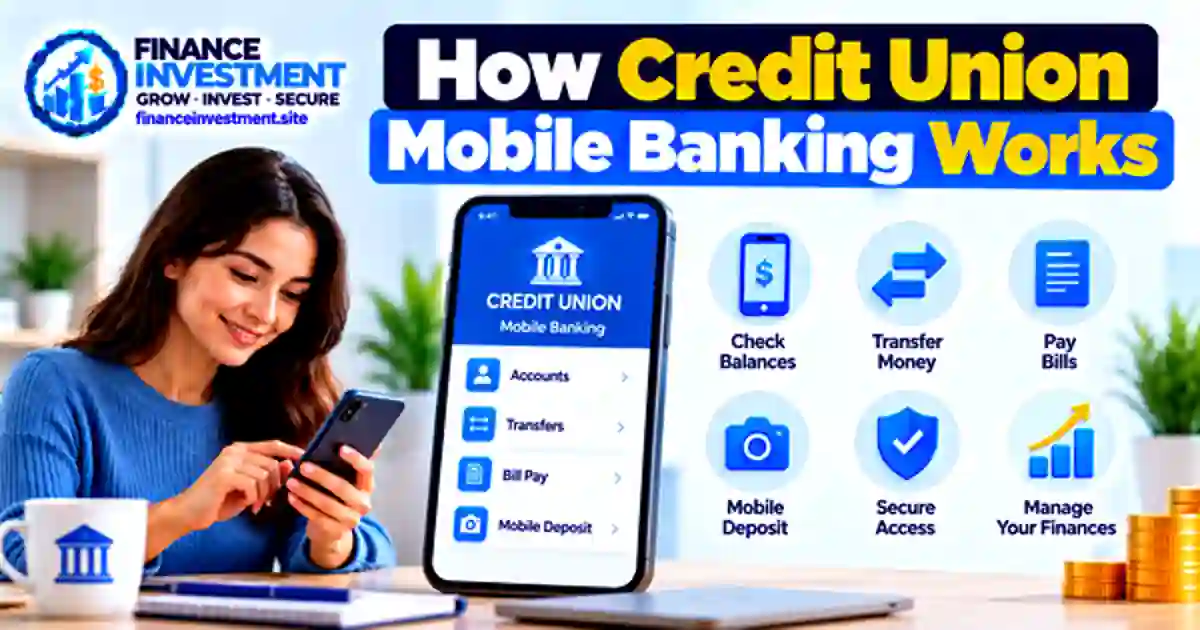
    How Credit Union Mobile Banking WorksFor many credit union members, banking no longer means waiting for a branch to open. How Credit Union Mobile Banking Works comes down to using a secure smartphone app to handle everyday account tasks when it is convenient for you. Depending on the credit union, you may be able to view balances, check recent activity, move money, pay bills, deposit checks, and receive account alerts without making a branch visit.

    The important part is knowing what your particular credit union actually offers. Mobile features can differ by institution, and some services may have transaction limits, eligibility rules, fees, or processing times. Your app also does not replace everything a credit union provides. Branches, ATMs, shared networks, and member support can still play an important role in how you manage your money. If you are new to the credit union model, our credit union guide explains the bigger picture.

    What You’ll Learn

    • How a credit union mobile app connects you with your accounts.
    • What you can typically do from a smartphone.
    • How mobile deposits, transfers, payments, and alerts fit into everyday banking.
    • What fees, limits, and processing delays you should watch for.
    • How mobile access works alongside ATMs, branches, and other services.
    • Which security habits can help protect your account.

    Quick Answer: How Does Credit Union Mobile Banking Work?

    Credit union mobile banking connects your eligible credit union accounts to a smartphone app. Once you sign in, the app can give you access to everyday banking tasks such as checking account activity, moving money, paying bills, depositing eligible checks, and managing certain card settings. The exact tools, limits, and fees depend on the credit union.

    6 Key Takeaways

    1. It extends branch access: Many routine banking tasks can be completed from your phone instead of requiring a branch visit.
    2. The app connects to your existing accounts: Mobile banking normally works as a digital access point for eligible checking, savings, and other accounts.
    3. Not every feature is universal: Two credit unions can offer noticeably different apps, services, limits, and payment options.
    4. Some transactions take time: Transfers, deposits, and bill payments may have processing windows or cutoff times.
    5. Security remains your responsibility: Account credentials, device settings, authentication methods, and scam awareness all matter.
    6. The app should be judged with the whole account: Fees, ATM access, deposit options, customer support, and account terms can matter just as much as app quality.

    Bottom line: A credit union mobile app can make everyday banking considerably more convenient, but a polished app does not automatically make an account a good fit. Look at the complete banking experience—including access, costs, transaction rules, security, and support—before choosing a credit union.

    Table of Contents

    At a Glance: Credit Union Mobile Banking

    FactorQuick Summary
    What it isA smartphone-based way to access eligible credit union accounts and services.
    Typical accessA credit union mobile app, usually protected by account credentials and additional security controls.
    Best forMembers who prefer handling routine banking tasks from a smartphone.
    Key considerationCompare the app’s features with account fees, limits, deposit options, ATM access, and support.

    QUICK TAKE: Mobile banking is the digital access layer of your credit union account. It can make everyday banking more convenient, but the app should not be judged by features alone. A good fit also depends on how easily you can access cash, make deposits, get help, and manage the account within its rules and costs.

    Credit Union Mobile Banking: A Beginner GuideHow Credit Union Mobile Banking Works

    If you are new to credit union mobile banking, the easiest way to think about it is as a digital way to reach the accounts you already have. You typically do not create a separate account just for the app. Instead, your credit union connects eligible checking, savings, or other accounts to its mobile banking service.

    Getting Started

    1. Join the credit union and open an eligible account. Membership requirements vary between credit unions.
    2. Download the official app. Use the mobile application recommended by your credit union rather than an unfamiliar third-party app.
    3. Register or sign in. The setup may require your existing online-banking information and identity verification.
    4. Connect your preferred device settings. Depending on the service, you may be able to use biometric login, alerts, or other account-access options.
    5. Explore the app first. Locate your balances, transaction history, payments, transfers, deposits, statements, and help options before you need them.

    Beginner tip: Do not assume every credit union app works the same way. Before using a new feature, check the instructions, eligibility requirements, limits, and processing details shown by your credit union.

    How Credit Union Mobile Banking Works

    A credit union mobile app works as a digital connection to your eligible accounts. After you sign in, the app securely displays information provided by the credit union and lets you submit certain banking requests. The credit union’s systems then process those requests based on the account rules, transaction limits, and service schedules that apply to you.

    The Basic Mobile Banking Flow

    1. Sign in: You authenticate your identity through the credit union’s approved mobile service.
    2. Choose a service: You select an available function, such as viewing an account, transferring money, paying a bill, or depositing an eligible check.
    3. Review the request: The app may show the amount, destination, date, or other details before you submit it.
    4. Submit: The request is sent through the credit union’s digital banking system for processing.
    5. Check the status: The transaction may appear as completed, pending, or otherwise subject to processing before it is fully available.
    Common TaskTypical Mobile Action
    Account reviewCheck eligible balances, transactions, and account details.
    Money transferEnter the permitted accounts or destination and submit the transfer.
    Mobile depositFollow the app’s instructions to submit an eligible check deposit.
    Bill paymentSet up or schedule an eligible payment through the available bill-pay service.

    Key point: Mobile banking gives you a convenient way to send instructions to your credit union, but it does not guarantee that every transaction settles immediately. Cutoff times, account eligibility, transaction limits, verification, and funds-availability rules can affect the final result.

    Benefits & Drawbacks of Credit Union Mobile Banking

    A well-designed credit union app can remove friction from everyday banking. You can handle many routine tasks from wherever you are, which is especially useful when a branch is not nearby. However, mobile access has limits. The quality of the experience depends on the credit union’s app, account rules, service availability, and the other ways you can access your money.

    Benefits

    • Convenient access: Complete many routine banking tasks without traveling to a branch.
    • Quick account visibility: Review balances, transactions, and available alerts from your phone.
    • Remote check deposits: Eligible members may be able to submit checks without visiting a branch.
    • Digital self-service: Payments, transfers, statements, and other available tools can reduce routine calls or visits.

    Drawbacks

    • Different app experiences: Features and usability can vary significantly between credit unions.
    • Internet dependence: A poor connection, outage, or app problem can temporarily limit access.
    • Service restrictions: Certain transactions may have eligibility requirements, limits, cutoff times, or delays.
    • Not every problem is digital: Account disputes, complex requests, or some service needs may still require human assistance.

    Best perspective: Do not judge a credit union only by its mobile app. Consider how the digital service works alongside ATM access, branches, deposits, customer support, account rules, and the features you actually use. The strongest choice is the one that remains convenient when the app cannot handle what you need.

    Credit Union Mobile Banking Comparison

    Mobile banking is convenient, but it is not the only way to access a credit union account. Each channel has a different job. Comparing them helps you decide where a particular banking task makes the most sense.

    Access MethodBest ForMain AdvantageMain Limitation
    Mobile appRoutine banking on a smartphoneConvenient access while away from a branchFeatures depend on the credit union and app
    Online bankingAccount management from a computerLarger screen for detailed account tasksLess convenient when you are away from a computer
    ATMCash withdrawals and selected self-service tasksPhysical cash accessLimited compared with full digital banking
    BranchComplex needs and personal assistanceDirect help from credit union staffLocation and operating hours can limit access

    QUICK COMPARISON: For everyday tasks, the mobile app is often the most convenient option. However, ATM access remains useful for cash, online banking can be easier for detailed work, and branches matter when a request needs personal assistance. A strong credit union experience gives you more than one practical way to access your money.

    Costs, Risks & Expert Tips

    A credit union may provide its mobile app at no separate monthly cost, but other banking charges can still apply. Depending on the account and service, costs may involve certain transfers, ATM use, overdrafts, expedited services, or other transactions. The safest approach is to check the credit union’s current fee schedule and account disclosures before using a service.

    Mobile Banking Risks

    • Impersonation scams: Fake messages, websites, or apps can be designed to capture banking credentials.
    • Device exposure: A lost, stolen, or poorly protected phone can create additional account-security concerns.
    • Unsafe connections: Public or untrusted networks can create privacy and security risks.
    • Service interruptions: An outage, maintenance period, or technical problem can temporarily prevent digital access.

    Expert Tips for Safer Mobile Banking

    • Download the app through the official channel recommended by your credit union.
    • Use a strong, unique password and enable available multifactor authentication.
    • Keep your phone’s operating system and banking app updated.
    • Turn on useful transaction and account alerts so unusual activity is easier to spot.
    • Contact the credit union through a trusted phone number or website if something looks suspicious.

    If you want to understand the broader charges that may affect your account, see our guide to credit union fees.

    Common Credit Union Mobile Banking Mistakes

    Mobile banking is simple once you get familiar with it, but small oversights can cause unnecessary problems. The most common mistakes involve assuming every credit union app works the same way, overlooking account rules, or treating a digital confirmation as proof that everything is finished.

    Mistakes to Avoid

    • Assuming features are universal: Check whether your credit union actually supports the service you want to use.
    • Skipping the details: Review amounts, recipients, dates, and available instructions before confirming an important request.
    • Ignoring account rules: Check applicable limits, eligibility requirements, and processing information.
    • Relying only on the app: Know how to contact your credit union if a digital request needs additional help.

    Real-Life Example

    Imagine Maria opens her credit union app to deposit a check. She assumes the money will be available immediately because the app accepts the deposit. Before spending the funds, she checks the credit union’s instructions and availability information. She learns that submitting the check and having the funds available are separate steps. That quick check helps her avoid planning a payment around money she cannot yet use.

    The lesson: Convenience is the biggest strength of mobile banking, but a few seconds of review can help prevent avoidable mistakes.

    Who Should Choose Credit Union Mobile Banking?

    Credit union mobile banking makes the most sense when your everyday banking needs are simple enough to handle digitally and you value access from your smartphone. It can be especially useful if you regularly check transactions, manage eligible transfers, make payments, or use other services available through your credit union’s app.

    A Good Fit If You:

    • Prefer banking from your phone: You are comfortable handling routine account tasks without visiting a branch.
    • Want flexible account access: You often need to review or manage your accounts when you are away from a branch.
    • Use routine digital services: Your banking needs include features supported by the credit union’s mobile app.
    • Want backup support: You are comfortable using the app for routine needs but can contact the credit union when a request requires additional assistance.

    When it may not be ideal: If you strongly prefer face-to-face service, rarely use a smartphone, or regularly need services unavailable through the app, a branch or another access method may suit you better. The goal is not to choose the most digital option—it is to choose the access method that fits your banking habits.

    Frequently Asked Questions About Credit Union Mobile Banking

    1. How do I start using credit union mobile banking?

    You generally need an eligible credit union account and access to the institution’s mobile banking service. Registration may require your existing online-banking details or identity verification.

    2. Do I need a separate account for mobile banking?

    No separate bank account is normally created just for the app. Mobile banking generally provides digital access to eligible accounts you already have with the credit union.

    3. Can I deposit a check through a credit union mobile app?

    Many credit unions offer mobile check deposit for eligible members. Availability, deposit limits, endorsement requirements, and funds-availability rules can vary.

    4. Can I transfer money using credit union mobile banking?

    Yes, when the credit union supports the type of transfer you need. Available destinations, limits, verification requirements, and processing times depend on the service.

    5. Does credit union mobile banking cost money?

    Some credit unions do not charge a separate fee for mobile banking, but account, transaction, ATM, or other service fees may still apply. Check the current fee schedule for your account.

    6. How can I make credit union mobile banking safer?

    Use the official credit union app, protect your login credentials, keep your device and app updated, and enable available authentication and account-alert features.

    7. Can I use mobile banking when I cannot visit a branch?

    Yes. Supported mobile features can let you handle routine banking without a branch visit. However, some services may still require staff assistance or another access method.

    8. What should I do if my credit union mobile app stops working?

    Check your internet connection, confirm that the app and device software are updated, and try again later if the service is temporarily unavailable. If the issue continues, contact the credit union through an official support channel.

    Quick answer: Credit union mobile banking can handle many routine tasks, but the exact features, limits, fees, and availability depend on the credit union and the account.

    Final Verdict: Is Credit Union Mobile Banking Worth It?

    Credit union mobile banking is worth considering if the app supports the tasks you regularly handle and you are comfortable managing routine banking from your phone. It can reduce the need for branch visits while giving you a convenient way to review and manage eligible accounts.

    Still, the app should be only one part of your decision. Before choosing or relying on a credit union, compare the features you actually need with its account fees, transaction limits, deposit rules, ATM and branch access, and customer support. Those details can matter more than how polished the app looks.

    Bottom line: The best credit union mobile banking setup is not the one with the most features. It is the one that makes your routine banking easier while giving you reliable alternatives when a task cannot be completed through the app.

    Have a Money Question? Keep Exploring.

    Credit union mobile banking can make routine tasks easier, but the right setup depends on the features, costs, access, and support that fit your needs. Keep comparing the details before making an important banking decision.

    Have a question? Contact FinanceInvestment

    Continue Your Research

    Credit Union Fees Explained ·
    Credit Union ATM Networks Explained