
What to Do If Your Mobile Banking App Is Not Working
 When Your Banking App Stops Working at the Worst Time
You’re about to transfer money for a bill when your banking app suddenly freezes. You close it, reopen it, and get the same blank screen. If you’re wondering what to do if your mobile banking app is not working, the first step is figuring out whether the problem is with your phone, the app, or your bank’s service.
An app that won’t open doesn’t automatically mean your account is compromised. Sometimes an update, internet connection, device setting, or temporary service interruption is responsible. However, unusual security alerts deserve attention.
We’ll walk through practical ways to identify the problem and find another safe way to bank if needed. For a broader overview, explore our digital and online banking guide.
What You’ll Learn
- Why banking apps freeze, crash, or fail to open.
- Which checks help on iPhone and Android.
- How to recognize a possible bank-wide outage.
- When to contact your bank or use another access method.
Quick Answer: What to Do When Your Mobile Banking App Stops Working
Start here: Check your internet connection, restart the app, and look for official bank service updates. Next, check for app or phone software updates. If login attempts fail or security warnings appear, stop retrying and contact your bank through a verified channel.
6 Key Takeaways
- An app crash doesn’t automatically mean your account is locked.
- Unstable Wi-Fi or mobile data can interrupt secure sessions.
- Outdated software may prevent an app from opening properly.
- Biometric login failures aren’t always password problems.
- A bank-wide outage may also disrupt website access.
- Download banking apps only from verified official sources.
Bottom Line: Begin with low-risk checks. If the app remains unavailable, use another bank-approved access method or contact verified support. Never share passwords or one-time verification codes with unexpected callers.
Mobile Banking App Problems: At a Glance
Not every banking app failure has the same cause. Identifying the symptom first can save time and help you avoid unnecessary account changes.
App crashes, connection problems, outdated software, and bank service interruptions are common possibilities.
U.S. banking customers facing app loading, sign-in, biometric login, or transaction problems.
3 initial checks: internet connection, app restart, and official bank status. No universal repair time applies.
| What You See | Safest First Action |
|---|---|
| App crashes or closes | Reopen it; check for an official update. |
| Login is rejected | Review the error; avoid repeated attempts. |
| Loading screen freezes | Test your connection or switch networks. |
| Several services fail | Check official outage updates from your bank. |
Why Mobile Banking Apps Stop Working: A Beginner’s Guide
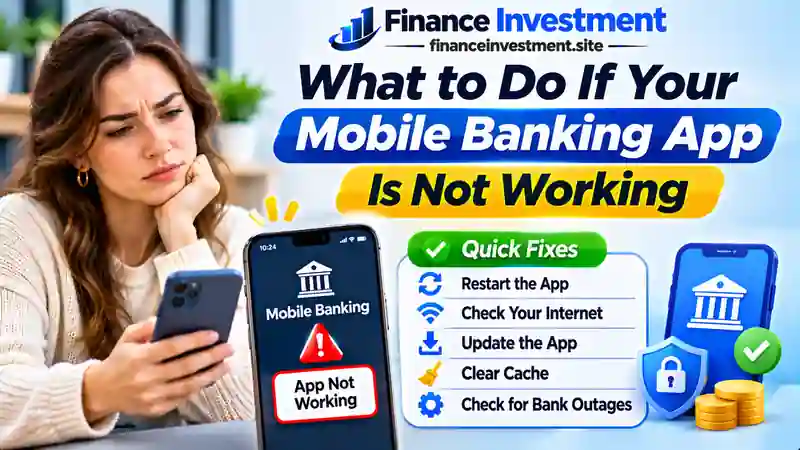
A mobile banking app relies on your phone, internet connection, and bank’s systems working together. When one part fails, you may see a frozen screen, repeated login errors, or missing account information. These six causes explain what might be happening.
1. Weak or Interrupted Internet
Unstable Wi-Fi, poor cellular coverage, or network restrictions can interrupt secure connections.
2. Outdated App or Operating System
Older software may contain unresolved bugs or no longer meet your bank’s compatibility requirements.
3. App Crashes or Storage Problems
Temporary software glitches, limited storage, or damaged app data can prevent normal loading.
4. Login and Biometric Issues
Expired sessions, incorrect credentials, or Face ID and fingerprint authentication problems may block sign-in.
5. Bank Maintenance or Outages
Planned maintenance or unexpected service disruptions may temporarily affect app features or account access.
6. Security and Device Restrictions
Unsupported devices, failed security checks, or suspicious sign-in activity can trigger access restrictions.
Beginner Tip: Notice whether the app crashes before login, rejects your credentials, or fails only during a transaction. That detail helps narrow down the cause.
How to Fix a Mobile Banking App: 10 Safe Steps
Work through these steps in order, checking the app after each one. Most require no changes to your banking account. If you notice unfamiliar transactions, unexpected verification requests, or account-security alerts, stop troubleshooting and contact your bank through an official channel.
1. Test Your Internet Connection
Open a familiar website. If it won’t load, switch between trusted Wi-Fi and cellular data. Avoid entering banking credentials on unfamiliar public networks.
2. Close and Reopen the App
Use your iPhone or Android app switcher to close the banking app completely. Reopen it and check whether the problem persists.
3. Restart Your Phone
A normal restart can resolve temporary device glitches. Reconnect to your network before opening the app again.
4. Check Your Bank’s Service Status
Look for maintenance notices or outage updates on your bank’s official website or verified support channels. A bank-side issue usually cannot be fixed through phone settings.
5. Update the Banking App
Open Apple’s App Store or Google Play and check for an update from your bank’s legitimate app publisher. Never install a replacement banking app from a text-message link.
6. Review Phone Updates and Storage
Check for compatible iOS or Android updates and available storage space. Back up important phone data before a major operating-system update.
7. Check Login and Biometric Authentication
If Face ID, Touch ID, or fingerprint sign-in fails, use your bank’s approved alternative. Avoid repeated password guesses that could trigger a lockout. Never disclose verification codes.
8. Review Feature Permissions
For mobile check deposits, confirm the app has camera access. If alerts aren’t arriving, review notification permissions. Text-message verification also depends on your registered number and cellular service.
9. Handle Cache and Reinstallation Carefully
On supported Android devices, try clearing the app’s cache—not its stored data. On iPhone, follow your bank’s support guidance before reinstalling. First confirm you can sign in and receive verification codes afterward.
10. Use Verified Bank Support or Another Channel
If the problem remains, contact your bank using its official website or the number on your card. Its website, ATM, phone service, or branch may offer an alternative, depending on the task.
Payment Safety Tip: If a transfer freezes after submission, verify its status with your bank before trying again. A second attempt could result in a duplicate payment.
Benefits and Drawbacks of Troubleshooting Your Banking App
Checking a few basics yourself can be worthwhile, especially when the issue involves your phone or connection. But some problems require help from your bank rather than another device adjustment.
Benefits (Pros)
- Convenient: Test basic fixes without visiting a branch.
- Potentially quicker: Minor glitches may clear without support.
- Informative: Narrow down device and network problems.
- Usually free: Routine checks rarely involve service fees.
Drawbacks (Cons)
- Limited reach: Device fixes cannot resolve bank outages.
- Lockout risk: Repeated incorrect logins may restrict access.
- Recovery hurdles: Reinstallation may require identity verification.
- Payment uncertainty: Failed screens may hide pending transactions.
Practical Advice: Start with reversible checks. Contact your bank if you notice suspicious activity, cannot confirm a payment, or need immediate account access.
Mobile Banking App Errors: Causes and Solutions Compared
Different app errors call for different responses. The table below matches common symptoms with possible explanations and practical next steps. These are troubleshooting clues, not confirmed diagnoses.
| App Problem | Possible Cause | Recommended Action |
|---|---|---|
| App crashes | App bug or compatibility issue | Restart app; check official update |
| Loading screen freezes | Network or service interruption | Test connection; check bank status |
| Login rejected | Credentials or access restriction | Stop repeated attempts; use official recovery |
| Biometrics fail | Device or authentication setting | Use bank-approved sign-in alternative |
| Code not received | Message delay or contact issue | Check registered number; contact bank |
| Check deposit fails | Camera, image quality, or deposit rules | Review permissions and bank instructions |
| Transfer appears stuck | Processing delay or missing confirmation | Verify status before submitting again |
| Multiple features fail | Possible bank service disruption | Check official notices or support |
Payment Safety Reminder: An error screen does not confirm that a transfer failed. Review transaction activity or ask your bank before making another payment.
Costs, Security Risks, and Expert Tips When Your Banking App Fails
Most basic troubleshooting steps don’t carry a bank service fee. The bigger concern is what happens while you cannot access the app, especially when a payment deadline is approaching.
Potential Costs
- Late fees: Missing a payment deadline may result in charges under the biller’s terms.
- Transaction fees: Certain ATM withdrawals, wire transfers, or expedited payments may cost extra.
- Mobile data costs: Additional charges depend on your wireless plan.
Security Risks
Fake customer-support messages and fraudulent app-update links can turn a technical problem into a security incident. Never share passwords, verification codes, or remote access to your phone with an unexpected caller. Contact your bank using a trusted number or its official website.
Expert Tip: Have a Backup Payment Option
Before a bill is due, identify another trusted way to pay, such as the biller’s official website or your bank’s phone service. Verify any pending payment before submitting a replacement.
If a deadline is missed: Save relevant error details and contact the bank or biller promptly. You can request a fee waiver, but approval depends on their policies.
Common Mistakes to Avoid When Your Banking App Stops Working
When an app freezes during an important transaction, it’s tempting to keep tapping until something happens. These mistakes can make recovery harder:
- Guessing passwords repeatedly: Too many incorrect attempts may restrict access.
- Deleting the app immediately: Reinstallation may require credentials and fresh identity verification.
- Following unexpected support links: Fake troubleshooting messages may steal banking information.
- Submitting the same transfer twice: An error screen doesn’t establish that the first payment failed.
- Dismissing unusual alerts: Unexpected sign-in notifications may signal a security concern.
Practical U.S. Example: An Unconfirmed Rent Payment
Imagine Emily, an Ohio renter, submitting a rent payment when her banking app freezes. She doesn’t send another payment. Instead, she signs in through her bank’s official website and sees the transaction marked pending.
Because pending doesn’t mean completed, she records the details and checks with her bank or landlord if the status remains unclear, especially as the due date approaches.
Key Lesson: Confirm a transaction’s status before trying again. A little patience can help prevent duplicate payments and unnecessary account complications.
Who Should Try These Mobile Banking App Fixes?
Simple app checks are suitable for many customers, but account-specific problems deserve a different response.
Who Can Start With Basic Checks?
- Everyday banking customers: Experiencing occasional crashes, freezing, or slow loading.
- Beginners and older adults: Comfortable checking connectivity, restarting a phone, or installing official updates.
- Busy families: Troubleshooting routine app issues before managing bills or transfers.
Who Should Contact Their Bank?
- Customers facing unexpected account restrictions or security warnings.
- Anyone noticing unfamiliar transactions or suspected fraud.
- People with urgent payments whose status cannot be confirmed.
Bottom line: Handle routine device issues yourself, but use verified bank support for account access, security concerns, or uncertain payments.
Frequently Asked Questions About Mobile Banking App Problems
Why is my mobile banking app not working today?
Possible causes include connection problems, outdated software, app glitches, or bank maintenance. Check your internet connection and your bank’s official service notices.
What if my banking app keeps crashing?
Reopen the app, restart your phone, and check for an official update. If crashes continue, ask your bank before reinstalling or deleting app data.
Why won’t my banking app open on my iPhone?
An app bug, outdated iOS version, or compatibility issue may be responsible. Check for updates in the App Store and your iPhone settings.
How can I fix a banking app on Android?
Test your connection, restart the app, and check Google Play for updates. Clearing the cache may help on supported devices; avoid clearing stored data without preparation.
Can a bank outage affect mobile banking?
Yes. Maintenance or technical disruptions can affect logins, balances, and transfers. Check your bank’s official website or verified support channels for updates.
What should I do if my banking app rejects my login?
Review the error, avoid repeated password guesses, and use your bank’s official recovery process. Contact verified support if access remains restricted.
Does a broken banking app mean my money is gone?
No. An app malfunction alone does not mean deposits have disappeared. Check another approved banking channel and promptly report any unauthorized activity.
Can I transfer money while my banking app is down?
Possibly. Your bank may offer transfers through its website, phone service, or branch. Verify any earlier transaction’s status before submitting another payment.
Final Verdict: Restore Banking Access Safely
When your mobile banking app stops working, the smartest response is to identify the problem before making major changes. A frozen screen doesn’t automatically mean your account or money is at risk.
Begin with simple device checks and official bank updates. If you encounter suspicious activity, restricted access, or an unconfirmed payment, contact your bank through a trusted channel. Security should always come before convenience.
Explore Further: Understand how mobile apps fit into everyday banking with our digital and online banking beginner’s guide.
Related Resources: Mobile Banking Guides and Official Help
Explore these guides to understand mobile banking, troubleshoot specific features, and protect your account.
More From FinanceInvestment
Official Troubleshooting and Security Resources
Note: FDIC insurance concerns eligible deposits at insured banks; it does not guarantee that a banking app will work. For account-specific problems, contact your bank directly.
Disclaimer: This article is for general educational purposes, not personalized financial or technical advice. Banking procedures vary. Contact your bank through official channels for account issues or suspected fraud. Never email passwords, verification codes, or sensitive account details.