Category: Banking

  • How Credit Union Mobile Banking Works: 2026 Guide

    How Credit Union Mobile Banking Works: 2026 Guide

    How Credit Union Mobile Banking Works

    Subhash Rukade
    Founder, FinanceInvestment
    Published: October 7, 2026
    Updated: October 7, 2026
    Reading Time: 12–14 minutes

    How Credit Union Mobile Banking WorksFor many credit union members, banking no longer means waiting for a branch to open. How Credit Union Mobile Banking Works comes down to using a secure smartphone app to handle everyday account tasks when it is convenient for you. Depending on the credit union, you may be able to view balances, check recent activity, move money, pay bills, deposit checks, and receive account alerts without making a branch visit.

    The important part is knowing what your particular credit union actually offers. Mobile features can differ by institution, and some services may have transaction limits, eligibility rules, fees, or processing times. Your app also does not replace everything a credit union provides. Branches, ATMs, shared networks, and member support can still play an important role in how you manage your money. If you are new to the credit union model, our credit union guide explains the bigger picture.

    What You’ll Learn

    • How a credit union mobile app connects you with your accounts.
    • What you can typically do from a smartphone.
    • How mobile deposits, transfers, payments, and alerts fit into everyday banking.
    • What fees, limits, and processing delays you should watch for.
    • How mobile access works alongside ATMs, branches, and other services.
    • Which security habits can help protect your account.

    Quick Answer: How Does Credit Union Mobile Banking Work?

    Credit union mobile banking connects your eligible credit union accounts to a smartphone app. Once you sign in, the app can give you access to everyday banking tasks such as checking account activity, moving money, paying bills, depositing eligible checks, and managing certain card settings. The exact tools, limits, and fees depend on the credit union.

    6 Key Takeaways

    1. It extends branch access: Many routine banking tasks can be completed from your phone instead of requiring a branch visit.
    2. The app connects to your existing accounts: Mobile banking normally works as a digital access point for eligible checking, savings, and other accounts.
    3. Not every feature is universal: Two credit unions can offer noticeably different apps, services, limits, and payment options.
    4. Some transactions take time: Transfers, deposits, and bill payments may have processing windows or cutoff times.
    5. Security remains your responsibility: Account credentials, device settings, authentication methods, and scam awareness all matter.
    6. The app should be judged with the whole account: Fees, ATM access, deposit options, customer support, and account terms can matter just as much as app quality.

    Bottom line: A credit union mobile app can make everyday banking considerably more convenient, but a polished app does not automatically make an account a good fit. Look at the complete banking experience—including access, costs, transaction rules, security, and support—before choosing a credit union.

    Table of Contents

    At a Glance: Credit Union Mobile Banking

    FactorQuick Summary
    What it isA smartphone-based way to access eligible credit union accounts and services.
    Typical accessA credit union mobile app, usually protected by account credentials and additional security controls.
    Best forMembers who prefer handling routine banking tasks from a smartphone.
    Key considerationCompare the app’s features with account fees, limits, deposit options, ATM access, and support.

    QUICK TAKE: Mobile banking is the digital access layer of your credit union account. It can make everyday banking more convenient, but the app should not be judged by features alone. A good fit also depends on how easily you can access cash, make deposits, get help, and manage the account within its rules and costs.

    Credit Union Mobile Banking: A Beginner GuideHow Credit Union Mobile Banking Works

    If you are new to credit union mobile banking, the easiest way to think about it is as a digital way to reach the accounts you already have. You typically do not create a separate account just for the app. Instead, your credit union connects eligible checking, savings, or other accounts to its mobile banking service.

    Getting Started

    1. Join the credit union and open an eligible account. Membership requirements vary between credit unions.
    2. Download the official app. Use the mobile application recommended by your credit union rather than an unfamiliar third-party app.
    3. Register or sign in. The setup may require your existing online-banking information and identity verification.
    4. Connect your preferred device settings. Depending on the service, you may be able to use biometric login, alerts, or other account-access options.
    5. Explore the app first. Locate your balances, transaction history, payments, transfers, deposits, statements, and help options before you need them.

    Beginner tip: Do not assume every credit union app works the same way. Before using a new feature, check the instructions, eligibility requirements, limits, and processing details shown by your credit union.

    How Credit Union Mobile Banking Works

    A credit union mobile app works as a digital connection to your eligible accounts. After you sign in, the app securely displays information provided by the credit union and lets you submit certain banking requests. The credit union’s systems then process those requests based on the account rules, transaction limits, and service schedules that apply to you.

    The Basic Mobile Banking Flow

    1. Sign in: You authenticate your identity through the credit union’s approved mobile service.
    2. Choose a service: You select an available function, such as viewing an account, transferring money, paying a bill, or depositing an eligible check.
    3. Review the request: The app may show the amount, destination, date, or other details before you submit it.
    4. Submit: The request is sent through the credit union’s digital banking system for processing.
    5. Check the status: The transaction may appear as completed, pending, or otherwise subject to processing before it is fully available.
    Common TaskTypical Mobile Action
    Account reviewCheck eligible balances, transactions, and account details.
    Money transferEnter the permitted accounts or destination and submit the transfer.
    Mobile depositFollow the app’s instructions to submit an eligible check deposit.
    Bill paymentSet up or schedule an eligible payment through the available bill-pay service.

    Key point: Mobile banking gives you a convenient way to send instructions to your credit union, but it does not guarantee that every transaction settles immediately. Cutoff times, account eligibility, transaction limits, verification, and funds-availability rules can affect the final result.

    Benefits & Drawbacks of Credit Union Mobile Banking

    A well-designed credit union app can remove friction from everyday banking. You can handle many routine tasks from wherever you are, which is especially useful when a branch is not nearby. However, mobile access has limits. The quality of the experience depends on the credit union’s app, account rules, service availability, and the other ways you can access your money.

    Benefits

    • Convenient access: Complete many routine banking tasks without traveling to a branch.
    • Quick account visibility: Review balances, transactions, and available alerts from your phone.
    • Remote check deposits: Eligible members may be able to submit checks without visiting a branch.
    • Digital self-service: Payments, transfers, statements, and other available tools can reduce routine calls or visits.

    Drawbacks

    • Different app experiences: Features and usability can vary significantly between credit unions.
    • Internet dependence: A poor connection, outage, or app problem can temporarily limit access.
    • Service restrictions: Certain transactions may have eligibility requirements, limits, cutoff times, or delays.
    • Not every problem is digital: Account disputes, complex requests, or some service needs may still require human assistance.

    Best perspective: Do not judge a credit union only by its mobile app. Consider how the digital service works alongside ATM access, branches, deposits, customer support, account rules, and the features you actually use. The strongest choice is the one that remains convenient when the app cannot handle what you need.

    Credit Union Mobile Banking Comparison

    Mobile banking is convenient, but it is not the only way to access a credit union account. Each channel has a different job. Comparing them helps you decide where a particular banking task makes the most sense.

    Access MethodBest ForMain AdvantageMain Limitation
    Mobile appRoutine banking on a smartphoneConvenient access while away from a branchFeatures depend on the credit union and app
    Online bankingAccount management from a computerLarger screen for detailed account tasksLess convenient when you are away from a computer
    ATMCash withdrawals and selected self-service tasksPhysical cash accessLimited compared with full digital banking
    BranchComplex needs and personal assistanceDirect help from credit union staffLocation and operating hours can limit access

    QUICK COMPARISON: For everyday tasks, the mobile app is often the most convenient option. However, ATM access remains useful for cash, online banking can be easier for detailed work, and branches matter when a request needs personal assistance. A strong credit union experience gives you more than one practical way to access your money.

    Costs, Risks & Expert Tips

    A credit union may provide its mobile app at no separate monthly cost, but other banking charges can still apply. Depending on the account and service, costs may involve certain transfers, ATM use, overdrafts, expedited services, or other transactions. The safest approach is to check the credit union’s current fee schedule and account disclosures before using a service.

    Mobile Banking Risks

    • Impersonation scams: Fake messages, websites, or apps can be designed to capture banking credentials.
    • Device exposure: A lost, stolen, or poorly protected phone can create additional account-security concerns.
    • Unsafe connections: Public or untrusted networks can create privacy and security risks.
    • Service interruptions: An outage, maintenance period, or technical problem can temporarily prevent digital access.

    Expert Tips for Safer Mobile Banking

    • Download the app through the official channel recommended by your credit union.
    • Use a strong, unique password and enable available multifactor authentication.
    • Keep your phone’s operating system and banking app updated.
    • Turn on useful transaction and account alerts so unusual activity is easier to spot.
    • Contact the credit union through a trusted phone number or website if something looks suspicious.

    If you want to understand the broader charges that may affect your account, see our guide to credit union fees.

    Common Credit Union Mobile Banking Mistakes

    Mobile banking is simple once you get familiar with it, but small oversights can cause unnecessary problems. The most common mistakes involve assuming every credit union app works the same way, overlooking account rules, or treating a digital confirmation as proof that everything is finished.

    Mistakes to Avoid

    • Assuming features are universal: Check whether your credit union actually supports the service you want to use.
    • Skipping the details: Review amounts, recipients, dates, and available instructions before confirming an important request.
    • Ignoring account rules: Check applicable limits, eligibility requirements, and processing information.
    • Relying only on the app: Know how to contact your credit union if a digital request needs additional help.

    Real-Life Example

    Imagine Maria opens her credit union app to deposit a check. She assumes the money will be available immediately because the app accepts the deposit. Before spending the funds, she checks the credit union’s instructions and availability information. She learns that submitting the check and having the funds available are separate steps. That quick check helps her avoid planning a payment around money she cannot yet use.

    The lesson: Convenience is the biggest strength of mobile banking, but a few seconds of review can help prevent avoidable mistakes.

    Who Should Choose Credit Union Mobile Banking?

    Credit union mobile banking makes the most sense when your everyday banking needs are simple enough to handle digitally and you value access from your smartphone. It can be especially useful if you regularly check transactions, manage eligible transfers, make payments, or use other services available through your credit union’s app.

    A Good Fit If You:

    • Prefer banking from your phone: You are comfortable handling routine account tasks without visiting a branch.
    • Want flexible account access: You often need to review or manage your accounts when you are away from a branch.
    • Use routine digital services: Your banking needs include features supported by the credit union’s mobile app.
    • Want backup support: You are comfortable using the app for routine needs but can contact the credit union when a request requires additional assistance.

    When it may not be ideal: If you strongly prefer face-to-face service, rarely use a smartphone, or regularly need services unavailable through the app, a branch or another access method may suit you better. The goal is not to choose the most digital option—it is to choose the access method that fits your banking habits.

    Frequently Asked Questions About Credit Union Mobile Banking

    1. How do I start using credit union mobile banking?

    You generally need an eligible credit union account and access to the institution’s mobile banking service. Registration may require your existing online-banking details or identity verification.

    2. Do I need a separate account for mobile banking?

    No separate bank account is normally created just for the app. Mobile banking generally provides digital access to eligible accounts you already have with the credit union.

    3. Can I deposit a check through a credit union mobile app?

    Many credit unions offer mobile check deposit for eligible members. Availability, deposit limits, endorsement requirements, and funds-availability rules can vary.

    4. Can I transfer money using credit union mobile banking?

    Yes, when the credit union supports the type of transfer you need. Available destinations, limits, verification requirements, and processing times depend on the service.

    5. Does credit union mobile banking cost money?

    Some credit unions do not charge a separate fee for mobile banking, but account, transaction, ATM, or other service fees may still apply. Check the current fee schedule for your account.

    6. How can I make credit union mobile banking safer?

    Use the official credit union app, protect your login credentials, keep your device and app updated, and enable available authentication and account-alert features.

    7. Can I use mobile banking when I cannot visit a branch?

    Yes. Supported mobile features can let you handle routine banking without a branch visit. However, some services may still require staff assistance or another access method.

    8. What should I do if my credit union mobile app stops working?

    Check your internet connection, confirm that the app and device software are updated, and try again later if the service is temporarily unavailable. If the issue continues, contact the credit union through an official support channel.

    Quick answer: Credit union mobile banking can handle many routine tasks, but the exact features, limits, fees, and availability depend on the credit union and the account.

    Final Verdict: Is Credit Union Mobile Banking Worth It?

    Credit union mobile banking is worth considering if the app supports the tasks you regularly handle and you are comfortable managing routine banking from your phone. It can reduce the need for branch visits while giving you a convenient way to review and manage eligible accounts.

    Still, the app should be only one part of your decision. Before choosing or relying on a credit union, compare the features you actually need with its account fees, transaction limits, deposit rules, ATM and branch access, and customer support. Those details can matter more than how polished the app looks.

    Bottom line: The best credit union mobile banking setup is not the one with the most features. It is the one that makes your routine banking easier while giving you reliable alternatives when a task cannot be completed through the app.


    Have a Money Question? Keep Exploring.

    Credit union mobile banking can make routine tasks easier, but the right setup depends on the features, costs, access, and support that fit your needs. Keep comparing the details before making an important banking decision.

    Have a question? Contact FinanceInvestment

    Continue Your Research

    Credit Union Fees Explained ·
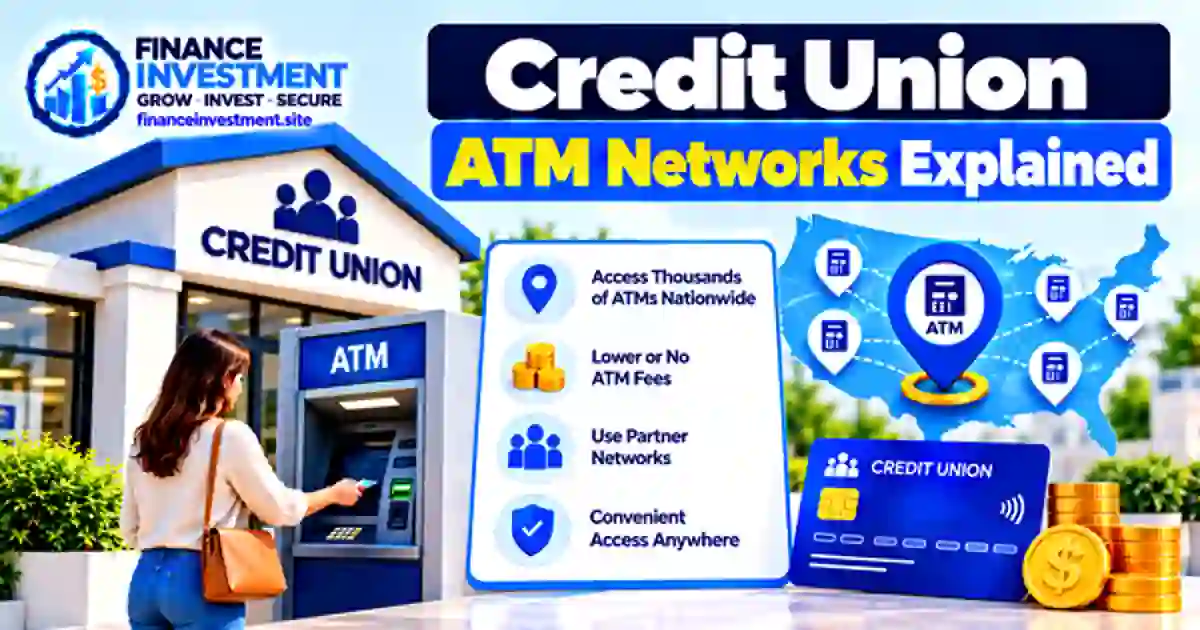
    Credit Union ATM Networks Explained

  • Digital Credit Unions Explained: How They Work, Benefits & Fees

    Digital Credit Unions Explained: How They Work, Benefits & Fees

    Digital Credit Unions Explained

    SR
    Subhash Rukade
    Founder, FinanceInvestment
    Published: October 7, 2026
    Updated: October 7, 2026
    Reading Time: 12–14 minutes

    Digital Credit Unions: A Simpler Way to Bank Online?Digital Credit Unions Explained

    Digital Credit Unions Explained is really about one thing: how credit unions are bringing everyday banking into a more digital experience. Depending on the institution, members may be able to open or manage accounts online, deposit checks by phone, transfer money, pay bills, use a debit card, and handle many routine banking tasks without visiting a branch.

    But a digital credit union is not simply an online bank with a different name. Membership eligibility, account requirements, ATM access, shared branching, fees, and customer support can differ from one credit union to another. That makes the details important when you are deciding where to keep your money. If you are new to the concept, start with our broader guide to credit unions explained.

    What You’ll Learn

    • What a digital credit union is and how its online services work.
    • How digital credit union membership and account access typically work.
    • Which features, fees, and limitations deserve attention.
    • How digital credit unions compare with traditional credit unions and banks.
    • What to check before opening a digital credit union account.
    • Who may be a good fit for digital banking through a credit union.

    Digital Credit Unions: Quick Answer

    A digital credit union is a member-owned credit union that uses online and mobile technology to deliver many everyday banking services. Members may be able to manage accounts, transfer money, deposit checks, pay bills, and handle other routine tasks digitally. The exact experience depends on the credit union, so digital access does not remove membership rules or account requirements.

    6 Key Takeaways

    1. Online access: Many routine banking tasks can be completed through a website or mobile app.
    2. Membership comes first: You generally need to meet the credit union’s eligibility requirements.
    3. Services vary: Digital features, account options, and customer support can differ widely.
    4. Physical access still matters: ATM networks and shared branching may affect how you access cash or in-person services.
    5. Costs deserve attention: Review account fees, minimum balance rules, and transaction requirements before joining.
    6. The right fit depends on your needs: Convenience is useful, but it should be weighed against access, features, and overall account terms.

    Bottom line: Digital credit unions can combine the convenience of online banking with the structure of a credit union. Before opening an account, look beyond the app and compare membership eligibility, access, fees, available services, and the level of support you expect to use.

    Table of Contents

    Digital Credit Unions at a Glance

    FactorWhat to Know
    StructureCredit unions are member-owned financial cooperatives rather than traditional shareholder-owned banks.
    Digital accessOnline and mobile banking can make many routine account tasks available without a branch visit.
    MembershipYou must meet the credit union’s eligibility requirements before becoming a member.
    Best forPeople who want convenient digital banking and find the credit union’s membership and account terms suitable.
    Check before joiningReview fees, minimum requirements, ATM access, shared branching, digital features, and customer support.

    QUICK TAKE: A digital credit union combines credit union membership with online and mobile access to everyday financial services. That can be convenient, but the app is only part of the picture. Before opening an account, compare the credit union’s eligibility rules, account terms, access options, fees, services, and support.

    Digital Credit Unions: A Complete Beginner GuideDigital Credit Unions Explained

    A digital credit union brings many everyday credit union services into an online and mobile setting. Instead of visiting a branch for every routine task, members may be able to check balances, transfer money, pay bills, deposit checks, and manage certain account services through a website or mobile app.

    Membership still comes first

    Digital access does not remove the credit union’s membership requirements. To join, you must qualify under that institution’s eligibility rules. Depending on the credit union, eligibility may be connected to your location, employer, family relationship, organization, or another qualifying factor. Always check the specific requirements before applying.

    Common digital services

    • Checking balances and reviewing account transactions.
    • Transferring money between eligible accounts.
    • Paying bills and managing scheduled payments.
    • Depositing eligible checks through mobile deposit.
    • Viewing statements, alerts, and other account information.

    Beginner tip: Look beyond the mobile app when evaluating a digital credit union. Membership eligibility, account requirements, ATM access, fees, customer support, and available services can matter just as much as the digital experience.

    How Digital Credit Unions Work

    A digital credit union generally follows the same basic membership model as other credit unions, while using online and mobile tools for many everyday interactions. The process usually moves from eligibility and membership to account setup and digital account management.

    1. Check your eligibility

    Before opening an account, you need to determine whether you qualify for membership. The credit union may ask for identification and information that confirms your eligibility.

    2. Complete the membership process

    If you qualify, you can complete the credit union’s application process. Depending on the institution, this may be handled online or through another supported channel.

    3. Choose your accounts and services

    After becoming a member, you can select the eligible accounts and services that meet your needs. Options may include checking, savings, certificates, loans, and payment services, but the available lineup varies.

    4. Manage your account digitally

    Once your account is active, online or mobile banking can provide access to supported features such as balance checks, transfers, bill payments, transaction history, alerts, and mobile check deposits.

    5. Use other access channels when necessary

    If you need cash or assistance that is not available digitally, your credit union may offer ATMs, shared branches, phone support, or other service options. Availability depends on the institution and its network.

    Digital Credit Union Benefits and Drawbacks

    A digital credit union can be convenient when you want to handle routine banking from a phone or computer. Still, convenience alone does not make an account a good fit. Membership rules, account terms, access options, and service quality should be considered alongside the digital experience.

    Potential Benefits

    • Convenient access to supported accounts and banking services.
    • Online tools can reduce the need for routine branch visits.
    • Mobile alerts and transaction history can make account activity easier to monitor.
    • Members can combine digital access with the services offered by their credit union.

    Potential Drawbacks

    • Membership eligibility may limit your available choices.
    • Digital features and app capabilities can vary between credit unions.
    • ATM, branch, and cash-access options may not be equally convenient everywhere.
    • Some requests may still require phone, branch, or other support channels.

    What matters most: Compare the entire account, not just the app. Before joining, look at eligibility, account requirements, fees, digital capabilities, ATM and branch access, and the support available when you need help.

    Digital Credit Union vs. Other Banking Options

    A digital credit union is best understood by looking at both sides of the account: the credit union membership model and the way you access your money. Comparing it with other banking options can help you see where digital access, branch availability, and membership requirements differ.

    FactorDigital Credit UnionTraditional Credit UnionOnline BankTraditional Bank
    Ownership / structureCredit union membershipCredit union membershipBanking relationshipBanking relationship
    Membership eligibilityRequired; rules varyRequired; rules varyUsually not requiredUsually not required
    Main digital accessWebsite and mobile appWebsite and mobile appWebsite and mobile appWebsite and mobile app
    Branch accessDepends on institutionOften availableLimited or noneOften available
    ATM accessDepends on available networkDepends on available networkDepends on bank networkDepends on bank network
    Potential fitMembers prioritizing digital convenienceMembers who value branch accessCustomers preferring digital-first bankingCustomers who value branch-based services

    How to read this table: “Digital” describes the delivery experience, not necessarily the absence of branches. A digital credit union may still provide physical access through its own locations or participating networks. Before choosing an account, compare the actual digital features, eligibility rules, fees, ATM access, branch options, and customer support.

    Digital Credit Union Costs, Risks & Expert Tips

    A convenient digital experience does not automatically mean an account has low fees or no limitations. Before joining, review the credit union’s account disclosures and fee schedule so you know which charges and requirements actually apply to the account you are considering.

    Costs to check

    • Monthly maintenance or service fees, if applicable.
    • Minimum balance, opening deposit, or other account requirements.
    • Out-of-network ATM or transaction fees, where applicable.
    • Overdraft, returned-payment, wire, or other service charges that may apply.

    Risks worth considering

    Digital banking also requires careful account security. Phishing, stolen login credentials, device loss, or unauthorized transactions can create problems if an account is not properly protected. Technical outages may also temporarily affect access to certain digital services.

    Expert tip: Before opening an account, check the fee schedule, ATM network, deposit options, customer-service channels, security features, and procedures for reporting unauthorized activity. If the credit union is federally insured by the NCUA, confirm the applicable NCUA share insurance coverage before depositing significant funds.

    Common Digital Credit Union Mistakes

    The biggest mistake is often choosing a digital credit union based only on how attractive its website or app looks. The account still needs to work for your eligibility, spending habits, access needs, and everyday banking routine.

    Mistakes to avoid

    • Not checking eligibility: Make sure you qualify before starting the application.
    • Choosing without comparing terms: Review the account requirements and applicable fees.
    • Ignoring your access needs: Check whether the ATM, branch, or other service options fit your routine.
    • Assuming digital features are identical: Confirm that the app or website supports the functions you actually need.
    • Skipping the fine print: Read important account disclosures before moving your money.

    A simple real-life example

    Imagine Maria is looking for a digital credit union for everyday banking. She likes one credit union’s mobile app, but before joining, she checks whether she qualifies, reviews the account requirements, confirms nearby ATM access, and makes sure the digital tools support mobile deposits and transfers. Everything fits her routine, so she chooses the account based on the complete banking experience rather than the app alone.

    Smart move: Start with your own banking habits. Then compare eligibility, account terms, access, digital features, and support before making a decision.

    Who Should Choose a Digital Credit Union?

    A digital credit union may be a good fit if you prefer handling everyday banking online but still want the membership structure and services offered by a credit union. The key is making sure the institution’s access options and account features match how you actually manage your money.

    It may suit you if you:

    • Prefer using a website or mobile app for routine banking.
    • Meet the credit union’s membership eligibility requirements.
    • Do not need frequent in-person banking but want suitable access options when necessary.
    • Are willing to compare account terms, fees, digital features, and available support.

    Consider another option if the credit union’s eligibility rules, access network, digital tools, or account terms do not fit your routine. A traditional credit union, online bank, or traditional bank may make more sense depending on what you need.

    Frequently Asked Questions About Digital Credit Unions

    1. What is a digital credit union?

    A digital credit union is a credit union that offers many banking services through online and mobile channels. Depending on the institution, members may be able to manage accounts, transfer money, pay bills, deposit checks, and use other digital services.

    2. How do digital credit unions work?

    You first need to meet the credit union’s membership requirements. After joining, you can open eligible accounts and use its website or mobile app to manage supported banking activities.

    3. Do digital credit unions have physical branches?

    It depends on the institution. Some digital credit unions operate physical branches, while others may rely more heavily on ATMs, shared branching, phone support, and digital service channels.

    4. Are digital credit unions safe?

    A credit union’s safety depends on the institution, its security practices, and how you protect your account. If it is federally insured by the NCUA, eligible member shares are generally protected up to applicable insurance limits.

    5. Do digital credit unions charge fees?

    Fees vary by institution and account. Possible charges can include maintenance, ATM, overdraft, wire, or other service fees. Review the credit union’s current fee schedule before opening an account.

    6. Can I deposit checks with a digital credit union?

    Many credit unions offer mobile check deposit, but availability, deposit limits, eligibility, and processing rules vary. Check the specific credit union’s current terms before relying on the service.

    7. How do I choose a digital credit union?

    Compare membership eligibility, account requirements, fees, digital features, ATM access, deposit options, customer support, and applicable insurance coverage. Choose the option that fits your actual banking habits.

    8. Is a digital credit union the same as an online bank?

    No. A digital credit union is still a credit union with membership requirements and a member-based structure. An online bank is a bank that primarily delivers its services through digital channels.

    Final Verdict: Are Digital Credit Unions Worth Considering?

    Digital credit unions are worth considering if you want to manage most everyday banking tasks online and meet the institution’s membership requirements. They can combine digital account access with the products and services offered by a credit union, but the actual experience varies from one institution to another.

    The better choice comes down to fit. Consider how often you need cash, whether you want branch access, which digital features matter to you, and whether the account’s requirements and fees work with your routine.

    Bottom line: Don’t choose a credit union based on its app alone. Compare membership eligibility, account terms, fees, ATM access, digital features, customer support, and applicable insurance before making your decision.

    If you want to understand the broader credit union model first, explore our complete guide to credit unions.

    Have a Money Question? Keep Exploring.

    Good financial decisions start with knowing how an account works, what it costs, and whether it fits your needs. Keep researching before you commit your money.

    Continue Your Research

  • Online Credit Unions vs Local Credit Unions: Which Is Better?

    Online Credit Unions vs Local Credit Unions: Which Is Better?

    Online Credit Unions vs Local Credit Unions

    Subhash Rukade
    Founder, FinanceInvestment
    Published: October 7, 2026
    Updated: October 7, 2026
    Reading Time: 12–14 min

    Online Credit Unions vs Local Credit Unions: Which Is Better for You?What Is a Credit Union Shared Branch?

    Online Credit Unions vs Local Credit Unions comes down to more than choosing between an app and a branch. Both types can offer everyday accounts, savings products, loans, and other member services. The better fit depends on how you prefer to bank and which features actually matter in your day-to-day life.

    An online-focused credit union may suit someone who is comfortable handling most banking tasks digitally. A local credit union may be a better fit if nearby branches, personal assistance, or face-to-face service are important. Some institutions combine digital banking with physical locations, so the choice is not always strictly one or the other.

    If you are new to credit unions, our complete guide to credit unions explains the basics first. This comparison then looks at the practical differences that can help you decide which banking setup makes more sense for you.

    What You’ll Learn

    • How online and local credit unions differ in everyday banking.
    • When branch access can be valuable and when digital banking may be enough.
    • How to compare fees, convenience, ATM access, and member service.
    • Which option may fit travelers, families, retirees, and digital-first users.
    • What to check before opening an account with either type.

    Online Credit Unions vs Local Credit Unions: Quick Answer

    Neither option is automatically better for everyone. An online-focused credit union may appeal to people who prefer managing money digitally, while a local credit union may be more attractive to members who value nearby branches and in-person assistance. The better choice depends on the services you need and how you prefer to bank.

    6 Key Takeaways

    • Online-focused credit unions can be convenient for members who prefer digital banking.
    • Local credit unions can provide physical branches and face-to-face assistance.
    • Some credit unions combine digital banking with access to physical locations.
    • ATM availability can matter if you regularly need cash away from home.
    • Fees, account requirements, and available services can vary by credit union.
    • Your banking habits and location may matter more than whether an institution is described as online or local.

    Bottom Line

    Look at the features you are most likely to use. If you handle nearly everything from your phone or computer, digital access may be a priority. If you often want personal help or branch access, a local option may deserve more weight in your comparison.

    Table of Contents

    Online vs Local Credit Unions at a Glance

    The practical difference is often how you access your credit union, not what the institution is designed to provide. Online-focused credit unions tend to emphasize digital account management, while local credit unions may place greater emphasis on branches and personal service. The details can vary, so compare the actual account features rather than relying on the label alone.

    FactorOnline-Focused Credit UnionLocal Credit Union
    Best forMembers comfortable managing accounts digitallyMembers who value local access and personal assistance
    Branch accessVaries by institution and service arrangementPhysical branches are typically an important part of the model
    Digital bankingUsually an important part of the member experienceAvailability and features vary by credit union
    Personal serviceOften available through phone, chat, or other remote channelsIn-person assistance may be available at branches
    Fees & ratesCompare the specific account termsCompare the specific account terms

    QUICK TAKE

    If most of your banking happens through your phone or computer, an online-focused credit union may fit your routine well. If you value nearby staff and face-to-face help, a local credit union may be more convenient. Before choosing either one, compare the services, fees, access options, and account terms that matter most to you.

    Complete Beginner Guide to Choosing Between Online and Local Credit UnionsOnline Credit Unions vs Local Credit Unions

    The easiest way to compare credit unions is to start with your own banking habits. Someone who rarely visits a branch may care more about a reliable app and convenient remote support, while someone who prefers face-to-face help may place greater value on a nearby location.

    1. Identify the Services You Use Most

    Think about how you deposit money, move funds, withdraw cash, check balances, and contact customer service. Your most common tasks should guide the comparison instead of choosing based on whether a credit union sounds more modern or more traditional.

    2. Check How You Will Access Your Account

    Review branch locations, ATM access, mobile banking, online banking, remote support, and shared-branching arrangements. Our guide to credit union shared branching explains how participating members may access certain services through other participating locations.

    3. Read the Account Terms Carefully

    Compare monthly fees, minimum balance requirements, ATM policies, deposit options, transfer features, and customer support. Two credit unions can offer similar account types while having different rules, costs, and access options.

    Beginner tip: Write down the three banking services you use most often. Then compare each credit union against that list. It makes the decision more practical and helps you avoid paying for features you are unlikely to use.

    How Online and Local Credit Unions Work

    Online and local credit unions can offer many of the same core financial products. The bigger difference is often how members access those services. One may emphasize remote banking, while another may combine digital tools with a network of physical locations.

    How Online-Focused Credit Unions Deliver Services

    An online-focused credit union generally relies heavily on its website, mobile app, phone support, and other remote channels. Depending on the institution, members may be able to open accounts, transfer money, deposit checks, monitor transactions, and contact support without regularly visiting a branch.

    How Local Credit Unions Deliver Services

    A local credit union generally combines digital banking with physical branches in the communities it serves. Members can use online tools for routine tasks and visit a branch when they prefer face-to-face assistance or need a service that is easier to handle in person.

    One important detail: These labels are not absolute. A local credit union can have excellent digital banking, and an online-focused credit union can offer access arrangements beyond its own physical locations. Always check the specific institution rather than judging it by the label alone.

    Benefits & Drawbacks of Online and Local Credit Unions

    Each model has strengths, but the better fit depends on what you value most. Digital convenience can be useful for one member, while branch access or local support may matter more to another.

    Pros

    • Digital convenience: Online-focused credit unions can make routine account management easier through websites and mobile apps.
    • Physical assistance: Local credit unions may give members a nearby place to ask questions or handle certain banking needs in person.
    • Multiple access options: Depending on the institution, members may have access to branches, ATMs, shared branches, mobile banking, or remote support.
    • Choice of service style: Members can look for an institution whose mix of digital and personal support matches their preferences.

    Cons

    • Limited branch convenience: An online-focused credit union may not have a physical location that is convenient for you.
    • Membership requirements: A local credit union may have specific eligibility rules based on its membership field.
    • Digital features vary: App quality, online services, and remote support can differ considerably between institutions.
    • Access arrangements differ: ATM networks, shared-branching options, and other service channels are not identical across credit unions.

    The practical trade-off: More digital features do not automatically make an account better, just as having a nearby branch does not guarantee a better fit. Focus on the access, service, and account features you are most likely to use.

    Online vs Local Credit Union Comparison

    A useful comparison goes beyond counting branches or checking whether an app exists. Look at how each credit union handles everyday access, cash needs, customer support, membership eligibility, and account costs. Those details can matter more than the label “online” or “local.”

    FactorOnline-Focused Credit UnionLocal Credit UnionWhat to Check
    Everyday bankingUsually centered on digital and remote channels.May combine digital banking with branch services.App, website, phone support, and available services.
    Cash accessMay depend more heavily on ATM networks and other access arrangements.May offer branches alongside ATM and network access.ATM locations, fees, limits, and withdrawal convenience.
    In-person helpAvailability depends on the institution and its physical access arrangements.May provide face-to-face assistance at local branches.Branch locations, hours, and services.
    Membership eligibilityDepends on the credit union’s membership requirements.May depend on its defined membership field or community served.Whether you qualify before applying.
    Account costsFees and minimums vary by account.Fees and minimums vary by account.Monthly fees, minimums, ATM charges, and other terms.
    Savings & borrowingProduct availability and rates depend on the institution.Product availability and rates depend on the institution.APY, loan rates, terms, and product choices.

    The Better Comparison Question

    Instead of asking which model is better overall, ask which one fits your routine with fewer compromises. If you mainly bank from your phone, digital access may carry more weight. If you regularly need branch assistance, local availability may matter more. Either way, compare the actual account terms before opening an account.

    Costs, Risks & Expert Tips Before Choosing a Credit Union

    A credit union can look like a good fit from its headline features, but the details matter. Before opening an account, check what you will actually pay, how you will access your money, and whether the account fits your regular banking routine.

    Costs That Deserve a Closer Look

    • Monthly maintenance fees: Find out whether the account charges a recurring fee and what conditions, if any, can waive it.
    • ATM charges: Check your credit union’s policy for out-of-network withdrawals, including any reimbursement limits.
    • Minimums: Review opening-deposit and minimum-balance requirements before moving money into the account.
    • Other account fees: Check the current fee schedule for charges that could affect the way you normally use the account.

    Risks of Choosing the Wrong Fit

    The biggest problem is not that one model is automatically risky. It is choosing an account that does not match your habits. Someone who needs frequent branch visits may find a heavily digital setup inconvenient, while someone who rarely visits a branch may place little value on paying for or maintaining access to one.

    Expert Tips

    • Read the current fee schedule and account disclosures before applying.
    • Check ATM and shared-access options if you regularly need cash or in-person services.
    • Review the mobile app, online banking, and support channels if digital access is important to you.
    • Confirm membership eligibility, minimums, and account requirements before opening the account.

    Common Mistakes When Choosing a Credit Union

    A credit union can look attractive during a quick comparison, yet a small detail may become important once you start using the account. The most common mistakes come from overlooking practical needs until after the account is opened.

    4 Mistakes to Avoid

    1. Looking at rates alone: A strong APY or loan rate does not tell you whether the account’s fees and access options fit your needs.
    2. Skipping the eligibility check: Confirm that you meet the credit union’s membership requirements before building your comparison around that institution.
    3. Forgetting about cash needs: If you regularly use cash, check ATM availability, applicable fees, withdrawal limits, and branch or other cash-access options.
    4. Assuming digital features are identical: Mobile apps, remote deposits, transfers, and customer support can vary from one credit union to another.

    Real-Life Example

    Imagine Mike chooses an online-focused credit union because its digital features suit him and the account terms look appealing. Later, his routine changes and he needs a convenient way to handle cash deposits. He discovers that the available options in his area are less convenient than expected. A local credit union with a nearby branch might have been a better fit. The problem was not the online model itself; Mike had not checked how the account would handle one of his changing banking needs.

    The lesson: Before opening an account, test your choice against the banking situations you expect to face—not just the features that look attractive during the initial comparison.

    Who Should Choose an Online or Local Credit Union?

    The better option depends on where your banking happens and how much personal access you want. Neither model is automatically the better choice for every member.

    Consider Online-Focused

    A good fit if you prefer mobile or online banking, rarely need branch visits, and are comfortable handling most routine tasks remotely.

    Consider Local

    Worth considering if nearby branches, face-to-face assistance, or convenient local access are important parts of your banking routine.

    One final filter: Check membership eligibility, fees, ATM access, account features, and service options before deciding. Your everyday needs should carry more weight than whether an institution is marketed as online or local.

    Frequently Asked Questions About Online vs Local Credit Unions

    1. What is the difference between an online credit union and a local credit union?

    The biggest difference is usually how members access services. An online-focused credit union may emphasize digital and remote banking, while a local credit union may combine those tools with nearby branches. The exact mix varies by institution.

    2. Are online credit unions cheaper than local credit unions?

    Not necessarily. Monthly fees, minimums, ATM charges, and other account costs vary by institution. Compare the actual fee schedule instead of assuming an online credit union will always cost less.

    3. Do online credit unions have branches?

    It depends on the credit union. An online-focused institution may have limited physical locations or rely more heavily on remote and shared-access services. Check the specific institution’s available options before joining.

    4. Can I use ATMs with an online credit union?

    Often, yes. ATM access depends on the debit card, participating networks, ATM compatibility, and the credit union’s fee policy. Check the institution’s current ATM information before relying on a particular location.

    5. Are local credit unions better for customer service?

    Not automatically. A local credit union may provide face-to-face assistance through branches, while an online-focused institution may emphasize phone, chat, or other remote support. Compare the support channels you are most likely to use.

    6. Can anyone join an online credit union?

    No. Credit unions have membership requirements, and eligibility differs among institutions. An online credit union may serve members across a wider geographic area, but you still need to meet its stated membership criteria.

    7. Which type of credit union is better for frequent travelers?

    Either can work. Frequent travelers should pay close attention to ATM networks, shared-access options, digital banking, customer support, and applicable fees. The better choice depends on which services remain convenient while traveling.

    8. What should I check before choosing an online or local credit union?

    Start with membership eligibility and the account’s fee schedule. Then consider the services you use most, such as ATM access, branches, mobile banking, deposits, transfers, and customer support. This keeps the decision focused on your actual banking needs.

    Quick reminder: Online and local credit unions can both be good choices. The stronger option is the one whose access, services, costs, and support match the way you actually manage your money.

    Final Verdict: Online Credit Unions vs Local Credit Unions

    So, which one should you choose? For someone who is comfortable doing most banking from a phone or computer, an online-focused credit union can offer the convenience they want. If visiting a branch, speaking with someone in person, or having local access matters more, a local credit union may fit better.

    The important point is that online does not automatically mean better, and local does not automatically mean more personal or less expensive. Credit unions differ in their fees, membership rules, ATM arrangements, digital tools, products, and service options. Compare the institution—not just the category.

    The Bottom Line

    Choose the model that removes the most friction from your everyday banking. Before opening an account, confirm that you can access your money conveniently, qualify for membership, and use the services you actually need.

    For the broader picture, explore our complete guide to credit unions to learn more about membership, accounts, benefits, and how credit unions work.

    Have a Money Question? Keep Exploring.

    Your banking choice should make everyday money management simpler. Keep comparing the features, costs, and access options that matter most to you before opening a new account.

    Want to share a question or feedback?

    Email FinanceInvestment

    Continue Your Research

  • Can You Use Any ATM With a Credit Union Account?

    Can You Use Any ATM With a Credit Union Account?

    Can You Use Any ATM With a Credit Union Account?

    Subhash Rukade
    Founder, FinanceInvestment
    Published: October 6, 2026
    Updated: October 6, 2026
    Reading Time: 11–13 min

    Can You Use Any ATM With a Credit Union Account?Can You Use Any ATM With a Credit Union Account

    Can You Use Any ATM With a Credit Union Account? In many cases, your credit union debit card can be used at an ATM outside your credit union’s own locations. But “can use” and “can use without a fee” are not the same thing. The ATM’s network, your credit union’s policies, and the machine’s operator can all affect the transaction.

    That difference becomes important when you’re traveling, working in another city, or simply need cash away from home. An ATM may accept your card while still applying a surcharge. A participating network ATM may offer different terms, while an out-of-network machine may have additional costs or restrictions.

    If you’re still learning how credit unions work, our complete guide to credit unions covers the broader banking relationship. This guide narrows the focus to ATM access, helping you understand what to check before you insert your card and approve a transaction.

    What You’ll Learn

    • When a credit union debit card can be used at another financial institution’s ATM.
    • Why card acceptance does not automatically mean the transaction is fee-free.
    • How participating and out-of-network ATMs can differ.
    • Where to look for compatible ATM locations before withdrawing cash.
    • Which fees, limits, and transaction rules deserve attention.
    • How to make smarter ATM choices when you’re away from home.

    Quick Answer: Can You Use Any ATM With a Credit Union Account?

    In many cases, yes—you can use a credit union debit card at an ATM outside your credit union’s own locations. However, ATM access does not mean every machine has the same fees, services, or transaction rules. Your card network, credit union, and the ATM operator can each affect what happens.

    6 Key Takeaways

    • Your credit union card may work at ATMs beyond your credit union’s own locations.
    • An ATM accepting your card does not automatically mean there is no fee.
    • Participating network ATMs can expand where eligible members access their accounts.
    • Out-of-network machines may have different fees, limits, or transaction conditions.
    • Available services and withdrawal limits can vary by ATM and account.
    • Using your credit union’s current ATM locator can help you identify eligible locations.

    Bottom Line

    You do not need to limit yourself to an ATM carrying your credit union’s name. But before completing a withdrawal, consider the network, available services, and applicable charges. Knowing those details can help you avoid an unpleasant surprise at the machine.

    Table of Contents

    ATM Access at a Glance

    QuestionWhat to Know
    Can I use another ATM?Often yes, when the ATM supports your debit card’s network.
    Will it be free?Not necessarily. The ATM operator or your credit union may charge a fee.
    What determines access?Your card network, participating ATM networks, credit union policies, and transaction limits.
    What should I check first?Use your credit union’s ATM locator and review the fee shown before confirming a withdrawal.

    QUICK TAKE

    A credit union account usually does not mean you must use only your credit union’s own ATMs. Depending on your debit card and the available network, you may have access to many machines in different locations. Still, ATM availability and ATM cost are two separate questions. A machine may accept your card but charge a fee, while another participating ATM may have different terms. Before withdrawing cash, check the network information provided by your credit union and read the fee disclosure on the ATM screen.

    Complete Beginner Guide to Credit Union ATM AccessCan You Use Any ATM With a Credit Union Account

    If you have a credit union checking account, your debit card can give you access to cash at more places than your credit union’s own branches. The exact options depend on the ATM networks your card supports and the rules set by your credit union.

    1. Check Which ATM Networks Your Card Supports

    Start with your credit union’s website, mobile app, or card information. Look for the ATM networks available to members. These network details can help you find compatible machines when you’re away from your usual branch or hometown.

    2. Look at the ATM Fee Before Confirming

    An ATM can accept your debit card while still displaying a surcharge. Read the fee disclosure carefully before completing the withdrawal. If the displayed charge is not acceptable, follow the ATM’s prompts to cancel the transaction before proceeding.

    3. Learn Your Credit Union’s Out-of-Network Rules

    Your credit union may have specific rules for out-of-network ATM fees, reimbursements, daily withdrawal limits, and available services. Knowing these details ahead of time is especially useful when traveling or when you need a larger amount of cash.

    Beginner tip: Save your credit union’s ATM locator on your phone. It can be more useful than searching randomly for the nearest ATM because you can check participating locations and available services before you arrive.

    How ATM Access Works With a Credit Union Account

    When you use a credit union debit card at an ATM, the transaction is routed through the card and ATM networks involved in the transaction. The participating institutions and network arrangements help determine whether the requested service can be authorized.

    Your Credit Union’s Network Matters

    A credit union may participate in one or more ATM networks or other access arrangements. These can give eligible members access to machines beyond the credit union’s branches. Depending on the network and the ATM, available services may include cash withdrawals or balance inquiries. The exact access rules come from your credit union and the applicable network.

    What Happens During a Typical Withdrawal?

    1. You insert or tap your debit card at a compatible ATM and choose the requested transaction.
    2. You enter your PIN or provide other required verification.
    3. The ATM sends the transaction through the applicable network for authorization.
    4. The ATM may display a surcharge before you complete the transaction.
    5. If the transaction is approved, the ATM dispenses the cash and the transaction is recorded by the financial institutions involved.

    Key point: ATM access depends on the networks and arrangements connecting your card with the machine. That is why one ATM may accept your credit union card while another nearby machine may not—or may offer different services or fees.

    Benefits & Drawbacks of Credit Union ATM Access

    Broader ATM access can make a credit union account easier to use, especially when you are away from a branch. The trade-off is that convenience depends on the network, the ATM, and your credit union’s account terms.

    Benefits

    • Convenient cash access: You may have more places to withdraw cash than your credit union’s branch network alone provides.
    • Helpful when traveling: Participating ATM networks can give members access in cities where their credit union has no branch.
    • Possible fee savings: Eligible network ATMs or your credit union’s fee policy may help reduce out-of-network costs.
    • Less dependence on branches: Basic cash withdrawals and other supported ATM services can be handled outside normal branch hours.

    Drawbacks

    • Fees may apply: An ATM outside your credit union’s preferred network can involve a surcharge or other account fee.
    • Services can differ: Another ATM may offer fewer services than an ATM operated or designated by your credit union.
    • Cash limits still matter: Daily or per-transaction limits may restrict the amount you can withdraw.
    • Not every nearby ATM is equally useful: A machine can be accessible while still having less favorable fees or terms.

    The practical trade-off: Wider ATM access gives you flexibility, but the cheapest or most useful machine is not always the closest one. When the choice matters, compare the network, fee disclosure, and withdrawal limit before proceeding.

    Credit Union ATM Comparison: Which Machine Should You Use?

    The closest ATM is not always the best ATM for a credit union member. The right choice depends on whether the machine is supported by your credit union, whether your card can be used there, and what charges or limits apply.

    ATM OptionAccessPossible CostWhen It Makes Sense
    Credit Union ATMTypically intended for members of that credit union.Depends on the credit union’s account and ATM policies.A convenient first choice when one is nearby.
    Participating Network ATMAvailable when your card and the ATM qualify under the applicable network.May have favorable or reduced fees under the network arrangement.Useful when you’re away from your credit union’s branches.
    Out-of-Network ATMMay accept your card even though it is outside the preferred network.ATM surcharges or credit union fees may apply.A practical backup when a participating ATM is unavailable.
    Another Bank’s ATMDepends on card compatibility and the bank’s ATM network.The ATM operator may display a surcharge, and other fees may depend on your credit union.Useful when the machine supports your card and the cost is acceptable.

    Smart choice: If possible, start with an ATM listed by your credit union or its participating network. When you need to use another machine, look at the fee disclosure and consider your credit union’s out-of-network rules before approving the transaction.

    ATM Costs, Risks & Expert Tips

    Using an ATM outside your credit union’s preferred network can create extra costs, but the exact charge depends on the machine and your account terms. The safest approach is to understand the possible charges before you approve the withdrawal.

    Costs to Watch

    • ATM surcharge: The ATM operator may charge a fee for using its machine.
    • Credit union fee: Your credit union may charge a separate out-of-network ATM fee under your account’s fee schedule.
    • Fee reimbursement rules: Some accounts may reimburse certain ATM fees, subject to their specific terms and limits.

    Risks Worth Knowing

    An accepted card does not guarantee a low-cost transaction. You should also be cautious around unfamiliar machines, unexpected prompts, loose or damaged card readers, and unusual requests for information. Daily withdrawal limits can also affect how much cash you can access at one time.

    Expert Tips

    • Check your credit union’s ATM locator before choosing a machine.
    • Read the ATM’s fee disclosure before confirming the withdrawal.
    • Know your daily withdrawal limit if you expect to need substantial cash.
    • Protect your PIN and avoid using a machine that appears damaged or tampered with.

    Common ATM Mistakes Credit Union Members Make

    ATM mistakes often come from making a quick assumption. A machine may accept your card, for example, without offering the lowest-cost option or every service available through your credit union.

    4 Mistakes to Avoid

    1. Assuming every ATM is fee-free: A machine can accept your card and still display a surcharge.
    2. Checking only the ATM’s fee: Your credit union may have separate out-of-network fees or reimbursement rules.
    3. Choosing the closest machine automatically: A nearby ATM may not be part of your preferred network or may offer less favorable terms.
    4. Forgetting withdrawal limits: A daily or transaction limit can affect how much cash you can access at once.

    Real-Life Example

    Imagine Sarah is traveling and needs $100. She finds the nearest ATM and inserts her credit union debit card. Before approving the withdrawal, she notices a surcharge on the screen. She checks her credit union’s ATM information and finds another nearby machine that participates in an eligible network. She reviews the second machine’s fee disclosure before deciding which option makes more sense for her account.

    Lesson: The goal is not simply to find an ATM that works. It is to choose a compatible machine while understanding the applicable fee, network, and withdrawal terms.

    Who Benefits Most From Broad Credit Union ATM Access?

    Broad ATM access can be valuable when you need cash in places where your credit union does not have a branch. The benefit is less about having unlimited ATM choices and more about having convenient, compatible options when you need them.

    Frequent Travelers

    Useful for people who regularly need cash outside their credit union’s local service area.

    Regular Cash Users

    A broader eligible network can make routine withdrawals easier to manage.

    People Banking Outside Branch Hours

    ATM access can provide a practical way to handle supported cash needs when visiting a branch is inconvenient.

    Who should compare more carefully? If you rarely use cash, ATM availability may matter less than monthly fees, digital banking, branch access, or other account features. In that situation, evaluate the overall account instead of choosing one based mainly on ATM access.

    Frequently Asked Questions About Credit Union ATM Access

    1. Can you use any ATM with a credit union account?

    Not literally every ATM. Your credit union debit card may work at many machines, but acceptance depends on the card’s network and the ATM’s compatibility. Fees and available services can also vary.

    2. Can I use another bank’s ATM with a credit union debit card?

    Yes, if the bank’s ATM supports your debit card network. The transaction may still involve an ATM surcharge or a fee under your credit union’s account terms.

    3. Can a credit union charge an out-of-network ATM fee?

    It may. Check your credit union’s current fee schedule to see whether out-of-network ATM fees apply to your account and whether any reimbursement conditions are available.

    4. How do I find a credit union ATM near me?

    Start with your credit union’s website or mobile app. Its ATM locator may show eligible locations, while your card information can help identify participating ATM networks.

    5. Are credit union ATMs always free?

    No. Fees depend on the particular credit union, account terms, ATM location, and applicable network arrangement. Always check the terms that apply to your account.

    6. Can I withdraw cash from an out-of-network ATM?

    You may be able to if the machine supports your debit card. Review the surcharge displayed by the ATM and your credit union’s out-of-network rules before completing the withdrawal.

    7. Can I use my credit union debit card at an ATM while traveling?

    Often, compatible ATM networks can provide access outside your local area. Before traveling, review your credit union’s ATM options, withdrawal limits, and applicable fees so you know what to expect.

    8. What should I check before using another ATM?

    Confirm that the ATM supports your card, review any surcharge shown on screen, check your credit union’s fee policy, and make sure the withdrawal amount is within your applicable limit.

    Quick reminder: ATM access depends on the relationship between your debit card, the applicable network, the ATM, and your credit union’s account terms. Those details determine what you can do and what the transaction may cost.

    Final Verdict: Can You Use Any ATM With a Credit Union Account?

    In most cases, a credit union debit card gives you access to more than just your credit union’s branded ATMs. However, “many compatible ATMs” is a more accurate answer than “any ATM.” The card network, ATM operator, and your credit union’s account terms can all affect the transaction.

    For most members, the real advantage is flexibility. You can use participating ATM networks and, when necessary, other compatible machines instead of depending entirely on nearby branches. The key is knowing which access options your credit union actually provides.

    The Bottom Line

    A credit union account does not normally lock you into one ATM location. Still, ATM access is not unlimited or identical everywhere. If you regularly use cash, a credit union with convenient network access can make everyday banking easier.

    If you are comparing credit unions beyond ATM access, our complete guide to credit unions explains the broader features, benefits, and considerations to evaluate.

    Have a Money Question? Keep Exploring.

    ATM access is only one part of choosing and using a credit union account. Fees, account features, and everyday banking rules can matter just as much.

    Have a money topic you’d like FinanceInvestment to explain? Email us with your question or topic.

    Continue Your Research

  • Credit Union ATM Networks Explained: 2026 Guide

    Credit Union ATM Networks Explained: 2026 Guide

    Credit Union ATM Networks Explained: A 2026 Guide

    Subhash Rukade
    Founder, FinanceInvestment
    Published: October 6, 2026
    Updated: October 6, 2026
    Reading Time: 11–13 min

    Credit Union ATM Networks: Why Access MattersCredit Union ATM Networks Explained

    Credit Union ATM Networks Explained starts with a practical question: where can you get cash when your credit union’s own ATM is not nearby? Many credit unions expand member access through cooperative or shared ATM networks, giving members more places to make eligible ATM transactions.

    That extra reach can matter when you travel, work in another area, attend school away from home, or simply live far from a branch or ATM operated by your credit union. Still, not every ATM offers the same terms. An ATM may be part of your credit union’s network, belong to another participating network, or be outside the network altogether.

    If you’re new to credit unions, our complete guide to credit unions explains how these member-owned institutions work. Here, we’ll focus on ATM networks, where they can expand your access, when fees may enter the picture, and what to check before relying on a particular ATM.

    What You’ll Learn

    • What a credit union ATM network is and why credit unions use them.
    • How your credit union’s own ATMs differ from participating network ATMs.
    • How to find eligible ATM locations near you or while traveling.
    • When an ATM transaction may involve a surcharge or other fee.
    • What to check before choosing a credit union based partly on ATM access.
    • How ATM network access can affect everyday banking convenience.

    Quick Answer: How Do Credit Union ATM Networks Work?

    A credit union ATM network gives members access to participating ATMs beyond the machines operated directly by their credit union. When your credit union participates in a network, eligible ATMs can provide another place to make supported transactions. The exact access, fees, and transaction rules depend on your credit union and the network involved.

    Key Takeaways

    • ATM networks can expand access beyond your credit union’s own machines.
    • Participating ATMs can be useful when you’re away from your usual banking area.
    • Not every ATM automatically belongs to a network your credit union supports.
    • Some network transactions may still involve fees or other restrictions.
    • Available services and ATM locations can vary by network and participating institution.
    • Checking your credit union’s ATM locator before withdrawing cash can help you choose an eligible location.

    Bottom Line

    A useful ATM network can make a credit union account more convenient, especially when you travel or live away from a home branch. When comparing credit unions, look at network coverage, nearby locations, and potential fees—not just the number of ATMs carrying the credit union’s name.

    Table of Contents

    ATM Networks at a Glance: Facts, Best For & Summary

    Key PointWhat It Means
    Network accessYour credit union may give you access to participating ATMs beyond machines operated directly by the credit union.
    Best forMembers who want more convenient cash access while traveling, working, studying, or living away from a home branch.
    FeesCharges can depend on the credit union, network, account terms, and ATM operator.
    Before using an ATMCheck whether the location participates, which transactions are supported, the withdrawal limit, and any applicable fees.

    Quick Take

    A credit union ATM network can widen your cash-access options without requiring every ATM to carry your credit union’s name. The useful question is not simply how many ATMs are available, but whether the participating locations are convenient for you and what rules or fees apply when you use them.

    Credit Union ATM Networks: A Complete Beginner Guide Credit Union ATM Networks Explained

    A credit union ATM network is easier to understand when you separate it from your credit union’s own machines. Your credit union may belong to a cooperative network that gives members access to participating ATMs in other locations. That can be useful when there is no familiar credit union ATM nearby.

    For example, you might use a participating ATM while traveling, visiting family, or working in another city. The services available can vary. One machine may support cash withdrawals and balance inquiries, while another may have different transaction options or limits.

    How to Use a Network ATM

    1. Find an eligible location: Use your credit union’s website or mobile app to search for participating ATMs.
    2. Check the services: Confirm that the ATM supports the transaction you need, such as a cash withdrawal.
    3. Review the fee screen: Check for any surcharge or other applicable charge before completing the transaction.
    4. Keep your receipt: Save it when you need a record of the withdrawal or want to verify the amount later.

    Beginner tip: If ATM access matters to you, compare the locations you actually use rather than relying only on a network’s advertised size. Convenient coverage near home, work, school, and frequent travel destinations can make a bigger difference.

    How Credit Union ATM Networks Work

    A credit union ATM network connects participating financial institutions and ATM locations so eligible members can access their accounts outside their credit union’s own ATM footprint. Your credit union still manages your account, while the participating ATM handles the physical transaction.

    When you use your debit card at a participating machine, the ATM sends the transaction through the networks that connect the card, ATM, and financial institutions. The system checks your card and account information, applies the relevant rules, and returns an approval or decline. If approved, the ATM completes the transaction and the activity is recorded on your account.

    The ATM Transaction Process

    1. Card is readThe ATM reads your card and identifies the payment network needed to process the request.
    2. Request is verifiedThe transaction is checked against your account, card, and applicable network rules.
    3. Transaction is approvedIf the request meets the applicable requirements, the ATM receives authorization to proceed.
    4. Account is updatedThe completed transaction is reported and reflected in your account under normal processing.

    Keep in mind: Being connected to an ATM network does not mean every participating machine offers identical services or pricing. Withdrawal limits, supported transactions, and possible fees can vary by credit union, account, network, and ATM operator.

    Benefits & Drawbacks of Credit Union ATM Networks

    An expanded ATM network can make a credit union account more practical, especially for people who do not stay in one location. But network access is only one part of the banking experience. Coverage, transaction rules, and possible charges can affect how useful the network is in everyday life.

    Benefits

    • Can give members more convenient places to withdraw cash.
    • May be especially useful when traveling or spending time away from home.
    • Reduces dependence on finding an ATM operated by your own credit union.
    • Can make a credit union account easier to use across different locations.

    Drawbacks

    • Useful coverage may not be equally available in every community.
    • An ATM can look convenient without necessarily being part of your eligible network.
    • Fees, withdrawal limits, and transaction rules may vary by account and location.
    • Some participating ATMs may support fewer services than your credit union’s own machines.

    The better comparison: Do not judge an ATM network only by its advertised size. Look at the locations you are likely to use, the services available there, and the fee rules that apply to your account. That gives you a more realistic picture of the network’s value.

    Credit Union ATM Network Comparison

    ATM access can look very different depending on where you bank. A credit union’s own machines, participating network ATMs, and out-of-network machines each come with different considerations. The most useful comparison is not simply the number of available ATMs, but how well those locations fit your normal banking routine.

    ATM OptionWhy You Might Use ItWhat to Check
    Your credit union’s ATMProvides direct access through a machine operated by your credit union.Location, supported services, withdrawal limits, and account terms.
    Participating network ATMCan give you additional locations when your credit union’s own ATM is not nearby.Whether your card is eligible, available services, limits, and applicable fees.
    Out-of-network ATMCan provide access when a participating location is unavailable.Check the ATM surcharge, any fee charged by your credit union, and transaction limits.

    Comparison tip: If you regularly withdraw cash, check ATM locations around your home, workplace, and frequent travel destinations. Then compare that real-world coverage with the credit union’s network and fee policy. This gives you a better picture of how convenient the account will actually be.

    Costs, Risks & Expert Tips for Using Credit Union ATMs

    The cost of using an ATM depends on the machine, your credit union, your account terms, and the network involved. A transaction can involve an ATM operator surcharge, a fee from your financial institution, or no additional charge under the applicable terms. Check the fee information before confirming a withdrawal.

    Costs to Watch

    • ATM operator surcharges
    • Fees listed in your credit union’s account terms
    • Charges that may apply when using an out-of-network ATM
    • Additional costs that may apply to certain transactions or locations

    Risks to Consider

    • Assuming every convenient ATM is part of your eligible network
    • Exceeding an account or ATM withdrawal limit
    • Missing a fee disclosure before approving the transaction
    • Using an ATM that appears damaged, altered, or suspicious

    Expert Tips Before You Withdraw

    Check your credit union’s ATM locator when you need a network location, then review the fee screen before completing the transaction. If the machine displays an unexpected charge, you can stop and look for another eligible ATM. When traveling, review your credit union’s ATM and debit-card policies in advance so you know the applicable limits and rules.

    Smart habit: Keep your credit union’s ATM locator or mobile app easy to access. Finding an eligible machine before you need cash can make the transaction simpler and help you avoid unnecessary fees.

    Common Credit Union ATM Mistakes + Real-Life Example

    ATM networks are designed to make access easier, but small oversights can still lead to a declined transaction, an unexpected charge, or an inconvenient search for another machine. Knowing the common trouble spots can make everyday ATM use much smoother.

    Mistakes to Avoid

    • Assuming every nearby ATM is part of a network your credit union supports.
    • Approving a transaction without reviewing the fee information displayed on the ATM.
    • Forgetting that your account or the ATM may impose a withdrawal limit.
    • Relying on incomplete location information instead of checking your credit union’s current ATM locator.
    • Using a machine that appears altered, damaged, or otherwise suspicious.

    Real-Life Example

    Suppose Sarah is traveling for work and needs $200 in cash. She finds an ATM outside a store and considers using it immediately. Before completing the withdrawal, she notices a surcharge on the screen. She checks her credit union’s ATM locator instead and finds a participating location nearby. The example shows why checking the network and transaction terms before withdrawing can be worthwhile.

    The takeaway: A convenient ATM is not necessarily the best ATM for your account. A quick check of network eligibility and transaction terms can help you make a better choice.

    Who Should Choose a Credit Union ATM Network?

    A credit union with useful ATM network access can be a good fit if you want convenient cash access beyond your credit union’s own locations. It can matter even more if your routine includes commuting, frequent travel, or spending extended periods away from your home branch.

    Consider It If You…

    • Withdraw cash regularly.
    • Travel between different cities or regions.
    • Live or work away from your credit union’s main locations.
    • Want ATM access to fit several parts of your routine.

    Look at Other Priorities If You…

    • Almost never use cash or ATMs.
    • Find few participating locations where you actually spend time.
    • Need ATM services that the available network does not provide.
    • Would regularly incur charges under the account’s ATM terms.

    Before choosing an account, check the ATM locations that matter most to you—near home, work, school, and frequent travel destinations. That real-world coverage is more useful than judging a credit union solely by the size of its advertised network.

    Frequently Asked Questions About Credit Union ATM Networks

    What is a credit union ATM network?

    A credit union ATM network is a group of participating ATM locations that can give eligible members access to their accounts beyond the credit union’s own machines. Available services and fees depend on the participating network and the account terms.

    Are credit union network ATMs always fee-free?

    No. Fees depend on the credit union, account, network, and ATM operator. Before completing a withdrawal, check your credit union’s fee schedule and review any surcharge shown by the ATM.

    How do I find participating credit union ATMs?

    Use your credit union’s website or mobile app and look for its ATM locator. It can help you identify participating locations and, depending on the institution, available services.

    Can I use my credit union debit card at another credit union’s ATM?

    You may be able to if the ATM participates in a compatible network and your card is eligible. Transaction limits, available services, and fees can depend on the network and your account terms.

    Can I withdraw cash from a shared network ATM?

    Yes, when the ATM participates in a compatible network and supports cash withdrawals for your card. Your account’s withdrawal limits and applicable transaction terms still apply.

    Do credit union ATM networks work when traveling?

    They can extend your ATM access beyond your local area when participating locations are available. Before traveling, check your credit union’s network locator, withdrawal limits, and applicable debit-card rules.

    What should I do if an ATM shows an unexpected fee?

    Review the fee disclosure before confirming the transaction. If the charge is unexpected, you can stop the transaction and look for another eligible ATM. If a completed charge appears incorrect, contact your credit union and keep the transaction details.

    Should ATM network coverage affect which credit union I choose?

    It can if you regularly use cash. Compare participating ATM locations near your home, workplace, and frequent travel destinations, then consider fees, withdrawal limits, and the account’s other features.

    Final Verdict: Are Credit Union ATM Networks Worth It?

    A credit union ATM network can be valuable when you want convenient access to cash beyond your credit union’s own machines. This added reach can be especially useful if you travel, commute between locations, or live some distance from a branch or dedicated credit union ATM.

    However, network size should not be the deciding factor by itself. The better question is whether participating ATMs are available in the places you actually use. You should also review withdrawal limits, supported services, and the fee terms that apply to your account.

    Our Take

    If ATM access is important to you, choose a credit union whose participating locations fit your routine. Check the actual coverage around home, work, and frequent travel destinations before deciding. A smaller network that serves your needs may be more useful than a larger network you rarely use.

    If you’re comparing credit unions more broadly, our complete guide to credit unions can help you look beyond ATM access and evaluate how credit unions work, their membership structure, and other account features.

    Have a Money Question? Keep Exploring.

    Understanding the small details can make everyday banking decisions easier. Keep exploring FinanceInvestment for practical guides that help you compare options and make informed choices.

    Have a money question or topic you’d like covered? Contact FinanceInvestment.

    Continue Your Research

  • Credit Union Shared Branching Explained: 2026 Guide

    Credit Union Shared Branching Explained: 2026 Guide

    Credit Union Shared Branching Explained: A 2026 Guide

    Subhash Rukade
    Founder, FinanceInvestment
    Published: October 6, 2026
    Updated: October 6, 2026
    Reading Time: 11–13 min

    Credit Union Shared Branching ExplainedCredit Union Shared Branching Explained

    One of the trade-offs of joining a credit union can be branch access. Your preferred credit union might have great products and service, but its nearest branch may be miles away when you travel or move. Credit union shared branching can make that less of a problem by allowing eligible members to use certain services at participating locations outside their home credit union.

    The idea is simple: you keep your existing account, while a participating location may help with eligible everyday transactions. Depending on the network and branch, services can include deposits, withdrawals, balance inquiries, transfers, or other routine requests. However, services and requirements can vary, so a nearby credit union branch is not automatically a shared branch.

    If you’re new to credit unions, our complete guide to credit unions is a good starting point. This guide goes one step further by explaining how shared branching works, what you can expect at a participating location, and when this extra branch access can be useful.

    What You’ll Learn

    • What shared branching means and why participating credit unions offer it.
    • How a shared branch differs from your regular home branch.
    • Which everyday banking services may be available at participating locations.
    • What identification or account information you may need to bring.
    • How fees, limits, and service restrictions can affect a visit.
    • How to decide whether shared branch access fits your banking needs.

    Quick Answer: How Does Shared Branching Work?

    Credit union shared branching allows eligible members of participating credit unions to use certain services at other participating credit union locations. Your account remains with your home credit union; the shared branch simply gives you another place to complete eligible in-person banking tasks.

    Key Takeaways

    • Shared branching expands in-person access beyond your home credit union.
    • It does not normally require you to open your primary account at the participating branch.
    • Available transactions depend on the participating network and location.
    • Identification, account details, transaction limits, or fees may apply.
    • Checking the location’s services before visiting can help avoid an unnecessary trip.

    Bottom Line

    Shared branching can be a practical solution when your credit union is not close by. It gives eligible members additional places to access certain services while keeping the primary account relationship with their home credit union.

    Table of Contents

    Credit Union Shared Branching at a Glance

    Shared branching can be useful when you want in-person banking but your credit union’s own branch is inconvenient or too far away. Eligible members may be able to visit a participating location for certain account services. However, participating branches can differ in the transactions they handle, the identification they require, their hours, and any applicable fees or limits.

    FactorWhat to Know
    Best forMembers who occasionally need in-person banking away from their home credit union.
    Main advantagePotential access to participating branches in locations that are more convenient.
    Possible servicesDepending on the network and branch, services may include deposits, withdrawals, transfers, payments, or account inquiries.
    What can varyAvailable transactions, limits, identification requirements, fees, and operating hours.
    Before visitingConfirm that the location participates and offers the service you need.
    QUICK TAKE: Shared branching is most useful when convenience matters but you still want to keep your existing credit union relationship. The key is to verify the specific location before making the trip because shared-branch services are not identical everywhere.

    Credit Union Shared Branching: A Beginner GuideCredit Union Shared Branching Explained

    The easiest way to understand shared branching is to think of it as a cooperative network. Participating credit unions allow eligible members to use certain services at participating locations beyond their home branch. Visiting another credit union location for an eligible transaction does not normally mean opening a new primary account there.

    What Happens at a Shared Branch?

    When you arrive, tell the staff that you are using shared-branch services and provide the information they require. Depending on the transaction, you may need a government-issued ID, your credit union account details, or other verification. The location can then process services that are supported through the shared-branch arrangement.

    When Can It Be Useful?

    Shared branching can be helpful when you travel, relocate temporarily, attend school away from home, or simply live far from your credit union’s regular branches. It can reduce the inconvenience of finding your home branch whenever you need certain in-person services.

    BEGINNER TIP: Before relying on a shared branch, confirm that your credit union participates, the location supports the transaction you need, and you have the required identification or account information with you.

    How Credit Union Shared Branching Works

    Shared branching connects participating credit unions through a cooperative network, giving eligible members access to certain services at participating locations. The other branch does not replace your home credit union. Instead, it provides a place where supported transactions can be completed under the network’s applicable procedures.

    A Simple Step-by-Step Process

    1. Find a participating branch: Start with your credit union’s shared-branch locator or the applicable network directory.
    2. Check what it offers: Make sure the location supports the specific transaction you need.
    3. Prepare your information: Bring the identification, account details, or other information the network or location requires.
    4. Explain your request: Let the representative know that you are using shared-branch services.
    5. Complete verification: The representative follows the applicable procedures before processing an eligible transaction.
    6. Review the result: Check your receipt, transaction details, or other confirmation before leaving.
    IMPORTANT: Shared-branch access is not identical at every location. Available services, transaction limits, identification requirements, and fees can depend on the participating credit unions, network rules, and specific branch.

    The practical takeaway is simple: finding a shared branch is only the first step. Confirming that it can handle your particular request is what helps prevent an unnecessary visit.

    Benefits and Drawbacks of Shared Branching

    Shared branching can make a credit union easier to use when you are away from your usual branch. It can be particularly valuable for travelers, students, workers who relocate, and members who live far from a home location. However, the experience is not identical to visiting your own credit union, so there are a few trade-offs to understand.

    Benefits

    • Extra in-person access: Eligible members may have more locations available for supported transactions.
    • Convenient while traveling: You may not need to wait until you return home to handle certain banking tasks.
    • Useful after relocating: You can potentially keep your existing credit union relationship while living somewhere new.
    • Greater flexibility: A participating location may be more convenient than your regular branch.

    Drawbacks

    • Not every service is available: A shared location may support fewer transactions than your home branch.
    • Requirements can differ: The location or network may require specific identification or account information.
    • Fees may apply: Some transactions can carry charges depending on your credit union or the service.
    • Location coverage varies: Shared-branch access may be less useful where participating locations are limited.
    QUICK TAKE: Shared branching is best viewed as a convenience layer around your existing credit union relationship. It can make in-person banking easier, but it does not guarantee that every participating location can handle every request.

    Shared Branch vs. Home Branch vs. ATM

    The three options are not interchangeable. Your home branch is your credit union’s own location and is generally the best place for broader account support. A shared branch is a participating location that can handle certain services through the shared-branch arrangement. An ATM is primarily designed for quick self-service transactions.

    FeatureHome BranchShared BranchATM
    In-person staffYesYes, for supported servicesNo
    DepositsGenerally availableMay be availableDepends on the ATM
    Broader account supportBest suitedMay be limitedGenerally limited
    Best useFuller in-person account supportEligible services away from your home branchQuick self-service transactions
    QUICK TAKE: Choose your home branch when you need broader assistance, a shared branch when you need an eligible service while away from home, and an ATM when a quick self-service transaction is enough.

    Costs, Risks and Expert Tips

    Shared branching can make banking easier, but it does not automatically mean every service is free or available at every location. The cost and availability of a transaction can depend on your credit union, the shared-branch network, the participating location, and the service you request.

    Costs to Check

    • Transaction fees: Some shared-branch services may carry a fee under your credit union’s applicable fee schedule.
    • Service-specific charges: Certain requests may have their own fees, limits, or eligibility rules.
    • Fee differences: The cost of using a service can depend on your credit union and the transaction involved.

    Risks and Limitations

    • Service restrictions: A participating location may not support the transaction you need.
    • Verification issues: Missing identification or required account information could prevent or delay service.
    • Changing availability: Branch hours, participation, and supported services can change.

    Expert Tips Before You Visit

    1. Check participation: Confirm the location is part of a network your credit union supports.
    2. Match the service: Verify that the branch can handle your specific transaction.
    3. Check the fee: Review your credit union’s current fee information when a charge may apply.
    4. Prepare your documents: Bring the identification and account information the location requires.
    5. Keep confirmation: Save your receipt or transaction record after completing the request.
    EXPERT TIP: The closest shared branch is not necessarily the best choice. A slightly farther location that supports your specific transaction can save you time and an unnecessary second visit.

    Common Mistakes + Real-Life Example

    Shared branching is straightforward once you know what to expect. Problems usually happen when members assume that a nearby participating location works exactly like their home credit union. A few simple checks can make the experience much smoother.

    Mistakes to Avoid

    • Assuming every service is supported: A participating location may handle routine transactions but not every request.
    • Using incomplete information: Bring the identification, account details, or other information required for the transaction.
    • Overlooking transaction limits: Certain services may have limits or additional requirements.
    • Confusing a shared branch with an ATM: They provide different types of access, so choose the option that matches your need.

    Real-Life Example

    Consider Sarah, a credit union member who is working several hours away from home. She needs an in-person service that is not practical to complete through an ATM. She finds a participating shared branch, checks that the location supports her request, and reviews what information she needs to bring. Because the service is eligible, she can complete the transaction at the participating location while keeping her original credit union account.

    SMART MOVE: Before heading to a shared branch, match three things: your credit union, the location, and the transaction. If all three line up, the visit is much more likely to go smoothly.

    Who Should Choose Shared Branching?

    Shared branching can be especially valuable for members whose lives do not always stay close to their credit union’s home branches. The feature is most useful when you want to keep your existing credit union relationship but occasionally need a participating location for eligible in-person services.

    Shared Branching May Suit You If You:

    • Travel frequently and sometimes need branch-based banking away from home.
    • Live, work, or attend school outside your credit union’s usual service area.
    • Move to a new area but prefer to keep your existing credit union account.
    • Want another option for eligible in-person transactions when digital banking is not enough.

    It may be less important if you rarely visit branches and comfortably manage deposits, transfers, payments, and other routine tasks online or through mobile banking. Before relying on shared branching, consider how often you need in-person service and whether participating locations are convenient where you live, work, or travel.

    Frequently Asked Questions About Credit Union Shared Branching

    1. What is credit union shared branching?

    Credit union shared branching lets eligible members of participating credit unions use certain services at participating locations outside their home credit union.

    2. Can I use any credit union as a shared branch?

    No. Your credit union and the location generally must participate in a shared-branch network that supports the service you need. Use your credit union’s recommended locator to find eligible locations.

    3. What can you do at a shared branch?

    Depending on the network and location, members may be able to make deposits, withdrawals, transfers, payments, or account inquiries. Available services can vary.

    4. Do I need identification at a shared branch?

    You may need government-issued identification, account information, or other verification details. Requirements can vary by transaction, credit union, and participating network.

    5. Does shared branching cost money?

    It depends. Your credit union, the service, and applicable network rules can determine whether a fee applies. Check your credit union’s current fee schedule when you are unsure.

    6. Can I use a shared branch when traveling?

    Yes, when your credit union participates in the applicable network and the location supports the service you need. This can provide another option for eligible in-person banking while you are away from home.

    7. Is a shared branch the same as my home branch?

    No. Your home branch is operated by your credit union. A shared branch is a participating location that provides specific services through the shared-branch arrangement.

    8. How do I find a credit union shared branch?

    Start with your credit union’s official shared-branch locator or the network directory it recommends. Check the location’s supported services and hours before visiting.

    QUICK TIP: Shared branching can extend your access to in-person banking, but the exact services, requirements, and fees may differ by location. When you’re unsure, confirm the details with your credit union first.

    Final Verdict: Is Credit Union Shared Branching Worth It?

    For the right member, shared branching can be a meaningful convenience. Its main advantage is not replacing your home credit union, but giving you additional places to handle eligible in-person banking needs. That can be valuable when your routine takes you away from your credit union’s regular branch network.

    Travelers, relocated workers, students, and members who live farther from their home branch may get the most value from this arrangement. If you rarely visit a branch and manage most of your finances online, the benefit may be less important. Services, fees, identification requirements, and transaction limits can also vary by participating location and network.

    The Bottom Line

    Shared branching is best viewed as an added layer of branch access. If you value in-person banking but do not always stay near your home credit union, it can make your account more flexible without changing your primary banking relationship.

    Have a Money Question? Keep Exploring.

    Understanding shared branching is one part of choosing and using a credit union effectively. If you’re comparing accounts, checking fees, or trying to make a smarter everyday banking decision, FinanceInvestment has more practical guides to help you research your options.

    Have a question for FinanceInvestment?
    Email us your money question

    Continue Your Research